1. Танилцуулга
This manual provides essential information for the proper installation, operation, and maintenance of your GreenTouch 13.3 Inch Industrial PCAP Touchscreen Monitor. Please read this manual thoroughly before using the product and retain it for future reference.
2. Аюулгүй байдлын мэдээлэл
- Ensure the monitor is placed on a stable surface or securely mounted to prevent accidental falls.
- Мониторыг хэт өндөр температур, чийгшил эсвэл нарны шууд тусгалд бүү байлга.
- Хэт халалтаас сэргийлэхийн тулд агааржуулалтын нүхийг хааж болохгүй.
- Зөвхөн монитортой хамт ирдэг тэжээлийн адаптерийг ашиглана уу.
- Хэрэв дэлгэцийг удаан хугацаагаар ашиглахгүй бол цэвэрлэхийн өмнө цахилгааны кабелийг залгуураас салга.
- Мониторыг өөрөө засах гэж бүү оролдоорой. Бүх үйлчилгээг мэргэшсэн боловсон хүчинд шилжүүлээрэй.
3. Бүтээгдэхүүн дууссанview
The GreenTouch 13.3 Inch Industrial PCAP Touchscreen Monitor is designed for robust performance in various commercial and industrial environments, offering a responsive 10-point projected capacitive touch solution.
Гол онцлогууд
- TOUCH READY: Features (G+G) 10-point projected capacitive touch for optical clarity and touch durability.
- БАТАЛГАА: 3mm tempered cover glass provides front IK08 vandal-proof rating.
- БАЙГАЛЬ ОРЧНЫ ХАМГААЛАЛ: Sealed touch screen prevents dirt, dust, and liquid ingress, meeting front IP65 water-resistant requirements.
- VERSATILE INTERFACES: Equipped with HDMI, VGA, DVI, and Audio interfaces for diverse display applications.
- COMMERCIAL GRADE: Built for quality and reliability, designed for continuous operation.
- ТОГТВОРТОЙ БАЙДАЛ: Undergoes rigorous reliability testing (over 20 tests) to deliver 50,000 MTBF (Mean Time Between Failures).
Дизайн ба бат бөх чанар

The monitor features front IP65 water resistance and IK08 anti-vandal protection, ensuring durability in demanding environments.

Industrial metal back shell with porous heat dissipation design ensures strong stability and effectively protects service life.
Интерфейсүүд

Арын view of the monitor displaying available input/output ports including Earphone, Audio In, VGA, DVI, HDMI, DC 12V In, OSD, and USB.

The monitor offers a variety of rich interfaces including HDMI, VGA, DVI, Audio In, and USB for broad compatibility.
Хэрэглээ
This industrial touchscreen monitor is suitable for a wide range of applications:
- Information Kiosks
- Game and Entertainment Systems
- Аж үйлдвэрийн автоматжуулалт
- Self-checking Services
- Point of Sale (POS) Systems
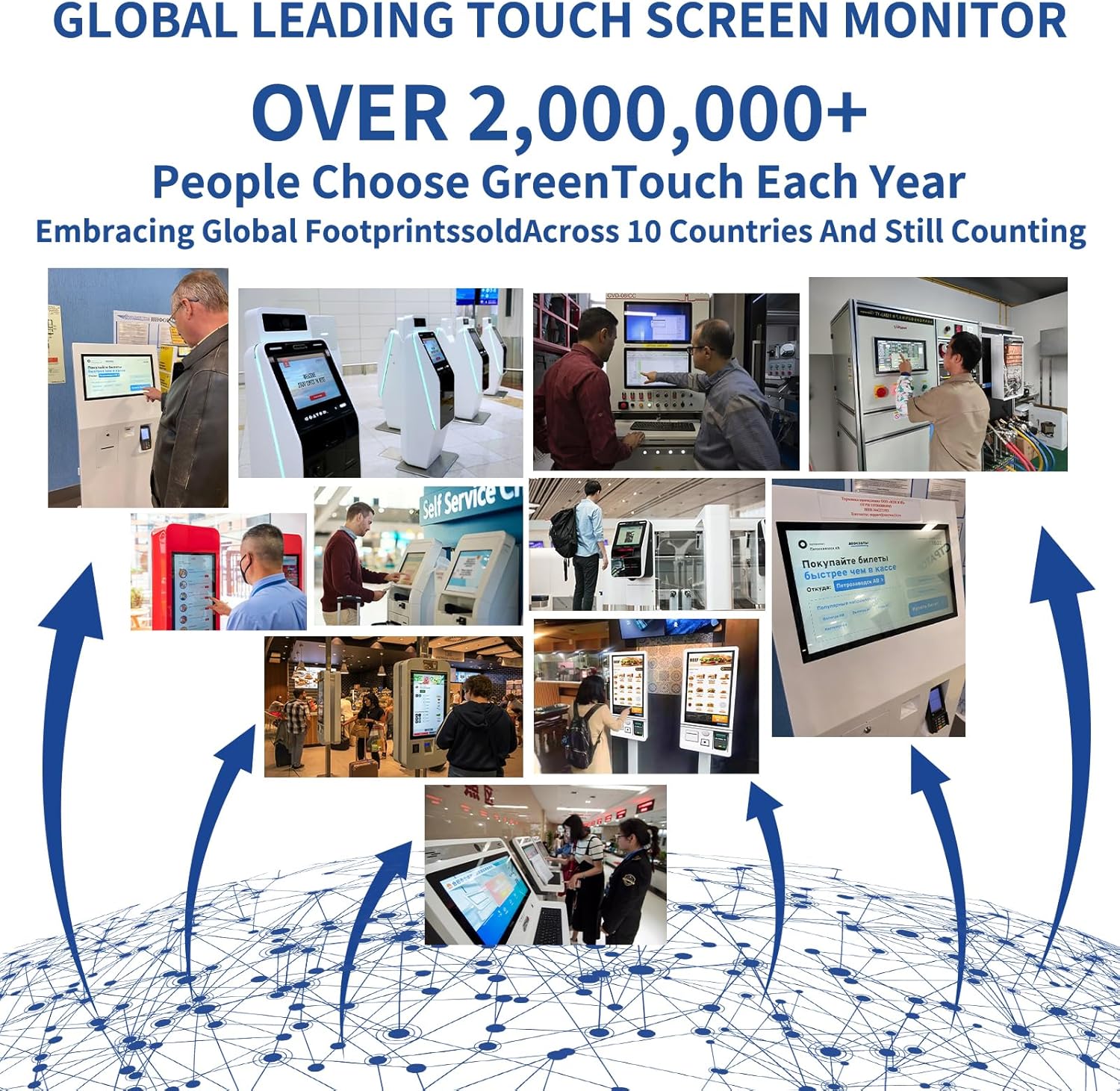
Examples of GreenTouch monitors used in diverse settings such as information kiosks, industrial control panels, and self-service stations.
This video illustrates the internal structure and various applications of the GreenTouch 2C series touchscreen monitor, showcasing its versatility in different industrial and commercial settings.
This video provides detailed insights into the GreenTouch Open Frame Touchscreen Monitor, highlighting its design, features, and potential uses in various environments.
This video offers a comprehensive overview of the GreenTouch Open Frame Touch Screen Monitor (2C series), demonstrating its functionality and robust build quality.
4. Багцын агуулга
Хүлээн авахдаа багцын агуулгыг шалгаж, бүх зүйл байгаа бөгөөд гэмтэлгүй эсэхийг шалгана уу.
- GreenTouch 13.3 Inch Industrial PCAP Touchscreen Monitor
- Эрчим хүчний адаптер
- Power Cord (US plug)
- VGA кабель
- HDMI кабель
- USB кабель (мэдрэгчтэй функцэд зориулагдсан)
- RJ45 Cable (for OSD remote control)
- Суурилуулах хаалт ба шураг
- OSD Remote Control
This video demonstrates the unboxing process of the GreenTouch 2C series Touchscreen Monitor, showing all included accessories and how they are packaged.
5. Тохиргоо
Суурилуулах сонголтууд
The monitor supports both embedded and VESA mounting options.

The back of the monitor features standard VESA mounting holes (75mm x 75mm and 100mm x 100mm) for flexible installation.

This diagram illustrates both embedded installation using the side brackets and VESA installation with a compatible stand.
Мониторыг холбох
- Эрчим хүчний холболт: Connect the power adapter to the DC 12V IN port on the monitor and then plug the power cord into a suitable electrical outlet.
- Видео холболт: Connect one end of the HDMI, VGA, or DVI cable to the corresponding port on the monitor and the other end to your computer or video source.
- Мэдрэгчийн функц: Connect the USB cable from the monitor's USB port to an available USB port on your computer. This enables the touch screen feature.
- Аудио холболт (заавал биш): If external speakers or headphones are desired, connect them to the AUDIO IN or EARPHONE jack.
- OSD Remote Control (Optional): Connect the RJ45 cable from the monitor's OSD port to the OSD remote control for external menu navigation.
6. Ашиглалтын заавар
Асаах/унтраах
- To power on the monitor, ensure all cables are connected and press the power button on the rear of the monitor or on the OSD remote control.
- Унтраахын тулд асаах товчийг дэлгэц унтрах хүртэл удаан дарна уу.
Мэдрэгчтэй дэлгэцийн ажиллагаа
The monitor supports 10-point multi-touch. Ensure the USB cable is connected to your computer for touch functionality. No additional drivers are typically required for Windows operating systems.
- Товш: Single touch for selection.
- Чирэх: Touch and slide your finger to move items or scroll.
- Чимхэх/Сунгах: Томруулах эсвэл жижигрүүлэхийн тулд хоёр хуруугаа ашиглана уу.
OSD цэсийн навигаци
The On-Screen Display (OSD) menu allows you to adjust various display settings. Access the OSD menu using the buttons on the rear of the monitor or the provided OSD remote control.
- Press the 'Menu' button to open the OSD menu.
- Use the arrow buttons to navigate through options.
- Press 'Enter' or 'OK' to select an option or confirm a setting.
- Press 'Exit' or 'Menu' again to close the OSD menu.
7. Засвар үйлчилгээ
- Дэлгэц цэвэрлэх: Зөөлөн, хөвөнгүй даавуугаар дэлгэцийг зөөлөн арчина. Зөрүүд тэмдгийн хувьд dampЗөөлөн, үрэлтгүй дэлгэц цэвэрлэгчээр даавууг арчина. Цэвэрлэгчийг дэлгэц рүү шууд шүршиж болохгүй.
- C цэвэрлэхasing: Мониторыг зөөлөн хуурай даавуугаар арчих casing. Хүчтэй угаалгын нунтаг эсвэл уусгагч хэрэглэхээс зайлсхий.
- Агааржуулалт: Ensure the ventilation holes are free from dust and debris to maintain proper airflow and prevent overheating.
- Кабелийн менежмент: Keep cables tidy and untangled to prevent damage and ensure a safe setup.
8. Алдаа засах
Хэрэв танд монитортой холбоотой асуудал тулгарвал нийтлэг асуудал болон шийдлүүдийг доорх хүснэгтээс харна уу.
| Асуудал | Боломжит шалтгаан | Шийдэл |
|---|---|---|
| Дэлгэц дээр зураг алга | Power cable disconnected; Video cable loose or incorrect input selected. | Check power and video cable connections. Ensure correct input source is selected via OSD menu. |
| Мэдрэгчтэй дэлгэц хариу өгөхгүй байна | USB cable disconnected; Driver issue. | Ensure USB cable is securely connected. Restart computer. Check device manager for touch screen drivers. |
| Image is distorted or blurry | Буруу нягтрал; Видео кабель эвдэрсэн. | Adjust display resolution on your computer. Try a different video cable. |
| OSD цэс харагдахгүй байна | Buttons not functioning; OSD remote control issue. | Ensure buttons are pressed correctly. Check OSD remote control battery or connection. |
9. Техникийн үзүүлэлтүүд
Detailed technical specifications for the GreenTouch 13.3 Inch Industrial PCAP Touchscreen Monitor.
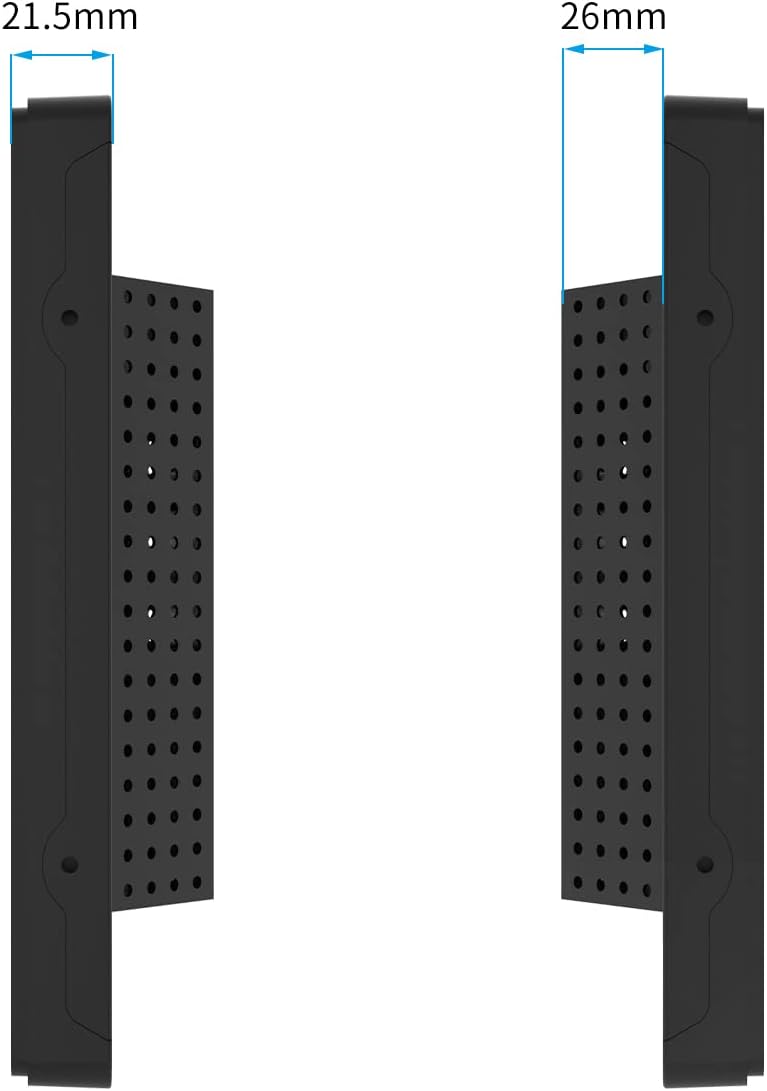
Хажуу тал view of the monitor illustrating its slim profile болон хэмжээсүүд.

The monitor features an A+ Grade LCD Panel, ensuring high resolution, uniform brightness, high contrast, and rich color display.
| Онцлог | Тодорхойлолт |
|---|---|
| Бүтээгдэхүүний хэмжээс | 13.6 x 8.6 x 1.88 инч |
| Зүйлийн жин | 6.6 фунт |
| Үйлдвэрлэгч | GreenTouch |
| Загварын дугаар | GT-TM-1332C-CTW-HD |
| Байнгын дэлгэцийн хэмжээ | 13.3 инч |
| Харьцаа | 1.77:1 (16:9) |
| Ботьtage | 12 вольт (ДС) |
| Шийдвэр | 1920 x 1080 (FHD 1080p) |
| Зургийн тод байдал | 300cd/m² |
| Дэлгэцийн гадаргуугийн тодорхойлолт | Гялгар |
| Мэдрэгч технологи | Projected Capacitive (PCAP) 10-point touch |
| Урд самбарын хамгаалалт | IP65 Water-resistant, IK08 Vandal-proof |
10. Баталгаат хугацаа ба дэмжлэг
GreenTouch products are designed for reliability and performance. This monitor comes with a standard manufacturer's warranty. For specific warranty terms and conditions, please refer to the warranty card included in your package or visit the official GreenTouch webсайт.
For technical support, troubleshooting assistance, or service inquiries, please contact GreenTouch customer service through the contact information provided on their official webсайт эсвэл таны худалдан авах платформ.