Танилцуулга
Thank you for choosing the Formovie V10 4K Projector. This smart mini home theater projector delivers stunning 4K UHD visuals and immersive audio, designed to enhance your entertainment experience. This manual provides essential information for setting up, operating, maintaining, and troubleshooting your projector to ensure optimal performance and longevity.
Хайрцагт юу байна
Бүх зүйл байгаа эсэхийг шалгахын тулд багцынхаа агуулгыг шалгана уу:
- Formovie V10 4K Projector
- Алсын удирдлага
- Цахилгааны утас
- Эрчим хүчний адаптер
- Хэрэглэгчийн гарын авлага
- Баталгаат карт

Image: The retail box of the Formovie V10 4K Projector, showing the product packaging.
Бүтээгдэхүүн дууссанview
Familiarize yourself with the main components of your Formovie V10 projector.

Зураг: Урд view of the Formovie V10 4K Projector, highlighting the lens and 4K UHD branding.
- Проекцийн линз: Дэлгэц дээр дүрсийг гаргадаг.
- Мэдрэгч: For auto-focus, keystone correction, and human detection.
- Чанга яригч: Integrated 2x7.5W full-range speakers and 15W independent subwoofer for immersive audio.
- Оролт/гаралтын портууд: (Located on the rear/side, refer to specific diagrams in the physical manual for exact placement)
- HDMI (for connecting external devices like gaming consoles, laptops)
- USB 3.0 (for connecting USB drives)
- 3.5mm Audio Out (for external audio systems)
- Ethernet (for wired network connection)
- Эрчим хүчний оролт
Тохиргоо
- Байршил: Place the projector on a stable, flat surface or mount it according to your preference. Ensure there are no obstructions in front of the lens. For optimal viewing, position the projector perpendicular to the projection surface.
- Эрчим хүчний холболт: Connect the power adaptor to the projector's power input port, then plug the power cord into a wall outlet.
- Анхны асаалт: Проектор эсвэл алсын удирдлага дээрх цахилгаан товчийг дарж төхөөрөмжийг асаана уу.
- Анхаарал төвлөрөл ба гол чулууны залруулга: The projector features automatic focus and keystone correction. Allow a few moments for the system to adjust the image clarity and shape. Manual adjustments can typically be made via the settings menu if needed.
- Сүлжээний холболт:
- Wi-Fi: Navigate to the network settings, select your Wi-Fi network, and enter the password.
- Ethernet: Connect an Ethernet cable from your router to the projector's Ethernet port.
Ашиглалтын заавар
Холбох төхөөрөмжүүд
- HDMI төхөөрөмжүүд: Connect your laptop, gaming console, or Blu-ray player to the HDMI port using an HDMI cable. The projector will automatically detect the input or you can select it from the input source menu.
- USB төхөөрөмжүүд: Insert a USB drive into the USB 3.0 port to access media fileшууд.
- Bluetooth: Pair Bluetooth devices like speakers or headphones via the Bluetooth settings menu. The projector supports Bluetooth 5.
- Дэлгэц толин тусгал: The projector supports various screen mirroring protocols.

Image: Display showing support for Huawei Cast+, Miracast, and Mac Airplay for screen mirroring.
Үндсэн навигаци
Use the provided remote control to navigate the Android interface. The remote typically includes directional buttons, an OK/Enter button, Back, Home, and Volume controls.
Гол онцлогууд
- Incredible Brightness: Enjoy excellent image performance in any lighting condition with 2500 ANSI Lumens of brightness.
- Stunning 4K Clarity: Experience breathtaking visuals with 4K resolution (3840 x 2160 pixels) and 8.3 million individual pixels for exceptional clarity.

Image: A graphic emphasizing "TRUE 4K Resolution" for the projector's display capabilities.
- Advanced Color Performance: Features 10-bit color depth, 118% DCI P3 color gamut, and 1024 bits color scale for vibrant and accurate colors.

Image: A graphic detailing the projector's color performance with "10 Bit Color Depth", "118% DCI P3", and "1024 bits Color Scale".
- Built for Gaming: Elevate your gaming with a 240Hz refresh rate and low 12ms latency, ensuring smooth and responsive gameplay.
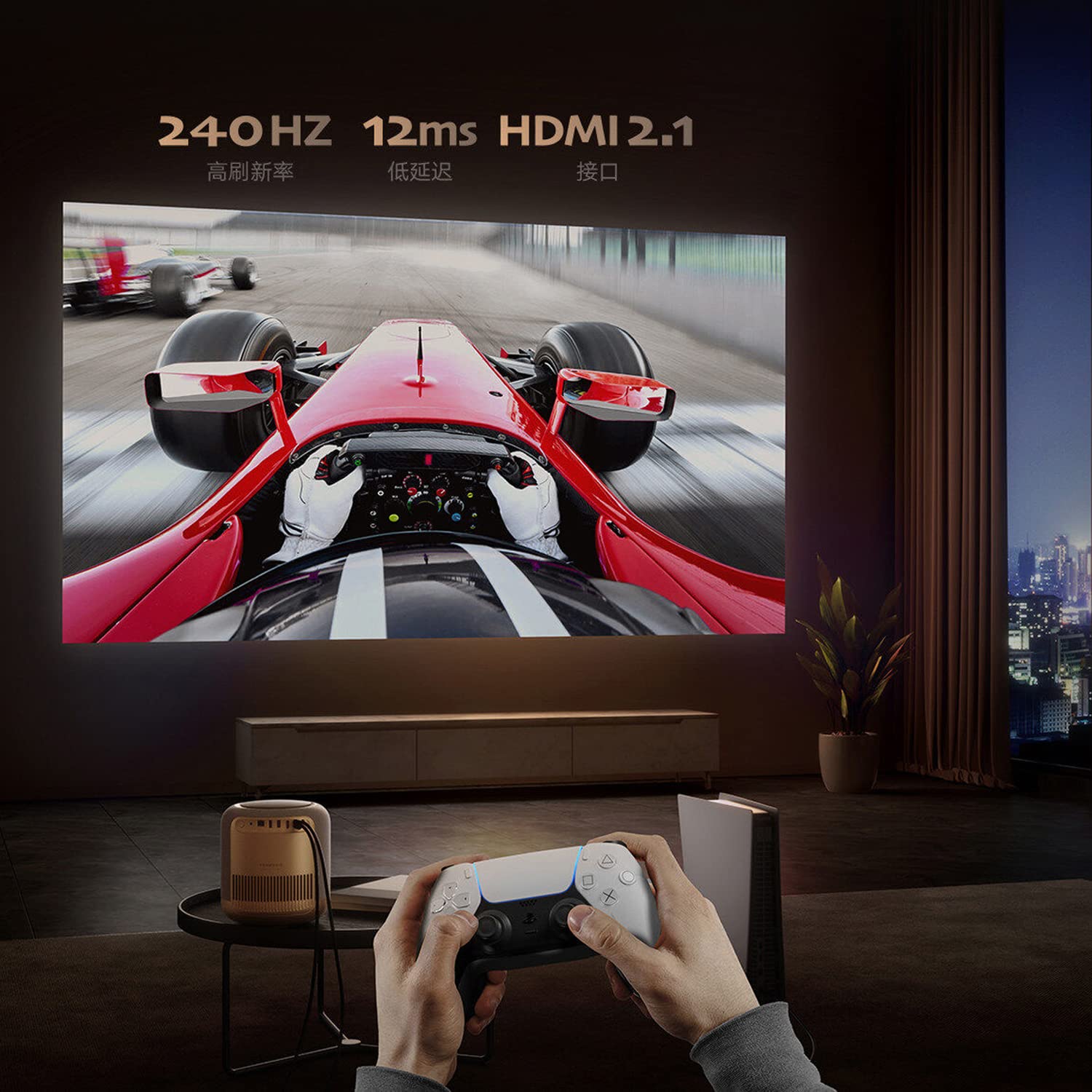
Image: A person playing a racing game projected by the Formovie V10, with text highlighting "240Hz", "12ms", and "HDMI 2.1".
- Иммерсив аудио туршлага: Enhance your experience with 2x7.5W full-range speakers and a powerful 15W independent subwoofer for rich, dynamic sound.
- Нүд хамгаалах: Features ToF human detection to automatically adjust brightness and prevent eye injury when someone approaches the light source.

Image: A screen prompt in Chinese warning not to look directly at the light source, demonstrating the ToF human detection feature.
- Олон талын хэрэглээ: Perfect for movies, gaming, and streaming, this projector offers a comprehensive entertainment solution for any setting.
Үзүүлэлтүүд
| Онцлог | Дэлгэрэнгүй |
|---|---|
| Брэнд | Формови |
| Загварын нэр | FORMOVIE V10 |
| Загварын дугаар | M146FCN |
| Дэлгэцийн технологи | 4K UHD |
| Шийдвэр | 3840 x 2160 пиксел |
| Зургийн тод байдал | 2500 ANSI люмен |
| Зургийн ялгаатай харьцаа | 10000:1 |
| Харьцаа | 16:9 |
| Сэргээх хурд | 240 Гц |
| Дуу чимээний түвшин | 28 дБ |
| Аудио | 2x7.5W full-range speakers, 15W independent subwoofer |
| Холболтын технологи | Bluetooth 5, Wi-Fi, USB 3.0, Ethernet, HDMI |
| Тоног төхөөрөмжийн интерфейс | HDMI, LANC, 3.5mm Audio, USB 3.0, Bluetooth 5 |
| Тохиромжтой төхөөрөмжүүд | Laptop, Gaming Console, Tablet, Smartphone, Speaker |
| Бүтээгдэхүүний хэмжээс | 20 x 20 x 21 см |
| Зүйлийн жин | 3.8 кг |
| Суурилуулах төрөл | Ширээний тавиур |
| Гарал үүслийн улс | Хятад |
Засвар үйлчилгээ
- Линз цэвэрлэх: Оптик линзэнд тусгайлан зориулсан зөөлөн, хөвөнгүй даавууг ашигла. Линзийг зурж болох зүлгүүрийн цэвэрлэгч, даавууг бүү ашигла.
- Проекторын их биеийг цэвэрлэх нь: Гадна талыг зөөлөн, хуурай даавуугаар арчина. Зөрүүд толботой бол бага зэрэг арчинаamp cloth can be used, followed by a dry cloth. Avoid using strong detergents or solvents.
- Агааржуулалт: Ensure the projector's ventilation openings are not blocked to prevent overheating. Do not place the projector on soft surfaces like carpets or blankets that could obstruct airflow.
- Хадгалах: Удаан хугацаагаар ашиглаагүй тохиолдолд проекторыг нарны шууд тусгал, хэт температураас хол, сэрүүн, хуурай газар хадгална.
Алдааг олж засварлах
| Асуудал | Боломжит шалтгаан / шийдэл |
|---|---|
| Хүч чадалгүй |
|
| Зураг байхгүй / Хоосон дэлгэц |
|
| Бүдэг зураг |
|
| Дуу байхгүй |
|
| Алсын удирдлага ажиллахгүй байна |
|
Баталгаат болон дэмжлэг
The Formovie V10 4K Projector comes with a 1 жилийн баталгаат хугацаа худалдан авсан өдрөөс эхлэн үйлдвэрлэгчээс өгсөн. Баталгаат заргад зориулж худалдан авалтаа нотлох баримтаа үлдээнэ үү.
For technical support, service, or warranty inquiries, please contact the authorized distributor or the manufacturer directly. The importer for this product is Aytexcel Private Limited.
Importer Contact Information:
Aytexcel Хувийн Хязгаарлагдмал Компани
12 Highland, Pali Hill, Bandra, Mumbai 400050
Имэйл: hello@aytexel.com
Холбоо барих: +91.9820022205
For more information, you may also visit the official Formovie store on Amazon: Formovie India Direct Store.


