1. Танилцуулга
Thank you for choosing the Soundcore by Anker Space Q45 Adaptive Active Noise Cancelling Headphones. These headphones are designed to provide an immersive audio experience with advanced noise cancellation, high-resolution sound, and extended battery life. This manual will guide you through the setup, operation, and maintenance of your new headphones.
2. Хайрцагт юу байна
- Soundcore Space Q45 Noise Cancelling Headphones
- USB-C кабель
- 3.5mm AUX кабель
- Аялалын хэрэг

3. Бүтээгдэхүүн дууссанview
The Soundcore Space Q45 headphones feature a foldable design for portability and intuitive controls for ease of use. Key components include:
- Цахилгаан товч: Located on the right earcup, used for turning the headphones on/off.
- NC товчлуур: Located on the left earcup, cycles through Noise Cancellation, Normal, and Transparency modes.
- Дууг дээшлүүлэх / доош товчлуурууд: Аудио дууны хэмжээг тохируулна.
- Тоглуулах/түр зогсоох товчлуур: Медиа тоглуулах болон дуудлагын менежментийг хянадаг.
- USB-C цэнэглэх порт: Чихэвчийг цэнэглэхэд зориулагдсан.
- 3.5 мм-ийн AUX порт: Утастай аудио холболтын хувьд.

Video demonstrating the operation and functions of the Soundcore Space Q45 headphones, including button usage and features.
4. Тохиргоо
4.1. Асаах/унтраах
- Асаахын тулд: Press and hold the Power button for 3 seconds. The LED indicator will light up.
- Унтраахын тулд: Асаах товчийг 3 секундын турш дарна уу. LED индикатор унтарна.
4.2. Bluetooth хослол
- With the headphones powered off, press and hold the Power button for 5 seconds until the LED indicator flashes blue. This indicates pairing mode.
- On your device (smartphone, tablet, laptop), enable Bluetooth and search for "Soundcore Space Q45".
- Select the headphones from the list to connect. Once connected, the LED indicator will turn solid blue.
- The headphones support multipoint connection, allowing simultaneous connection to two devices. To connect a second device, repeat the pairing process.

4.3. Soundcore аппликейшн суулгах
Download the Soundcore app from your device's app store to unlock full features, customize settings, and update firmware.
- хайх App Store (iOS) эсвэл Google Play Store (Android) дээрх "Soundcore".
- Install the app and follow the on-screen instructions to connect your Space Q45 headphones.
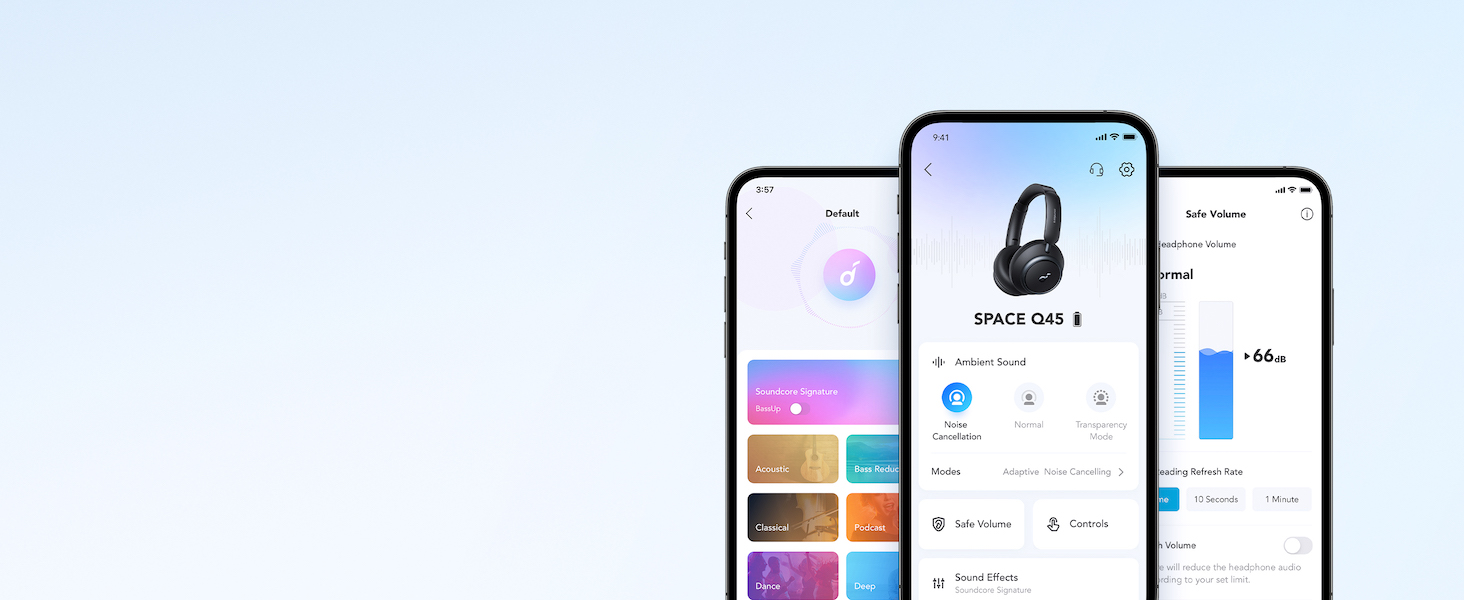
Видео шоуcasing the features and listening controls available through the Soundcore app for the Space Q45 headphones.
5. Ашиглалтын заавар
5.1. Үндсэн удирдлага
- Дууны хэмжээг нэмэгдүүлэх/доошруулах: '+' эсвэл '-' товчийг дарна уу.
- Тоглуулах/түр зогсоох: Тоглуулах/Түр зогсоох товчийг нэг удаа дарна уу.
- Дараагийн дуу: '+' товчийг 2 секундын турш дарна уу.
- Өмнөх бичлэг: '-' товчийг 2 секундын турш дарна уу.
5.2. Дуудлагын удирдлага
- Дуудлагад хариулах/дуусах: Тоглуулах/Түр зогсоох товчийг нэг удаа дарна уу.
- Дуудлагаас татгалзах: Тоглуулах/Түр зогсоох товчийг 2 секундын турш барина уу.
5.3. Switching Noise Cancellation Modes
Press the NC button on the left earcup to cycle through the following modes:
- Дуу чимээг цуцлах: Blocks out ambient noise.
- Ердийн: Идэвхтэй дуу чимээг арилгах эсвэл ил тод байдалгүйгээр стандарт аудио тоглуулах.
- Ил тод байдал: Аудио сонсож байхдаа хүрээлэн буй орчныг сонсох боломжийг танд олгоно.
6. Adaptive Noise Cancellation
The Space Q45 headphones feature an advanced noise-cancelling system that reduces up to 98% of ambient noise. The adaptive noise cancellation automatically selects a suitable level based on your environment, whether you are indoors, outdoors, commuting, or on a flight. You can also manually select from 5 noise-cancelling levels via the Soundcore app.


7. Аудио чанар
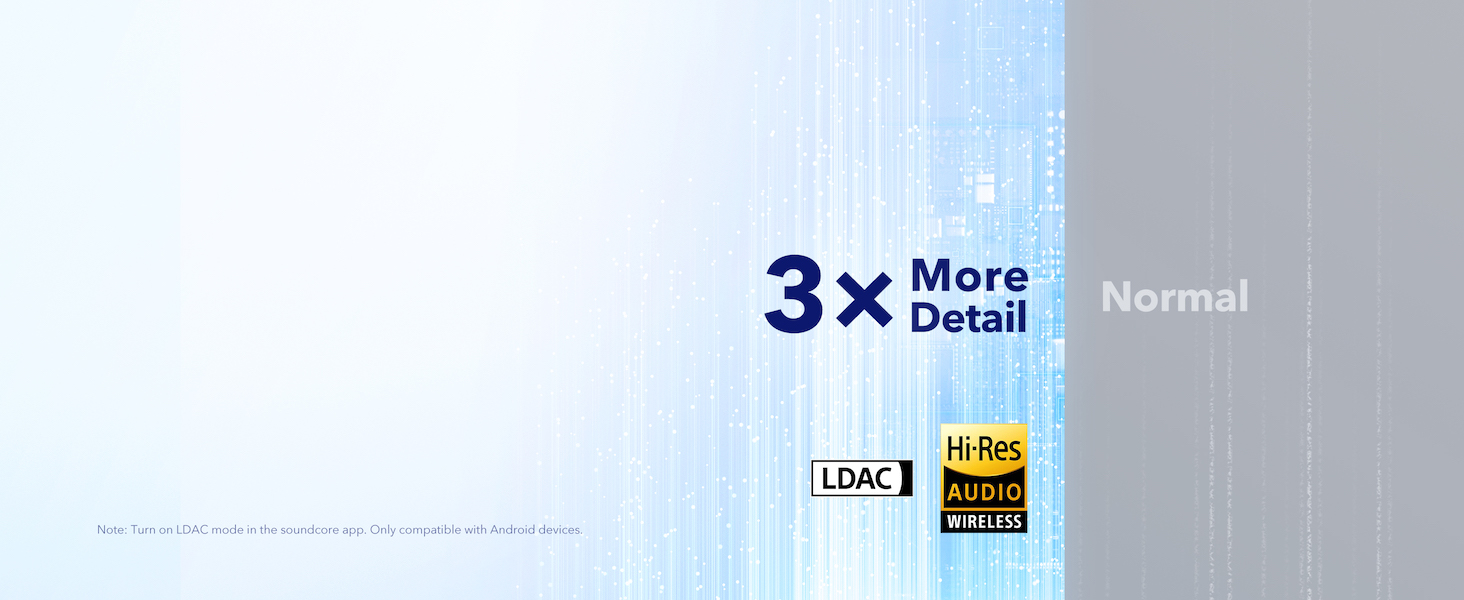
The Space Q45 headphones are equipped with 40mm double-layer diaphragm drivers, crafted from silk and ceramic materials. This innovative design produces sound with intense bass and crisp treble, ensuring every detail of your audio is heard. The headphones also support LDAC for Hi-Res Audio Wireless sound, delivering 3 times more detail than standard Bluetooth codecs.

8. Зайны ашиглалт ба цэнэглэх
The Space Q45 headphones offer impressive battery performance:
- Up to 50 hours of playtime with Noise Cancellation mode activated.
- Up to 65 hours of playtime in Normal mode.
- Хурдан цэнэглэх: 5 минутын цэнэглэлт нь ойролцоогоор 4 цаг тоглох боломжийг олгодог.
- Бүрэн цэнэглэх хугацаа: Ойролцоогоор 2 цаг.

9. Засвар үйлчилгээ
9.1. Цэвэрлэгээ
- Use a soft, dry cloth to clean the earcups and headband.
- Химийн хатуу бодис, зүлгүүрийн материал ашиглахаас зайлсхий.
- Чихэвчийг усанд дүрж болохгүй.
9.2. Хадгалах
- Чихэвчийг ашиглаагүй үед гэмтээхээс сэргийлж хамгаалалтын аяллын цүнхэнд нь хийж хадгална уу.
- Хэт өндөр температур эсвэл өндөр чийгшилд хадгалахаас зайлсхий.
10. Алдаа засах
If you encounter any issues with your Soundcore Space Q45 headphones, please refer to the following common solutions:
- Эрчим хүчгүй: Чихэвч бүрэн цэнэглэгдсэн эсэхийг шалгаарай. Тэдгээрийг USB-C кабель ашиглан тэжээлийн эх үүсвэрт холбоно уу.
- Дуугүй: Check the volume levels on both the headphones and your connected device. Ensure the headphones are properly paired via Bluetooth or the 3.5mm AUX cable is securely connected.
- Хослуулах асуудал: Turn off Bluetooth on all other devices, then try re-pairing the headphones with your desired device. If issues persist, reset the headphones (refer to the Soundcore app or online support for specific reset instructions).
- Дуу чимээг арилгах төхөөрөмж ажиллахгүй байна: Ensure the Noise Cancellation mode is activated. Adjust the noise cancellation levels via the Soundcore app.
For further assistance, consult the Soundcore app or visit the official Soundcore support webсайт.
11. Техникийн үзүүлэлтүүд
| Загварын нэр | A3040 |
| Дуу чимээний хяналт | Дасан зохицох идэвхтэй дуу чимээг арилгах |
| Холболтын технологи | Утасгүй (Bluetooth 5.3) |
| Bluetooth хүрээ | 10 метр |
| Аудио драйверын хэмжээ | 40 миллиметр |
| Батерейны хугацаа (ANC асаалттай) | 50 цаг |
| Батерейны ажиллах хугацаа (Ердийн горим) | 65 цаг |
| Цэнэглэх хугацаа | 2 цаг |
| Зүйлийн жин | 295 грамм (10.4 унц) |
| Бүтээгдэхүүний хэмжээс | 6.34 x 3.46 x 7.44 инч |
| Чихэвчний үүр | 3.5 мм Жак |
| Хяналтын арга | App, Media Control Buttons |
12. Баталгаат хугацаа ба дэмжлэг
Soundcore products are backed by a limited warranty. For detailed warranty information, frequently asked questions, and customer support, please visit the official Soundcore website or contact their customer service team. You can also find support resources within the Soundcore app.
Webсайт: www.soundcore.com
Имэйл: service@soundcore.com


