Аюулгүй байдлын чухал мэдээлэл
АНХААРУУЛГА: For your safety, please do not look directly at the UV light for a long time. Direct exposure to UV light can cause eye damage.
АНХААРУУЛГА: Charger that supplies more than 2A should NOT be used with this device.
Бүтээгдэхүүн дууссанview
The DARKBEAM B14 UV Flashlight is a powerful 20W ultraviolet light designed for various detection and curing applications. It features a 365nm filtered UV light, a USB-C rechargeable battery, and a durable aluminum alloy construction.

Figure 1: DARKBEAM UV Flashlight B14 and included USB-C charging cable.
Гол онцлогууд:
- Upgraded 4-Core UV Light Bead: 20W high power, 480mW radiant intensity, 365nm wavelength.
- Filtered UV 365nm Light: Equipped with a hard toughened black filter optical lens to filter out visible purple light, providing purer invisible ultraviolet light.
- USB-C цэнэглэдэг: Built-in high-capacity rechargeable battery (6+ hours runtime) with a convenient Type-C charging port.
- Switch Power Indicator: Red light indicates low battery, green light indicates fully charged.
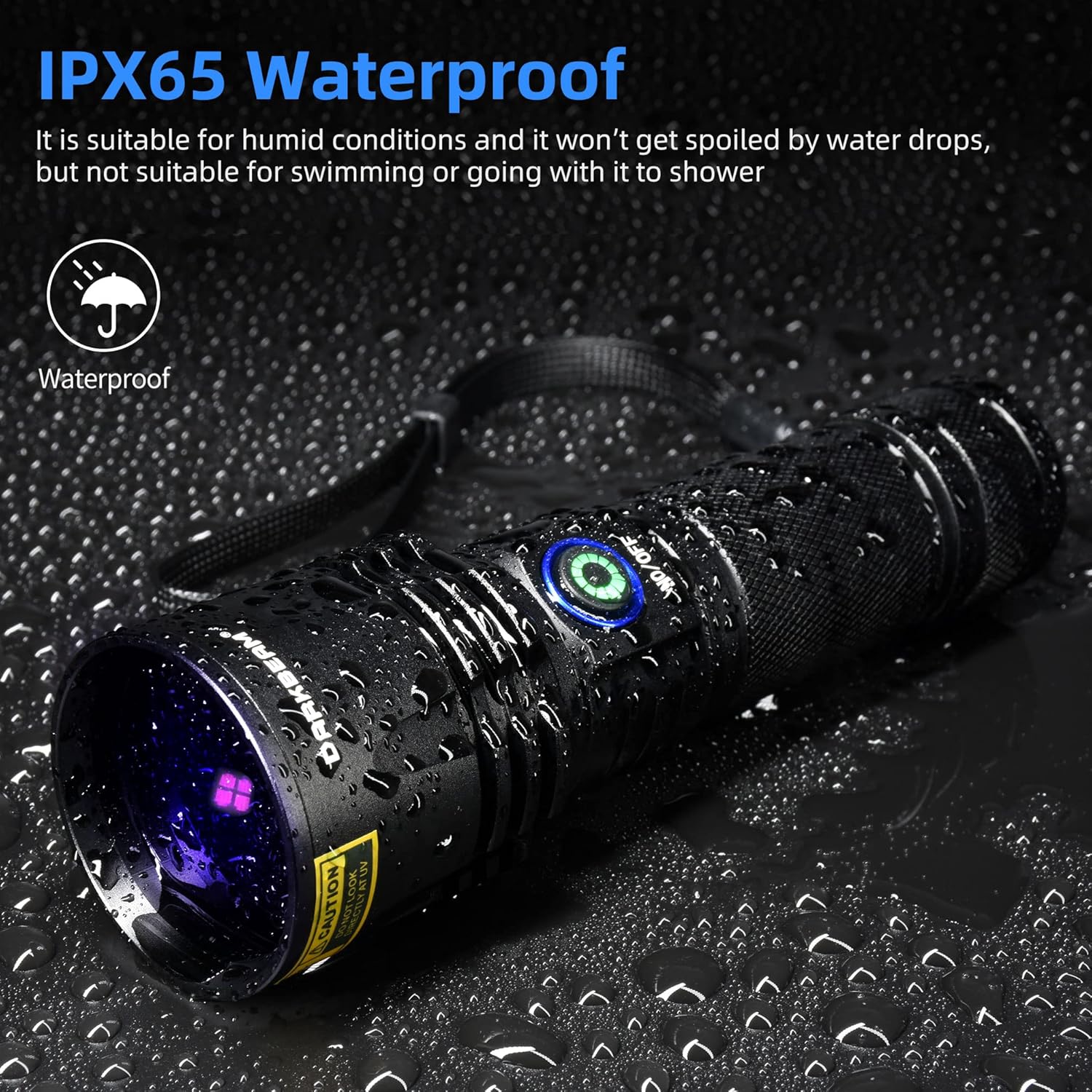
- Удаан эдэлгээтэй барилга: Aluminum alloy body with non-slip mesh, IPX64 waterproof rating.
Хайрцагт юу байна
- DARKBEAM UV Flashlight B14
- USB-C Cable & Adapter
- UV Glasses (for eye protection)
- Даавуун бүрхүүл
- Гар оосор
- Rechargeable Battery (pre-installed)

Figure 2: Included accessories: UV flashlight, USB-C cable, adapter, UV glasses, cloth cover, and hand strap.
Тохиргоо
Анхны цэнэглэлт:
- Анх ашиглахаасаа өмнө гар чийдэнгээ бүрэн цэнэглээрэй.
- Гар чийдэн дээрх USB-C цэнэглэх портыг олоорой.
- Connect the included USB-C cable to the flashlight and a compatible USB power source (e.g., adapter, power bank, laptop) within 5V/2A.
- The power indicator light will show red during charging. It will turn green when fully charged.
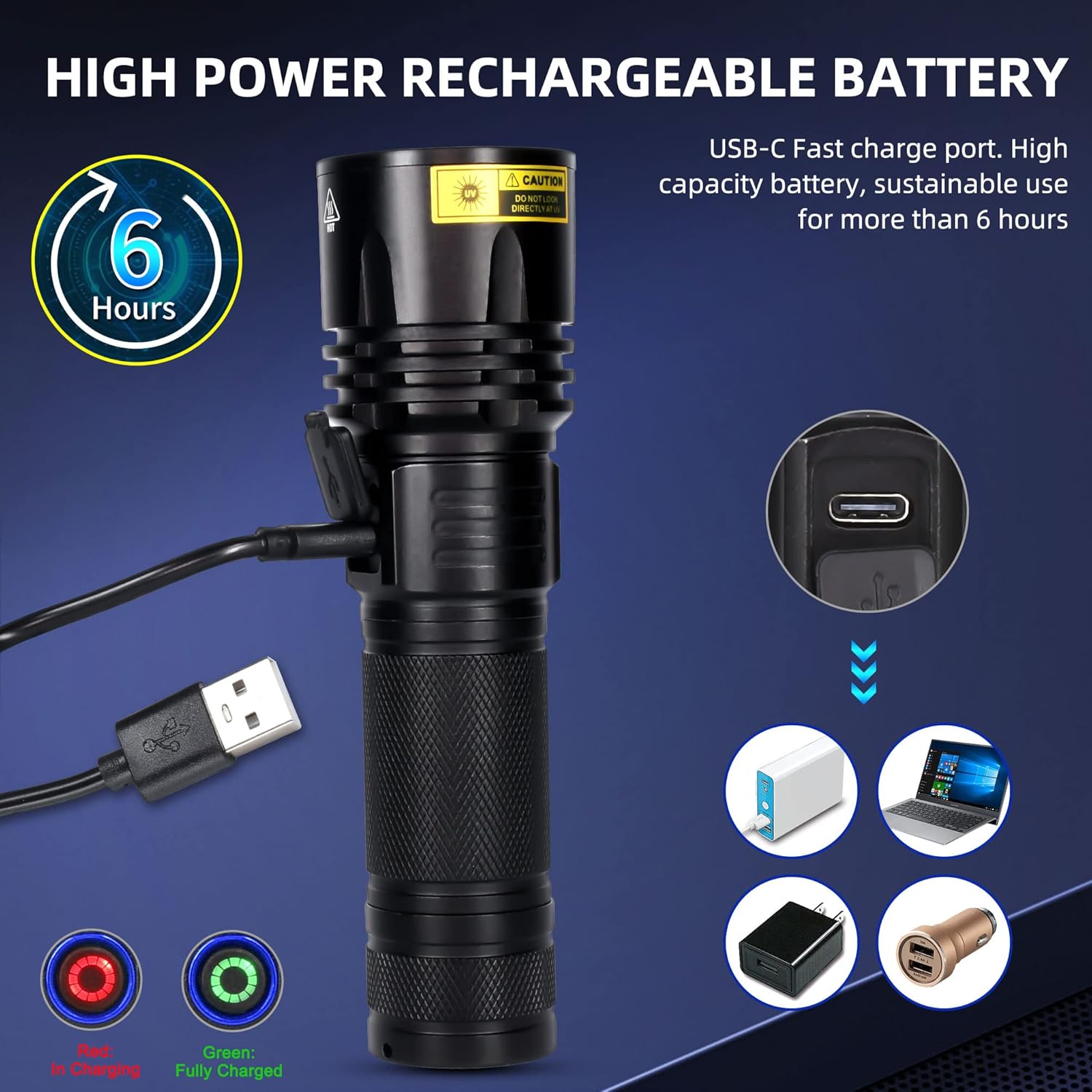
Figure 3: Connecting the USB-C charging cable to the flashlight.
Attaching the Hand Strap:
Thread the hand strap through the loop at the tail cap of the flashlight to secure it for portable use.
Wearing UV Glasses:
Always wear the provided UV glasses when operating the flashlight to protect your eyes from direct UV exposure.
Ашиглалтын заавар
Асаах/унтраах:
Гар чийдэнг асаах, унтраахын тулд хажуу талд байрлах цахилгаан товчийг дарна уу.
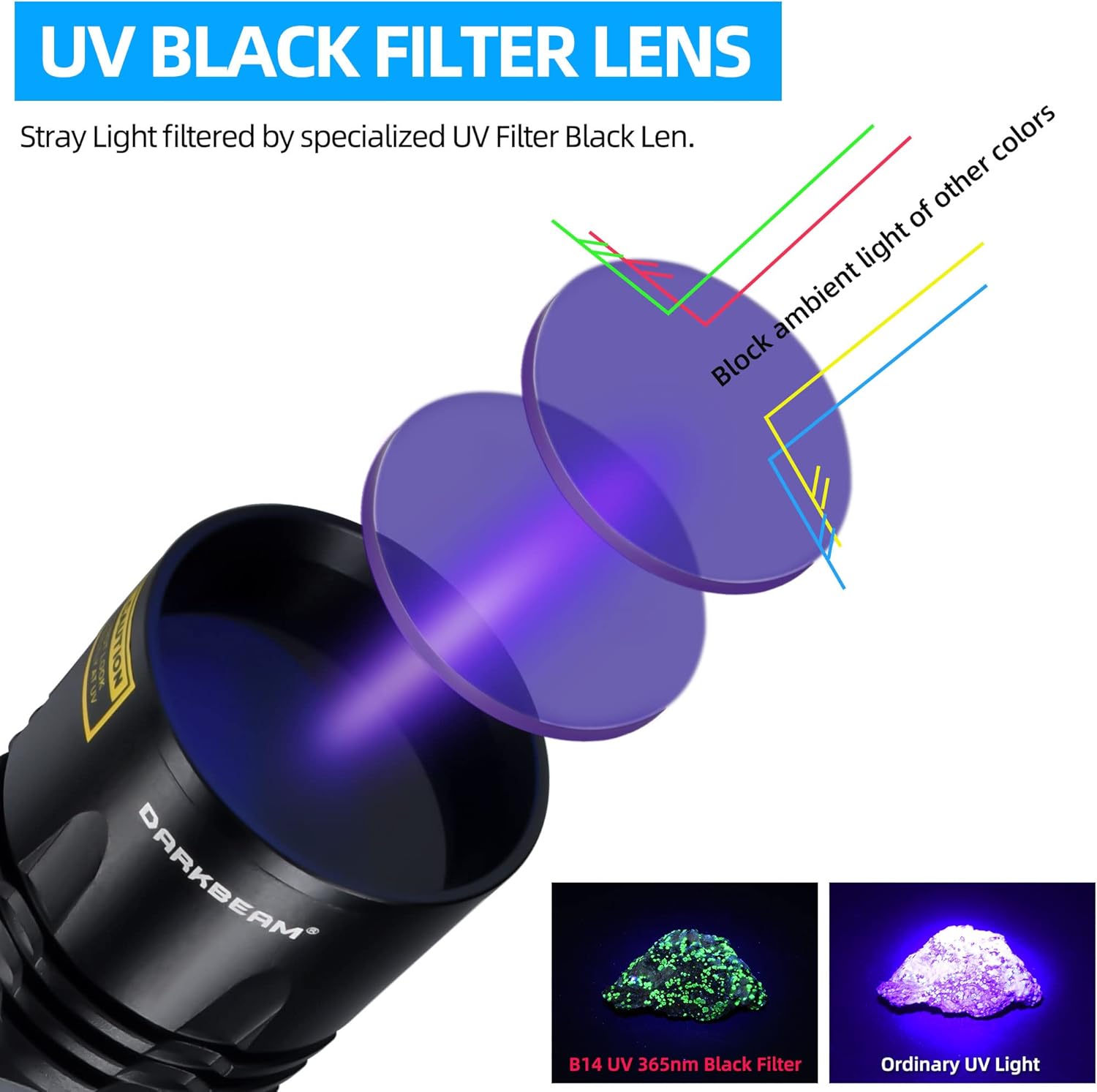
Figure 4: Operating the power button on the flashlight.
Understanding 365nm UV Light:
The 365nm UV light is largely invisible to the naked eye. It will not appear as bright as a standard flashlight or a 395nm UV light. Its effectiveness is observed when it illuminates items containing fluorescent agents, security codes, or watermarks, causing them to glow with a blue-violet light.

Figure 5: The specialized UV black filter lens blocks ambient light, allowing only the pure 365nm UV light to pass through for clearer detection.
Нийтлэг програмууд:
- Pet Urine and Stain Detection: Ideal for locating dried pet urine and other invisible stains on carpets, furniture, and other surfaces.
- Mineral and Gemstone Identification: Used to identify fluorescent minerals and authenticate gemstones.
- Banknote and Document Verification: Reveals security features on currency, passports, and other official documents.
- Resin Curing: Suitable for curing UV reactive adhesive agents and resins.
- Алдагдал илрүүлэх: Can be used with fluorescent dyes to detect leaks in automotive systems (e.g., engine oil, A/C, water tanks).
- Hotel Hygiene Inspection: Helps identify unclean areas in hotel rooms.
- Хилэнц агнах: Scorpions fluoresce under UV light, making them easier to spot.
Зураг 6: Жишээ ньamples of the flashlight's diverse applications, from pet stain detection to banknote verification.

Figure 7: The flashlight being used to detect fluorescent leaks in an engine compartment.
Засвар үйлчилгээ
Цэвэрлэгээ:
Гар чийдэнгийн их биеийг зөөлөн арчиж, damp cloth. Do not use abrasive cleaners or solvents. Ensure the lens is clean for optimal performance.
Хадгалах:
Гар чийдэнгээ сэрүүн, хуурай, нарны шууд тусгал болон хэт өндөр температураас хол газар хадгална уу. Хэрэв удаан хугацаагаар хадгалах бол ашиглалтын хугацааг уртасгахын тулд батерейг хэсэгчлэн цэнэглэсэн (ойролцоогоор 50%) эсэхийг шалгаарай.
Усны эсэргүүцэл:
The flashlight has an IPX64 waterproof rating, meaning it is resistant to water splashes and humid conditions. It is ҮГҮЙ suitable for submersion in water, swimming, or showering.

Figure 8: The flashlight is designed to withstand water splashes, but not full submersion.
Алдааг олж засварлах
| Асуудал | Боломжит шалтгаан | Шийдэл |
|---|---|---|
| Гар чийдэн асахгүй байна. | Батерей дуусч байна. | Charge the flashlight using the provided USB-C cable until the indicator light turns green. |
| Light appears dim or not bright enough. | This is a 365nm UV light, which is largely invisible to the naked eye. | The light is designed to illuminate fluorescent materials, not to provide visible illumination. Its effectiveness is seen when it reacts with target substances. |
| Charging indicator light does not turn green. | Charging cable or adapter issue; battery not fully charged. | Ensure the USB-C cable is securely connected. Try a different USB power source (within 5V/2A). Allow sufficient time for charging (up to 6 hours for a full charge). |
| Ашиглалтын явцад гар чийдэн халдаг. | Normal operation for high-power LED devices. | This is normal. The aluminum body helps dissipate heat. If it becomes excessively hot, turn it off and allow it to cool. |
Үзүүлэлтүүд
- Загвар: В14
- Гэрлийн эх үүсвэр: Upgraded 4-core UV LED
- Долгионы урт: 365нм
- Эрчим хүч: 20 Вт
- Цацрагийн эрч хүч: 480мВт
- Материал: Хөнгөн цагааны хайлш
- Хэмжээ: 1.73"D x 1.74"W x 1.31"H (Бүтээгдэхүүний хэмжээс)
- Жин: 8.9 унц (252 грамм)
- Зай: 1 литийн ион (оруулсан)
- Ажиллах цаг: Approximately 6 hours (on high power mode)
- Цэнэглэх порт: USB-C (5V/2A max input)
- Усны эсэргүүцэл: IPX64
- Оруулсан бүрэлдэхүүн хэсгүүд: Flashlight, Battery, UV glasses, Cloth cover, Hand strap, USB cable & Adapter
Баталгаат болон дэмжлэг
Баталгаат хугацаа:
DARKBEAM provides a 180-Day Money Back Guarantee and a One Year Guarantee for this product. For any questions or issues, please contact DARKBEAM customer support.
Хэрэглэгчийн дэмжлэг:
For prompt support and effective solutions, please contact DARKBEAM directly. They aim to provide a 24-hour response.
Үйлдвэрлэгч: ХАРАН туяа
Имэйл: darkbeamcontact@163.com
ЕХ-ны төлөөлөгч: eVatmaster Consulting GmbH
Хаяг: Bettinastr.30, 60325 Frankfurt am Main, Germany
Холбоо барих: contact@evatmaster.com
Их Британийн төлөөлөгч: EVATOST CONSULTING LTD
Хаяг: Оффис 101, Threadneedle Street 32, Лондон, Их Британи, EC2R 8AY
Холбоо барих: contact@evatost.com


