Танилцуулга
This manual provides comprehensive instructions for the ENDORFY Omnis Pudding Onyx White Red mechanical keyboard (Model EY5A036). This full-size keyboard features Kailh Red mechanical switches, durable PBT Pudding keycaps, and customizable ARGB backlighting. It is designed for various applications, including gaming, creative work, and general office use, offering a responsive and comfortable typing experience. Key features include a reinforced chassis, a detachable magnetic wrist rest, and a metal volume wheel for convenient audio control.
Багцын агуулга
- ENDORFY Omnis Pudding Onyx White Red Mechanical Keyboard
- Detachable USB-A Cable
- Соронзон бугуйны амралт
- Хэрэглэгчийн гарын авлага (энэ баримт бичиг)
Тохиргоо
1. Гарыг холбох
Connect the detachable USB-A cable to the USB-C port on the keyboard and then to an available USB-A port on your computer. The keyboard is plug-and-play and should be recognized automatically by your operating system.
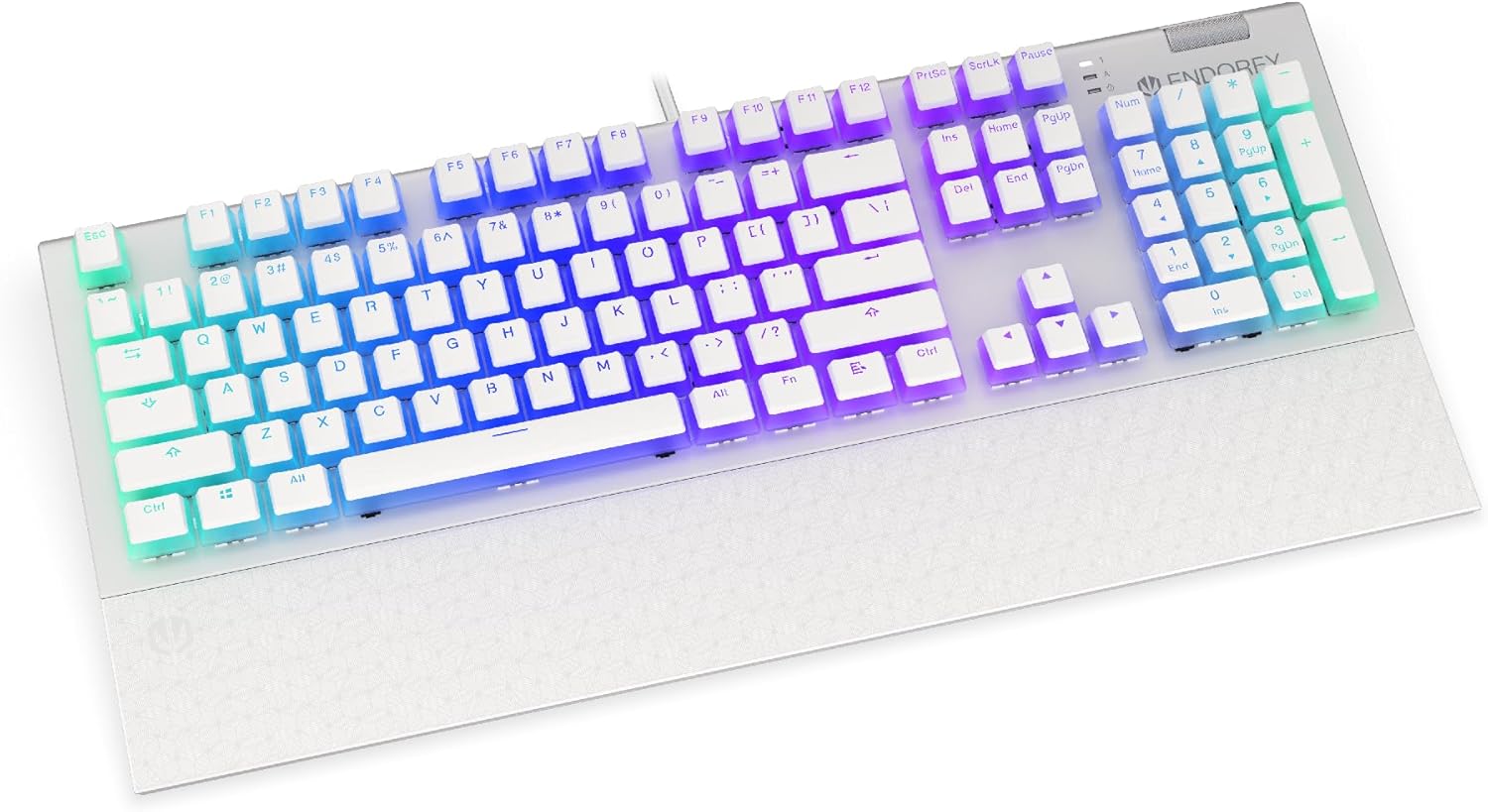
Зураг: Урд view of the ENDORFY Omnis Pudding Onyx White Red mechanical keyboard, showcasing its full layout and connected cable.
2. Бугуйн түшлэгийг бэхлэх
Align the magnetic wrist rest with the front edge of the keyboard. The magnets will automatically secure it in place, providing ergonomic support during use.

Зураг: өнцөгтэй view of the ENDORFY Omnis Pudding Onyx White Red mechanical keyboard with the magnetic wrist rest attached, highlighting the seamless integration.
3. Програм хангамж суурилуулах (заавал биш)
For advanced customization of lighting effects, key assignments, and macros, download the official ENDORFY software from the manufacturer's webсайт. Суулгахын тулд дэлгэцэн дээрх зааврыг дагана уу.
Ашиглалтын заавар
Гарны үндсэн функцууд
The keyboard features a standard full-size layout with a dedicated numpad, function keys (F1-F12), and navigation keys. All keys operate as standard input devices for your computer.
Volume Wheel Operation
The metal volume wheel located on the top right of the keyboard allows for quick audio adjustments:
- Rotate Up: Дууны хэмжээг нэмэгдүүлэх.
- Rotate Down: Дууны хэмжээг багасгах.
- Доош нь дар: Аудиог хаах/дуугүй болгох.
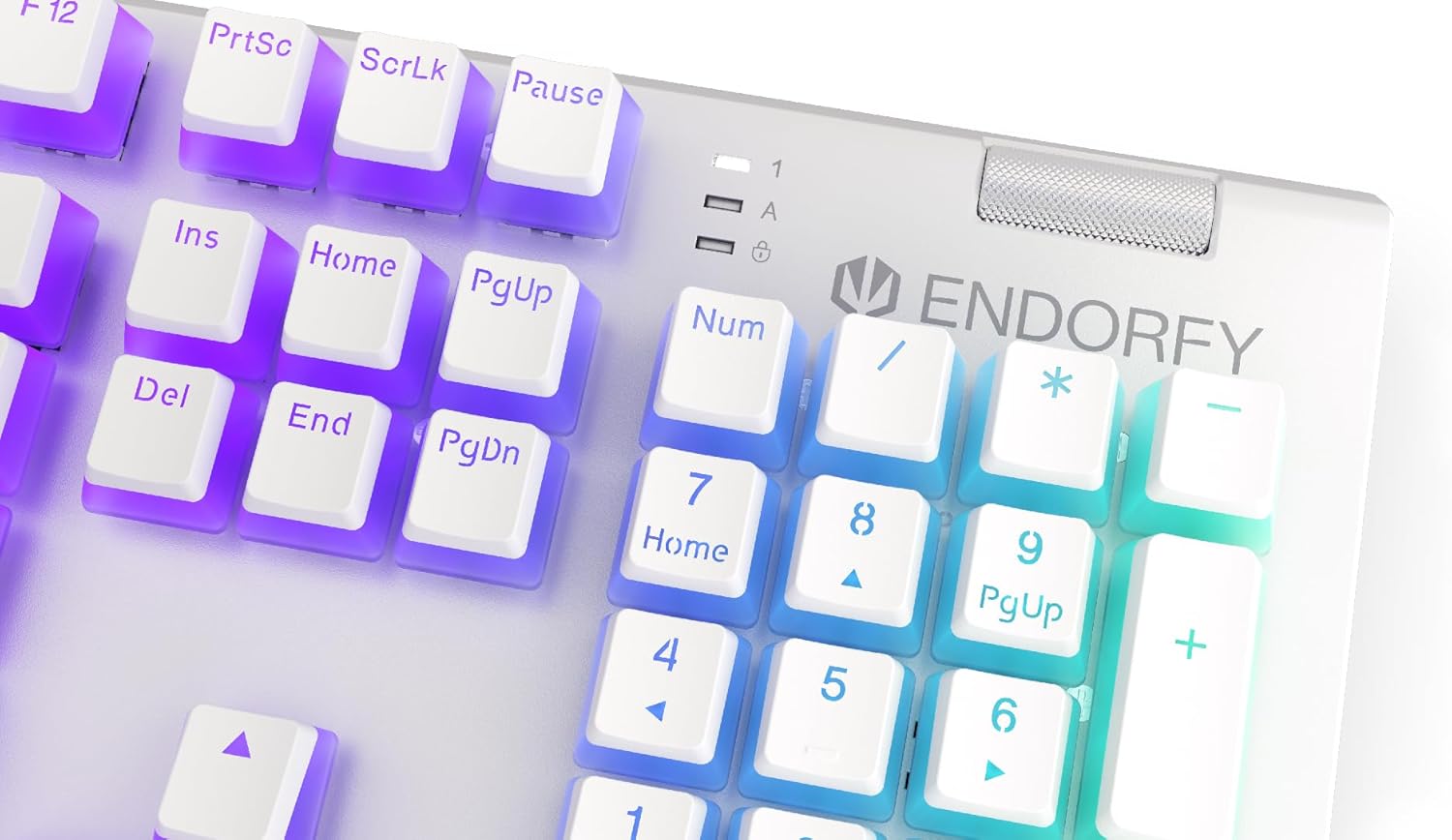
Зураг: Ойролцоогоор view of the keyboard's numpad and the prominent metal volume wheel, indicating its position for easy access.
RGB арын гэрэлтүүлгийн хяналт
The keyboard features customizable ARGB backlighting. Lighting effects and brightness can be adjusted using the dedicated ENDORFY software. Some basic lighting modes and brightness levels may also be accessible via keyboard shortcuts (e.g., Fn + arrow keys or specific function keys), though advanced customization is recommended through the software.

Image: The ENDORFY Omnis Pudding Onyx White Red mechanical keyboard illuminated with vibrant RGB backlighting, showcasing the Pudding keycaps.
N-Key Rollover (NKRO)
The keyboard supports N-Key Rollover, which means every key press is registered independently, regardless of how many other keys are being pressed simultaneously. This feature is particularly beneficial for fast typists and gamers, preventing ghosting or missed inputs.
Програм хангамжийн функциональ байдал
The ENDORFY software allows users to:
- Customize ARGB lighting effects and colors.
- Remap individual keys.
- Create and assign macros for complex command sequences.
- Олон мэргэжилтэнг удирдахfileөөр өөр программууд эсвэл тоглоомуудад зориулагдсан.
Засвар үйлчилгээ
Гарыг цэвэрлэх
Хамгийн сайн гүйцэтгэл болон гадаад төрхийг хадгалахын тулд:
- Цэвэрлэхийн өмнө гарыг компьютерээсээ салга.
- Зөөлөн, хөвөнгүй даавууг бага зэрэг хэрэглээрэй dampТовчлуурын таг болон явах эд ангиудыг арчихын тулд ус эсвэл зөөлөн цэвэрлэгээний уусмалаар дүүргэнэ.
- Товчлуурын хавчааруудын хоорондох тоос, хог хаягдлыг шахсан агаар ашиглана.
- Химийн хатуу бодис, зүлгүүрийн материал ашиглахаас зайлсхий.
Товчлуурын товчлуурыг арилгах, солих
The PBT Pudding keycaps can be removed for thorough cleaning or replacement. Use a keycap puller (not included) to gently lift keycaps straight up. When replacing, align the keycap with the switch stem and press down firmly until it clicks into place.

Зураг: Ойролцоогоор view of the Kailh Red mechanical switches, visible when keycaps are removed, illustrating the switch mechanism.
Алдааг олж засварлах
- Гар хариу өгөхгүй байна:
Ensure the USB cable is securely connected to both the keyboard and the computer. Try connecting the keyboard to a different USB port or a different computer to rule out port or system issues. Restart your computer. - Арын гэрэлтүүлэг ажиллахгүй эсвэл буруу байна:
Check the brightness settings via the ENDORFY software or any onboard shortcuts. Ensure the software is up to date. If specific keys have incorrect lighting, reset the lighting profile програм хангамжид. - Бүртгүүлээгүй түлхүүрүүд:
Clean under the affected keycaps to remove any debris that might be obstructing the switch. If the issue persists, it may indicate a hardware fault; refer to the Warranty and Support section. - Wrist Rest Not Attaching Securely:
Ensure there is no debris between the keyboard and the wrist rest that might interfere with the magnetic connection.
Үзүүлэлтүүд
| Онцлог | Дэлгэрэнгүй |
|---|---|
| Брэнд | ЭНОРФИ |
| Загварын дугаар | EY5A036 |
| Өнгө | Цагаан |
| Түлхүүр унтраалга | Kailh Red Mechanical |
| Товчлуурууд | PBT Pudding |
| Зохион байгуулалт | Full-size (US Layout) |
| Арын гэрэлтүүлэг | ARGB (Configurable RGB) |
| Холболт | USB-A (Detachable Cable) |
| Бугуйны амралт | Magnetic, Detachable |
| Дууны хяналт | Metal Volume Wheel |
| N-түлхүүрийг эргүүлэх | Тиймээ |
| Тохиромжтой үйлдлийн системүүд | Linux, Mac OS X 10.12 Sierra, Windows 7, Windows 8, Windows 10 |
| Зөвлөмж болгож буй хэрэглээ | Gaming, Multimedia |
| Материал | Полибутилен терефталат (PBT) |
Баталгаат болон дэмжлэг
ENDORFY products are covered by a manufacturer's warranty. For detailed warranty terms, technical support, or service inquiries, please refer to the official ENDORFY webсайт эсвэл орон нутгийн жижиглэн худалдаалагчтай холбоо барина уу. Баталгаат нэхэмжлэл гаргахын тулд худалдан авалтаа нотлох баримтаа хадгалаарай.