1. Танилцуулга
The ELEGRP Wireless Charging Station is a versatile 3-in-1 device designed to simultaneously charge your compatible iPhone, Apple Watch, and AirPods. Its foldable and compact design makes it ideal for both home use and travel. This manual provides essential information for safe and efficient operation of your charging station.

Image 1.1: The ELEGRP 3-in-1 Wireless Charging Station in use, charging an iPhone, Apple Watch, and AirPods simultaneously.
2. Багцын агуулга
Таны багцад бүх зүйл байгаа эсэхийг шалгана уу:
- 1 x ELEGRP 3-in-1 Wireless Charging Station
- 1 x 18W Fast Adapter
- 1 x 3FT USB Type-C Cable
- 1 х хэрэглэгчийн гарын авлага (энэ баримт бичиг)
- 1 х үйлчилгээний карт
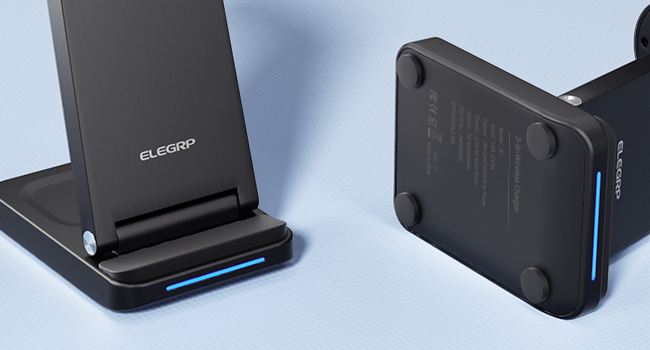
Image 2.1: All components included in the ELEGRP Wireless Charging Station package.
3. Тохируулах заавар
Follow these steps to set up your ELEGRP Wireless Charging Station:
- Цэнэглэх станцыг задлах: Gently unfold the charging station to its upright position. Ensure all charging surfaces are accessible.
- Цахилгааны кабелийг холбоно уу: Insert the USB Type-C cable into the charging port on the back of the charging station.
- Цахилгаан адаптерт холбогдох: Plug the other end of the USB Type-C cable into the provided 18W fast adapter.
- Ханын залгуурт залгаарай: Insert the power adapter into a standard wall outlet. The LED indicator on the charging base will illuminate, indicating the device is powered on and ready for use.

Image 3.1: The charging station helps organize your charging area by consolidating multiple devices.
4. Ашиглалтын заавар
The ELEGRP Wireless Charging Station is designed for ease of use. Simply place your compatible devices on the designated charging areas.
4.1 Төхөөрөмжөө цэнэглэх
- Ухаалаг гар утасны хувьд: Place your Qi-enabled smartphone vertically or horizontally on the main charging pad. The phone's screen will indicate charging status.
- Apple Watch-ийн хувьд: Place your Apple Watch on the magnetic charging module. Ensure the watch is properly aligned and begins charging.
- AirPods/чихэвчний хувьд: Place your wireless charging compatible AirPods or other earbuds on the base charging pad.
The 18W adapter automatically distributes power to ensure all devices charge efficiently overnight.
4.2 LED үзүүлэлтийн төлөв
The charging station features an LED indicator on the base to communicate its status:
- Interactive Slow Flash (Blue/Green): Indicates the device is powered on and in standby mode, ready to charge.
- Interactive Fast Flash (Blue/Green): Indicates a charging error or foreign object detection. Remove the device and re-position it, or remove any foreign objects.
- Хатуу цэнхэр: Төхөөрөмж идэвхтэй цэнэглэж байна.
- Тод ногоон: Device is fully charged or not charging.

Image 4.1: Explanation of the LED indicator lights on the charging station.
4.3 Эвхэгддэг загвар
The charging station's foldable design allows for easy portability and storage. When folded, it is approximately 2.5 centimeters (0.98 inches) thick. This feature makes it convenient for travel or to save space on your desk or nightstand.
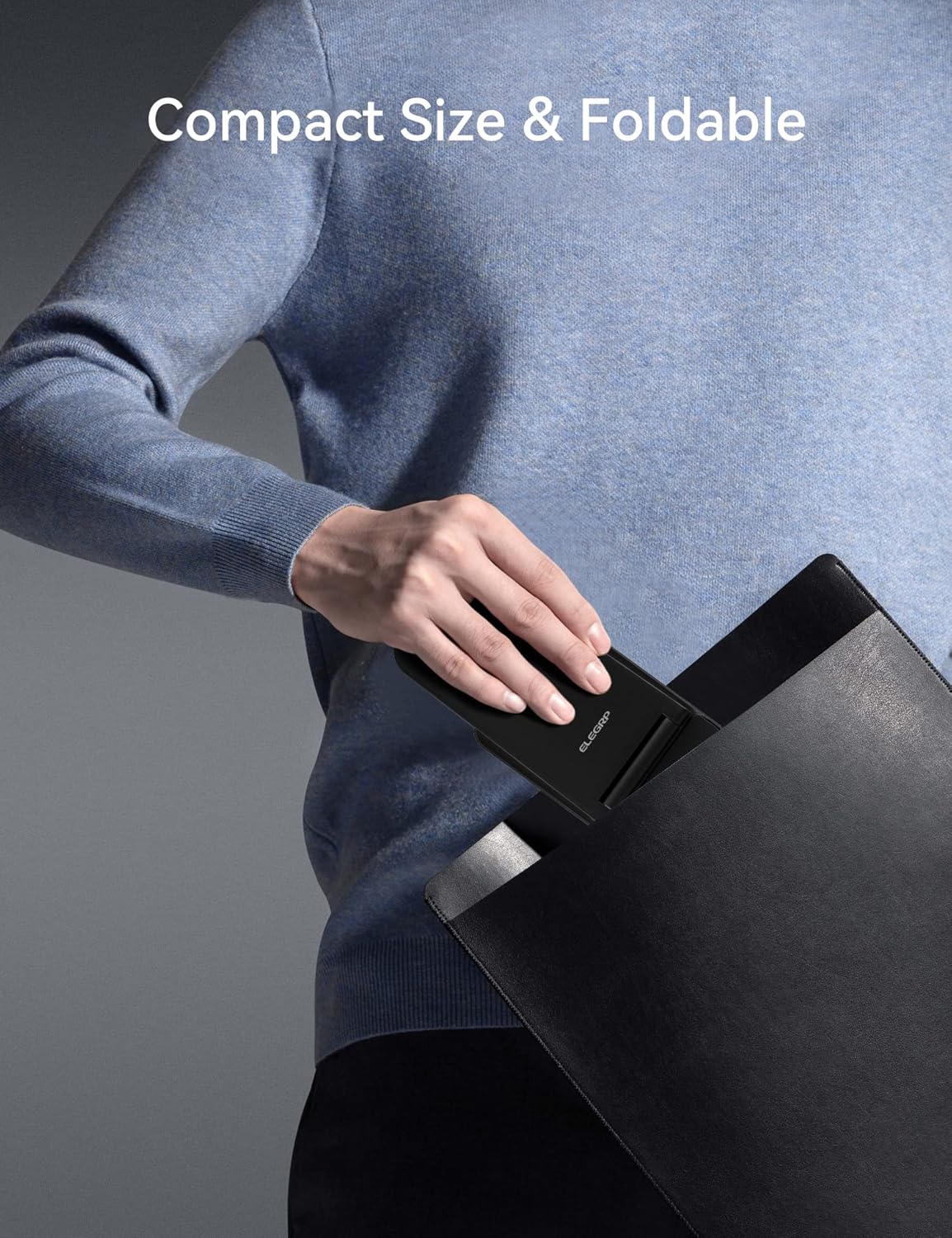
Image 4.2: The charging station's compact, foldable design is suitable for travel.
5. Төхөөрөмжийн нийцтэй байдал
The ELEGRP Wireless Charging Station is compatible with a wide range of devices. Ensure your device supports wireless charging (Qi standard) for optimal performance.
5.1 нийцтэй төхөөрөмж
- iPhone: iPhone 15, 14, 13, 12, 11 series (Plus/Pro/Pro Max/Mini), iPhone SE (2nd generation), iPhone X (XS/XR/Max), iPhone 8.
- Samsung Phones: Samsung Galaxy S23, S22, S21, S20 series, Note 20 series, and other Qi-enabled Samsung models.
- Apple Watch: Apple Watch Ultra, Series 8, 7, SE, 6, 5, 4, 3, 2.
- AirPods/Earbuds: AirPods Pro 2, Pro, 3rd generation, 2nd generation, and compatible Samsung earbuds with wireless charging cases.

Image 5.1: Visual representation of universal compatibility with various devices.
5.2 Case Compatibility
The charging station supports charging with most phone cases up to 0.6mm thick. Cases made of metal, those with magnetic attachments, or those containing credit cards may interfere with wireless charging and should be removed.

Image 5.2: Guidelines for case compatibility during wireless charging.
6. Аюулгүй байдал ба хамгаалалт
The ELEGRP Wireless Charging Station incorporates multiple safety features to protect your devices and ensure a reliable charging experience.
- FCC Certification & Qi Protocol: Ensures compliance with safety standards and efficient wireless charging.
- Хэт их төлбөрөөс хамгаалах: Хэт их цэнэглэснээс болж төхөөрөмжийн батерей гэмтэхээс сэргийлнэ.
- Богино залгааны хамгаалалт: Цахилгаан богино холболтоос хамгаална.
- Хэт гүйдлийн хамгаалалт: Regulates current flow to prevent damage.
- Гадаад объект илрүүлэх (FOD): Detects metallic objects on the charging surface and stops charging to prevent overheating.
- Түргэн дулаан ялгаруулалт: Designed to manage heat effectively during charging.
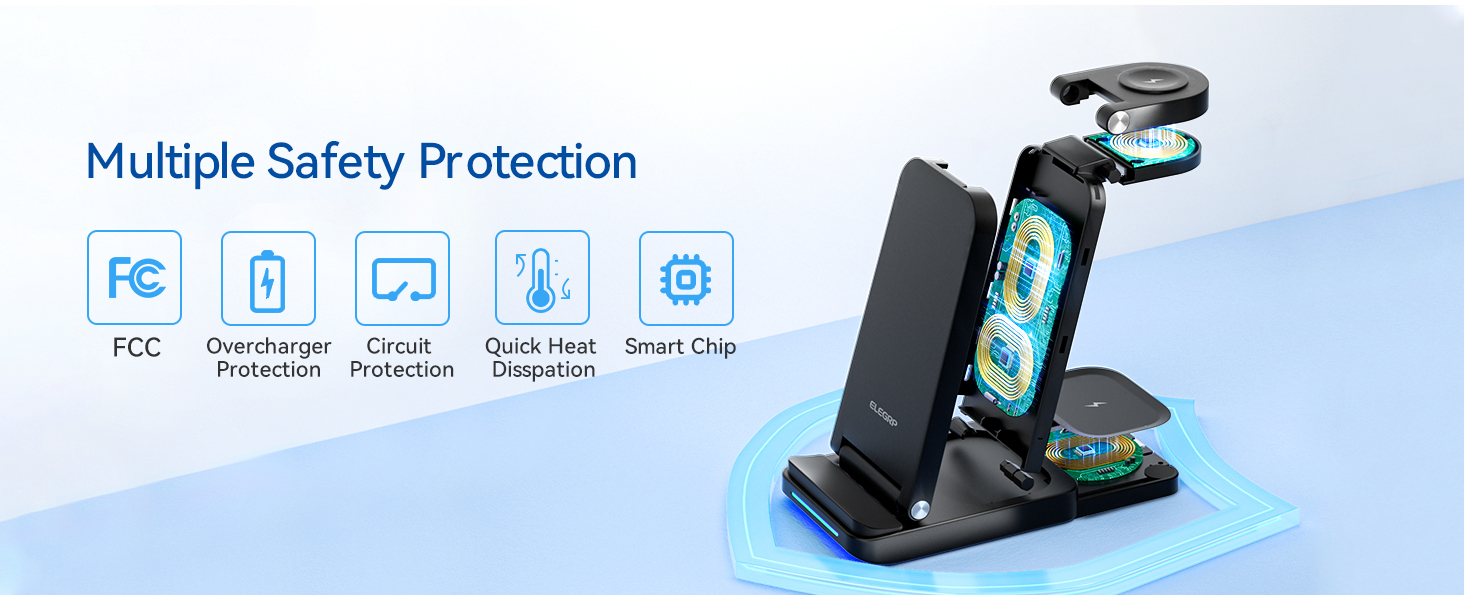
Зураг 6.1: Дууслааview of the multiple safety protection features integrated into the charging station.
7. Алдаа засах
If you encounter issues with your charging station, please refer to the following common solutions:
- Төхөөрөмж цэнэглэхгүй байна:
- Ensure the charging station is properly connected to the power adapter and a working wall outlet.
- Verify your device is wirelessly charging compatible (Qi standard).
- Remove any thick or metallic phone cases, or cases with magnetic attachments/credit cards.
- Reposition your device on the charging pad to ensure proper alignment with the charging coil.
- Төхөөрөмж болон цэнэглэх дэвсгэр хооронд гадны биет байгаа эсэхийг шалгаарай.
- Удаан цэнэглэх:
- Ensure you are using the provided 18W fast adapter and USB Type-C cable. Using a lower-power adapter may result in slower charging.
- Утасгүй цэнэглэж байх үед төхөөрөмжөө хэт их ашиглахаас зайлсхий, учир нь энэ нь цэнэглэх процессыг удаашруулж болзошгүй.
- LED Indicator Flashing Rapidly:
- This indicates a foreign object detection or improper device placement. Remove the device and any objects, then place the device back on the charger correctly.
- Төхөөрөмжийн хэт халалт:
- While some warmth is normal during wireless charging, excessive heat may indicate improper placement or a foreign object. Remove the device and ensure proper alignment. If the issue persists, discontinue use and contact support.
8. Техникийн үзүүлэлтүүд
| Онцлог | Тодорхойлолт |
|---|---|
| Загварын дугаар | BTSWC-FOLD |
| Оролтын хэмжээtage | 9V (AC) |
| Ampарилгах | 15 Amps |
| Холболтын технологи | Утасгүй |
| Холбогч төрөл | USB төрөл C |
| Онцлог шинж чанарууд | Travel, 3-in-1 Wireless Charging Station |
| Зүйлийн жин | 0.176 унц |
| Багцын хэмжээ | 6.89 x 5.12 x 2.13 инч |
| Өнгө | ХАР |
9. Бүтээгдэхүүний видео дууссанview
Video 9.1: An official product video demonstrating the ELEGRP 3-in-1 Wireless Charging Station's features, including its ability to charge multiple devices simultaneously and its compact, foldable design.
10. Баталгаат хугацаа ба дэмжлэг
The ELEGRP Wireless Charging Station comes with a 1-year product warranty and a 30-day free return policy. For any questions or support regarding this wireless charger, please contact ELEGRP customer service. We aim to provide a resolution within 24 hours.
For further assistance, please refer to the contact information provided on your Service Card or visit the official ELEGRP webсайт.


