Танилцуулга
Thank you for choosing the Platinum Karaoke DK-88 Duo Speaker System. This manual provides essential information for the safe and efficient operation of your new device. Please read it thoroughly before use and retain it for future reference.
The DK-88 Duo is an all-in-one karaoke solution, featuring a built-in song library, wireless microphones, and various connectivity options. Its robust design and versatile features make it ideal for home parties, family gatherings, and outdoor events.
Аюулгүй байдлын мэдээлэл
- Гал болон цахилгаан цочролоос сэргийлэхийн тулд төхөөрөмжийг бороо, чийгэнд бүү тавь.
- c-г нээж болохгүйasing. Бүх үйлчилгээг мэргэшсэн боловсон хүчинд шилжүүлээрэй.
- Төхөөрөмжийн эргэн тойронд зохих агааржуулалтыг хангах. Агааржуулалтын нүхийг хааж болохгүй.
- Use only the provided charging adapter.
- Keep the unit away from direct sunlight, heat sources, and excessive dust.
- Төхөөрөмжийн дээд талд хүнд зүйл байрлуулахаас зайлсхий.
- Хүүхдийн гар хүрэхгүй газар хадгална.
Багцын агуулга
Доор жагсаасан бүх зүйл таны багцад байгаа эсэхийг шалгана уу.
- Main Unit (DK-88 Duo Speaker)
- Цэнэглэгч адаптер
- 2 x утасгүй микрофон
- Алсын удирдлага
- Batteries (for remote control and microphones)
- АВ кабель
- Хэрэглэгчийн гарын авлага
- Баталгаат карт

Figure 1: Included Accessories and Components
Бүтээгдэхүүн дууссанview
Урд View

Зураг 2: Урд View of the DK-88 Duo with LED Lighting
Топ самбарын удирдлага

Figure 3: Top Panel Controls and Inputs
Арын самбар

Figure 4: Rear Panel with Connectivity Ports
Тохиргоо
1. Powering On/Charging
- Хувьсах гүйдлийн хүч: Connect the charging adapter to the 'DC IN 20V/4A' port on the top panel and plug it into a wall outlet. The unit can be used while charging.
- Зайны хүч: The unit has a built-in rechargeable battery providing up to 6 hours of playback. Ensure the unit is charged before portable use. The battery indicator on the display will show the current charge level.
2. Микрофоны тохиргоо
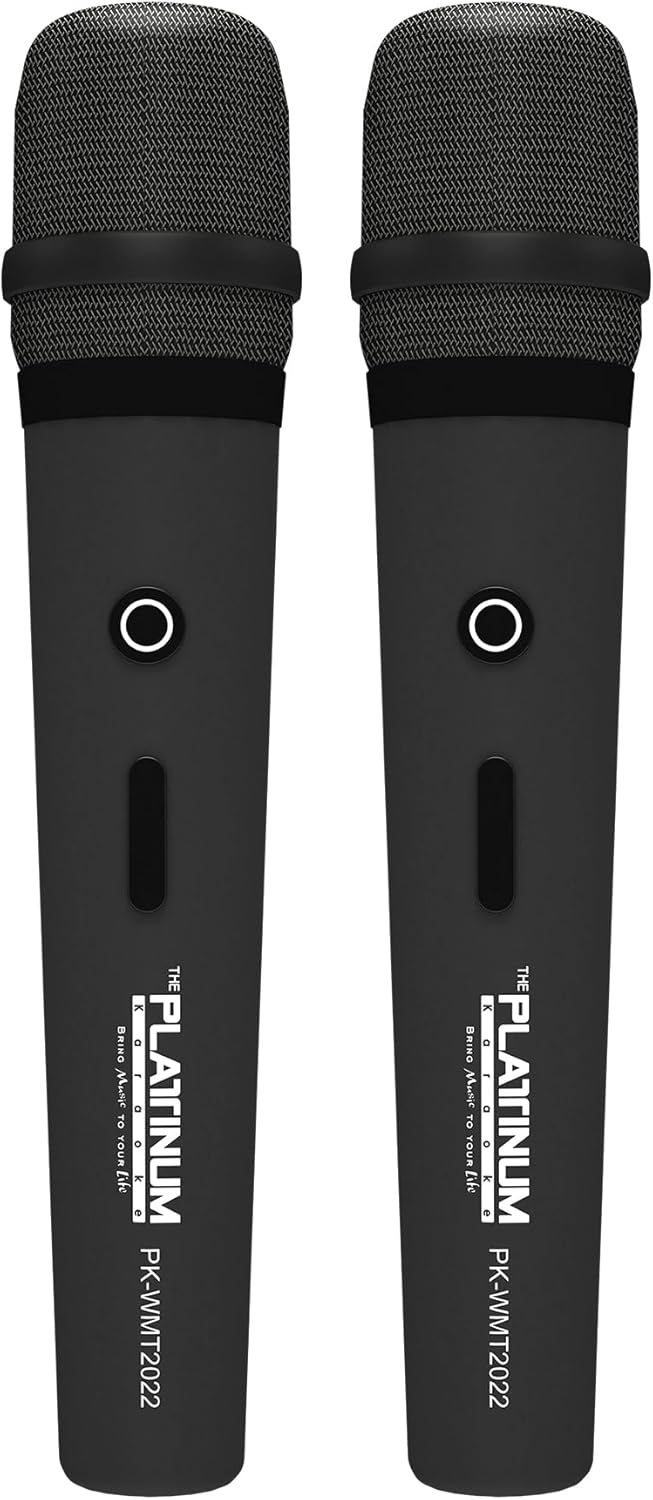
Figure 5: Wireless Microphones
- Insert the provided batteries into each wireless microphone.
- Turn on the microphones using their power switches. They will automatically connect to the DK-88 Duo unit.
- Adjust the 'MIC VOLUME' knob on the top panel to control the microphone output level.
3. Аудио эх сурвалжуудыг холбох
- Bluetooth: Turn on the unit. The Bluetooth indicator will flash. Enable Bluetooth on your mobile device and select 'DK-88 Duo' from the list of available devices to pair.
- USB диск: MP3 хөгжим агуулсан USB флаш дискийг оруулна уу files into the 'USB' port on the top panel. The system will automatically detect and play the files.
- Микро SD карт: Insert a Micro SD card (up to 32GB, pre-loaded with songs) into the 'MICRO SD' slot on the top panel. The system will automatically detect and play the songs.
- AUX оролт: Use the provided AV cable to connect external audio devices (e.g., DVD player, TV) to the 'AUX' input on the top panel.
- Гитарын оролт: Connect a guitar to the 'GUITAR IN' port on the top panel. Adjust the dedicated 'GUITAR' volume knob.
Ашиглалтын заавар
1. Үндсэн үйл ажиллагаа
- Асаах/унтраах: Use the 'POWER' switch on the top panel to turn the unit on or off.
- Дууны хяналт: Rotate the 'VOLUME' knob to adjust the overall sound output.
- Горим сонгох: Press the 'MODE' button to switch between input sources (Bluetooth, USB, Micro SD, AUX).
2. Karaoke Features
- Дууны сонголт: Use the 'SKIP' buttons (|< / >> |) to navigate through songs.
- Цуурай эффект: Adjust the 'ECHO' knob to add or reduce echo to your vocals. This helps blend your voice with the music.
- Дууны бичлэг: Press the 'REC' button to start recording your performance. The system will save the music and your vocals to the inserted Micro SD card or USB drive. To share, simply copy the recorded file компьютер руу.
- Vocal Assist (Training Songs): For training songs, the main vocals will automatically fade out when you sing into the microphone and reappear when you stop.
3. Аудио тохируулга
- Гурвалсан хяналт: Use the 'TREBLE' knob to adjust the high-frequency sounds of the music.
- Басс хяналт: Use the 'BASS' knob to adjust the low-frequency sounds of the music.
4. Гэрэлтүүлгийн эффектүүд
- Press the 'LIGHT' button on the top panel to cycle through different colorful fire lighting modes. The lights glow and dance with the music, enhancing the party atmosphere.
5. Platinum Link App
- Download the 'Platinum Link' app from your mobile device's app store (available on Android and iOS).
- Connect your mobile phone to the DK-88 Duo via Bluetooth.
- Use the app to control song selection, browse the song library, reserve songs, and display karaoke lyrics directly on your phone screen.
- The app also features a karaoke recording function to measure your vocal performance and improve your singing skills.
Засвар үйлчилгээ
- Төхөөрөмжийг зөөлөн, хуурай даавуугаар цэвэрлээрэй. Шингэн цэвэрлэгч эсвэл аэрозоль хэрэглэж болохгүй.
- Төхөөрөмжийг ашиглаагүй үед сэрүүн, хуурай газар хадгална.
- Remove batteries from the remote control and microphones if storing for extended periods to prevent leakage.
Алдааг олж засварлах
| Асуудал | Боломжит шалтгаан | Шийдэл |
|---|---|---|
| Хүч чадалгүй | Unit is not charged or not connected to AC power. | Connect the charging adapter and ensure it's plugged into a working outlet. Check battery level. |
| Микрофоноос дуу гарахгүй | Microphones are off, batteries are low, or volume is too low. | Turn on microphones, replace batteries, increase 'MIC VOLUME' knob. |
| Bluetooth холбогдоогүй байна | Bluetooth is not enabled on the unit or mobile device, or device is too far. | Ensure unit is in Bluetooth mode, enable Bluetooth on your device, move closer to the unit. |
| Cannot play songs from USB/SD | Буруу file формат, эвдэрсэн files, or card/drive not inserted properly. | Баталгаажуулах files are MP3 format. Reinsert the USB drive/SD card. Try a different drive/card. |
| Гэрэл ажиллахгүй байна | Light feature is turned off. | Press the 'LIGHT' button to activate the lighting effects. |
Үзүүлэлтүүд
| Онцлог | Дэлгэрэнгүй |
|---|---|
| Загварын дугаар | DK-88 |
| Хэмжээ (L x W x H) | 35 x 38 x 78 см |
| Жин | 13 кг |
| Эрчим хүчний эх үүсвэр | Battery Powered (1 x 12V battery included), AC Powered |
| Батарейн тоглуулах хугацаа | 6 цаг хүртэл |
| Холболтын технологи | USB, Bluetooth |
| USB портууд | 1 |
| Илтгэгчдийн тоо | 2 |
| Онцлог шинж чанар | Built-in Song Track |
| Өнгө | Хар |
| Зөвлөмж болгож буй хэрэглээ | Home parties, family gatherings, karaoke bars, outdoor events, musical performances |
Баталгаат болон дэмжлэг
Your Platinum Karaoke DK-88 Duo comes with a warranty. Please refer to the included Warranty Card for detailed terms and conditions, including warranty period and coverage.
For technical support, service, or inquiries not covered in this manual, please contact Platinum Karaoke customer service. Contact information can typically be found on the Warranty Card or the official Platinum Karaoke webсайт.


