Танилцуулга
This manual provides detailed instructions for the setup, operation, maintenance, and troubleshooting of your STEELPLAY Wireless Controller, model LA-0HNY-U4YG. Please read this manual carefully before using the product to ensure proper functionality and to prevent damage.
Тохиргоо
Багцын агуулга
Бүх зүйл багцад байгаа эсэхийг шалгана уу:
- STEELPLAY Wireless Controller (LA-0HNY-U4YG)
- USB цэнэглэгч кабель
- Хэрэглэгчийн гарын авлага (энэ баримт бичиг)
Хянагчийг цэнэглэж байна
Before first use, fully charge the controller. Connect the USB charging cable to the controller's charging port and the other end to a powered USB port (e.g., gaming console, PC, USB wall adapter).
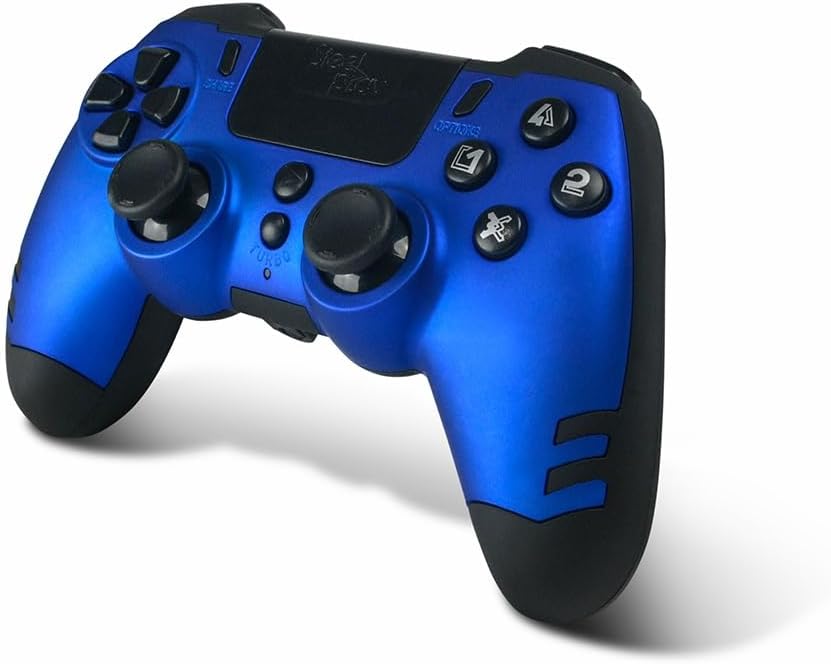
Image: The STEELPLAY Wireless Controller with a charging cable connected. This image illustrates the controller's design and potential charging port location.
Төхөөрөмжтэй хослуулж байна
Follow these steps to pair your wireless controller with your gaming console or PC:
- Хянагч цэнэглэгдсэн эсэхийг шалгаарай.
- Turn on your gaming console or PC.
- Удирдлага дээрх товчлуурыг удаан дар SHARE товчлуур болон PS button simultaneously until the light bar begins to flash.
- On your device, navigate to Bluetooth settings and select the "STEELPLAY Wireless Controller" from the list of available devices.
- Once paired, the light bar will stop flashing and remain lit, indicating a successful connection.
Ашиглалтын заавар
Үндсэн удирдлага
The STEELPLAY Wireless Controller features standard gamepad controls. Familiarize yourself with the button layout:
- Чиглэлийн дэвсгэр (D-Pad): Нарийвчлалтай чиглэлтэй оролтын хувьд.
- Зүүн/Баруун аналог саваа: Хөдөлгөөн болон камерыг хянах зориулалттай.
- Үйлдлийн товчлуурууд (Гурвалжин, Тойрог, Загалмай, Дөрвөлжин): Тоглоомын доторх үйлдлүүдийн хувьд.
- Мөрний товчлуурууд (L1, R1) болон өдөөгч (L2, R2): Тоглоомын янз бүрийн функцүүдэд зориулагдсан.
- ХУВААЛЦАХ Товч: To share gameplay content.
- СОНГОЛТУУД Товч: To access in-game menus or pause.
- PS товч: To access the console's home menu or power on/off the controller.
- Мэдрэгч самбар: For additional input, often used for navigation or specific game mechanics.
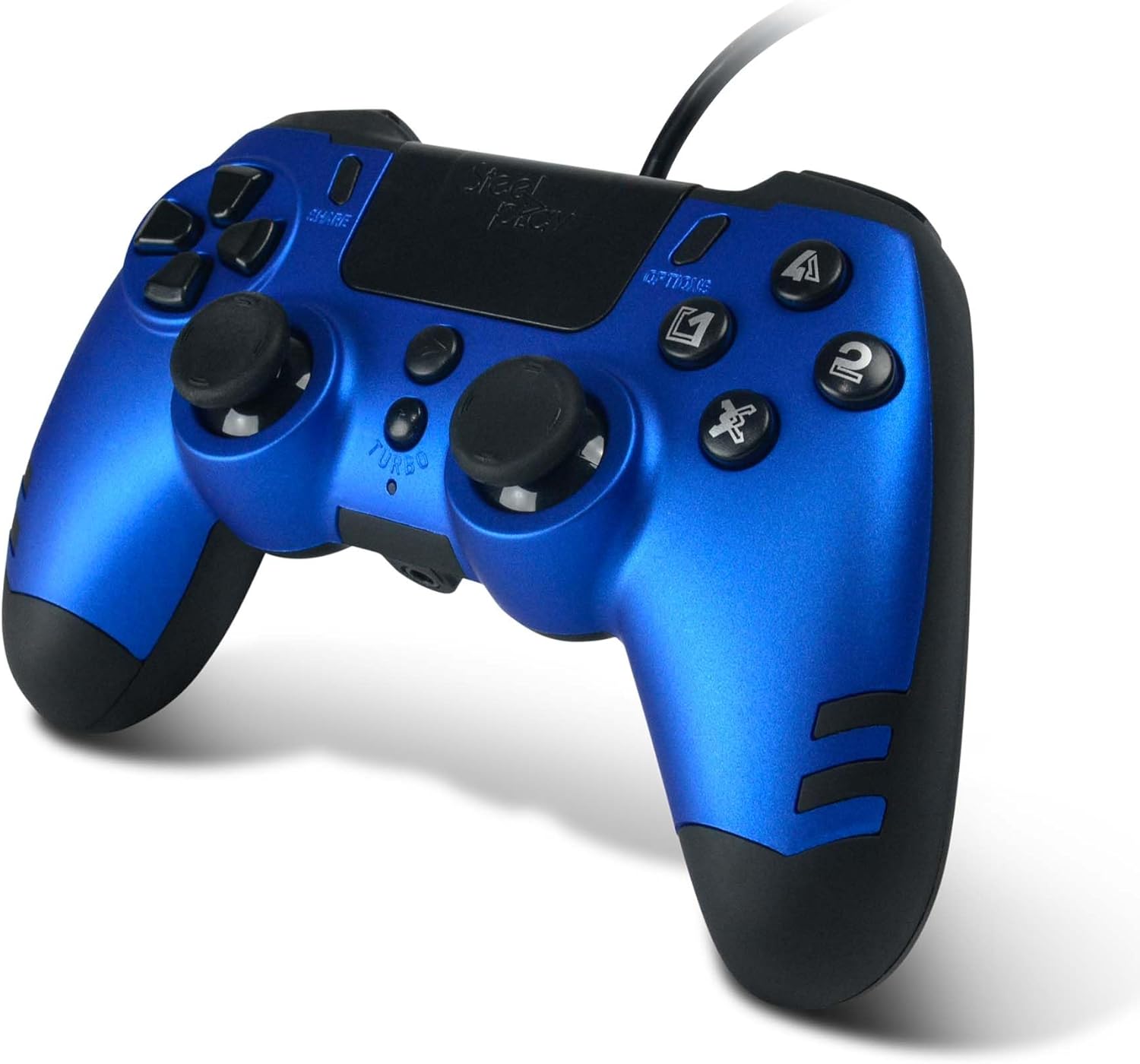
Зураг: Нарийвчилсан view of the STEELPLAY Wireless Controller, highlighting the layout of its 14 buttons, D-pad, and analog sticks.
Асаах/унтраах
- Асаахын тулд: товчийг дарна уу PS товч.
- Унтраахын тулд: товчийг удаан дар PS button for approximately 10 seconds until the controller powers down.
Дахин холбогдож байна
Once paired, the controller should automatically reconnect to the last paired device when powered on. If it does not, press the PS button to initiate reconnection.
Засвар үйлчилгээ
Цэвэрлэгээ
Хянагчийг цэвэрлэхийн тулд зөөлөн, хуурай даавуу ашиглаарай. Зөрүүд бохирдлыг бага зэрэг арчина.ampДаавууг усаар норгоно. Хүчтэй химийн бодис, уусгагч эсвэл зүлгүүрийн цэвэрлэгч хэрэглэж болохгүй, учир нь эдгээр нь хянагчийн өнгөлгөө болон дотор эд ангиудыг гэмтээж болзошгүй.
Хадгалах
Хянагчийг сэрүүн, хуурай газар, нарны шууд тусгал болон хэт өндөр температураас хол хадгална уу. Хянагч дээр хүнд зүйл тавихаас зайлсхий.
Батерейны арчилгаа
The controller contains a rechargeable battery. To prolong battery life:
- Байнга зайгаа бүрэн цэнэглэхээс зайлсхий.
- Charge the controller regularly, even if not in use for extended periods.
- Do not expose the controller to temperatures above 60°C (140°F).
Алдааг олж засварлах
- Controller does not power on:
- Ensure the controller is fully charged. Connect it to a power source using the USB cable and allow it to charge for at least 30 minutes before attempting to power it on again.
- Controller does not connect or pair:
- Ensure the controller is in pairing mode (light bar flashing).
- Verify that the device you are trying to connect to has Bluetooth enabled.
- Төхөөрөмжийнхөө Bluetooth тохиргооноос хянагчийн өмнөх бүх хослолыг устгаад дахин хослуулахыг оролдоно уу.
- Move the controller closer to the device to ensure a strong signal.
- Хянагч болон төхөөрөмжийг хоёуланг нь дахин ачаална уу.
- Input lag or unresponsive buttons:
- Ensure the controller is fully charged. Low battery can affect performance.
- Reduce interference by moving away from other wireless devices (Wi-Fi routers, other Bluetooth devices).
- If possible, try connecting the controller via a USB cable to see if the issue persists (if wired mode is supported).
Үзүүлэлтүүд
| Онцлог | Дэлгэрэнгүй |
|---|---|
| Загварын нэр | LA-0HNY-U4YG |
| Brand (Manufacturer) | STEELPLAY |
| Brand (Retail) | Лексип |
| Холболт | Утасгүй |
| Товчлуурын тоо | 14 |
| Хэмжээ | 17.5 x 13 x 8.3 см |
| Жин | 350 гр |
| Батерейнууд багтсан | No (Features an internal rechargeable battery) |
Баталгаат болон дэмжлэг
Specific warranty information is not provided in this manual. Please refer to the retailer's purchase terms or the manufacturer's official website for detailed warranty policies and support contact information.
For further assistance, please contact STEELPLAY customer support through their official channels.


