Zebronics ZEB-PARADISE утасгүй чихэвчний хэрэглэгчийн гарын авлага
Model: ZEB-PARADISE
1. Бүтээгдэхүүн дууссанview
The Zebronics ZEB-PARADISE is a versatile wireless headphone designed for an immersive audio experience. It features Bluetooth connectivity, an AUX input, Micro SD card support, and an FM radio function, providing multiple ways to enjoy your music and manage calls.

Image 1: Zebronics ZEB-PARADISE Wireless Headphone. This image displays the over-ear design of the headphone, highlighting its sleek appearance and comfortable earcups.
2. Багцын агуулга
Дараах зүйлсийн нүдийг шалгана уу.
- 1 Unit Headphone
- 1 Unit Charging Cable
- 1 Unit Aux Cable
- 1 Unit User Manual
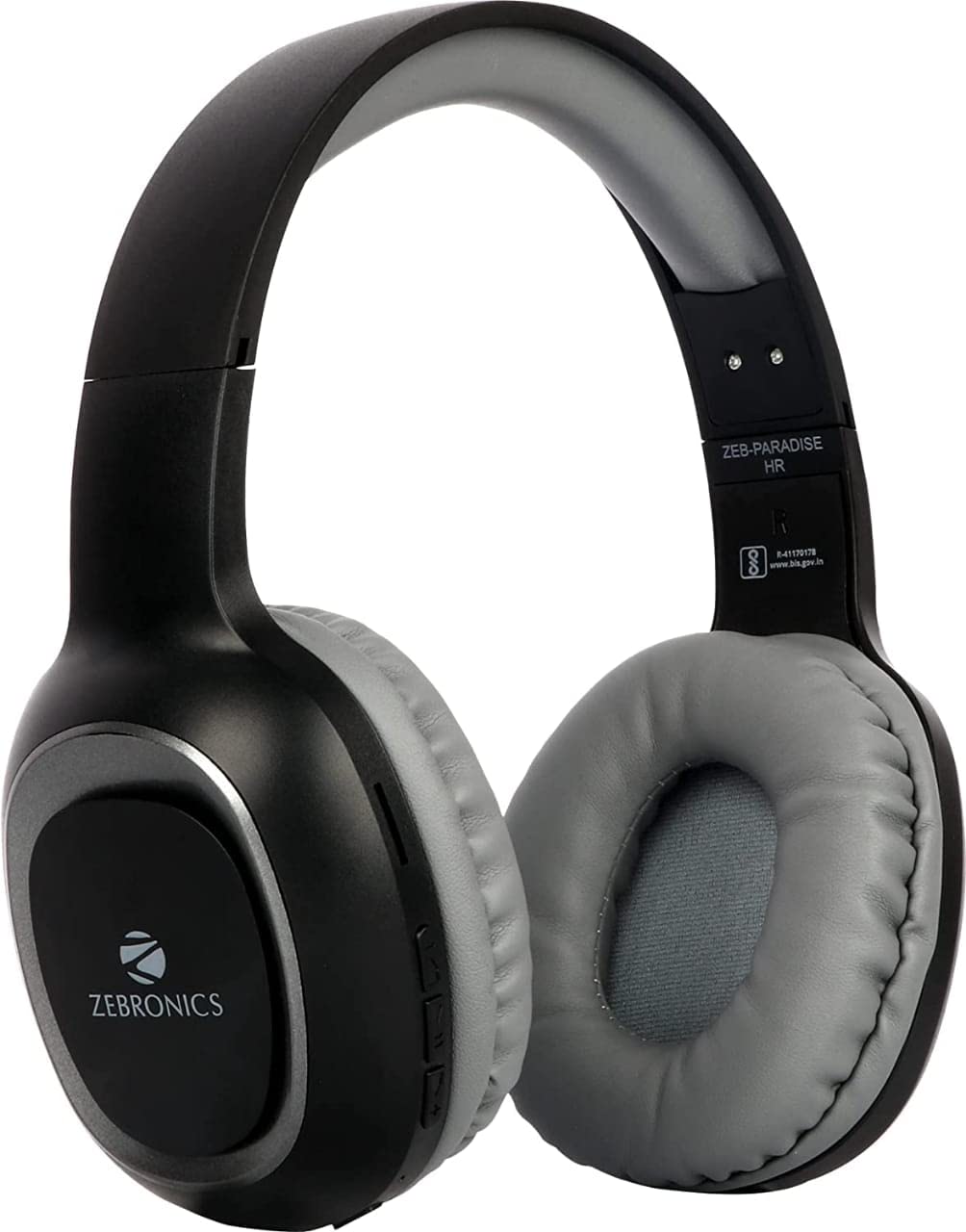
Image 2: Packaging of the Zebronics ZEB-PARADISE Wireless Headphone. This image shows the product box, detailing the package contents and key features printed on the packaging.
3. Аюулгүй байдлын мэдээлэл
Анхааруулга:
Please be aware of your surroundings while using the headphone. Constant exposure to high volume may damage your hearing. Please use the headphone at moderate volume to protect your ears.
4. Үндсэн шинж чанарууд
- Bluetooth v4.2 Connectivity
- AUX Input for Wired Connection
- Micro SD Card Support for MP3 Playback
- FM радиогийн функц
- Call Function with Built-in Microphone
- Media Volume Control
- Dual Pairing Capability
- 40mm Audio Drivers
- Баригдсан цэнэглэдэг батерей
- Хурдан цэнэглэх дэмжлэг
5. Тохиргоо
5.1 Чихэвч цэнэглэх
- Connect the provided USB charging cable to the charging port on the headphone.
- USB кабелийн нөгөө үзүүрийг USB тэжээлийн адаптер (дагаагүй) эсвэл компьютерийн USB порт руу холбоно уу.
- LED индикатор цэнэглэлтийн төлөвийг харуулахын тулд асах болно. Бүрэн цэнэглэгдсэний дараа энэ нь ихэвчлэн унтрах эсвэл өнгөө өөрчилдөг.
5.2 Bluetooth холболт
- Ensure the headphone is fully charged.
- Press and hold the Power button on the headphone until the LED indicator flashes blue and red, indicating pairing mode.
- Ухаалаг утас эсвэл Bluetooth-тэй төхөөрөмж дээрээ Bluetooth тохиргоо руу орж, боломжтой төхөөрөмжүүдийг хайж олоорой.
- Select "ZEB-PARADISE" from the list of found devices.
- Once paired, the LED indicator will flash blue slowly or remain solid blue.
5.3 Using the AUX Cable
- Connect one end of the provided 3.5mm AUX cable to the AUX input port on the headphone.
- Connect the other end of the AUX cable to the 3.5mm audio output jack of your audio device.
- Чихэвч автоматаар AUX горимд шилжинэ.
6. Ашиглалтын заавар
6.1 Үндсэн удирдлага
- Асаах/унтраах: Power товчийг удаан дар.
- Тоглуулах/түр зогсоох: Тоглуулах/Түр зогсоох товчийг нэг удаа дарна уу.
- Дууг нэмэгдүүлэх/Дараагийн дуу: Press the Volume Up (+) button to increase volume. Press and hold to skip to the next track.
- Дууг бууруулах/Өмнөх дуу: Press the Volume Down (-) button to decrease volume. Press and hold to go to the previous track.
- Горим солих: Press the 'M' button to switch between Bluetooth, FM Radio, and Micro SD modes.
6.2 Дуудлагын функц
- Дуудлагад хариулах: Дуудлага ирэх үед Тоглуулах/Түр зогсоох товчийг нэг удаа дар.
- Дуудлага дуусгах: Дуудлагын үеэр Play/Pause товчийг нэг удаа дар.
- Дуудлагаас татгалзах: Дуудлага ирэхэд Тоглуулах/Түр зогсоох товчийг 2 секундын турш дарна уу.
- Сүүлийн дугаарыг дахин залгах: Тоглуулах/Түр зогсоох товчийг давхар дар.
6.3 FM радио горим
- 'M' товчийг ашиглан FM радио горимд шилжинэ үү.
- Press the Play/Pause button once to auto-scan and save available FM channels.
- Use the Volume Up (+) and Volume Down (-) buttons to navigate between saved channels.
6.4 Micro SD карт тоглуулах
- Insert a Micro SD card (with MP3 files) into the designated slot on the headphone.
- Switch to Micro SD mode using the 'M' button.
- Music playback will start automatically. Use the control buttons for play/pause, next/previous track, and volume adjustment.
7. Засвар үйлчилгээ
- Чихэвчийг зөөлөн, хуурай даавуугаар цэвэрлэ. Химийн хатуу бодис, зүлгүүрийн материалыг бүү ашигла.
- Чихэвчийг хэт өндөр температур, чийгшил, нарны шууд тусгалд оруулахаас зайлсхий.
- Store the headphone in a cool, dry place when not in use.
- Do not attempt to disassemble or repair the headphone yourself, as this will void the warranty.
8. Алдаа засах
- Эрчим хүчгүй: Ensure the headphone is fully charged. Connect it to a power source using the charging cable.
- Bluetooth-ээр холбох боломжгүй: Make sure the headphone is in pairing mode (flashing blue and red LED). Ensure Bluetooth is enabled on your device and it is within range. Try restarting both devices.
- Дуугүй: Check the volume level on both the headphone and your connected device. Ensure the correct mode (Bluetooth, AUX, SD) is selected. If using AUX, ensure the cable is fully inserted.
- FM радио ажиллахгүй байна: Ensure you are in an area with good FM signal. Perform an auto-scan to save channels.
- Микро SD карт тоглогдохгүй байна: Ensure the Micro SD card is inserted correctly and contains compatible audio files (жишээ нь, MP3).
9. Техникийн үзүүлэлтүүд
| Онцлог | Тодорхойлолт |
|---|---|
| Загвар | ЗЕБ-ДИВААЖИН |
| Холболт | Утасгүй (Bluetooth v4.2) |
| Оруулсан бүрэлдэхүүн хэсгүүд | Headphone, Charging Cable, Aux Cable, User Manual |
| Жолооч нар | 40 мм |
| Батерей | Баригдсан цэнэглэдэг |
| Онцлог шинж чанарууд | FM Radio, Micro SD Card Support, Call Function, Media Volume Control, Dual Pairing, Fast Charging |
| Чихэвчний залгуур | 3.5 мм Жак |
| Form Factor | Чихний дээгүүр |
| Өнгө | Хар |
| Үйлдвэрлэгч | Zebronics India Private Limited |
10. Баталгаат хугацаа ба дэмжлэг
10.1 Баталгаат хугацааны мэдээлэл
This product comes with a standard manufacturer's warranty. Please refer to the warranty card included in your package or contact customer support for detailed warranty terms and conditions.
10.2 Хэрэглэгчийн дэмжлэг
For any complaints, feedback, or support inquiries, please contact:
Consumer Care Executive
Хаяг: ZEBRONICS INDIA PRIVATE LIMITED, NO. 118, POONAMALLEE HIGH ROAD, CHENNAI-600084.
Утас: 044-4000 0004
Имэйл: ENQUIRY@ZEBRONICS.COM
Та мөн албан тушаалтан дээр очиж болно webсайт: www.zebronics.com


