1. Танилцуулга
This manual provides essential instructions for the SOLTECH CCTV Remote Control, model RCWN00001B (also identified as EP10-001090A). This remote is specifically designed for use with various Samsung Wisenet Security & Surveillance Camera Systems, including DVRs and NVRs. Please read this manual thoroughly to ensure proper use and functionality of your remote control.
2. Бүтээгдэхүүн дууссанview
The SOLTECH CCTV Remote Control is a dedicated device for managing your Samsung Wisenet security system. It replicates the functionality of the original remote control included with Wisenet All-In-One systems, providing convenient access to your DVR or NVR functions.
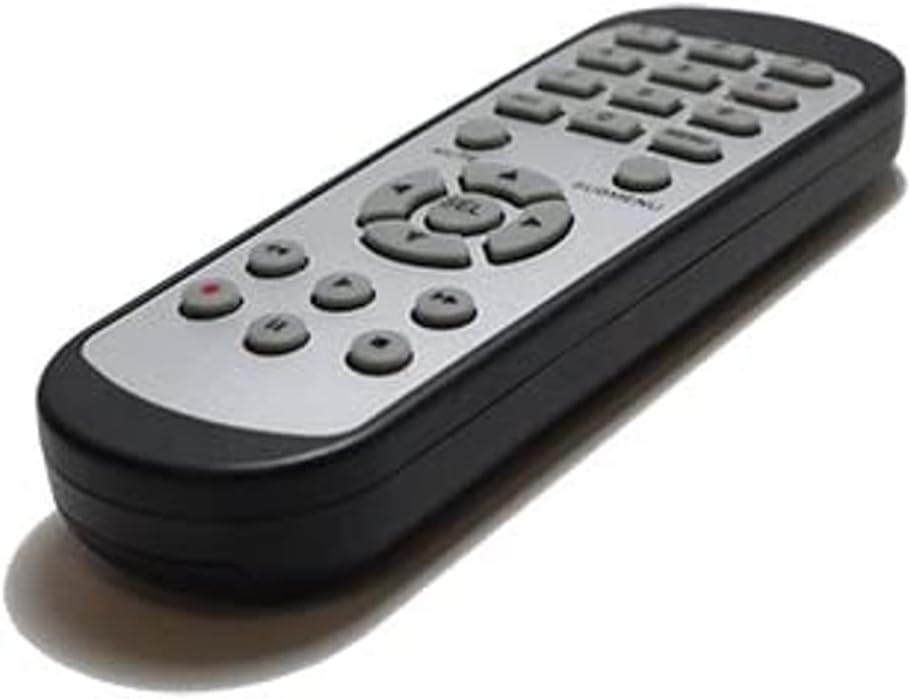
Зураг 2.1: Урд view of the SOLTECH CCTV Remote Control (Model RCWN00001B / EP10-001090A).
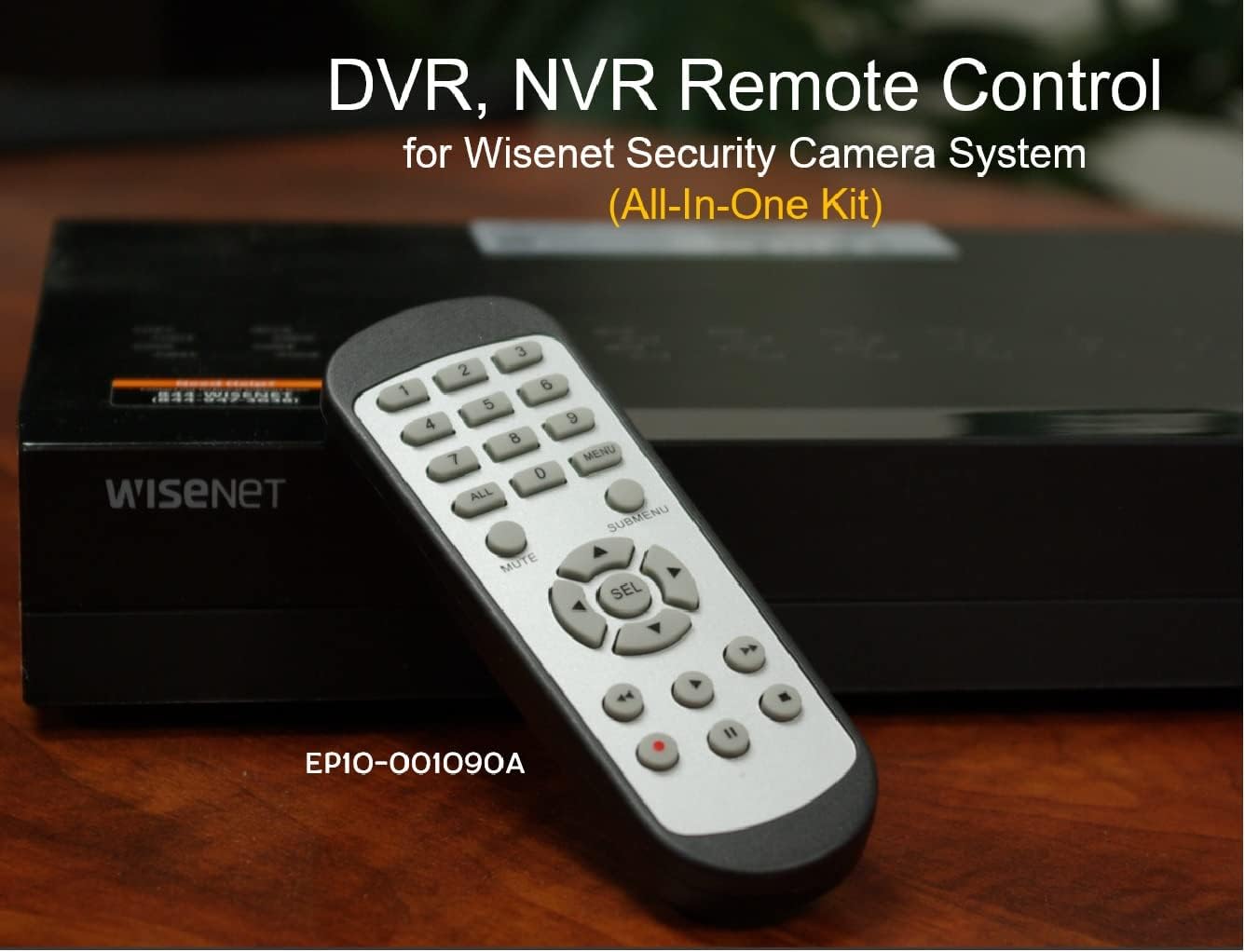
Image 2.2: The remote control positioned on a Wisenet Digital Video Recorder (DVR).
3. Тохиргоо
This remote control requires two AAA batteries for operation. Batteries are not included with the product and must be purchased separately.
3.1 Батерей суурилуулах
- Алсын удирдлагын ар талд байгаа зайны тасалгааг ол.
- Зайны тасалгааны тагийг доош нь гулсуулж, өргөж ав.
- Тасалгааны дотор заасны дагуу зөв туйлшралыг (+ ба -) баталгаажуулж, хоёр AAA батерейг оруулна уу.
- Батерейны тасалгааны тагийг найдвартай товших хүртэл шургуулж орлуулаарай.

Зураг 3.1: Ар талд view батерейны тасалгаа нээлттэй байгаа алсын удирдлагын AAA батерейг хаана хийхийг харуулж байна.
3.2 Анхны холболт
The SOLTECH CCTV Remote Control is pre-configured for Samsung Wisenet All-In-One System DVRs and NVRs. No additional setup, programming, or pairing is required. Once batteries are installed, the remote is ready for immediate use with compatible systems.
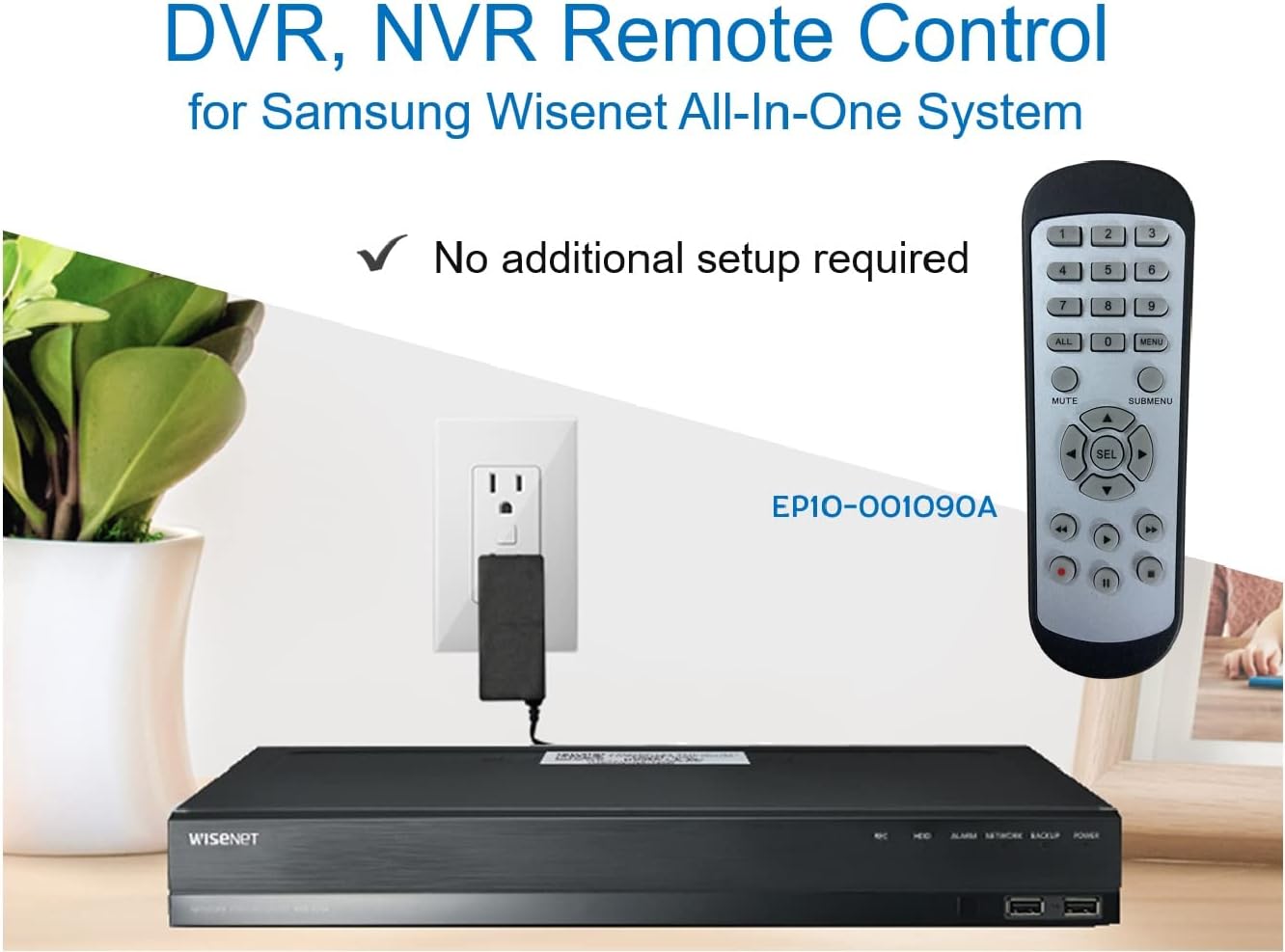
Image 3.2: The remote control shown alongside a Wisenet DVR, illustrating the 'no additional setup required' feature.
4. Ашиглалтын заавар
Point the remote control directly at your Samsung Wisenet DVR or NVR. Press the desired buttons to navigate menus, control playback, switch camera views, and access other functions of your security system. The button layout is standard for Wisenet systems, allowing for intuitive operation.
- Тоон товчлуурууд (0-9): Used for direct camera selection or data entry.
- Directional Pad (Up, Down, Left, Right, SEL): Цэсийн навигаци болон сонголтын хувьд.
- ХААЛТ: Аудио гаралтын дууг хаадаг.
- SUBMENU: Accesses sub-menus within the system interface.
- Тоглуулах удирдлага (Тоглуулах, Түр зогсоох, Зогсоох, Хурдан урагшлуулах, Буцаах): Manages recorded footage тоглуулах.
- БҮРТГЭЛ (Бүртгэл): Гараар бичлэг хийж эхэлнэ.
5. Тохиромжтой байдал
This remote control is compatible with various Samsung Wisenet All-In-One System Series. It is designed to function as a direct replacement for the original remote controls supplied with these systems.
5.1 Compatible System Series
The remote control is compatible with, but not limited to, the following Samsung Wisenet All-In-One System Series:
- SDH-E95127
- SDH-B94047
- SDH-C94087
- SDH-B73043
- SDH-C85080
- SDH-SF440
- SDH-B74043
- SDH-B74083
- SDH-B74041
- SDH-B74081
- SDH-C85100
- SDR-C85300
- SNK-B73047
- SDH-B74086
- SDH-C73043
- SDR-C73303
- SDH-C74043DF
- SDR-C74303N1T
- SDR-B74301

Image 5.1: The remote control displayed alongside a partial list of compatible Samsung Wisenet All-In-One System Series.

Image 5.2: An illustration showing the remote control's compatibility with a range of Samsung Wisenet security camera systems.
6. Засвар үйлчилгээ
6.1 Батерейг солих
When the remote control's performance diminishes or it stops responding, replace the AAA batteries. Always replace both batteries at the same time with new ones. Do not mix old and new batteries, or different types of batteries.
6.2 Цэвэрлэгээ
Алсын удирдлагыг цэвэрлэхийн тулд зөөлөн, хуурай даавуу ашиглана уу. Зөрүүд шороонд бага зэрэг dampen the cloth with water. Avoid using harsh chemicals, abrasive cleaners, or solvents, as these can damage the remote's surface or internal components.
6.3 Хадгалалт
Алсын удирдлагыг сэрүүн, хуурай газар, нарны шууд тусгал болон хэт өндөр температураас хол хадгална уу. Хэрэв алсын удирдлагыг удаан хугацаагаар ашиглахгүй бол гоожихоос сэргийлж батерейг нь салгаж авахыг зөвлөж байна.
7. Алдаа засах
If you experience issues with your SOLTECH CCTV Remote Control, refer to the following common troubleshooting steps:
- Алсын удирдлага хариу өгөхгүй байна:
- Батерейг зөв туйлшралтайгаар зөв оруулсан эсэхийг шалгана уу.
- Батерейг шинэ AAA батерейгаар солино уу.
- Ensure there is a clear line of sight between the remote control and the infrared receiver on your Wisenet DVR/NVR. Obstructions can block the signal.
- Verify that the remote control is pointed directly at the Wisenet system.
- Завсрын функциональ байдал:
- Энэ нь ихэвчлэн батерейны цэнэг бага байгааг илтгэнэ. Батерейг солих.
- Ensure no strong light sources (like direct sunlight or bright fluorescent lights) are interfering with the infrared signal.
- Remote Does Not Control My System:
- Confirm that your security system is a Samsung Wisenet All-In-One System and is listed as compatible in Section 5.1. This remote is specifically designed for these systems and may not work with other brands or models.
- As this remote requires no additional setup, if it is not working with a confirmed compatible system after battery replacement, contact customer support.
8. Техникийн үзүүлэлтүүд
| Онцлог | Дэлгэрэнгүй |
|---|---|
| Загварын дугаар | RCWN00001B (EP10-001090A) |
| Бүтээгдэхүүний хэмжээс | 5 x 1.75 x 0.75 инч |
| Зүйлийн жин | 1.76 унц |
| Батерей шаардлагатай | 2 AAA батерей (оруулаагүй) |
| Үйлдвэрлэгч | SOLTECH |
| Өнгө | Саарал |
| Дэмжигдсэн төхөөрөмжүүдийн хамгийн их тоо | 1 (Wisenet DVR/NVR) |
| Тохиромжтой төхөөрөмжүүд | Samsung Wisenet Security Camera Systems (DVR/NVR) |

Image 8.1: The remote control with its physical dimensions (length, width, thickness) indicated.
9. Баталгаат хугацаа ба дэмжлэг
For information regarding product warranty, please refer to the documentation provided with your purchase or contact the seller directly. The seller for this product is SOLTECH America.
For further assistance or technical support, please reach out to the manufacturer or seller through their official contact channels.


