1. Танилцуулга
This manual provides detailed instructions for the installation, operation, and maintenance of your Lorex 4K Spotlight Indoor/Outdoor Wi-Fi 6 Security Camera, Model W881AADB-E. This camera is designed to enhance your security with advanced features such as 4K Ultra HD resolution, smart security lighting, and intelligent detection capabilities for persons, vehicles, animals, and packages. Please read this manual thoroughly before using the product to ensure proper setup and functionality.
2. Багцын агуулга
Таны багцад бүх бүрэлдэхүүн хэсгүүд байгаа эсэхийг шалгана уу:
- Lorex 4K Spotlight Indoor/Outdoor Wi-Fi 6 Security Camera (Model W881AADB-E)
- Эрчим хүчний адаптер
- Суурилуулах хэрэгсэл (эрэг, зангуу)
- Түргэн эхлүүлэх гарын авлага
- 32GB Micro SD Card (may be pre-installed)

Image: Lorex 4K Spotlight Wi-Fi 6 Security Camera, its retail box, and a 32GB Micro SD card. The camera is black with two white spotlights and a green LED band. The box highlights 4K video recording, Wi-Fi 6, smart security lighting, and motion detection.
3. Тохиргоо ба суурилуулалт
3.1 Эхлэхээсээ өмнө
- Ensure your Wi-Fi router supports Wi-Fi 6 technology for optimal performance.
- Download the Lorex Home app from your smartphone's app store.
- Identify a suitable mounting location (indoor or outdoor) with a clear view болон цахилгаан залгуурт нэвтрэх.
3.2 камер суурилуулах алхамууд
- Камер суурилуулах: Securely mount the camera to your chosen surface using the provided mounting kit. Ensure the camera is positioned to cover the desired area.
- Хувьсах гүйдлийн сүлжээнд холбогдох: Дагалдах тэжээлийн адаптерийг ашиглан камерыг тэжээлийн эх үүсвэрт холбоно уу.
- View on the App: Open the Lorex Home app, create an account if you haven't already, and follow the in-app instructions to add your new camera. This typically involves scanning a QR code on the camera or manually entering its details.
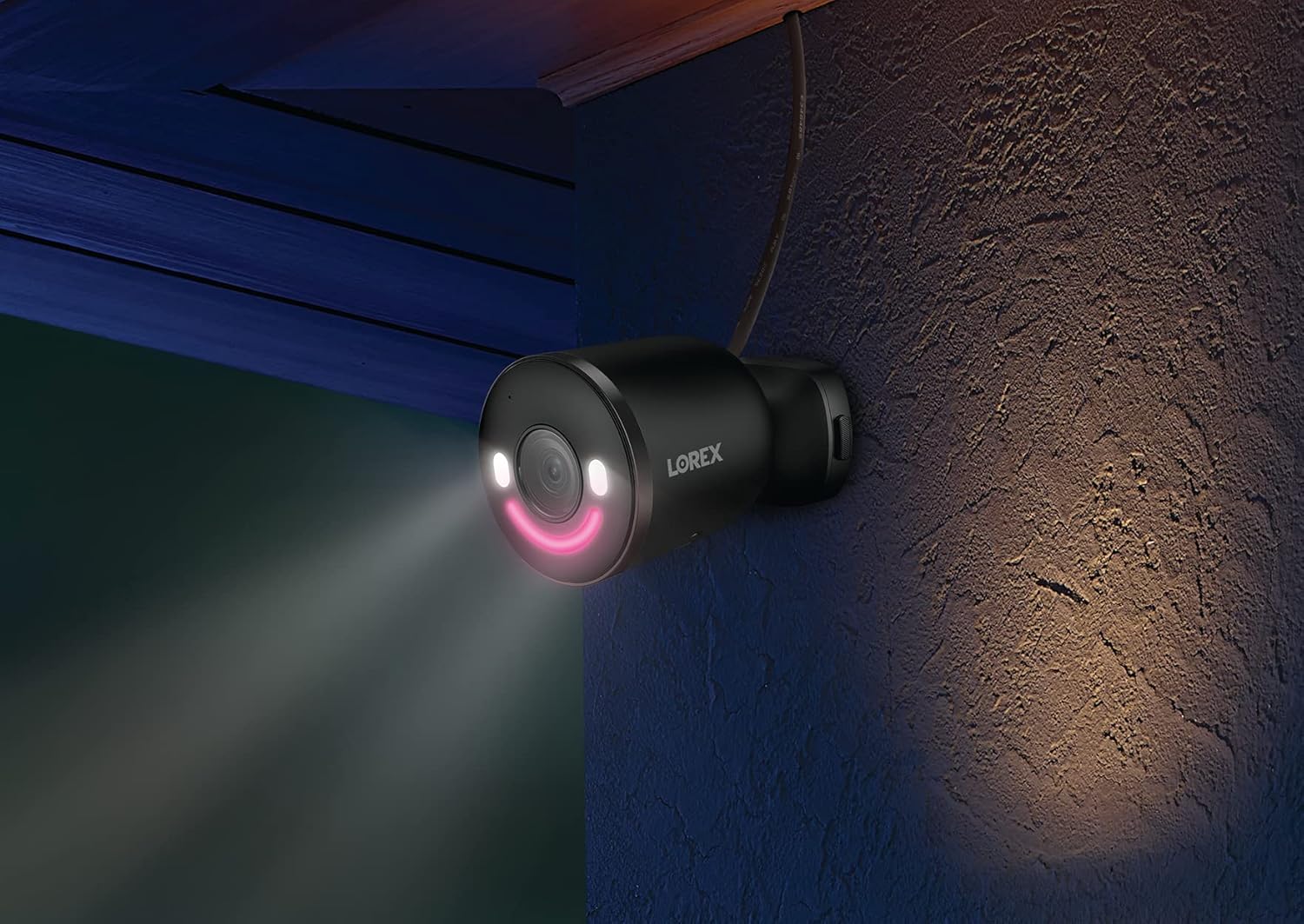
Image: A graphic illustrating three quick installation steps: 1. Install Camera (wrench icon), 2. Connect to AC Power (plug icon), 3. View on the App (smartphone icon). The image shows the camera mounted on a wall.

Image: A Lorex security camera, black with a green LED smile, mounted on a light-colored exterior wall, indicating outdoor installation.
4. Камераа ажиллуулах
4.1 Амьд View болон тоглуулах
Шууд видео тэжээлд хандах болон дахинview foo бүртгэгдсэнtage through the Lorex Home app. The 4K Ultra HD resolution provides clear and detailed images for effective monitoring.

Image: A split image demonstrating 4K Ultra HD video quality. The left side shows a child playing with a toy in a garden from a distance, while the right side shows a digitally zoomed-in, clear view of the child's hands and the toy, highlighting the detail retention of 4K resolution.
4.2 Smart Security Lighting
The camera features an LED band that can be customized in color. This lighting can be used for deterrence or as a welcome light. Adjust settings via the Lorex Home app.

Image: A Lorex camera with its LED band illuminated, alongside a smartphone screen displaying a color wheel for selecting the LED light color within the Lorex Home app. This illustrates the Smart Security Lighting feature.

Image: A Lorex security camera mounted on a wall at night, with its smart security lighting emitting a pink glow, illuminating the immediate area. This demonstrates the camera's lighting capabilities in low-light conditions.
4.3 Ухаалаг хөдөлгөөн илрүүлэх
The camera utilizes advanced motion detection to identify specific objects. You can configure alerts for:
- Хүн илрүүлэх
- Тээврийн хэрэгсэл илрүүлэх
- Амьтны илрүүлэлт
- Багц илрүүлэх
Note: When Person, Vehicle, and/or Animal Detection are enabled, Package Detection cannot be simultaneously enabled. To use Package Detection, you must disable the other detection types.

Image: A hand holding a smartphone displaying the Lorex Home app. The app shows a notification: "Someone was detected by Front Door Doorbell" with a live view thumbnail, illustrating the smart motion detection alert feature.
4.4 Хоёр талын яриа
Use the built-in microphone and speaker to communicate with visitors or deter unwanted guests directly through the Lorex Home app.
4.5 Lorex Fusion Integration
This camera can be integrated wirelessly with compatible Lorex Fusion security camera systems, allowing you to combine wired and Wi-Fi cameras for expanded coverage and centralized management.

Image: A diagram illustrating the Lorex Fusion system. A central recorder unit is shown with Wi-Fi signals connecting to various Lorex cameras (bullet, dome, doorbell, spotlight) around a house, demonstrating the ability to combine different camera types into one system.
4.6 Орон нутгийн хадгалах сан
The camera supports local storage via a Micro SD card (32GB included), ensuring your video footage is kept private and accessible without monthly fees.

Image: A Micro SD card and an open hard drive, symbolizing local storage for video footage, emphasizing that no monthly fees are required for recording.
5. Засвар үйлчилгээ
- Цэвэрлэгээ: Камерын линзийг үе үе зөөлөн, d аргаар цэвэрлэж байгаарай.amp тодорхой зургийн чанарыг хангах даавуу. Зүлгүүрийн цэвэрлэгчээс зайлсхий.
- Програм хангамжийн шинэчлэлтүүд: Regularly check the Lorex Home app for available firmware updates to ensure your camera has the latest features and security enhancements.
- Эрчим хүчний холболт: Ensure the power connection remains secure and free from damage, especially for outdoor installations.
- Микро SD карт: If using local storage, periodically check the Micro SD card for proper function and sufficient storage space. Replace if necessary.
6. Алдаа засах
| Асуудал | Боломжит шалтгаан | Шийдэл |
|---|---|---|
| Камер Wi-Fi-д холбогдоогүй байна | Incorrect Wi-Fi password, camera too far from router, router not Wi-Fi 6 compatible, network interference. |
|
| Видео чанар муу | Dirty lens, low Wi-Fi signal strength, insufficient bandwidth. |
|
| Motion detection alerts are inaccurate | Incorrect sensitivity settings, detection zones not optimized, conflicting detection types enabled. |
|
| No video recording to Micro SD card | SD card full, corrupted, or not properly inserted; recording settings incorrect. |
|
7. Техникийн үзүүлэлтүүд
| Онцлог | Дэлгэрэнгүй |
|---|---|
| Загварын дугаар | W881AADB-E |
| Видео бичлэгийн нягтрал | 4K Ultra HD |
| Холболтын технологи | Wireless (Wi-Fi 6) |
| Дотор/гадаа ашиглах | Гадаа |
| Эрчим хүчний эх үүсвэр | Утастай цахилгаан (12 ватт) |
| Талбар View | 140 градус |
| Онцлог шинж чанарууд | Motion Sensor, Night Vision (Night Color), Smart Security Lighting, 2-Way Talk |
| Илрүүлэх төрлүүд | Person, Vehicle, Animal, Package |
| Хадгалах | Micro SD (up to 256GB, 32GB included) |
| Олон улсын хамгаалалтын зэрэглэл | IP65 |
| Ашиглалтын температур | Цельсийн 55 хэм хүртэл |
| Хэмжээ (L x W x H) | 307 x 344 x 307 инч (Note: This dimension appears to be a data entry error. Please refer to product packaging for accurate physical dimensions.) |
| Зүйлийн жин | 1.72 фунт |
| Тохиромжтой төхөөрөмжүүд | Smartphone (Lorex Home App), Amazon Alexa |
8. Баталгаат хугацаа ба дэмжлэг
For warranty information, technical support, and additional resources, please visit the official Lorex website or contact Lorex customer service. Keep your purchase receipt for warranty claims.
Онлайн нөөцүүд: www.lorex.com
9. Аюулгүй байдлын чухал мэдээлэл
- Use only the power adapter provided with the camera.
- Do not expose the camera to extreme temperatures outside its operating range (up to 55°C).
- Ensure all cables are properly secured and protected, especially in outdoor environments.
- Камерыг задлах эсвэл өөрчлөх гэж бүү оролдоорой. Энэ нь баталгааг хүчингүй болгоно.
- Comply with all local laws and regulations regarding surveillance camera usage.


