Танилцуулга
Худалдан авалт хийсэнд баярлалааasing the ION Audio Power Glow 300. This powerful, portable, and versatile Bluetooth speaker system is designed to deliver high-quality audio with dynamic LED lighting, perfect for any event. With its built-in handles and wheels, it offers exceptional portability. Please read this manual carefully to ensure proper use and to maximize your experience with the Power Glow 300.
Онцлогууд
- Bluetooth 5.0 Compatible: Stream your favorite music wirelessly from any Bluetooth-enabled device up to 100 feet.
- ION Sound XP APP: Control audio settings and lighting effects directly from your smartphone or tablet.
- Би-Amplified 300-Watt Sound System: Features a 10-inch (254mm) woofer and a 1-inch (25.4mm) tweeter for lifelike sound reproduction.
- Нэг мэдрэгчтэй хэрэглэгчийн интерфэйс: A simple control knob for all sound adjustments.
- Цэнэглэдэг батерей: Provides long-lasting power for extended use.
- Утасгүй стерео холболт: Connects wirelessly with additional compatible ION speakers for a wider soundstage.
- Бариул болон дугуйнууд: Designed for easy transportation.
- Олон өнгийн гэрэл: The woofer glows in multiple colors, synchronizing with the music.
- Олон сувгийн холигч: Includes a mixer with main volume control and XLR inputs.
- Aux Inputs: Easily connect non-Bluetooth devices.
- Echo Effect on Microphone: Enhance your karaoke performances.
- USB/SD карт тоглуулах: Conveniently play audio material recorded on other devices.
- Микрофоны оролтууд: Connect your microphone for endless fun.
Хайрцагт юу байна
- Power Glow 300 Speaker
- Цахилгаан кабель
- Хэрэглэгчийн гарын авлага
Тохиргоо
1. Батерейг цэнэглэж байна
Before first use, fully charge the Power Glow 300's internal rechargeable battery. Connect the included power cable to the speaker's power input on the rear panel and plug it into a standard electrical outlet. The charging indicator light will show the charging status.
2. Асаах/унтраах
Locate the power switch on the rear control panel. Flip the switch to the 'ON' position to power on the speaker. Flip it to 'OFF' to power down.
3. Bluetooth хослол
- Ensure the Power Glow 300 is powered on.
- Bluetooth төхөөрөмж дээрээ (ухаалаг утас, таблет гэх мэт) Bluetooth-г идэвхжүүлж, боломжтой төхөөрөмжүүдийг хай.
- Select 'ION Audio Power Glow 300' from the list of devices.
- Once paired, the speaker will indicate a successful connection (e.g., a chime or a steady Bluetooth indicator light).
For advanced control and settings, download the ION Sound XP APP таны төхөөрөмжийн програмын дэлгүүрээс.
4. Physical Setup and Portability
The Power Glow 300 features built-in handles and wheels for easy transport. Simply extend the retractable handle located on the top of the unit and tilt the speaker to roll it to your desired location. The robust design ensures durability for outdoor and indoor use.

Зураг: хажуу тал view demonstrating the retractable handle and wheels for easy transport.
Ашиглалтын заавар
1. Control Panel Overview
The main control panel is located on the rear of the speaker. It includes controls for playback, volume, inputs, and lighting.

Зураг: Нарийвчилсан view of the rear control panel.
2. Аудио тоглуулах
- Bluetooth: Once paired, play audio from your connected Bluetooth device. Use the speaker's play/pause, next, and previous track buttons, or control directly from your device.
- USB/SD карт: Insert a USB drive or SD card into the respective slots on the control panel. The speaker will automatically detect and play compatible audio files. Дууг удирдахын тулд тоглуулах удирдлагыг ашиглана уу.
- Туслах оролт: Connect non-Bluetooth devices using a standard 3.5mm audio cable or RCA cables to the Aux Inputs on the rear panel.
- Микрофоны оролт: Plug a microphone into the XLR or 1/4-inch input. Adjust the microphone volume using the dedicated knob. The echo effect can be applied for vocal enhancement.

Image: USB/SD Card Playback Interface.
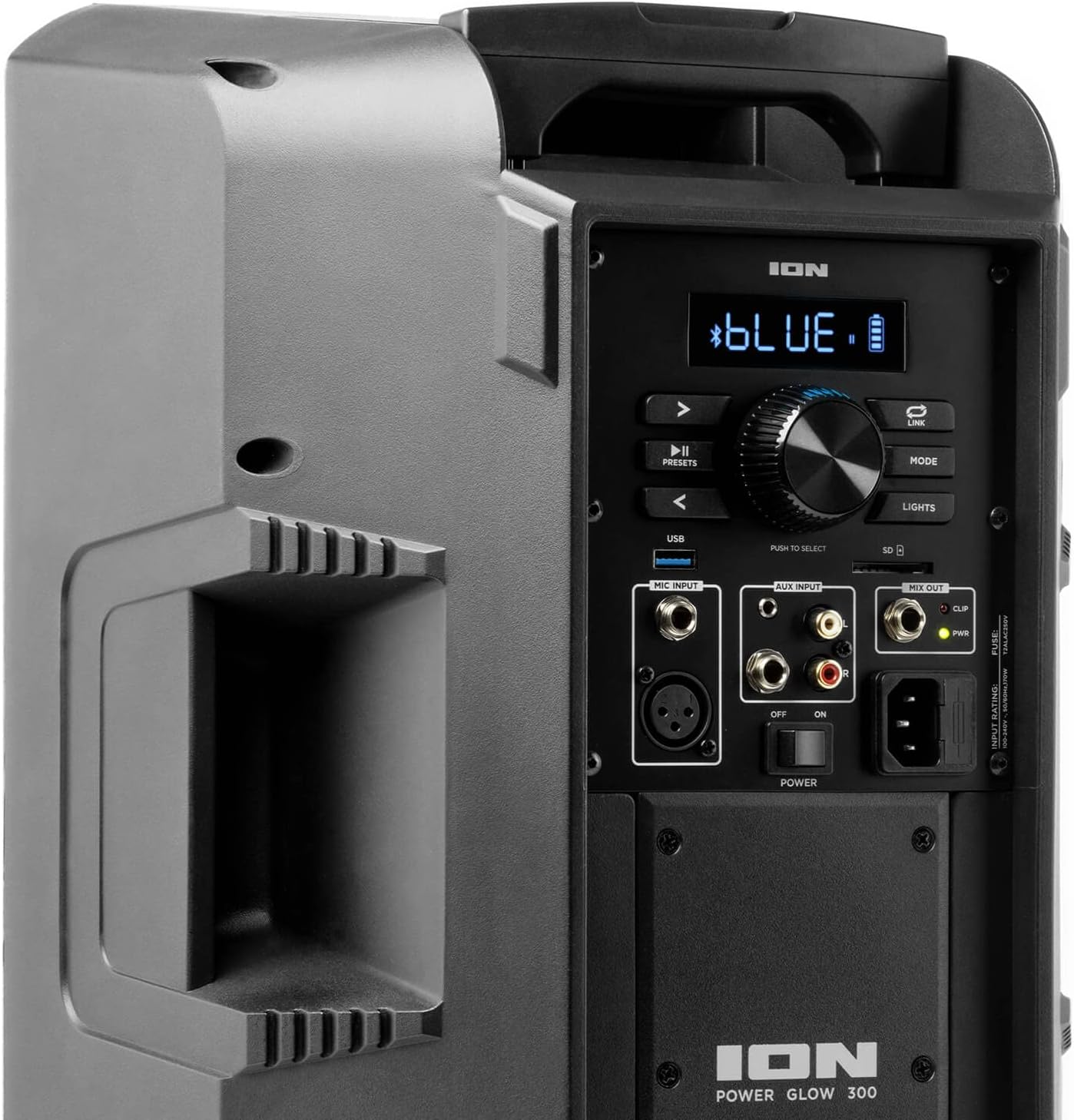
Image: Aux Inputs for external devices.
3. LED Lighting Effects
The Power Glow 300 features dynamic multi-colored LED lights on the woofer that can pulse and change with the beat of the music. Use the 'LIGHTS' button on the control panel or the ION Sound XP APP to cycle through different lighting modes or turn them off.

Image: Speaker with green LED lighting.
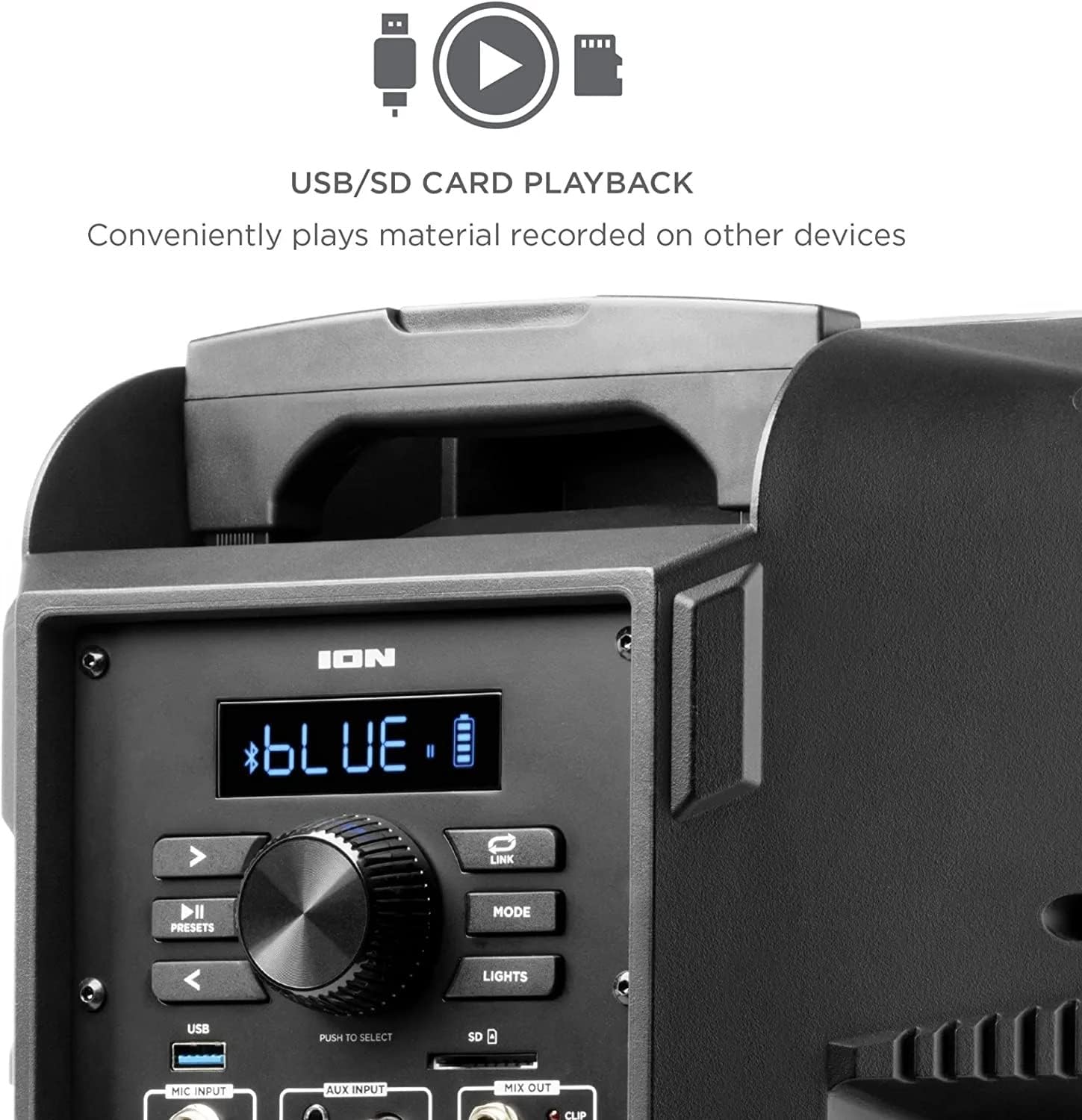
Image: Speaker with blue LED lighting.
4. Wireless Stereo-Link
To connect two Power Glow 300 speakers wirelessly for stereo sound, follow the instructions provided in the ION Sound XP APP or refer to the full product manual for detailed pairing steps.
Засвар үйлчилгээ
- Цэвэрлэгээ: Use a soft, dry cloth to clean the exterior of the speaker. Do not use harsh chemicals or abrasive cleaners.
- Батерейны арчилгаа: For optimal battery life, avoid fully discharging the battery frequently. Recharge the speaker regularly, especially if it will be stored for an extended period.
- Хадгалах: Чанга яригчийг нарны шууд тусгал, хэт температураас хол, сэрүүн, хуурай газар хадгална уу.
Алдааг олж засварлах
- Эрчим хүчгүй: Ensure the power cable is securely connected and the power switch is in the 'ON' position. Check the power outlet.
- Дуугүй: Verify that the volume is turned up on both the speaker and your audio source. Check all cable connections for auxiliary inputs. Ensure Bluetooth is properly paired.
- Bluetooth салгах: Move your Bluetooth device closer to the speaker. Ensure no other devices are interfering with the Bluetooth signal. Try unpairing and re-pairing the device.
- Гажуудсан дуу: Reduce the volume on both the speaker and your audio source. Check for proper input levels.
- Гэрэл ажиллахгүй байна: Check the 'LIGHTS' button on the control panel or within the ION Sound XP APP to ensure they are enabled.
If issues persist, please refer to the comprehensive troubleshooting guide on the ION Audio webсайт эсвэл хэрэглэгчийн дэмжлэгтэй холбоо барина уу.
Үзүүлэлтүүд
| Загварын нэр | Power Glow 300 |
| Чанга яригчийн төрөл | Вүүфер |
| Чанга яригчийн хамгийн их гаралтын чадал | 300 ватт |
| Woofer диаметр | 10 инч |
| Жийргэгчийн диаметр | 25.4 миллиметр |
| Холболтын технологи | Bluetooth |
| Утасгүй холбооны технологи | Bluetooth |
| Bluetooth хүрээ | 100 фут (30.48 метр) |
| Эрчим хүчний эх үүсвэр | Батерейгаар ажилладаг |
| Зайны төрөл | 1 литийн ион (оруулсан) |
| Зүйлийн жин | 26.3 фунт |
| Багцын хэмжээ | 22 x 14.8 x 14.8 инч |
| Оруулсан бүрэлдэхүүн хэсгүүд | Speaker, Power cable, User manual |
| UPC | 657768184574 |
| Баталгаат төрөл | Хязгаарлагдмал |
Баталгаат болон дэмжлэг
The ION Audio Power Glow 300 comes with a Limited Warranty. For detailed warranty information, product registration, and technical support, please visit the official ION Audio webсайт эсвэл харилцагчийн үйлчилгээний хэлтэстэй холбогдоно уу. Худалдан авалтын баримтаа баталгаат нэхэмжлэлд зориулж худалдан авалтын баталгаа болгон хадгална уу.


