1. Танилцуулга
This manual provides essential information for setting up, operating, maintaining, and troubleshooting your HP ProDesk 600 G4 Mini PC. The HP ProDesk 600 G4 is a compact and powerful micro-form-factor computer designed for various applications, from business to home entertainment. It features an Intel i7 Hexa-Core processor, 32GB DDR4 RAM, and a 512GB NVMe M.2 SSD, running on Windows 11 Pro.

Зураг 1.1: Урд view of the HP ProDesk 600 G4 Mini PC, showcasing түүний авсаархан загвар.
2. Багцын агуулга
Тохиргоог үргэлжлүүлэхийн өмнө бүх зүйлс багцад байгаа эсэхийг шалгаарай.
- HP ProDesk 600 G4 Mini Computer Desktop PC
- Altec Wireless Keyboard Mouse Combo
- TJJ Large Mouse Pad (color may vary)
- Цахилгааны утас
- DP-ээс HDMI адаптер
3. Бүтээгдэхүүний онцлог
The HP ProDesk 600 G4 Mini PC offers robust performance and connectivity in a small footprint.
- Процессор: Intel i7-8700T (2.40-4.00 GHz, 6 Cores, 12 Threads, 12 MB Cache)
- Үйлдлийн систем: Windows 11 Pro
- Санах ой: 32 ГБ DDR4 RAM
- Хадгалах: 512GB NVMe M.2 Solid State Drive
- График: Intel UHD Graphics 630 (supports 4K resolution)
- Утасгүй холболт: Built-in WiFi + Bluetooth 6E AX210 Combo
- Портууд:
- 1x USB-C 3.1 Port
- 3х USB-A 3.1 порт
- 3х USB-A 3.0 порт
- 2x DisplayPort
- 1x Ethernet Port (RJ-45)
- 1x HDMI (via included DP to HDMI Adapter)
- Хэмжээ: 7.1 x 1.3 x 7 инч
- Жин: 4.1 фунт

Image 3.1: The HP ProDesk 600 G4 Mini PC is suitable for office, education, and home entertainment.
4. Тохируулах заавар
4.1 Захын төхөөрөмжүүдийг холбох
Before powering on your Mini PC, connect the necessary peripherals.
- Дэлгэцийг холбох: Use a DisplayPort cable or the included DP to HDMI adapter to connect your monitor(s) to the DisplayPort(s) on the back of the Mini PC. The system supports up to two 4K displays.
- Гар болон хулгана холбох: Plug the USB receiver for the Altec wireless keyboard and mouse combo into any available USB-A port.
- Сүлжээг холбох (заавал биш): For a wired internet connection, connect an Ethernet cable to the RJ-45 port. For wireless, the device has built-in Wi-Fi.
4.2 Асаах
- Эрчим хүчийг холбох: Plug the power cord into the power connector on the back of the Mini PC, then plug the other end into a power outlet.
- Асаах: Press the power button located on the front of the Mini PC. The system will boot up, and the Windows 11 Pro operating system will load.
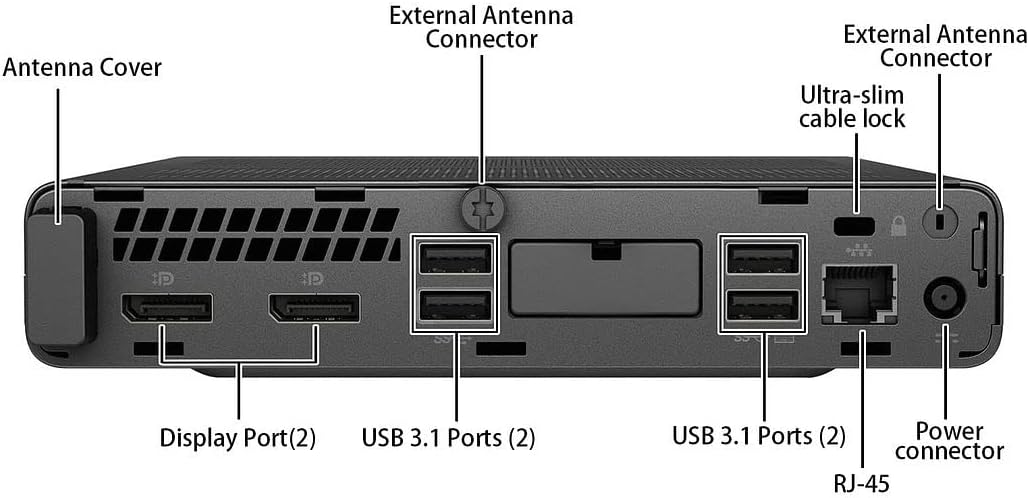
Зураг 4.1: Нарийвчилсан view of the rear ports, including DisplayPort, USB 3.1, Ethernet, and power connector.
5. Ашиглалтын заавар
5.1 Windows 11-ийн анхны тохиргоо
Upon first boot, you may be guided through the Windows 11 initial setup process, which includes setting up your region, keyboard layout, network connection, and user account.
5.2 Wi-Fi-д холбогдож байна
If you did not connect an Ethernet cable during setup, you can connect to a wireless network:
- дээр дарна уу Сүлжээ icon (Wi-Fi or Ethernet) in the taskbar.
- Жагсаалтаас хүссэн Wi-Fi сүлжээгээ сонгоно уу.
- Хэрэв асуувал сүлжээний аюулгүй байдлын түлхүүр (нууц үг)-ийг оруулаад, дараа нь дарна уу Холбох.
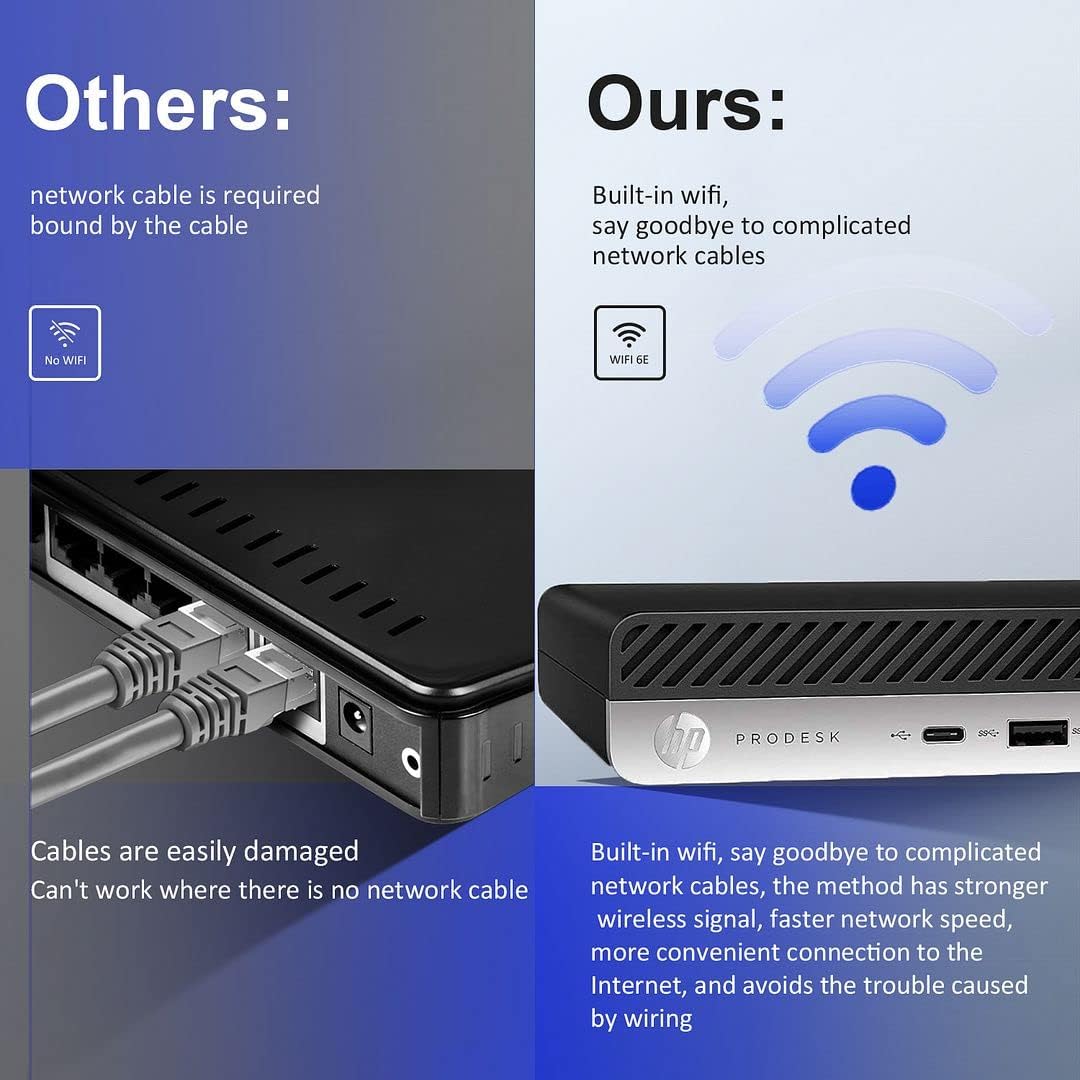
Image 5.1: The HP ProDesk 600 G4 features built-in Wi-Fi 6E for convenient wireless connectivity.
5.3 Using Multiple Displays
The HP ProDesk 600 G4 supports up to two 4K displays simultaneously via its DisplayPort outputs. To configure multiple displays in Windows 11:
- Right-click on an empty area of the desktop and select Дэлгэцийн тохиргоо.
- дор Олон дэлгэц section, you can detect, identify, and arrange your displays.
- Choose how you want your desktop to appear: Эдгээр дэлгэцийг хуулбарлах, Эдгээр дэлгэцийг сунгах, эсвэл Show only on 1/2.

Image 5.2: The Mini PC supports high-definition dual-screen display setups for enhanced productivity.
5.4 Windows 11 Features
Familiarize yourself with the new features of Windows 11 Pro, including the redesigned Start menu, Snap Layouts for multitasking, and improved widgets.
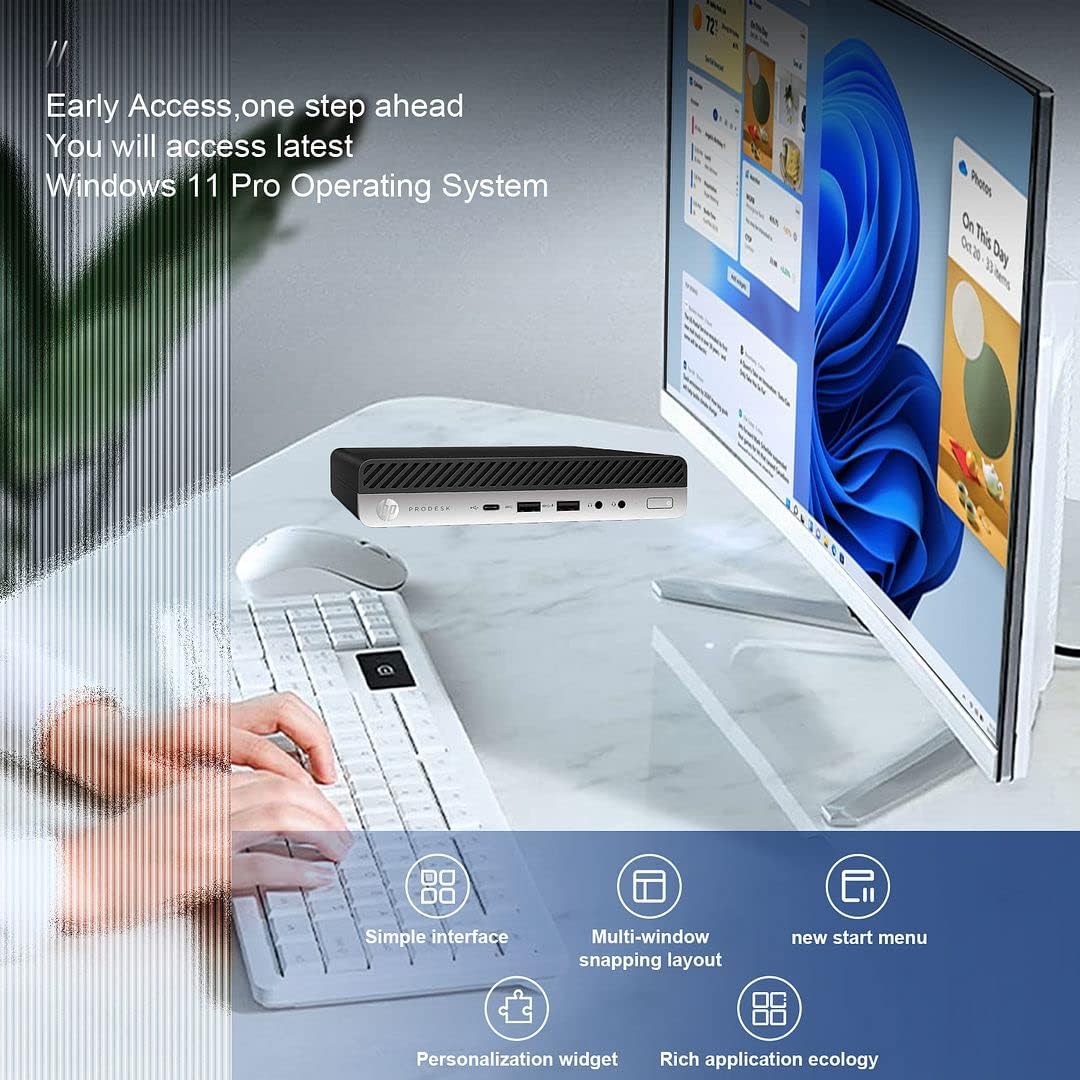
Image 5.3: The HP ProDesk 600 G4 comes pre-installed with Windows 11 Pro, offering a modern and efficient user experience.
6. Засвар үйлчилгээ
Proper maintenance ensures the longevity and optimal performance of your HP ProDesk 600 G4 Mini PC.
- Цэвэрлэгээ: Regularly clean the exterior of the PC with a soft, dry cloth. Use compressed air to clear dust from vents to ensure proper airflow and prevent overheating. Do not use liquid cleaners directly on the device.
- Програм хангамжийн шинэчлэлтүүд: Keep your Windows 11 operating system and drivers updated. Go to Тохиргоо > Windows Update шинэчлэлтүүдийг шалгаж суулгах.
- Хадгалах менежмент: Үе үе дахинview мөн шаардлагагүй устгана files to free up storage space. Windows 11 includes a Storage Sense feature (Тохиргоо > Систем > Хадгалах) that can automate this process.
- Мэдээллийг нөөцлөх: Өгөгдөл алдагдахаас сэргийлэхийн тулд чухал өгөгдлөө гадаад диск эсвэл үүлэн хадгалалт руу тогтмол нөөцөлж байгаарай.
7. Алдаа засах
Энэ хэсэгт танд тулгарч болох нийтлэг асуудлуудыг авч үзэх болно.
7.1 Эрчим хүчгүй
- Ensure the power cord is securely connected to both the Mini PC and the power outlet.
- Өөр төхөөрөмжийг залгах замаар цахилгааны залгуур ажиллаж байгаа эсэхийг шалгана уу.
- Цахилгаан адаптерт ямар нэгэн эвдрэл гарсан эсэхийг шалгана уу.
7.2 Дэлгэц байхгүй
- Confirm that the monitor is powered on and the display cable (DisplayPort or HDMI) is securely connected to both the Mini PC and the monitor.
- Дэлгэц дээрээ зөв оролтын эх үүсвэр сонгогдсон эсэхийг шалгаарай.
- Try connecting to a different display or using a different cable/adapter if available.
7.3 Wi-Fi холболтын асуудал
- Windows тохиргоонд Wi-Fi идэвхжсэн эсэхийг шалгана уу (Тохиргоо > Сүлжээ ба интернет > Wi-Fi).
- Чиглүүлэгч болон модемоо дахин эхлүүлнэ үү.
- Та зөв Wi-Fi нууц үг оруулж байгаа эсэхээ шалгаарай.
- Update your Wi-Fi drivers through Windows Update or HP's support webсайт.
7.4 Гар эсвэл хулгана хариу өгөхгүй байна
- Ensure the USB receiver is properly plugged into a USB port.
- Check the batteries in the wireless keyboard and mouse and replace them if necessary.
- USB хүлээн авагчийг өөр USB порт руу залгаад үзээрэй.
8. Техникийн үзүүлэлтүүд
| Онцлог | Тодорхойлолт |
|---|---|
| Процессор | Intel Core i7-8700T (2.4 GHz, 6 Cores) |
| Үйлдлийн систем | Windows 11 Pro |
| RAM | 32 ГБ DDR4 SDRAM |
| Хатуу диск | 512 GB NVMe M.2 SSD |
| График процессор | Intel UHD график 630 |
| Хамгийн их дэлгэцийн нягтрал | 3840 x 2160 пиксел (4K) |
| Утасгүй төрөл | 802.11ac (Wi-Fi 6E AX210 Combo) |
| Bluetooth | Yes (BT 6E AX210 Combo) |
| USB-C портууд | 1 (USB-C 3.1) |
| USB-A портууд | 3 (USB-A 3.1) + 3 (USB-A 3.0) |
| Харах портууд | 2 |
| Ethernet порт | 1 (RJ-45) |
| HDMI | 1 (via DP to HDMI Adapter) |
| Хэмжээ LxWxH | 7.1 x 1.3 x 7 инч |
| Зүйлийн жин | 4.1 фунт |
| Өнгө | Хар |
9. Баталгаат болон техникийн дэмжлэг
Your HP ProDesk 600 G4 Mini PC comes with a 90 хоногийн баталгаат хугацаа. Энэхүү баталгаа нь ердийн ашиглалтын үед хийгдсэн материал, хийцийн согогийг хамарна.
For technical assistance or warranty claims, please contact the seller directly. They are committed to providing support and will respond to inquiries within 24 hours to ensure customer satisfaction.