Танилцуулга
Thank you for choosing the LifeSmart C100 Smart Door Lock. This manual provides detailed instructions for the installation, operation, and maintenance of your new smart lock. Please read this manual thoroughly before installation and keep it for future reference to ensure optimal performance and security.
Аюулгүй байдлын мэдээлэл
- Суулгахаасаа өмнө бүх эд ангиуд байгаа бөгөөд гэмтээгүй эсэхийг шалгаарай.
- Do not attempt to disassemble or repair the lock yourself. Contact qualified personnel for assistance.
- Түгжээг гэмтээхээс сэргийлж ус болон нарны шууд тусгалаас хол байлга.
- Use only specified power sources if applicable.
- Regularly check the lock for any signs of wear or malfunction.
Багцын агуулга
Доор жагсаасан бүх зүйл таны багцад байгаа эсэхийг шалгана уу.
- 1 × LifeSmart C100 Smart Door Lock unit
- Installation accessories (screws, mounting plate, etc.)
- Хэрэглэгчийн гарын авлага (энэ баримт бичиг)
Бүтээгдэхүүн дууссанview
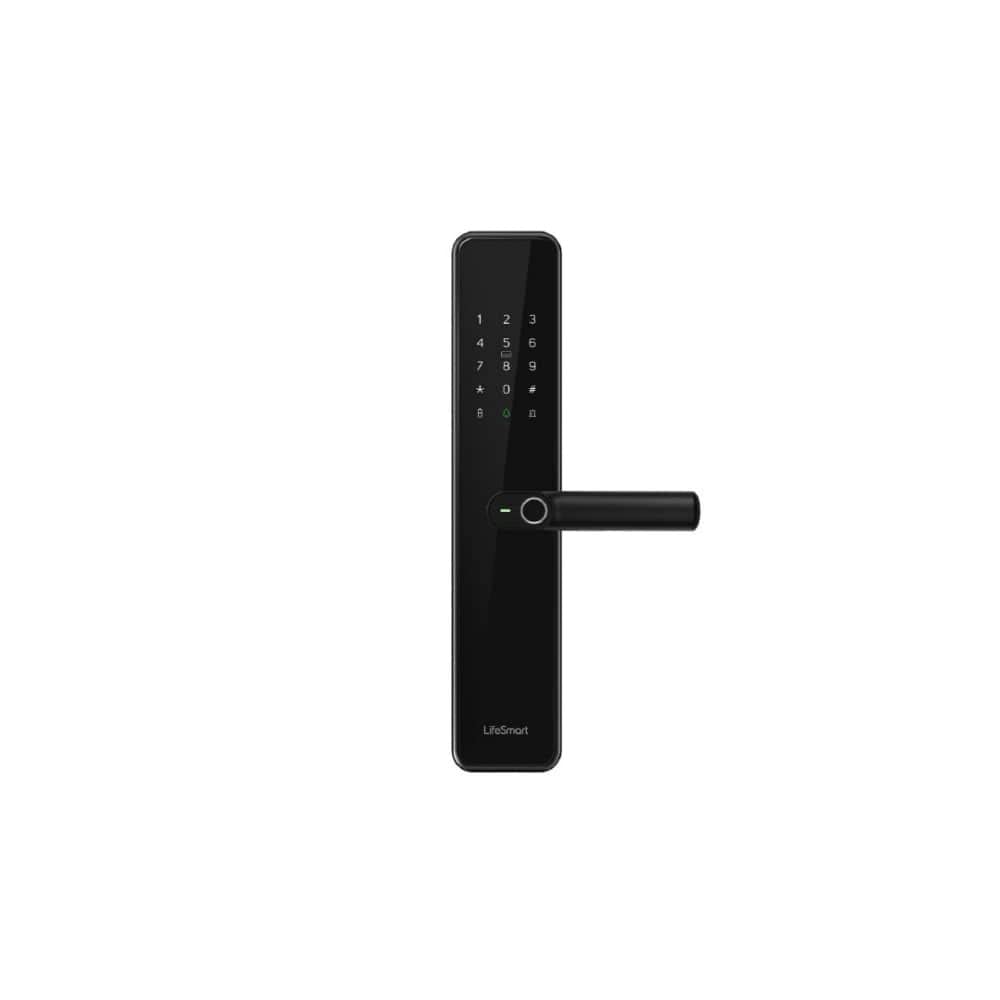
An image showing the LifeSmart C100 Smart Door Lock, featuring a sleek black design with a numeric keypad, a fingerprint sensor integrated into the handle, and the 'LifeSmart' logo at the bottom. The lock is designed for modern keyless entry.
The LifeSmart C100 Smart Door Lock combines advanced security features with a modern design. It features a durable tempered glass panel and an integrated body for enhanced protection. Key features include:
- Түлхүүргүй нэвтрэх: Access your door using fingerprint recognition or a secure password.
- Температуртай шилэн хавтан: A sleek, edge-free tempered glass panel for durability and aesthetics.
- Нэгдсэн дизайн: Built with an integrated body for permanent and robust protection.
- Өндөр хамгаалалт: Supports a high level of security for your home.
Суурилуулалт
Proper installation is crucial for the optimal performance and security of your LifeSmart C100 Smart Door Lock. It is recommended to have this lock installed by a professional if you are not familiar with door lock installations.
Суулгахын өмнөх хяналтын хуудас:
- Verify door thickness and backset measurements are compatible with the lock.
- Хаалганы хүрээ бат бөх, тэгш байгаа эсэхийг шалгаарай.
- Gather necessary tools: screwdriver, drill (if new holes are needed), measuring tape.
Суулгах алхамууд:
- Хаалгыг бэлтгэх: If replacing an existing lock, remove it. If installing on a new door, drill holes according to the provided template.
- Install the Latch/Bolt: Түгжээг хаалганы ирмэг рүү оруулаад эрэг шургаар бэхлэнэ.
- Гадна угсралтыг суурилуулах: Place the exterior unit of the lock onto the door, ensuring the spindle passes through the latch.
- Mount the Interior Assembly: Connect the interior unit to the exterior unit, ensuring all cables are properly routed and connected. Secure with mounting screws.
- Туршилтын ажиллагаа: After installation, test the mechanical operation of the handle and latch.
Note: Detailed diagrams and specific screw types are typically found in a physical manual. This section provides general guidance.
Үйл ажиллагаа
The LifeSmart C100 Smart Door Lock offers multiple convenient ways to unlock your door.
Анхны тохиргоо:
- Администраторын тохиргоо: Upon first use, you will need to set up an administrator fingerprint and/or password. Follow the voice prompts or on-screen instructions.
- Хэрэглэгч нэмэх: As an administrator, you can add additional user fingerprints and passwords. Refer to the lock's interface for specific steps.
Түгжээг тайлах аргууд:
- Хурууны хээ: Place your registered finger on the fingerprint sensor located on the handle. The lock will unlock if the fingerprint is recognized.
- Нууц үг: Enter your registered password on the numeric keypad, followed by the '#' key. The lock will unlock if the password is correct.
- Mechanical Key (if applicable): Яаралтай тусламж эсвэл цахилгаан тасарсан тохиолдолд хаалгыг онгойлгохын тулд өгөгдсөн механик түлхүүрийг ашиглаарай.
Хаалгыг түгжих:
The lock typically auto-locks after a few seconds of closing the door. You can also manually lock it by lifting the handle or pressing a specific button (refer to lock's interface for details).
Засвар үйлчилгээ
Regular maintenance ensures the longevity and reliable operation of your smart door lock.
- Цэвэрлэгээ: Wipe the lock surface with a soft, dry cloth. Avoid abrasive cleaners or solvents that may damage the tempered glass panel.
- Зай шалгах: Although the product states "No batteries required", if your specific unit has a backup battery or internal power source, ensure it is charged or replaced as per manufacturer guidelines.
- Механик эд анги: Periodically check the handle and latch for smooth operation. Do not lubricate internal components unless specifically instructed by the manufacturer.
- Програм хангамжийн шинэчлэлтүүд: If the lock supports firmware updates via an app, ensure you keep the software updated for optimal security and functionality.
Алдааг олж засварлах
If you encounter issues with your LifeSmart C100 Smart Door Lock, refer to the following common problems and solutions:
| Асуудал | Боломжит шалтгаан | Шийдэл |
|---|---|---|
| Lock does not respond to fingerprint/password. | Incorrect fingerprint/password; dirty sensor; system error. | Ensure correct input. Clean fingerprint sensor. Restart the lock (if possible, by removing power or using reset button). |
| Lock is not locking automatically. | Auto-lock feature disabled; door misalignment. | Check settings to ensure auto-lock is enabled. Adjust door alignment if necessary. |
| Түгжээ ер бусын чимээ гаргадаг. | Дотоод механизмын асуудал; бөглөрөл. | Check for any obstructions around the latch. If problem persists, contact customer support. |
| Cannot add new users. | Not in administrator mode; memory full. | Ensure you are logged in as administrator. Delete old user data if memory is full. |
If the problem persists after trying these solutions, please contact LifeSmart customer support.
Үзүүлэлтүүд
| Онцлог | Дэлгэрэнгүй |
|---|---|
| Брэнд | LifeSmart |
| Загварын дугаар | C100 |
| Зүйлийн жин | 60 грамм |
| Бүтээгдэхүүний хэмжээс (L×W×H) | 14 x 8 x 10 см |
| Өнгө | Хар |
| Загвар | Орчин үеийн |
| Материал | Чанартай шил |
| Хэлбэр | Тэгш өнцөгт |
| Хэсгийн тоо | 1 |
| Суурилуулах төрөл | Ханын бэхэлгээ |
| Онцлог шинж чанарууд | Түлхүүргүй нэвтрэх |
| Зөвлөмж болгож буй хэрэглээ | Home Security, Smart Home Setup, Keyless Entry via Fingerprint or Password |
| Оруулсан бүрэлдэхүүн хэсгүүд | 1 × LifeSmart C100 Smart Door Lock |
| Батерей шаардлагатай юу? | Үгүй |
| Түгжээний төрөл | Биометр |
Баталгаат болон дэмжлэг
LifeSmart provides a standard warranty for the C100 Smart Door Lock. Please refer to the warranty card included with your product for specific terms and conditions. For technical support, troubleshooting assistance, or warranty claims, please contact LifeSmart customer service through their official webсайт эсвэл таны бүтээгдэхүүний савлагаанд заасан холбоо барих мэдээлэл.
Онлайн дэмжлэг: Visit the official LifeSmart webТүгээмэл асуултууд, шинэчлэгдсэн гарын авлага, дэмжлэгийн нөөцийн сайт.
Холбоо барих мэдээлэл: Refer to your product packaging or the LifeSmart webхамгийн сүүлийн үеийн холбоо барих мэдээллийг авах сайт.


