1. Бүтээгдэхүүн дууссанview
The BISOFICE 3-IN-1 Mini Projector is a versatile and portable device designed for various entertainment and presentation needs. Featuring Android TV 9.0, WiFi, and Bluetooth connectivity, it delivers 1080P HD projection with 150 ANSI lumens and automatic vertical keystone correction.
Гол онцлогууд:
- Upgraded Performance & 1080P HD Projection: Android 9.0 system for smooth operation, 400:1 contrast ratio, 35,000-hour LED bulb lifetime, 100 ANSI lumens for clear images, and advanced color restoration technology.
- Low Noise 3-Side Stereo Speakers: Advanced noise reduction (max 28BD fan noise) and unique 3-sided speakers for clear, three-dimensional audio. Supports external speakers.
- Олон интерфейс: Equipped with HDMI, VGA, AV, and USB ports for connecting smartphones, laptops, tablets, USB drives, and TV boxes.
- Travel Portable: Compact and lightweight design, 7000 mAh battery for 1-2 movies, supports Type-C mobile power supply or car charger (5V/2.5A required).
- Сайжруулсан нягтрал: Natural resolution increased to 800*480 for improved brightness and color saturation.
Багцын агуулга:
- BISOFICE 3-IN-1 Mini Projector
- Алсын удирдлага
- C төрлийн кабель
- USB флаш диск
- 1.2м цахилгааны утас
- 1 м HDMI кабель
- Tripod

Image: All items included in the BISOFICE Mini Projector package, including the projector, remote, cables, and tripod.
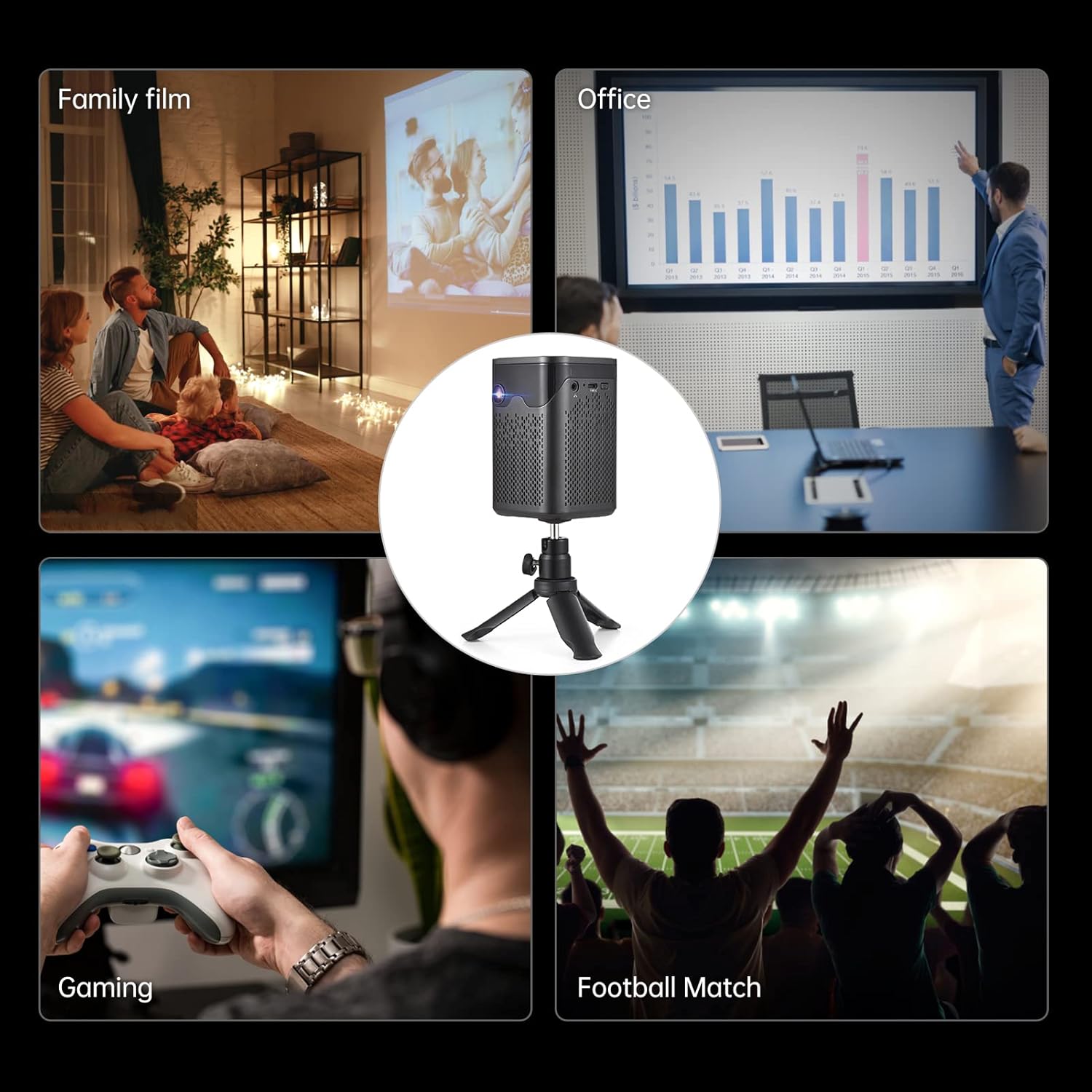
Image: A collage showing various usage scenarios for the projector, including family movie night, office presentations, gaming, and watching sports.
2. Тохируулах гарын авлага
2.1 Анхны тохиргоо
- Асаах: Connect the projector to a power source using the provided power cord or use the built-in 7000 mAh battery. Press the power button on the projector or remote control to turn it on.
- Байршил: Проекторыг тогтвортой, тэгш гадаргуу дээр байрлуул. Хамгийн оновчтой viewing, position it perpendicular to the projection surface. The included tripod can be used for flexible placement.
- Фокусын тохируулга: Use the focus wheel on the side of the projector to achieve a clear image.
- Түлхүүр чулууны залруулга: The projector features auto-vertical keystone correction. If the image appears trapezoidal, the projector will automatically adjust it. Manual adjustment options may also be available in the settings.

Image: The BISOFICE Mini Projector shown with its remote control and a smartphone, highlighting its compact size and connectivity options.
2.2 Төхөөрөмжүүдийг холбох
Проектор нь таны төхөөрөмжүүдийг холбох олон аргыг санал болгодог:
- HDMI: Connect laptops, gaming consoles, or TV boxes using an HDMI cable.
- USB: Plug in USB drives for direct media playback.
- OF: Хуучин төхөөрөмжүүдийг AV кабель ашиглан холбоно уу.
- C төрөл: Use the Type-C port for power input or connecting compatible devices.
- WiFi: Connect to your home network for streaming and online content.
- Bluetooth: Pair with external Bluetooth speakers, headphones, or input devices like a mouse or keyboard.

Image: A hand holding the compact BISOFICE Mini Projector, illustrating its portable design and small dimensions (74x74x110mm, 410g).
3. Ашиглалтын заавар
3.1 Navigating the Android TV 9.0 Interface
The projector runs on Android TV 9.0, providing access to various applications and settings. Use the remote control to navigate the interface.
- Үндсэн дэлгэц: Access pre-installed apps like Netflix, YouTube, and Google Play.
- Тохиргоо: Adjust network, Bluetooth, language, date/time, and projection settings.
- Мэдрэгчтэй дэлгэцийн ажиллагаа: The top panel of the projector features touch controls for basic navigation and volume adjustment.

Image: The projector operating in Bluetooth Speaker Mode, connected to a smartphone playing music, demonstrating its audio capabilities.
3.2 Төсөөллийн тохиргоо
Access the "Projection Setting" menu to fine-tune your viewтуршлага:
- Проекцийн горим: Adjust for front, rear, ceiling front, or ceiling rear projection.
- Түлхүүр чулууны залруулга: Manual adjustment for image shape if needed.
- Гэрэлтүүлгийн тохируулга: Зургийн тод байдлыг хянах.
- Томруулах горим: Adjust the screen size without moving the projector.

Image: The projector displaying the Android 9 Smart OS interface, showing various applications like Netflix, YouTube, and Google Play.
3.3 Video Playback and Connectivity
Enjoy movies, videos, and games by connecting your devices or streaming directly:
Video: A demonstration of the BISOFICE Mini Projector's interface, settings, and projection capabilities, including network and language settings, and media playback.
Видео: Богино тоймview of the Mini Projector with WiFi and Bluetooth, showcasing its compact design, touch screen operation, headphone jack, battery life, keystone correction, and various usage scenarios.
4. Засвар үйлчилгээ
4.1 Цэвэрлэгээ
- Линз: Gently wipe the projector lens with a soft, lint-free cloth. Avoid abrasive materials or harsh chemicals.
- Гадна: Clean the exterior of the projector with a dry or slightly damp зөөлөн даавуу. Шингэн цэвэрлэгчийг төхөөрөмж дээр шууд бүү хэрэглээрэй.
- Агааржуулалт: Хэт халалтаас урьдчилан сэргийлэхийн тулд агааржуулалтын нүхийг тоос шороо, хог хаягдалгүй байлгах хэрэгтэй.
4.2 лamp Насан туршдаа
The projector uses an LED light source with an estimated lifetime of 35,000 hours, providing long-term use without frequent lamp солих.

Image: Graphic illustrating the projector's LED lamp lifetime of 30,000 hours and 100 ANSI lumens brightness.
5. Алдаа засах
- Зураг байхгүй:
- Проектор зөв холбогдсон, асаалттай байгаа эсэхийг шалгаарай.
- Оролтын эх үүсвэрийн сонголтыг шалгана уу.
- Verify the projection surface is clear.
- Бүдэг зураг:
- Adjust the focus wheel until the image is sharp.
- Ensure the projector is within the recommended projection distance (0.5m-3m for 10-100 inches).
- Check keystone correction settings.
- Дуугүй:
- Проектор болон холбогдсон төхөөрөмжийн дууг нэмэгдүүлнэ.
- Холбогдсон төхөөрөмж дээрх аудио гаралтын тохиргоог шалгана уу.
- Ensure Bluetooth speakers are properly paired if used.
- Холболтын асуудал (WiFi/Bluetooth):
- Ensure WiFi/Bluetooth is enabled on both the projector and the device.
- Проектор болон холбогдсон төхөөрөмжийг дахин ачаална уу.
- Check network settings and password for WiFi.
6. Техникийн үзүүлэлтүүд
| Онцлог | Дэлгэрэнгүй |
|---|---|
| Брэнд | Бисофис |
| Загварын дугаар | 3-IN-1 Mini Projector |
| Үйлдлийн систем | Android 9.0 |
| Дэлгэцийн технологи | DLP |
| Дэлгэцийн нягтрал | 3840 x 2160 (4K supported) |
| Гэрэлтүүлэг | 150 ANSI люмен |
| Ялгаатай харьцаа | 400:1 |
| Холболт | WiFi, Bluetooth, HDMI, VGA, AV, USB, Type-C |
| Чанга яригчийн төрөл | Built-In 3W Stereo Speakers |
| Батерей | 7000 mAh (up to 1-2 movies playback) |
| Хэмжээ | 2.91 x 2.91 x 4.33 инч |
| Зүйлийн жин | 2.2 фунт |
| Онцлог шинж чанарууд | HDMI Connectivity, Portable, USB Connectivity, Auto-Vertical Keystone |
7. Баталгаат хугацаа ба дэмжлэг
This BISOFICE product comes with a standard manufacturer's warranty. Please refer to the warranty card included in your package for specific terms and conditions. For technical support, troubleshooting assistance, or warranty claims, please contact BISOFICE customer service through their official webтухайн бүтээгдэхүүнийг худалдаж авсан сайт эсвэл жижиглэнгийн худалдаачин.
Дэмжлэг үзүүлэх үйлчилгээтэй холбогдохдоо худалдан авалтын баримт болон бүтээгдэхүүний серийн дугаараа гартаа байлгаарай.


