1. Танилцуулга
Худалдан авалт хийсэнд баярлалааasing the Sharp CP-SS30(BK) Active Bookshelf Speakers. These speakers are designed to provide superior sound reproduction with versatile connectivity options. Please read this manual carefully before using the product to ensure proper operation and to maximize your listening experience.
The CP-SS30(BK) features a robust plywood cabinet, 60W RMS (2 x 30W) two-way active sound, and multiple input options including Bluetooth v5.0, USB, Optical, Auxiliary, and RCA. It also includes an equalizer with preset and custom bass/treble adjustments, and a full-function remote control for convenience.
2. Аюулгүй байдлын мэдээлэл
Please observe the following safety precautions to prevent damage to the product and to ensure your safety:
- Чанга яригчийг бороо, чийгэнд бүү оруулаарай.
- Агааржуулалтын нүхийг хааж болохгүй.
- Радиатор, халаалтын төхөөрөмж, зуух болон бусад төхөөрөмж (үүнд ampөргөгч) дулаан үүсгэдэг.
- Цахилгааны утсыг гишгэх, хавчихаас хамгаалаарай, ялангуяа залгуур, залгуур, төхөөрөмжөөс гарах цэг дээр.
- Зөвхөн үйлдвэрлэгчээс заасан хавсралт/дагалдах хэрэгслийг ашиглана уу.
- Аянга шуурганы үед эсвэл удаан хугацаагаар ашиглаагүй үед энэ төхөөрөмжийг цахилгааны залгуураас салга.
- Бүх үйлчилгээг мэргэшсэн үйлчилгээний ажилтнуудад шилжүүлээрэй. Төхөөрөмж нь цахилгаан тэжээлийн утас, залгуур гэмтсэн, шингэн асгарсан, эд зүйл унасан, бороо, чийгэнд өртсөн, хэвийн ажиллахгүй байгаа тохиолдолд засвар үйлчилгээ хийх шаардлагатай. , эсвэл хасагдсан.
3. Багцын агуулга
Бүх зүйл байгаа, сайн нөхцөлд байгаа эсэхийг шалгана уу:
- 2 x Sharp CP-SS30(BK) Bookshelf Speakers
- 1 x Алсын удирдлага (батарей багтсан)
- 1 x RCA Audio Cable (3 meters)
- 1 x AUX Audio Cable (1.2 meters)
- 1 x Power Cable (1.2 meters)
- 1 x Speaker Connection Cable
- Хэрэглэгчийн баримт бичиг

Image: All components included in the Sharp CP-SS30(BK) package, including two speakers, remote control, and various cables.
4. Бүтээгдэхүүний онцлог
The Sharp CP-SS30(BK) speakers offer a range of features for an enhanced audio experience:
- Хүчирхэг аудио гаралт: 60W RMS (2 x 30W) two-way active speakers for clear and dynamic sound.
- Дээд зэрэглэлийн барилга: Plywood cabinet design ensures superior sound reproduction and durability.
- Утасгүй холболт: Seamless audio streaming with Bluetooth v5.0.
- Олон оролт: Connect various devices via Bluetooth, USB, Optical, Auxiliary (AUX), and RCA inputs.
- Тохируулах боломжтой дуу: Built-in equalizer with five preset settings and independent bass and treble adjustment.
- Орчин үеийн дизайн: Removable speaker grilles allow for a contemporary aesthetic.
- Тохиромжтой удирдлага: Full-function remote control for easy operation from a distance.

Зураг: Урд view of the Sharp CP-SS30(BK) speakers with the remote control, showcasing their design and compact size.

Зураг: Ойрын зураг view of the front panel of one Sharp CP-SS30(BK) speaker with the grille removed, highlighting the tweeter, woofer, indicator light, and volume/input knob.
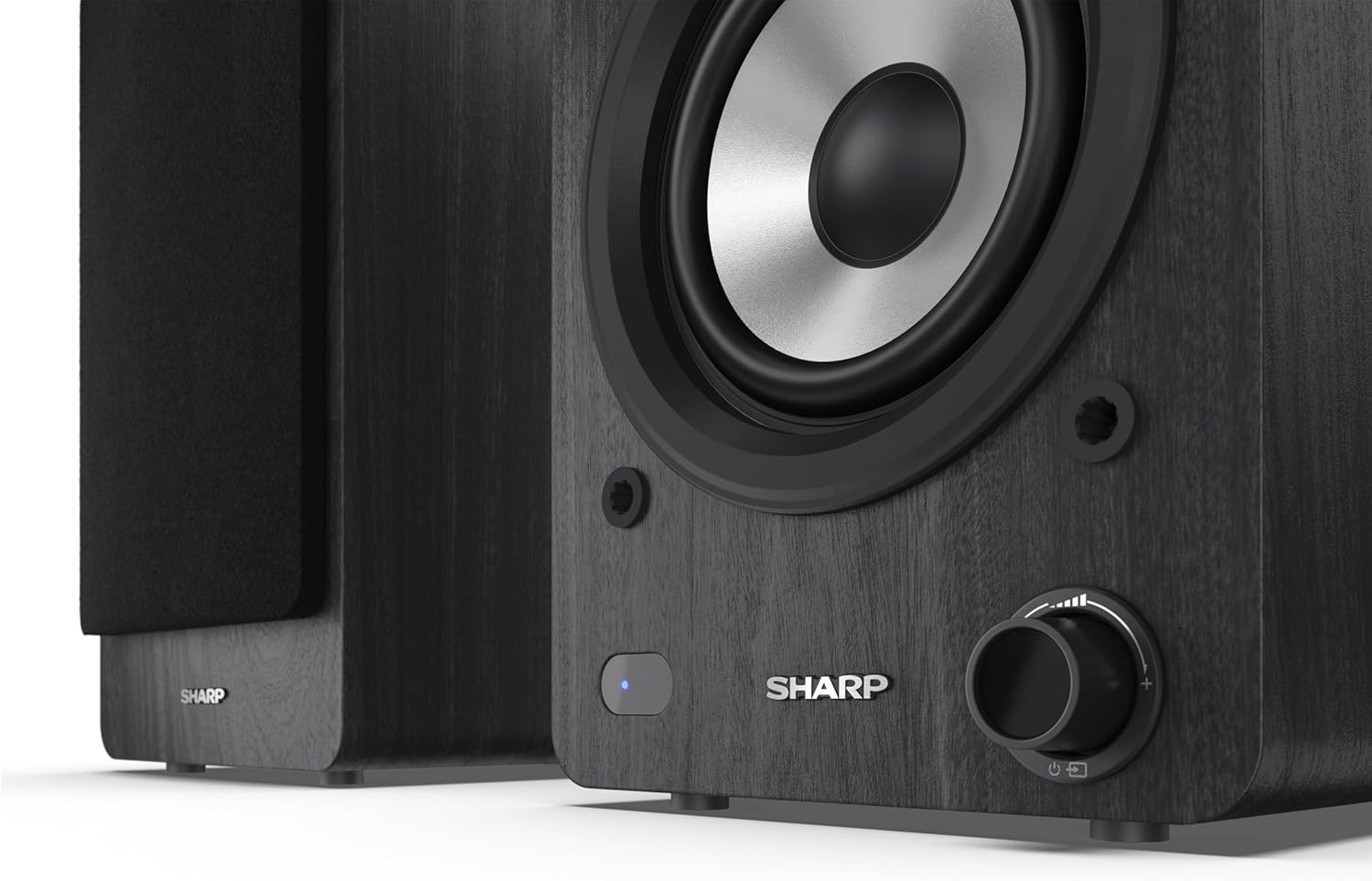
Image: A detailed shot of the control knob and the blue indicator light on the Sharp CP-SS30(BK) speaker, showing the subtle branding.
5. Тохиргоо
5.1 Илтгэгчийн байршил
For optimal sound quality, place the speakers on a stable, flat surface. Position them at an equal distance from your listening position, forming an equilateral triangle for the best stereo imaging. Ensure there is adequate space behind the speakers for ventilation and cable connections.
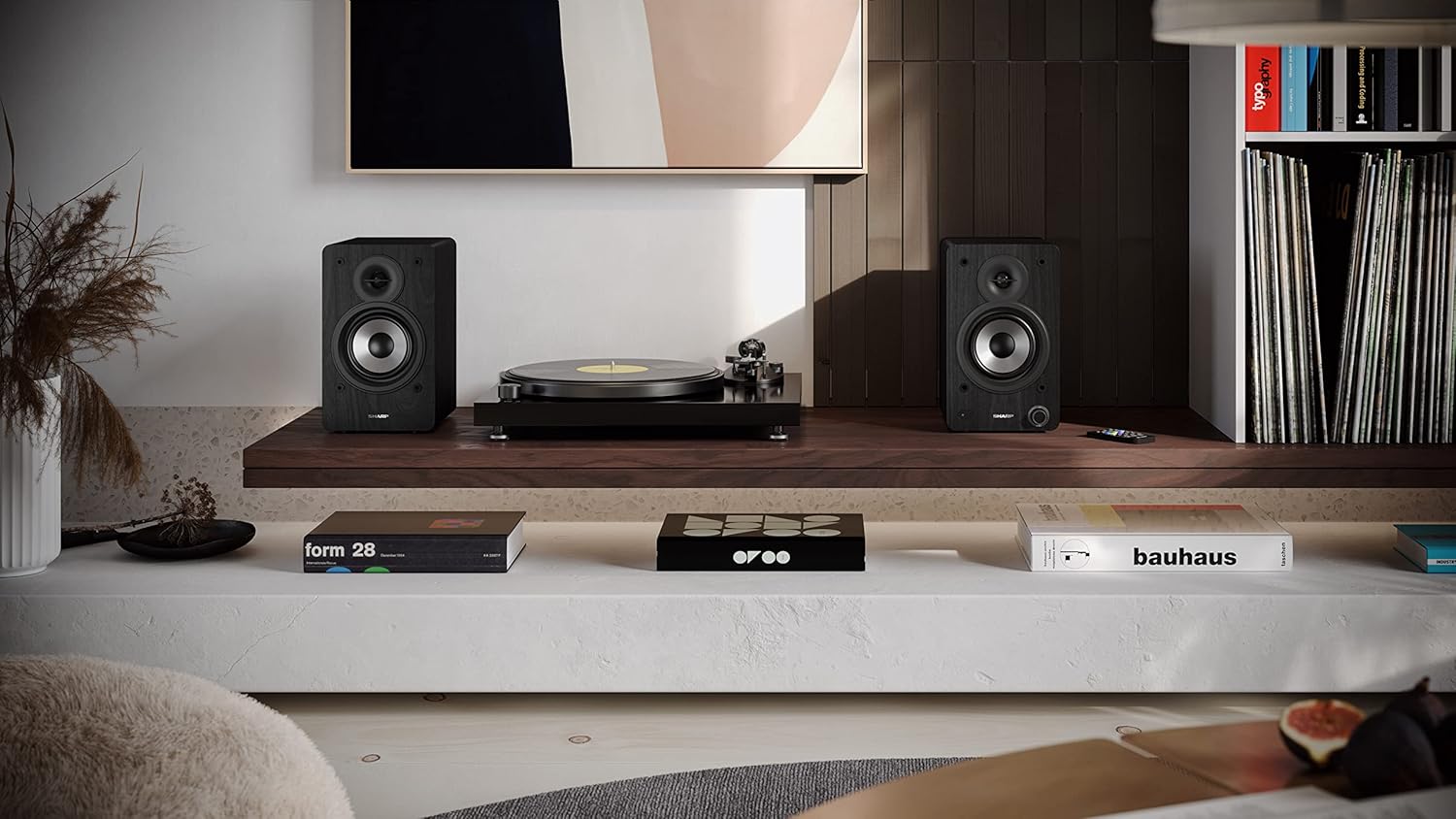
Image: The Sharp CP-SS30(BK) speakers positioned on a shelf in a living room setting, demonstrating a typical setup with a turntable.
5.2 Чанга яригчийг холбох
The CP-SS30(BK) consists of one active (main) speaker and one passive (secondary) speaker. Connect them using the provided speaker connection cable.
- Identify the active speaker (with controls and input ports) and the passive speaker.
- Connect one end of the speaker connection cable to the speaker terminals on the active speaker, ensuring correct polarity (+ to + and - to -).
- Connect the other end of the speaker connection cable to the speaker terminals on the passive speaker, maintaining correct polarity.

Image: The rear panel of the Sharp CP-SS30(BK) speakers, illustrating the various input ports (USB, Optical, RCA, AUX) and the speaker connection terminals.
5.3 Эрчим хүчний холболт
- Ensure the power switch on the active speaker is in the OFF position.
- Connect the provided power cable to the AC input on the active speaker.
- Цахилгааны кабелийн нөгөө үзүүрийг тохирох залгуурт залгаарай.
6. Ашиглалтын заавар
6.1 Асаах/унтраах
To power on the speakers, flip the power switch on the active speaker to the ON position. The indicator light on the front will illuminate. To power off, flip the switch back to OFF.
6.2 Оролтын сонголт
You can select the input source using the remote control or the knob on the front of the active speaker. Available inputs include Bluetooth, USB, Optical, Auxiliary (AUX), and RCA.
- Bluetooth: Select Bluetooth input. The indicator light will flash, indicating pairing mode. хайх "SHARP CP-SS30(BK)" on your device and connect. The light will become solid once paired.
- USB: Аудио бүхий USB дискийг оруулна уу files into the USB port on the active speaker.
- Оптик: Connect an optical cable from your audio source (e.g., TV, game console) to the Optical input.
- AUX: Connect an AUX cable from your audio source (e.g., smartphone, tablet) to the AUX input.
- RCA: Connect RCA cables from your audio source (e.g., turntable, CD player) to the RCA inputs.
6.3 Дууны хяналт
Adjust the volume using the remote control's volume buttons or by rotating the knob on the front of the active speaker.
6.4 Тэнцвэржүүлэгчийн тохиргоо
The speakers feature an equalizer to tailor the sound to your preference. Use the remote control to:
- Select from five preset equalizer modes (e.g., Flat, Rock, Pop, Classical, Jazz).
- Adjust bass and treble levels independently for a customized sound profile.
7. Засвар үйлчилгээ
To ensure the longevity and optimal performance of your Sharp CP-SS30(BK) speakers, follow these maintenance guidelines:
- Цэвэрлэгээ: Use a soft, dry cloth to clean the speaker cabinets. Do not use liquid cleaners or aerosol sprays, as they may damage the finish or internal components.
- Сараалжууд: The speaker grilles are removable for cleaning. Gently pull them off to clean any dust accumulation on the drivers. Reattach them carefully.
- Агааржуулалт: Ensure that the ventilation openings on the back of the active speaker are not obstructed to prevent overheating.
- Хадгалах: Хэрэв чанга яригчийг удаан хугацаагаар хадгалах бол цахилгаан тэжээлээс салгаж, сэрүүн, хуурай газар, нарны шууд тусгал болон хэт өндөр температураас хол хадгална уу.
8. Алдаа засах
If you encounter any issues with your speakers, please refer to the following common problems and solutions:
| Асуудал | Боломжит шалтгаан | Шийдэл |
|---|---|---|
| Хүч чадалгүй | Power cable not connected; Power outlet not active; Power switch off. | Ensure power cable is securely connected. Check power outlet with another device. Flip power switch to ON. |
| Дуу алга | Incorrect input selected; Volume too low; Cables not connected properly; Source device issue. | Select the correct input source. Increase volume. Check all audio cables (RCA, AUX, Optical, USB) and speaker connection cable for secure fit and correct polarity. Test with a different audio source. |
| Bluetooth холболт амжилтгүй боллоо | Чанга яригчийг холбох горимд оруулаагүй; Төхөөрөмж хэт хол; Хөндлөнгийн оролцоо. | Ensure Bluetooth input is selected and indicator light is flashing. Move device closer to speakers. Avoid strong electromagnetic interference. Try unpairing and re-pairing. |
| Гажуудсан дуу чимээ | Volume too high; Source audio quality is poor; Speaker placement. | Reduce volume. Check the audio source quality. Adjust speaker placement to avoid reflections or resonance. |
| Алсын удирдлага ажиллахгүй байна | Batteries depleted; Obstruction between remote and speaker; Remote not pointed correctly. | Replace remote control batteries. Remove any obstructions. Point the remote directly at the active speaker's sensor. |
9. Техникийн үзүүлэлтүүд
| Онцлог | Дэлгэрэнгүй |
|---|---|
| Загварын дугаар | CP-SS30(BK) |
| Гаралтын хүч | 60 Watts RMS (2 x 30W) |
| Чанга яригчийн төрөл | Active Bookshelf, 2-Way |
| Засгийн газрын материал | Wood (Plywood) |
| Холболтын технологи | Bluetooth v5.0, USB, Optical, Auxiliary (AUX), RCA |
| Bluetooth хувилбар | v5.0 |
| Аудио гаралтын горим | Стерео (2.0 суваг) |
| Давтамжийн хариу үйлдэл | 60 Гц |
| Хянагчийн төрөл | Товчлуур, Алсын удирдлага |
| Бүтээгдэхүүний хэмжээс (чанга яригч бүр) | 19D x 15.8W x 24.8H cm (7.5D x 6.2W x 9.8H inches) |
| Зүйлийн жин | 4.3 килограмм (9.5 фунт) |
| Өнгө | Хар |
| Зөвлөмж болгож буй хэрэглээ | Gaming console, Music player, Smartphone/Tablet, Ambient sound system, Television |
| Тохиромжтой төхөөрөмжүүд | Зөөврийн компьютер, ухаалаг гар утас, таблет |

Image: Diagram showing the dimensions of one Sharp CP-SS30(BK) speaker (Height: 248mm, Width: 158mm, Depth: 190mm).
10. Баталгаат хугацаа ба дэмжлэг
Баталгаат хугацаа: This product comes with a 1-year warranty for spare parts availability from the date of purchase. Please retain your proof of purchase for warranty claims.
For technical support, troubleshooting assistance beyond this manual, or warranty inquiries, please contact Sharp customer service. Refer to the contact information provided in the user documentation included in your package or visit the official Sharp webсайт.
Note: Software updates guaranteed until information is not available.


