Танилцуулга
Thank you for choosing the BUFFBEE Sound Machine & Alarm Clock. This versatile 2-in-1 device combines a high-quality sound machine with a fully functional alarm clock, designed to help you achieve restful sleep and wake up refreshed. Its intuitive controls and customizable features make it an essential addition to any bedroom.

Image: The Buffbee Sound Machine and Alarm Clock highlighting its dual functionality as both a sound machine and an alarm clock.
Аюулгүй байдлын мэдээлэл
- Төхөөрөмжийг ус эсвэл хэт чийгшилд бүү тавь.
- Дулааны эх үүсвэр, нарны шууд тусгалаас хол байгаарай.
- Зөвхөн өгсөн тэжээлийн адаптерийг ашиглана уу.
- Төхөөрөмжийг өөрөө задлах, засах гэж бүү оролдоорой. Тусламж авахын тулд хэрэглэгчийн дэмжлэгтэй холбоо барина уу.
- Төхөөрөмжийг тогтвортой, тэгш гадаргуу дээр байрлуулсан эсэхийг шалгаарай.
Багцын агуулга
- BUFFBEE Sound Machine & Alarm Clock (Model: BK11)
- Эрчим хүчний адаптер
- Хэрэглэгчийн гарын авлага
Бүтээгдэхүүн дууссанview
Төхөөрөмжийн бүрэлдэхүүн хэсэг болон удирдлагуудтай танилцана уу:

Image: A detailed diagram illustrating the top panel controls (Alarm, Volume Control, Sound Machine, Night Light) and the rear panel (Display Dimmer, Adapter port).
- Дээд самбарын удирдлага: Alarm button, Timer button, Volume Up/Down, Previous/Next Sound, Sound Machine button, Night Light button.
- Урд дэлгэц: Дижитал цагны дэлгэц.
- Доод гэрэл: Integrated colored light.
- Арын хэсэг: DC 5V Adapter port, 0-100% Display Dimmer knob.
Тохиргоо
- Байршил: Place the device on a stable surface, such as a nightstand or desk.
- Эрчим хүчний холболт: Insert the power adapter into the DC 5V port on the rear of the device, then plug it into a standard electrical outlet.
- Анхны асаалт: Цагийн дэлгэц гэрэлтэх болно.
- Цаг тохируулах: Refer to the 'Operating Instructions' section for setting the current time.
Ашиглалтын заавар
Цагийг тохируулах
- -г удаан дар Цаг хугацаа button (clock icon) on the top panel until the hour digits flash.
- -г ашиглана уу Өмнөх (◀︎) or Дараа нь (▶︎) buttons to adjust the hour.
- дээр дарна уу Цаг хугацаа button again to confirm the hour and move to minute setting.
- -г ашиглана уу Өмнөх (◀︎) or Дараа нь (▶︎) buttons to adjust the minutes.
- дээр дарна уу Цаг хугацаа button one more time to confirm the minutes and exit time setting.
Сэрүүлэг тохируулах
- -г удаан дар Сэрүүлэг button (bell icon) on the top panel until the alarm hour digits flash.
- -г ашиглана уу Өмнөх (◀︎) or Дараа нь (▶︎) buttons to adjust the alarm hour.
- дээр дарна уу Сэрүүлэг button again to confirm the hour and move to alarm minute setting.
- -г ашиглана уу Өмнөх (◀︎) or Дараа нь (▶︎) buttons to adjust the alarm minutes.
- дээр дарна уу Сэрүүлэг button one more time to confirm the minutes. The alarm icon will appear on the display, indicating the alarm is set.
- Сэрүүлгийг унтраахын тулд товчийг дарна уу Сэрүүлэг товчийг нэг удаа дарна уу. Сэрүүлгийн дүрс алга болно.
Using the Sound Machine
The device offers 18 soothing sounds, including 5 white noises, 3 fan sounds, and 10 nature sounds (ocean, lullaby, waves, rain, thunderstorm, brook, croaking, bird chirping, summer night, and campгал).
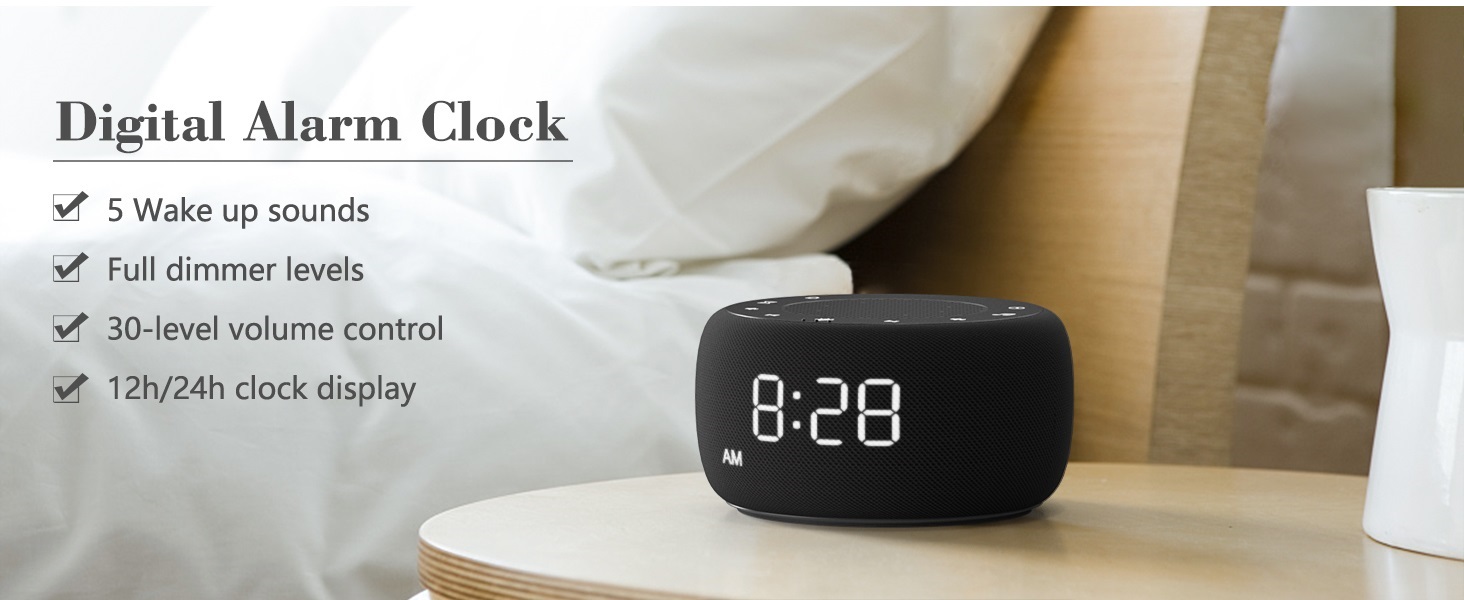
Image: An infographic displaying the 18 soothing sounds categorized into 3 fan sounds, 5 white noises, and 10 nature sounds, including ocean, lullaby, waves, rain, thunderstorm, brook, croaking, bird chirping, summer night, and campгал.
- дээр дарна уу Дууны машин button (music note icon) to cycle through the available sounds.
- -г ашиглана уу Дууны хэмжээг нэмэгдүүлэх (▲) ба Дууг багасгах (▼) buttons to adjust the volume (30 levels).
- To turn off the sound, press the Дууны машин button until no sound is playing.
Унтах таймер
Set a timer for the sound machine to automatically turn off.

Image: The top panel of the Buffbee Sound Machine, highlighting the Auto-Off Timer button and the Volume Control buttons.
- дээр дарна уу Цаг хэмжигч button (hourglass icon) to cycle through timer options: 15, 30, 60, 90, 120 minutes, or continuous play.
- The selected timer duration will be displayed on the screen.
Adjusting Clock Face Brightness
The clock display brightness can be adjusted from 0% (completely dark) to 100%.

Image: The Buffbee Sound Machine demonstrating its 0-100% display dimmer feature, showing the clock face at 0%, partial, and 100% brightness.
- -ийг олох Диммерийг харуулах knob on the rear of the device.
- Rotate the knob to increase or decrease the brightness of the clock display to your preference.
Using the Bottom Colored Light
The device features a bottom light with 7 color options to create a relaxing ambiance.

Image: The Buffbee Sound Machine displaying its bottom colored light feature, showing various color options and the ability to turn it on or off.
- дээр дарна уу Шөнийн гэрэл button (light bulb icon) to cycle through the 7 color options.
- Continue pressing the button to turn the light off.
Засвар үйлчилгээ
- Цэвэрлэгээ: Төхөөрөмжийг зөөлөн, хуурай даавуугаар арчина. Зүлгүүрийн цэвэрлэгч, уусгагчийг бүү ашигла.
- Хадгалах: Удаан хугацаагаар ашиглаагүй тохиолдолд төхөөрөмжийг сэрүүн, хуурай газар хадгална.
Алдааг олж засварлах
| Асуудал | Боломжит шалтгаан | Шийдэл |
|---|---|---|
| Төхөөрөмж асахгүй байна. | Цахилгаан адаптер зөв холбогдоогүй эсвэл залгуурт асуудал гарсан байна. | Ensure the power adapter is securely plugged into the device and a working electrical outlet. Try a different outlet. |
| Clock display is too bright/dim. | Display dimmer setting needs adjustment. | Adjust the 0-100% Display Dimmer knob on the rear of the device. |
| Дуу нь хангалттай чанга биш байна. | Дууны хэмжээг хэт бага тохируулсан байна. | дээр дарна уу Дууны хэмжээг нэмэгдүүлэх (▲) button to increase the volume. The device has 30 volume levels. |
| Сэрүүлэг дуугарахгүй байна. | Сэрүүлэг тохируулагдаагүй эсвэл унтраалттай байна. | Ensure the alarm is set correctly and the alarm icon is visible on the display. |
Үзүүлэлтүүд
| Онцлог | Дэлгэрэнгүй |
|---|---|
| Загварын дугаар | BK11 |
| Хэмжээ | 5.63 x 4.57 x 3.03 инч |
| Жин | 11.64 унц |
| Эрчим хүчний эх үүсвэр | Battery Powered (for backup) / AC Adapter |
| Чанга яригчийн гаралт | 5W |
| Дууны сонголтууд | 18 (5 white noises, 3 fan sounds, 10 nature sounds) |
| Дууны түвшин | 30 |
| Унтах таймер | 15, 30, 60, 90, 120 minutes, or continuous |
| Цагны дэлгэцийн тод байдал | 0-100% тохируулж болно |
| Bottom Light Colors | 7 сонголт |
| Материал | Хуванцар, акрилонитрил бутадиен стирол (ABS) |
Баталгаат болон дэмжлэг
For warranty information and customer support, please refer to the contact details provided on the product packaging or visit the official BUFFBEE webсайт. Баталгаат зардлаа авахын тулд худалдан авалтын баримтаа хадгална уу.


