Танилцуулга
This manual provides detailed instructions for the installation, operation, and maintenance of your CP PLUS CP-V41A 4MP Wi-Fi Camera. Please read this manual thoroughly before using the product to ensure correct usage and optimal performance. Keep this manual for future reference.
Бүтээгдэхүүн дууссанview
The CP PLUS CP-V41A is a 4MP Wi-Fi camera designed for home security and surveillance. It features high-resolution imaging, night vision capabilities, and smart integration options.
Гол онцлогууд:
- 4MP CMOS Image Sensor: Тодорхой, нарийвчилсан видео бичлэгийг өгдөгtage.
- 3.6мм линз: өргөн хүрээг санал болгож байна view цогц хамрах хүрээний хувьд.
- H.265 видео шахалт: Efficiently compresses video to save storage space without compromising quality.
- Wi-Fi дэмжлэг: Enables wireless connectivity for flexible placement.
- IR Distance of 15 Mtr.: Ensures clear night vision up to 15 meters.
- IP65 үнэлгээ: Suitable for both indoor and outdoor use, offering protection against dust and water jets.
- Ухаалаг гэрийн интеграци: Works with Google Assistant and Amazon Alexa for voice control and smart automation.
Хайрцагт юу байгаа вэ:
- CP PLUS CP-V41A 4MP Wi-Fi Camera
- Эрчим хүчний адаптер
- Суурилуулах эрэг ба залгуур
- Хурдан эхлүүлэх гарын авлага (дэлгэрэнгүй мэдээллийг энэ гарын авлагаас үзнэ үү)

Image: The CP PLUS CP-V41A 4MP Wi-Fi Camera, highlighting its model and key features.
Тохиргоо
1. Физик суурилуулалт
- Байршил сонгоно уу: Select a suitable location for your camera, considering the desired viewing area, Wi-Fi signal strength, and power source accessibility. The camera is rated IP65, making it suitable for both indoor and outdoor environments.
- Камерыг суурилуулах:
- Камерын суурийг загвар болгон ашиглан хана эсвэл тааз дээрх өрөмдлөгийн цэгүүдийг тэмдэглэнэ үү.
- Нүх өрөмдөж, өгөгдсөн ханын залгууруудыг оруулна уу.
- Secure the camera's mounting base with the screws.
- Шаардлагатай бол камерын өнцгийг тохируулна уу.
- Эрчим хүчийг холбох: Plug the power adapter into the camera's power input and then into a power outlet. The camera will power on and initiate its startup sequence.
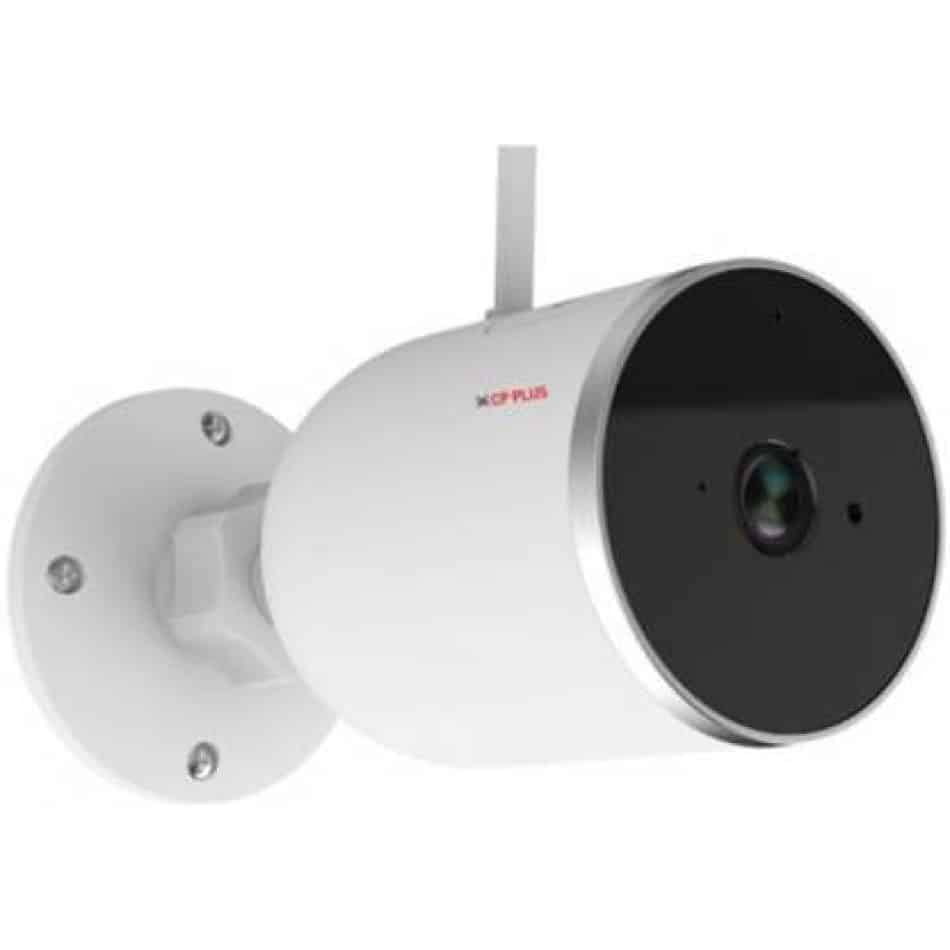
Зураг: хажуу тал view of the CP PLUS CP-V41A camera showing its mounting base and antenna, illustrating physical installation.
2. Сүлжээний холболт (Wi-Fi)
- Апп татаж авах: хайх the official CP PLUS mobile application on your smartphone's app store (iOS or Android) and install it.
- Бүртгэл үүсгэх: Аппликешныг нээгээд шинэ бүртгэлээр бүртгүүлэх эсвэл хэрэв танд бүртгэл байгаа бол нэвтэрнэ үү.
- Төхөөрөмж нэмэх: Follow the in-app instructions to add your new camera. This typically involves:
- Scanning a QR code on the camera.
- Connecting your phone to the camera's temporary Wi-Fi hotspot.
- Selecting your home Wi-Fi network and entering its password.
- Дуусгах: Once connected, the camera's status indicator will change, and you will see the camera online in your app.
Ашиглалтын заавар
1. Амьд View болон Бичлэг
- Live руу нэвтрэх View: Open the CP PLUS app and select your camera from the device list to view амьд тэжээл.
- Гараар бичлэг хийх: Tap the record button in the app to start or stop manual video recording.
- Хормын хувилбар: Use the snapshot button to capture still images from the live feed.
2. Хөдөлгөөн илрүүлэх ба дохиолол
- Хөдөлгөөн мэдрэгчийг идэвхжүүлэх: Navigate to the camera settings in the app and enable motion detection.
- Мэдрэмжийг тохируулах: Set the motion detection sensitivity to minimize false alarms.
- Set Alert Schedule: Configure specific times or days for receiving motion alerts.
- Мэдэгдэл хүлээн авах: The app will send push notifications to your smartphone when motion is detected.
3. Шөнийн хараа
The camera automatically switches to night vision mode in low-light conditions, utilizing its infrared (IR) LEDs to provide clear black-and-white video up to 15 meters. Ensure no obstructions block the IR lights for optimal performance.
4. Smart Home Integration (Google Assistant / Amazon Alexa)

Image: The CP PLUS CP-V41A camera integrated into a smart home environment, indicating compatibility with Google Assistant.
- Бүртгэлийг холбох: In your Google Home or Amazon Alexa app, search for the CP PLUS skill/service and link your CP PLUS account.
- Төхөөрөмжүүдийг олж мэдэх: Once linked, ask your smart assistant to discover new devices.
- Дуут тушаалууд: You can now use voice commands to view your camera feed on compatible smart displays (e.g., "Hey Google, show me the front door camera" or "Alexa, show me the living room camera").
Засвар үйлчилгээ
- Цэвэрлэгээ:
- Gently wipe the camera lens and body with a soft, dry cloth.
- Химийн бодис, зүлгүүрийн цэвэрлэгч бүү хэрэглэ.
- Цэвэрлэхийн өмнө камер унтарсан эсэхийг шалгаарай.
- Програм хангамжийн шинэчлэлтүүд: Regularly check the CP PLUS app for available firmware updates. Updates often include performance improvements, new features, and security enhancements. Follow the in-app instructions to perform updates.
- Хадгалах менежмент: If using a local storage (e.g., microSD card, not included), periodically review болон бүртгэгдсэн foo-г удирдахtagхангалттай зайг хангахын тулд.
Алдааг олж засварлах
| Асуудал | Боломжит шалтгаан | Шийдэл |
|---|---|---|
| Камер асахгүй байна. | Цахилгаан адаптер холбогдоогүй эсвэл алдаатай байна. | Ensure the power adapter is securely connected to the camera and a working power outlet. Try a different outlet. |
| Wi-Fi-д холбогдох боломжгүй байна. | Incorrect Wi-Fi password, weak signal, or camera too far from router. | Verify Wi-Fi password. Move the camera closer to the router. Ensure your router is broadcasting a 2.4GHz network (5GHz is not supported by many smart devices). Reset the camera and try pairing again. |
| Зургийн чанар муу эсвэл бүдэг видео. | Protective film on lens, dirty lens, or insufficient lighting. | Remove any protective film. Clean the lens with a soft cloth. Ensure adequate lighting or check night vision functionality. |
| Хөдөлгөөн мэдрэгч ажиллахгүй байна. | Motion detection disabled, sensitivity too low, or incorrect schedule. | Check app settings to ensure motion detection is enabled, sensitivity is appropriate, and the schedule is correctly configured. |
| No sound or poor audio. | Microphone/speaker blocked, app volume low, or network issues. | Ensure nothing is obstructing the microphone or speaker. Check volume settings in the app and on your phone. Verify stable network connection. |
Үзүүлэлтүүд
| Онцлог | Дэлгэрэнгүй |
|---|---|
| Загварын дугаар | CP-V41A |
| Зургийн мэдрэгч | 1/2.8” 4MP CMOS (0.9071cm) |
| Линз | 3.6 мм |
| Видео шахалт | H.265 |
| Холболт | Wi-Fi, Ethernet |
| IR зай | 15 мтр. |
| Нэвтрэх хамгаалалт | IP65 |
| Smart Assistant Compatibility | Google туслах, Amazon Alexa |
| Эрчим хүчний эх үүсвэр | Утастай цахилгаан |
| Дотор/гадаа ашиглах | Дотор, гадаа |
| Зүйлийн жин | 460 гр |
| Хэмжээ (LxWxH) | 20 x 10 x 5 сантиметр |
| Оруулсан бүрэлдэхүүн хэсгүүд | Адаптер |

Image: An office setting with the CP PLUS CP-V41A camera mounted, illustrating its 4MP CMOS image sensor capability.
Баталгаат болон дэмжлэг
CP PLUS products are designed for reliability and performance. For warranty information, please refer to the warranty card included with your product or visit the official CP PLUS website. For technical support, troubleshooting assistance, or service inquiries, please contact CP PLUS customer support through their official channels.
Тайлбар: Бүтээгдэхүүний техникийн үзүүлэлтүүд болон онцлогуудыг урьдчилан мэдэгдэлгүйгээр өөрчлөх боломжтой.


