Танилцуулга
This manual provides essential instructions for the safe and efficient operation of your Herneum FC Portable CD Player Boombox. Please read this manual thoroughly before using the device and retain it for future reference.
Бүтээгдэхүүний онцлог
- Зөөврийн CD тоглуулагч: Top-loading CD player with play/pause, skip, and repeat functions.
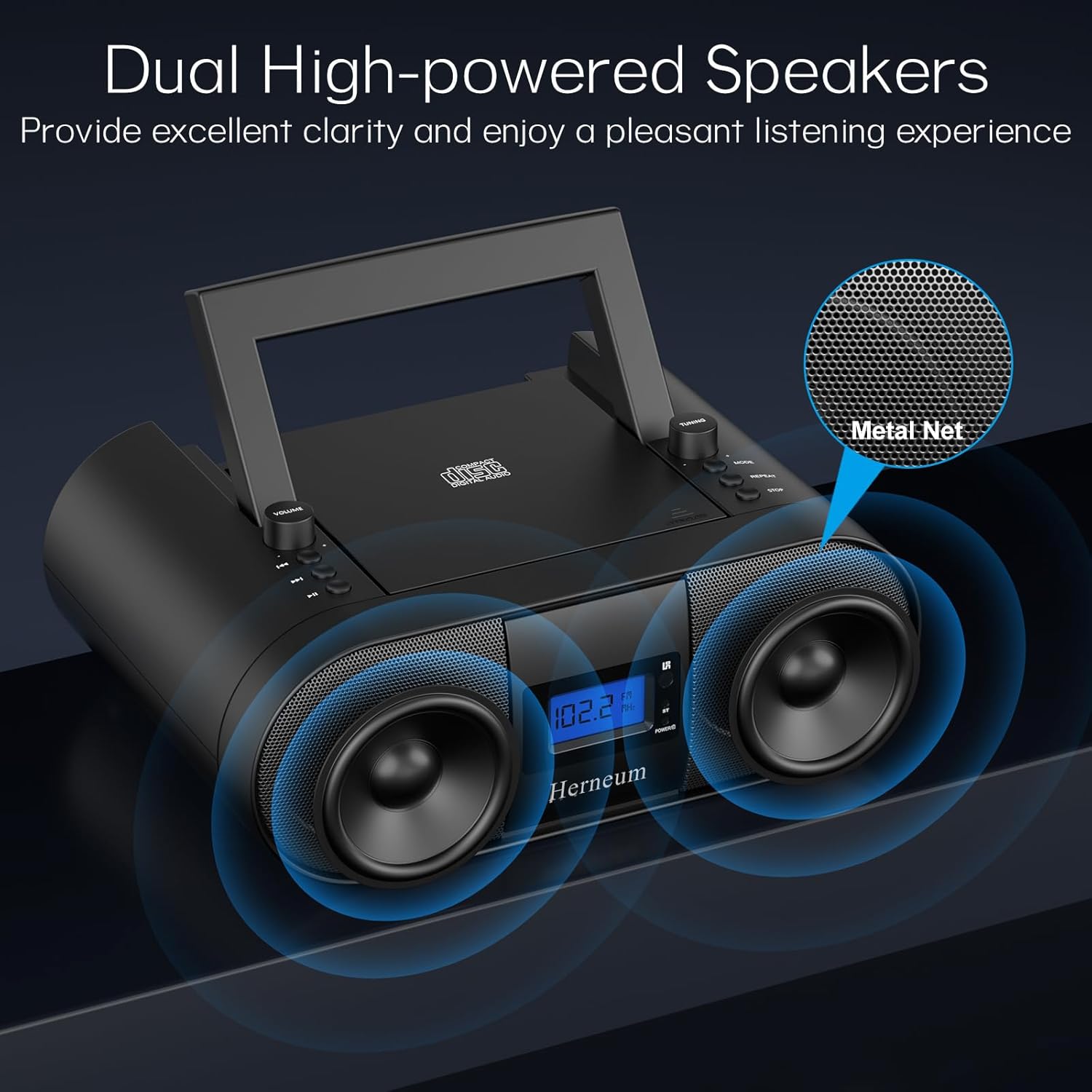
- FM радио: Built-in FM radio with telescopic antenna for enhanced reception.
- Dual Stereo Sound System: High-performance speakers for clear audio.
- Цэнэглэдэг батерей: Integrated 2000mAh battery providing 4-5 hours of playback.
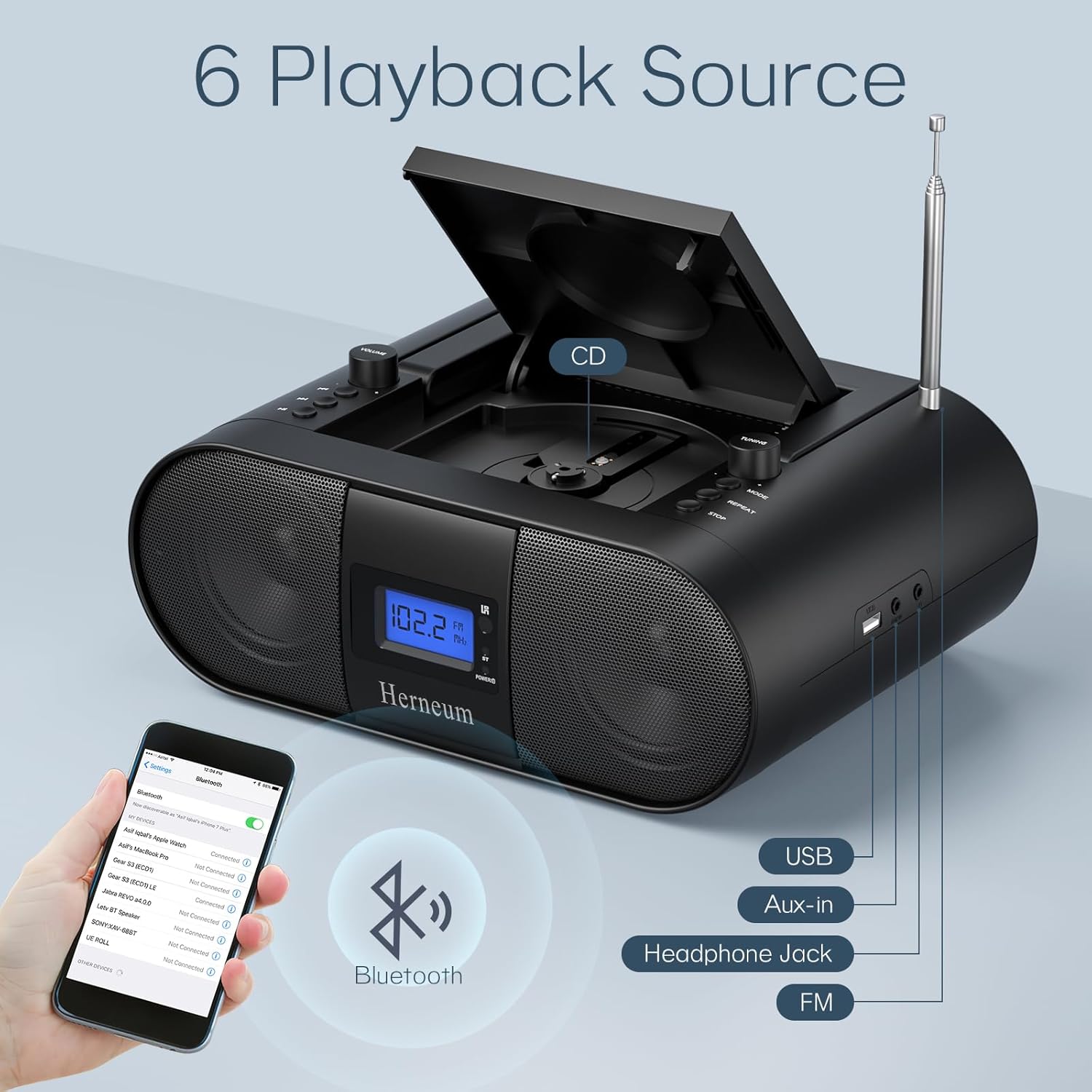
- Bluetooth холболт: Тохирох төхөөрөмжүүдээс утасгүй аудио дамжуулалт.
- Олон оролт: Supports USB and AUX-in for versatile audio sources.
- Чихэвчний гаралт: Хувийн сонсох зориулалттай.
- Алсын удирдлага: Convenient operation from a distance, including sleep timer function.
Багцын агуулга
Хайрцагнаас задлахад бүх зүйл байгаа эсэхийг шалгаарай:
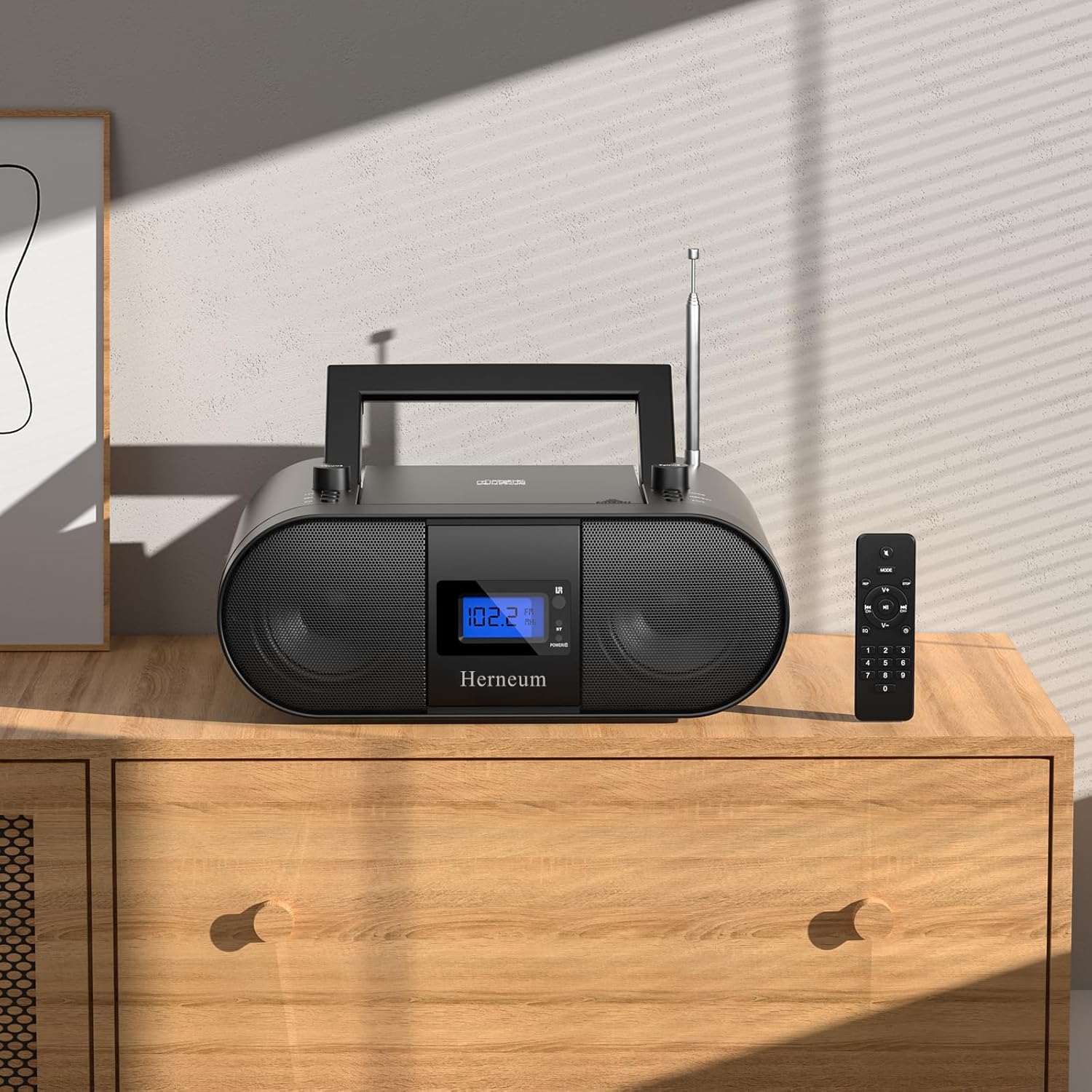
- Herneum FC Portable CD Player Boombox
- Алсын удирдлага
- Хэрэглэгчийн гарын авлага
- Цахилгаан кабель
Аюулгүй байдлын мэдээлэл
- Төхөөрөмжийг бороо, чийгэнд бүү тавь.
- Төхөөрөмжийг дулааны эх үүсвэрийн ойролцоо эсвэл нарны шууд тусгалд байрлуулахаас зайлсхий.
- Төхөөрөмжийг нээж болохгүй casing; мэргэшсэн боловсон хүчинд үйлчилгээ үзүүлэх.
- Хүүхдийн гар хүрэхгүй газар хадгална.
- Зөвхөн өгсөн тэжээлийн адаптерийг ашиглана уу.
Тохиргоо
1. Төхөөрөмжийг тэжээх
The Herneum FC can be powered by its internal rechargeable battery or by connecting it to an AC power outlet.
- Хувьсах гүйдлийн хүч: Connect the provided power cable to the "Power socket" (19) on the back of the unit and then to a wall outlet.
- Цэнэглэдэг батерей: The unit has a built-in 2000mAh rechargeable battery. It charges automatically when connected to AC power. A full charge provides approximately 4-5 hours of playback.
2. Антенны тохируулга
For optimal FM radio reception, extend the telescopic antenna fully and adjust its position.

Ашиглалтын заавар
1. Ерөнхий хяналт
The device features various controls on its top panel and a remote control for convenient operation.

- Цахилгаан унтраалга (18): Төхөөрөмжийн арын хэсэгт байрладаг.
- Volume +/- (1): Аудио гаралтын түвшинг тохируулна.
- Горим (7): Switches between CD, FM, Bluetooth, USB, and AUX modes.
- Дэлгэц (14): Одоогийн горим, замын дугаар болон FM давтамжийг харуулна.
2. CD тоглуулах
- Open the CD compartment (10) by gently lifting the lid.
- CD-г шошготой талыг нь дээш харуулан байрлуул.
- CD тасалгааг хаа.
- дээр дарна уу Горим button (7) to select CD mode.
- дарна уу Тоглуулах/түр зогсоох (4) тоглуулж эхлэх.
- Ашиглах Өмнөх зам (2) ба Дараагийн дуу (3) to navigate tracks.
- дарна уу Давт (8) for single track or all track repeat.
- дарна уу Зогс (9) to end playback.
3. FM радиогийн ажиллагаа
- Телескоп антенныг сунгана.
- дээр дарна уу Горим button (7) to select FM radio mode.
- Ашиглах Тааруулах +/- (6) to manually tune to a station.
- For automatic scanning, press and hold Тааруулах +/- (6).
4. Bluetooth холболт
- дээр дарна уу Горим button (7) to select Bluetooth mode. The display will show "BT" and flash, indicating it's ready for pairing.
- On your mobile device, enable Bluetooth and search for "Herneum FC" (or similar device name).
- Хослуулах төхөөрөмжийг сонгоно уу. Холбогдсоны дараа "BT" индикатор анивчихаа болино.
- You can now stream audio from your device to the boombox.
5. USB тоглуулах
- Insert a USB drive containing MP3/WMA files into the USB PORT (11).
- дээр дарна уу Горим button (7) to select USB mode.
- Playback will start automatically. Use track navigation buttons to select songs.
6. AUX-in Connection
- Connect an external audio device (e.g., smartphone, MP3 player) to the AUX-in jack (12) using a 3.5mm audio cable.
- дээр дарна уу Горим button (7) to select AUX mode.
- Гадаад төхөөрөмжөөсөө тоглуулах болон дууны хэмжээг хянах.
7. Чихэвчний хэрэглээ
Plug headphones into the Headphone jack (13) for private listening. The speakers will automatically mute.
8. Алсын удирдлага
The included remote control allows for convenient operation of all functions from a distance. Insert 2 x AAA batteries (not included) into the remote.
- Дууг хаах/Асаах: Temporarily silences or restores audio.
- Алгаслыг алгасах: Navigates to the next or previous track.
- Change Radio: Adjusts FM frequency.
- Хяналтын дууны хэмжээ: Дууны хэмжээг ихэсгэх буюу багасгах.
- Stop Playing: Halts current playback.
- EQ горим: Adjusts sound equalization settings.
- Унтах цаг: Set preferred running time (15, 30, 45, 60, or 90 minutes).

Засвар үйлчилгээ
- Цэвэрлэгээ: Төхөөрөмжийн гадна талыг цэвэрлэхийн тулд зөөлөн, хуурай даавуу ашиглана уу. Зүлгүүрийн цэвэрлэгч, уусгагчийг бүү ашигла.
- CD арчилгаа: CD-г ирмэгээс нь барь. Бохир CD-г төвөөс нь гадагш чиглүүлэн зөөлөн, хөвөнгүй даавуугаар арчина.
- Хадгалах: When not in use for extended periods, store the boombox in a cool, dry place.
Алдааг олж засварлах
| Асуудал | Боломжит шалтгаан | Шийдэл |
|---|---|---|
| Хүч чадалгүй | Power cable not connected; battery drained; power switch off. | Check power cable connection; charge battery; ensure power switch (18) is ON. |
| CD not playing/skipping | CD бохир эсвэл маажсан; CD-г буруу оруулсан; CD-ний тасалгаа хаагаагүй байна. | Clean or replace CD; ensure CD is label-side up; close compartment firmly. |
| FM хүлээн авах чадвар муу байна | Antenna not extended/adjusted; weak signal. | Extend and adjust antenna; try moving the unit to a different location. |
| Bluetooth-г холбохгүй байна | Device not in pairing mode; Bluetooth disabled on external device. | Ensure boombox is in Bluetooth mode; enable Bluetooth on your device and search again. |
| Алсын удирдлага ажиллахгүй байна | Batteries drained or inserted incorrectly; obstruction between remote and unit. | Replace remote batteries; ensure correct polarity; remove obstructions. |
Үзүүлэлтүүд
- Загвар: FC
- Брэнд: Гернеум
- Бүтээгдэхүүний хэмжээ: 12.6 x 8.66 x 5.9 инч
- Барааны жин: 4.36 фунт
- Холболтын технологи: Bluetooth, CD, USB, AUX-in, FM Radio
- Өнгө: Хар
- Чанга яригчийн төрөл: Хос дарга
- Зай: Баригдсан 2000 мАч цэнэглэдэг батерей
- Playback Time (Battery): 4-5 цаг
Баталгаат болон дэмжлэг
The Herneum FC Portable CD Player Boombox comes with an 18-month warranty. For warranty claims, technical support, or any inquiries, please contact Herneum customer service.
Visit the official Herneum store for more information: Herneum Store


