1. Танилцуулга
This manual provides essential information for the safe and efficient use of your KERDOM Office Chair Model 931-C. Please read these instructions carefully before assembly and operation. Keep this manual for future reference.

Image 1.1: The KERDOM Office Chair Model 931-C, featuring an orange mesh back and seat with white frame and base, shown in an office setting.
2. Аюулгүй байдлын мэдээлэл
- Хэрэглэхийн өмнө бүх эд ангиудыг найдвартай бэхэлсэн эсэхийг шалгаарай.
- Сандал дээр бүү зогс.
- 250 фунт (113 кг) жингийн багтаамжаас хэтрүүлж болохгүй.
- Тохируулга хийх үед гар, хуруугаа хөдөлж буй хэсгээс хол байлга.
- Хазайхаас сэргийлж сандлыг тэгш гадаргуу дээр ашиглаарай.
3. Багцын агуулга
Before assembly, verify that all parts are present. Refer to the included installation manual for a detailed list of components. Typically, the package includes:
- Арын суудал
- Суудлын дэр
- Гарын түшлэг (2)
- Хийн өргөх цилиндр
- Оддын суурь
- Кастер (5)
- Механизмын хавтан
- Hardware (screws, washers, Allen wrench)
4. Угсрах заавар
For detailed, step-by-step assembly instructions, please refer to the official Installation Manual PDF provided with your purchase. A digital version can be accessed via this link: KERDOM Office Chair Installation Manual (PDF).
Ерөнхий угсралтын үе шатууд нь ихэвчлэн дараахь зүйлийг агуулдаг.
- Attach the casters to the star base.
- Insert the gas lift cylinder into the center of the star base.
- Secure the mechanism plate to the underside of the seat cushion.
- Attach the armrests to the seat cushion.
- Connect the backrest to the seat cushion and armrests.
- Place the assembled seat onto the gas lift cylinder.
Ensure all screws are tightened firmly, but do not overtighten.
5. Ашиглалтын заавар
5.1. Өндөр тохируулга
To adjust the seat height, locate the lever on the right side beneath the seat. While seated, pull the lever up to lower the seat. To raise the seat, stand up and pull the lever up. Release the lever at the desired height to lock it in place.

Image 5.1: The chair features adjustable height, 360-degree rotation, and flexible casters for various floor types.
5.2. Armrest Adjustment (Flip-up Function)
The armrests are designed to flip up 90 degrees. To raise an armrest, simply lift it upwards until it locks into the vertical position. To lower it, pull it down. This feature allows the chair to be stored under a desk, saving space.
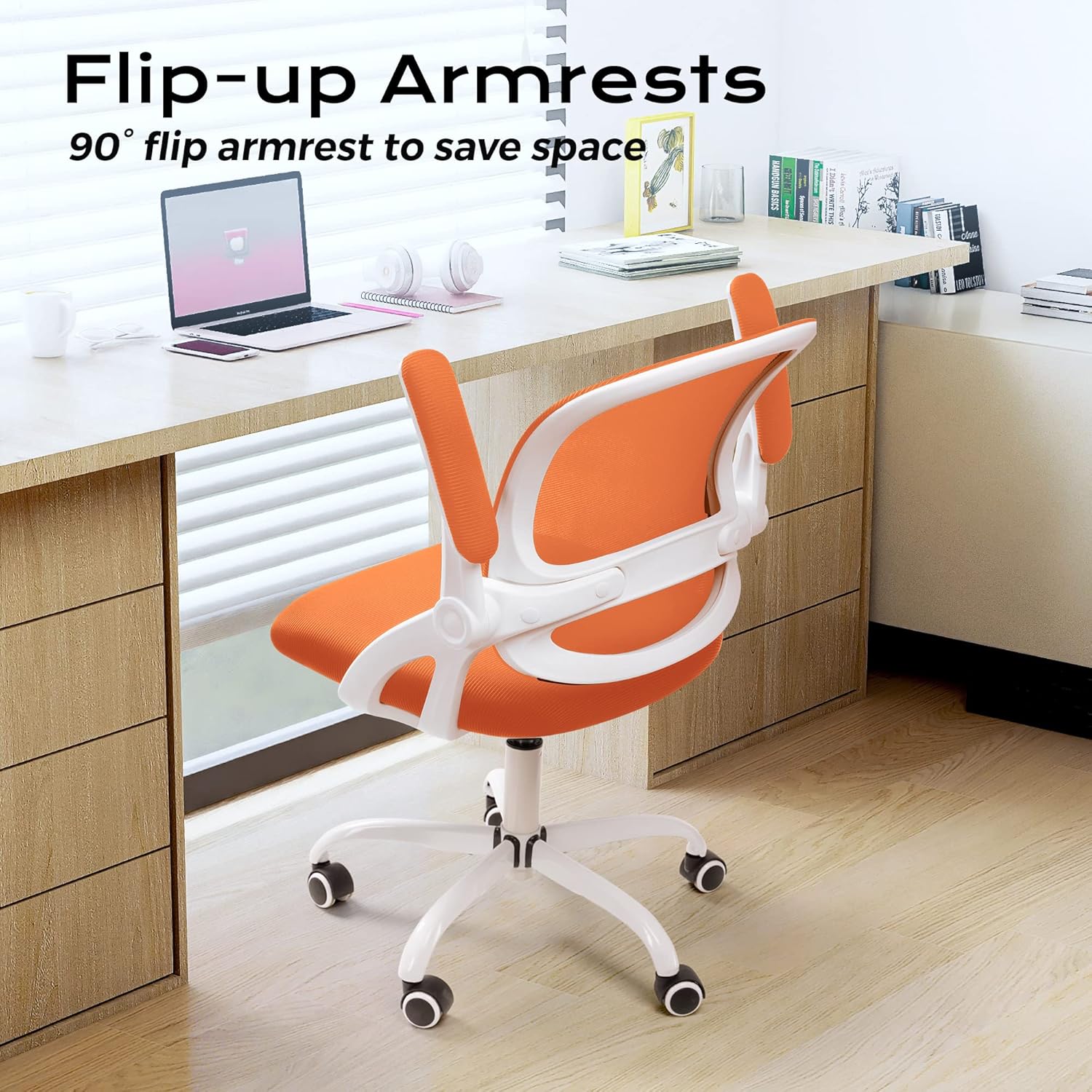
Image 5.2: The flip-up armrests allow the chair to be neatly stored under a desk, optimizing space.
5.3. Tilt/Rocking Function
The chair features a 120-degree tilt tension and rocking function. Locate the lever on the left side beneath the seat.
- Engage/Disengage Rocking: Pull the lever outwards to enable the rocking function. Push it inwards to lock the backrest in an upright position.
- Хазайлтын хурцадмал байдлыг тохируулах: The round knob located at the front center beneath the seat controls the tilt tension. Turn clockwise to tighten the tension (making it harder to recline) and counter-clockwise to loosen it (making it easier to recline).

Image 5.3: Controls for the rocking function and tilt tension adjustment.
5.4. Swivel and Casters
The chair offers a full 360-degree swivel for ease of movement. The flexible casters are designed for smooth rolling on various floor surfaces, including marble, wood, and carpet.

Image 5.4: The S-shaped backrest provides ergonomic support, complemented by a 30-degree back tilt for comfort.
6. Засвар үйлчилгээ
6.1. Цэвэрлэгээ
- Зар сурталчилгаагаар цэвэрлэamp даавуу. Хүчтэй химийн бодис, зүлгүүрийн цэвэрлэгчээс зайлсхий.
- For the mesh backrest and fabric seat, use a vacuum cleaner with a brush attachment to remove dust and debris.
- Periodically check and clean the casters to ensure smooth movement and prevent floor damage.
6.2. Ерөнхий тусламж үйлчилгээ
- Regularly inspect all screws and connections to ensure they remain tight. Retighten as necessary.
- Avoid prolonged exposure to direct sunlight to prevent fading of materials.
- Do not place hot items directly on the chair's surfaces.
7. Алдаа засах
- Сандал хашгирах: Check all bolted connections and tighten if loose. A small amount of silicone lubricant can be applied to moving parts if the squeaking persists.
- Өндөр тохируулахад бэрхшээлтэй: Хийн өргөх хөшүүрэг бүрэн холбогдсон эсэхийг шалгаарай. Хэрэв асуудал хэвээр байвал хийн өргөх цилиндрийг солих шаардлагатай байж магадгүй юм.
- Кастерууд жигд өнхрөхгүй байна: Remove any hair or debris wrapped around the caster wheels. Clean the wheels and their housings.
- Сандал тогтворгүй санагдаж байна: Verify that the chair is on a flat surface and all components, especially the base and backrest, are securely attached.
- Seat Cushion Flattening: Over time, seat cushions may compress. While this is normal wear, if it significantly impacts comfort, consider adding a supplementary cushion or contacting customer support for options.
8. Техникийн үзүүлэлтүүд

Image 8.1: Detailed product parameters including dimensions and weight capacity.
| Онцлог | Тодорхойлолт |
|---|---|
| Брэнд | КЕРДОМ |
| Загварын нэр | 931-C |
| Бүтээгдэхүүний хэмжээ (D x W x H) | 21" өргөн x 9" өргөн x 20" өндөр (Нийт) |
| Chair Height Range | 36.2" - 38.6" (91.9 - 98 см) |
| Дарга өргөн | 23.6" (59.9 см) |
| Арын түшлэгийн өргөн | 18.5" (47 см) |
| Арын түшлэгийн өндөр | 18.9" (48 см) |
| Cushion Width | 19.3" (49 см) |
| Cushion Length | 19.7" (50 см) |
| Дэрний зузаан | 2.6" (6.6 см) |
| Гарын түшлэгийн урт | 10" (25.4 см) |
| Тулгуурын өндөр | 10.2" (25.9 см) |
| Суурийн диаметр | 23.6" (59.9 см) |
| Хамгийн их жингийн зөвлөмж | 250 фунт (113 кг) |
| Зүйлийн жин | 25 фунт (11.3 кг) |
| Материал | Mesh, Sponge |
| Онцлог шинж чанарууд | Adjustable Height, Flip-up Armrests, Tilting Function, Swivel, Flexible Casters |
| Арын хэв маяг | Cross Back (Ergonomic S-shape) |
| Зөвлөмж болгож буй хэрэглээ | Оффис, гэрийн оффис, сургалтын өрөө |
9. Баталгаат хугацаа ба хэрэглэгчийн дэмжлэг
For warranty information and any product-related inquiries or issues, please contact KERDOM customer service. Our after-sales team is available to assist you.
Please refer to your purchase documentation or the KERDOM official webхамгийн сүүлийн үеийн холбоо барих мэдээлэл болон баталгаат мэдээллийг авах сайт.


