1. Танилцуулга
The OXS S3 Soundbar is designed to enhance your home audio experience, providing dynamic bass, 3D surround sound, and clear dialogue. It offers multiple connectivity options and sound modes to suit various audio preferences and content types.
Video: Introducing the OXS S3 Soundbar. This video provides a general overview of the soundbar's features and design.
2. Хайрцагт юу байна
- Дууны самбар
- Эрчим хүчний адаптер
- Хэрэглэгчийн гарын авлага
- Алсын удирдлага
- 3.5 мм AUX кабель
- Оптик кабель
- Коаксиаль шугам
- Ханын хаалт
- Өргөтгөх хоолой
- Шураг M4 x 30mm x 2
Video: Unboxing the OXS S3 Soundbar. This video demonstrates the contents of the soundbar packaging.
3. Бүтээгдэхүүн дууссанview
The OXS S3 Soundbar features a sleek design with integrated controls and multiple connectivity ports for versatile use.
Front and Top Panel

Зураг: Урд view of the OXS S3 Soundbar with its remote control. The soundbar features a minimalist design with a mesh grille.

Image: Close-up of the top panel buttons on the OXS S3 Soundbar. Controls include volume down (-), volume up (+), power, sound mode switch, and source switch.
Арын самбарын холболтууд

Image: Rear panel of the OXS S3 Soundbar showing various input ports. From left to right: DC IN (power), AUX, USB, OPTICAL, COAXIAL.
Dynamic Bass Ports
Зураг: хажуу тал view of the OXS S3 Soundbar highlighting the dynamic bass port tube reflection for enhanced low frequencies.
4. Тохиргоо
4.1 Эрчим хүчний холболт
Connect the provided Power Adapter to the DC IN port on the soundbar's rear panel and plug it into a power outlet.
4.2 Connecting to TV (Wired)
The soundbar supports Optical, AUX, and Coaxial wired connections. Choose the appropriate cable for your TV and connect it to the corresponding port on the soundbar's rear panel.
Чухал: For Optical (SPDIF) connection, please change your TV audio output to optical, and change the audio format setting to PCM. Refer to your TV's user manual for specific instructions.
Зураг: Жишээ ньample of TV audio settings menu, highlighting the selection of PCM for digital audio output format.
4.3 Bluetooth холболт
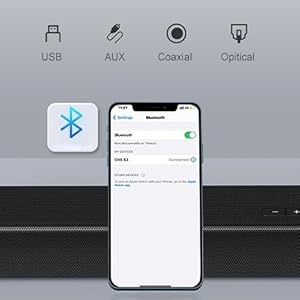
To connect via Bluetooth, press the 'BT' button on the remote control or the source switch button on the soundbar until the indicator light turns blue. Activate Bluetooth on your device (smartphone, tablet, laptop) and search for 'OXS S3' to pair.

Image: Diagram illustrating Bluetooth 5.0 connectivity and various wired input options (USB, AUX, Optical, Coaxial).
4.4 USB тоглуулах
Insert a USB flash drive into the USB port on the soundbar's rear panel to play audio fileшууд.
5. Ашиглалтын заавар
5.1 Асаах/унтраах
Press the power button on the soundbar's top panel or the remote control to turn the unit on or off.
5.2 Дууны хяналт
Use the '+' and '-' buttons on the soundbar's top panel or the remote control to adjust the volume.
5.3 Switching Input Sources
Press the source switch button on the soundbar's top panel or the remote control to cycle through available input sources (Bluetooth, Optical, AUX, Coaxial, USB). The indicator lights on the soundbar will change color to reflect the active source.
5.4 Дууны горимууд
The OXS S3 Soundbar offers three preset equalizer modes to optimize your audio experience:
- Киноны горим: Enhances dialogue and cinematic effects for an immersive viewтуршлага.
- Хөгжмийн горим: Optimizes audio for music playback, providing rich and balanced sound.
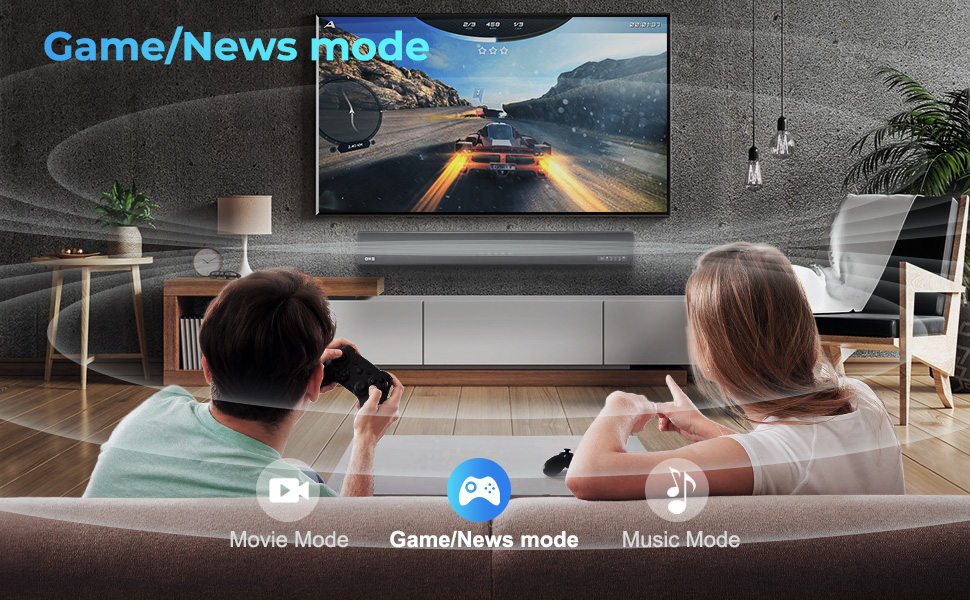
- News/Game Mode: Clarifies dialogue for news broadcasts and enhances sound effects for gaming.
Press the sound mode switch button on the soundbar's top panel or the remote control to select your desired mode. The indicator lights will change color (Yellow for Music, Green for News/Game, Purple for Movie).

Image: Illustration of the soundbar in Movie Mode, showing sound waves emanating from the unit towards a TV screen displaying a movie scene.
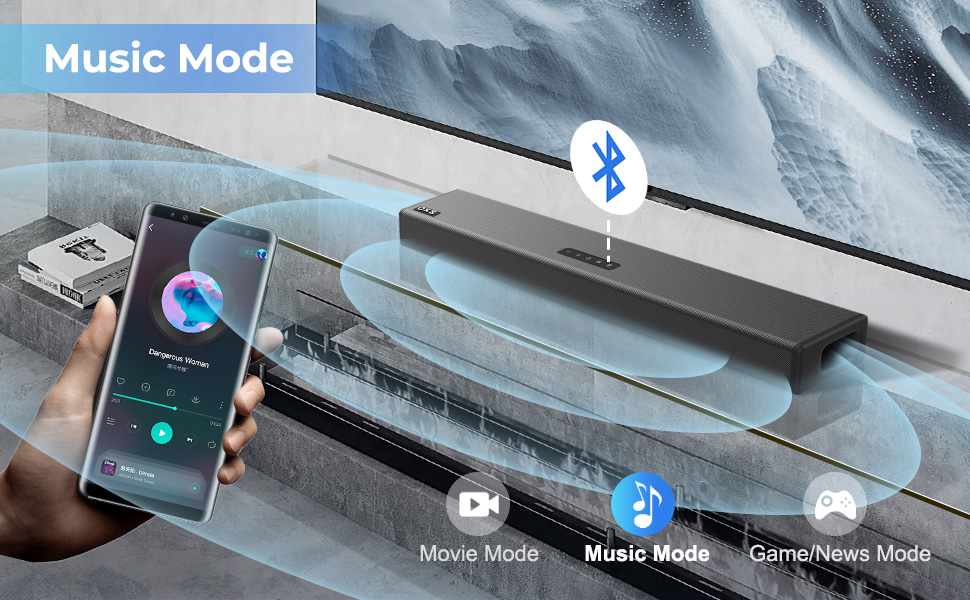
Image: Illustration of the soundbar in Game/News Mode, showing sound waves emanating from the unit towards a TV screen displaying a gaming scene.

Image: Illustration of the soundbar in Music Mode, showing sound waves emanating from the unit with a smartphone connected via Bluetooth.
Video: OXS S3 Soundbar for TV. This video demonstrates the soundbar's features and different sound modes in action.
6. Суурилуулах сонголтууд
The OXS S3 Soundbar can be placed directly on a tabletop, stand, or cabinet. It can also be wall-mounted to save space. Wall brackets, expansion tubes, and screws are included for wall mounting.

Image: The OXS S3 Soundbar displayed on a tabletop and with an illustration of wall mounting, highlighting its versatile placement options.
7. Техникийн үзүүлэлтүүд
| Онцлог | Дэлгэрэнгүй |
|---|---|
| Загварын нэр | OXS S3 |
| Чанга яригчийн төрөл | Дууны самбар |
| Суурилуулах төрөл | Tabletop Mount/ Wall Mount |
| Материал | Металл, хуванцар |
| Бүтээгдэхүүний хэмжээс | 36.59"D x 3.74"W x 5.75"H |
| Зүйлийн жин | 7.68 фунт |
| Чанга яригчийн хамгийн их гаралтын чадал | 60 ватт |
| Давтамжийн хариу үйлдэл | 20000 Гц |
| Хүрээлэн буй орчны дууны сувгийн тохиргоо | 2.0 |
| Холболтын технологи | Auxiliary, Bluetooth, Coaxial, Optical, USB |
| Bluetooth хувилбар | 5.0 |
| Хяналтын арга | Алсын удирдлага |
| Тохиромжтой төхөөрөмжүүд | Ухаалаг утас, Таблет, Зөөврийн компьютер, Телевизор |
8. Алдаа засах
If you encounter any issues with your OXS S3 Soundbar, please refer to the detailed troubleshooting section in the included User Manual. Common issues often relate to connectivity settings (e.g., ensuring correct audio output format on your TV) or proper source selection.
9. Баталгаат хугацаа ба дэмжлэг
The OXS S3 Soundbar comes with a Limited Warranty. For warranty claims, technical support, or any questions regarding your product, please contact OXS customer service via email at service@oxsaudio.com.


