1. Танилцуулга
This user manual provides comprehensive instructions for the installation, operation, and maintenance of the Axis Communications AXIS Q6225-LE PTZ Camera. Please read this manual thoroughly before using the product to ensure proper functionality and safety. This camera is designed for robust outdoor surveillance in challenging conditions.
2. Аюулгүй байдлын мэдээлэл
Бүтээгдэхүүн гэмтэх эсвэл ажилтныг гэмтээхээс урьдчилан сэргийлэхийн тулд дараах аюулгүй байдлын урьдчилан сэргийлэх арга хэмжээг дагаж мөрдөнө үү.
- Суурилуулалт: Installation must be performed by qualified personnel in accordance with all local and national electrical and building codes.
- Эрчим хүчний хангамж: Use only the specified power supply (60 watts) for this device. Ensure the power source is stable and meets the camera's requirements.
- Байгаль орчин: The camera is designed for outdoor use. However, avoid exposing it to extreme conditions beyond its specified operating range.
- Цэвэрлэгээ: Цэвэрлэхийн өмнө цахилгааныг салга. Зөөлөн, хуурай даавуу хэрэглээрэй. Шингэн болон аэрозол цэвэрлэгч хэрэглэж болохгүй.
- Өөрчлөлт: Do not attempt to modify or disassemble the camera. This may void the warranty and pose safety risks.
3. Багцын агуулга
Бүх зүйл багцад байгаа эсэхийг шалгана уу:
- AXIS Q6225-LE PTZ камер
- Суулгах гарын авлага
- Холбох хаалт ба тоног төхөөрөмж
- Network Cable Connector
- Documentation and Software CD (if applicable)
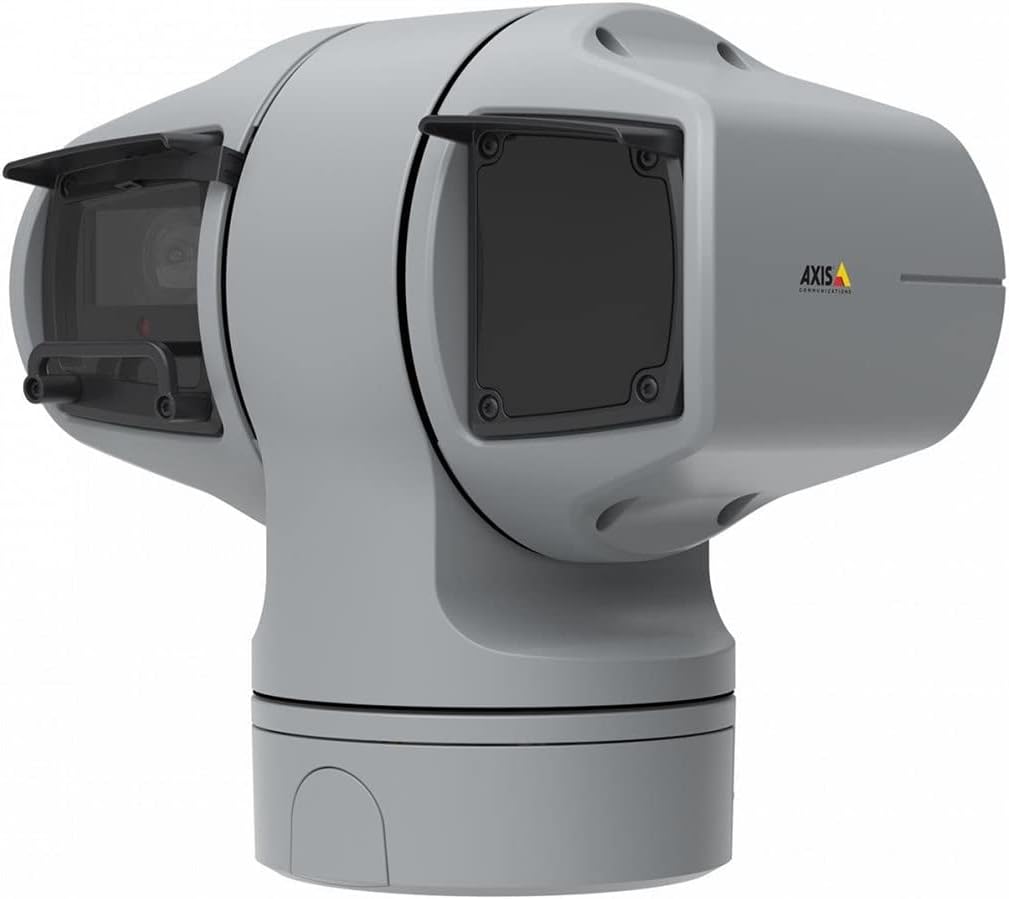
Зураг 1: AXIS Q6225-LE PTZ Camera. This image displays the grey-colored PTZ camera unit, highlighting its robust housing and integrated lens system, designed for outdoor surveillance.
4. Тохиргоо ба суурилуулалт
4.1 Камер суурилуулах
The AXIS Q6225-LE is designed for wall mount installation. Ensure the mounting surface is strong enough to support the camera's weight and withstand environmental conditions.
- Хүссэн талбарыг хангах тохиромжтой холбох байршлыг сонго view цахилгаан болон сүлжээний холболтод хүрэх боломжтой.
- Use the provided mounting template to mark drill holes on the wall.
- Drill pilot holes and secure the mounting bracket using appropriate screws and anchors.
- Камерыг бэхэлгээний хаалтанд бэхлээд, байрандаа бат бөх түгжигдсэн эсэхийг шалгаарай.
4.2 Цахилгаан ба сүлжээний холболт
Connect the camera to power and network as follows:
- Эрчим хүч: Connect the power cable to a 60-watt power source. Ensure the connection is secure and weatherproof.
- Сүлжээ: Connect an Ethernet cable from your network switch or router to the camera's network port. The camera supports Wi-Fi for wireless communication. Refer to the network configuration section for wireless setup.
4.3 Анхны тохиргоо
Физик суурилуулалт болон холболтын дараа камер руу нэвтэрнэ үү web interface for initial configuration:
- Нээлттэй a web browser on a computer connected to the same network as the camera.
- Enter the camera's IP address in the browser's address bar. If the IP address is unknown, use the AXIS IP Utility tool to discover it.
- Follow the on-screen prompts to set up a new password for the administrator account.
- Configure basic network settings, date/time, and video stream settings.
5. Камерыг ажиллуулах
5.1 Пан, хазайлт, томруулах (PTZ) хяналт
The AXIS Q6225-LE camera features full PTZ capabilities, allowing remote adjustment of its viewing angle and zoom level. Control is typically performed via the camera's web interface or compatible video management software (VMS).
- Пан: Rotate the camera horizontally to cover a wider area.
- Хазайлт: Adjust the camera vertically to view objects at different heights.
- Оптик томруулалт: Use the optical zoom feature to magnify distant objects without loss of image quality.
5.2 Хөдөлгөөн илрүүлэх ба дохиолол
The camera supports motion-only alerts. Configure motion detection zones and sensitivity settings in the web interface to trigger recordings or notifications when movement is detected.
5.3 Хэт улаан туяаны (IR) гэрэлтүүлэг
Equipped with infrared light sources, the camera provides clear video surveillance in low-light or complete darkness. IR illumination activates automatically or can be manually controlled.
6. Засвар үйлчилгээ
6.1 Цэвэрлэгээ
Regular cleaning of the camera lens and housing is recommended to ensure optimal performance, especially in dusty or harsh environments.
- Gently wipe the lens with a soft, lint-free cloth. For stubborn dirt, use a lens cleaning solution specifically designed for optical surfaces.
- Камерын гэрийг зар сурталчилгаагаар цэвэрлэнэ үүamp даавуу. Зүлгүүрийн цэвэрлэгч эсвэл уусгагчаас зайлсхий.
6.2 Програм хангамжийн шинэчлэлтүүд
Axis Communications-ийг үе үе шалгаж байх website for firmware updates. Keeping the camera's firmware up-to-date ensures access to the latest features, security enhancements, and bug fixes.
7. Алдаа засах
This section addresses common issues you might encounter with your AXIS Q6225-LE camera.
| Асуудал | Боломжит шалтгаан | Шийдэл |
|---|---|---|
| Видео хангамж байхгүй | Power disconnected, network issue, incorrect IP address. | Check power connection. Verify network cable or Wi-Fi connection. Confirm camera's IP address. |
| Зургийн чанар муу байна | Dirty lens, improper focus, low light conditions. | Clean the lens. Adjust focus via web interface. Ensure adequate lighting or verify IR functionality. |
| PTZ удирдлага хариу өгөхгүй байна | Network latency, software glitch, motor issue. | Check network connection. Restart the camera. If problem persists, contact support. |
8. Техникийн үзүүлэлтүүд
| Онцлог | Дэлгэрэнгүй |
|---|---|
| Загварын дугаар | 02316-002 |
| Брэнд | Тэнхлэгийн харилцаа холбоо |
| Суурилуулах төрөл | Ханын бэхэлгээ |
| Өнгө | Цагаан |
| Материал | Металл |
| Ватtage | 60 ватт |
| Холболтын технологи | Утасгүй, Wi-Fi |
| Дотор/гадаа ашиглах | Гадаа |
| Хяналтын арга | Алсын удирдлага |
| Фото мэдрэгчийн технологи | CMOS |
| Видео бичлэгийн формат | MPEG-4 |
| Гэрлийн эх үүсвэрийн төрөл | Хэт улаан туяа |
| Сэрэмжлүүлгийн төрөл | Зөвхөн хөдөлгөөн |
| Томруулах төрөл | Оптик томруулалт |
| Зүйлийн жин | 0.01 килограмм (0.352 унц) |
| Оруулсан бүрэлдэхүүн хэсгүүд | Камер/дагалдах хэрэгсэл |
9. Баталгаат хугацаа ба дэмжлэг
For warranty information and technical support, please refer to the official Axis Communications webсайтаас авах эсвэл эрх бүхий дилертэйгээ холбогдоно уу. Худалдан авалтын баримтаа худалдан авалтын нотолгоо болгон хадгална уу.
Онлайн нөөцүүд: www.axis.com


