1. Танилцуулга
The LFF Atomic Clock (Model LWC150) is a versatile digital wall or desk clock designed for accurate timekeeping and environmental monitoring. It automatically synchronizes with the WWVB radio broadcast for precise time and features a large, easy-to-read LCD display showing time, date, day of the week, alarm status, and both indoor and outdoor temperature and humidity.
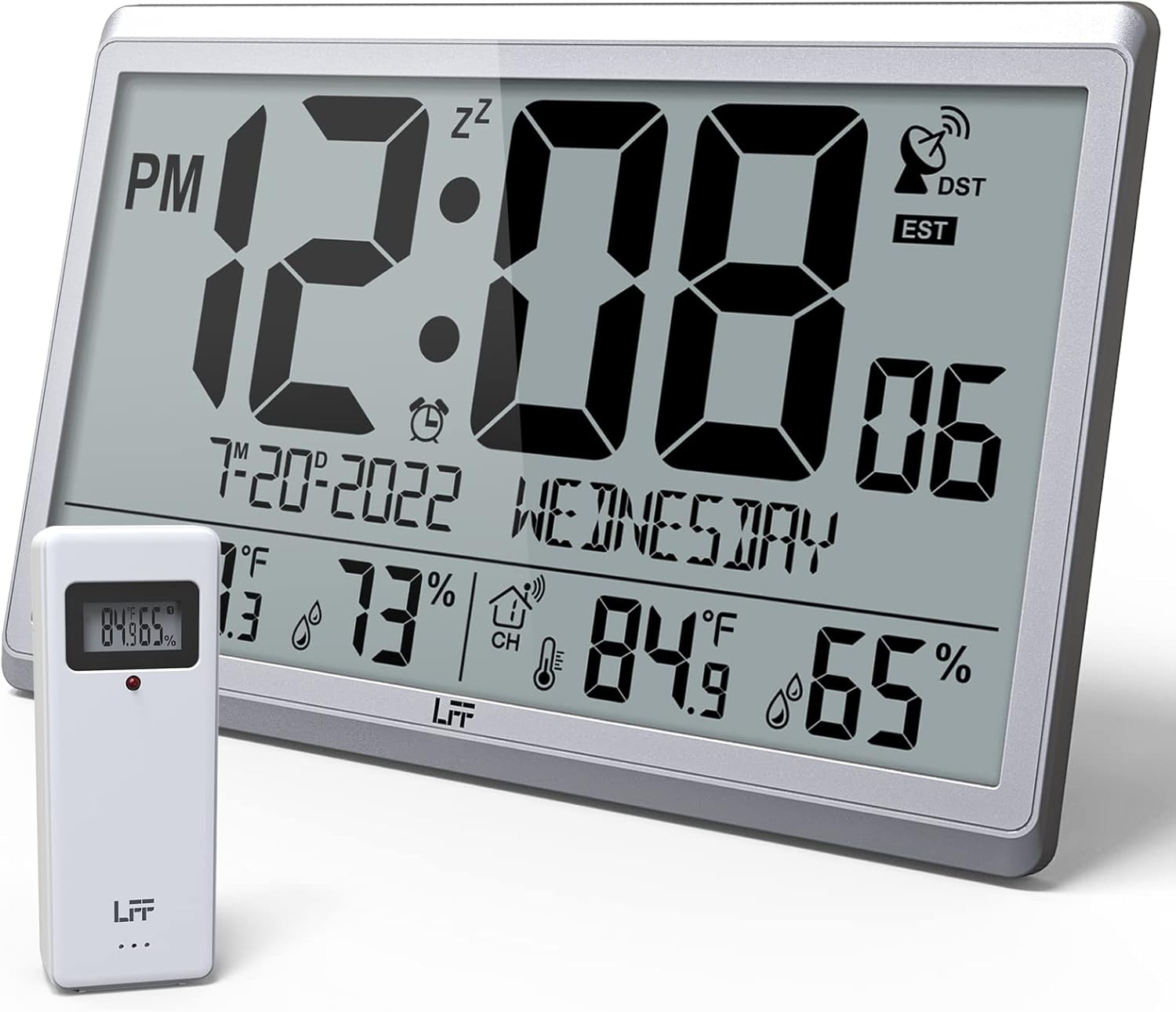
Figure 1.1: LFF Atomic Clock with its wireless outdoor sensor.
2. Онцлогууд
- Accurate Atomic Clock: Built-in receiver automatically synchronizes with the WWVB radio broadcast from NIST in Fort Collins, Colorado, ensuring precise time and calendar adjustments.
- Large LCD High-Definition Display: 9.4-inch tall display with large numbers for easy readability. Displays time (12/24H), calendar, day of the week, alarm, indoor/outdoor temperature (°C/°F), and humidity simultaneously.
- Утасгүй гадаа мэдрэгч: Transmits accurate outdoor temperature and humidity measurements up to 328 feet (100 meters). The sensor has an IPX4 splash-proof rating.
- Батерейгаар ажилладаг: Main clock requires 4 AA batteries (not included), and the outdoor sensor requires 2 AAA batteries (not included). No backlight display.
- Олон цагийн бүс: Supports 8 time zones including EST, CST, MST, PST, AKT, HST, AST, NST.
- Уян хатан байршил: Can be used as a wall clock (3 hanging holes) or a desk clock (integrated bracket).
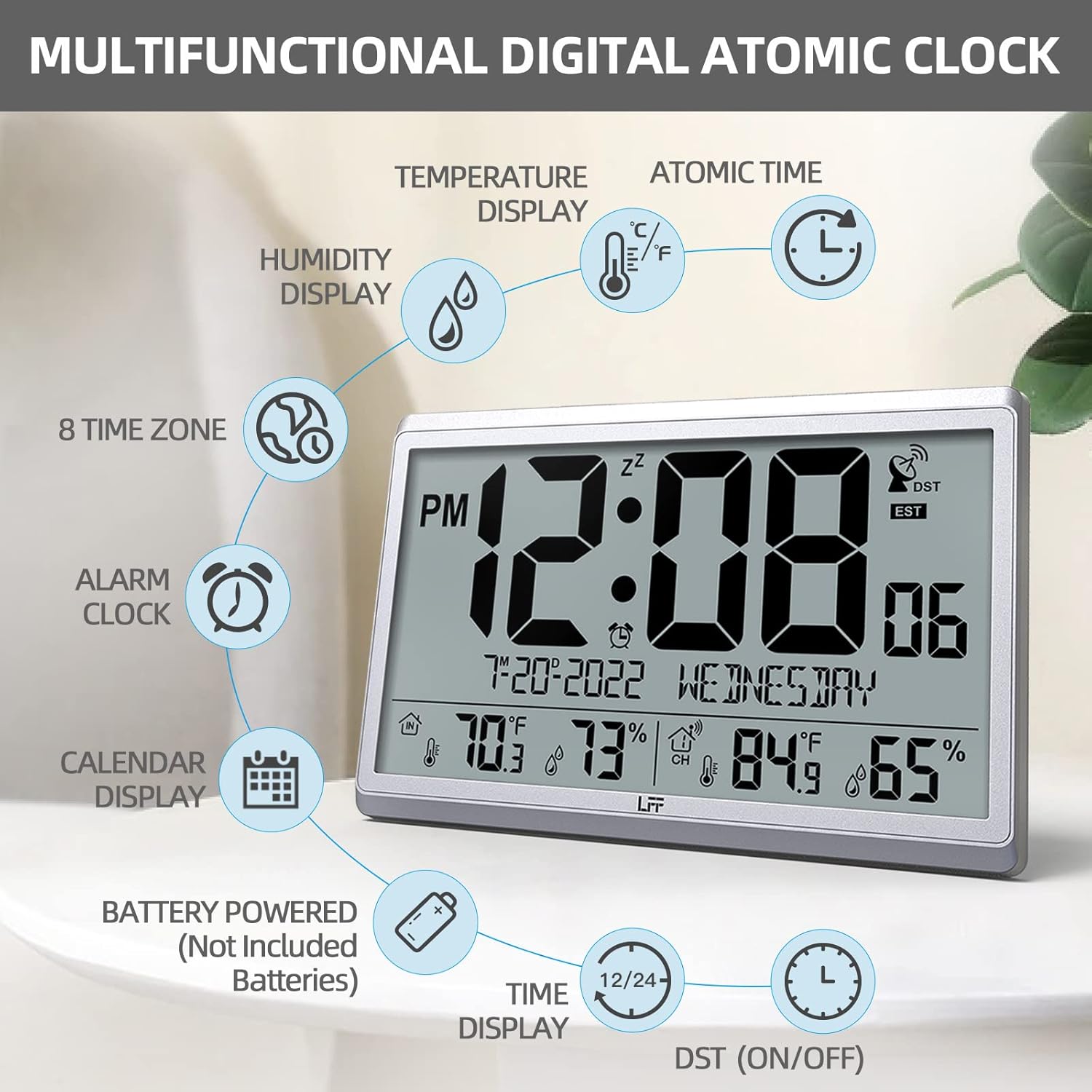
Зураг 2.1: Илүүview of the clock's multifunctional display and features.
3. Багцын агуулга
Бүх зүйл байгаа эсэхийг шалгахын тулд хайрцгийг задлахдаа багцын агуулгыг шалгана уу:
- 1 x LFF Atomic Clock (Main Unit)
- 1 x Утасгүй гадаа мэдрэгч
- 1 х хэрэглэгчийн гарын авлага
4. Тохиргоо
4.1 Батерей суурилуулах
The main clock unit and the outdoor sensor are battery-powered. Batteries are not included.
- For the Main Clock Unit: Open the battery compartment on the back of the clock. Insert 4 new AA batteries, ensuring correct polarity (+/-).
- Утасгүй гадаа мэдрэгчийн хувьд: Open the battery compartment on the back of the sensor. Insert 2 new AAA batteries, ensuring correct polarity (+/-).

Figure 4.1: Battery installation and button layout on the main clock unit.
4.2 Гадна мэдрэгчийг байрлуулах
For accurate temperature and humidity readings, place the outdoor sensor in a location that is:
- Out of direct sunlight and rain.
- Away from any heat sources (e.g., vents, exhaust fans) or extreme cold sources.
- Within the wireless transmission range of 328 feet (100 meters) from the main clock unit.

Figure 4.2: Optimal placement for the wireless outdoor sensor.
4.3 Initial Atomic Time Synchronization
After battery installation, the clock will automatically attempt to synchronize with the WWVB atomic time signal. This process may take several minutes to several hours, depending on your location and signal strength. Ensure the clock is placed in an area where it can receive a clear signal, ideally near a window and away from electronic interference.

Figure 4.3: The clock synchronizes with the atomic time signal broadcast from Fort Collins, Colorado.
5. Ашиглалтын заавар
5.1 Цаг болон огноог гараар тохируулах
While the clock primarily relies on atomic synchronization, you can manually set the time and date if needed (e.g., during initial setup before signal acquisition or in areas with poor reception).
- -г удаан дар SET button on the back of the clock until the display flashes.
- -г ашиглана уу UP or DOWN/RCC анивчдаг утгыг тохируулах товчлуурууд (жишээ нь, цаг, минут, жил, сар, өдөр).
- дарна уу SET again to confirm the setting and move to the next value.
- Repeat until all desired settings are configured.
5.2 Цагийн бүсийн сонголт
The clock supports 8 time zones. After atomic synchronization, you may need to select your local time zone.
- дээр дарна уу SET button repeatedly until the time zone setting flashes.
- -г ашиглана уу UP or DOWN/RCC buttons to cycle through the available time zones (EST, CST, MST, PST, AKT, HST, AST, NST).
- дарна уу SET сонголтоо баталгаажуулахын тулд.
5.3 Температурын нэгжийн сонголт (°C/°F)
To switch between Celsius and Fahrenheit for temperature display:
- товчийг дарна уу DOWN/RCC button. The temperature unit will toggle between °C and °F.
5.4 Сэрүүлэгтэй цагны функц
The clock includes an alarm function.
- дээр дарна уу СЭРҮҮЛЭГ товчийг дарна уу view одоогийн сэрүүлгийн цаг.
- -г удаан дар СЭРҮҮЛЭГ Сэрүүлгийн цаг анивчих хүртэл товчийг дарна уу.
- -г ашиглана уу UP or DOWN/RCC хүссэн сэрүүлгийн цаг, минутыг тохируулах товчлуурууд.
- дарна уу СЭРҮҮЛЭГ тохиргоо бүрийг баталгаажуулах.
- Сэрүүлгийг идэвхжүүлэх/идэвхгүй болгохын тулд товчийг товч дарна уу СЭРҮҮЛЭГ button when the alarm time is displayed. An alarm icon will appear/disappear on the screen.
5.5 Дэлгэцийн мэдээлэл
Том LCD дэлгэц нь нэг дор цогц мэдээллийг өгдөг:
- Дээд хэсэг: Current time (with AM/PM indicator), atomic signal strength, DST indicator, and time zone.
- Дунд хэсэг: Date (Month-Day-Year) and Day of the Week.
- Доод хэсэг: Indoor temperature and humidity, and outdoor temperature and humidity (from wireless sensor).

Figure 5.1: The LFF Atomic Clock can be placed on a desk or mounted on a wall.
6. Засвар үйлчилгээ
6.1 Батерейг солих
Replace batteries in both the main unit and the outdoor sensor when the display becomes dim or readings become erratic. Always replace all batteries at the same time with new ones of the same type. For temperatures below -4°F, lithium batteries are recommended for the outdoor sensor.
6.2 Цэвэрлэгээ
Wipe the clock and sensor with a soft, dry cloth. Do not use abrasive cleaners or solvents, as they may damage the display or casing. Avoid getting moisture into the battery compartments or electronic components.
6.3 Мэдрэгчийн арчилгаа
Periodically check the outdoor sensor for any debris or obstructions that might affect its readings. Ensure it remains in a sheltered location to protect it from extreme weather conditions, despite its splash-proof design.
7. Алдаа засах
| Асуудал | Боломжит шалтгаан | Шийдэл |
|---|---|---|
| Clock not synchronizing with atomic time. | Weak signal, interference, incorrect time zone. | Relocate the clock closer to a window or away from electronic devices. Ensure correct time zone is selected. Allow up to 24 hours for initial synchronization. |
| Гаднах температур/чийгшилийг харуулаагүй эсвэл буруу. | Sensor out of range, low sensor batteries, sensor exposed to direct elements. | Ensure sensor is within 328 feet of the main unit. Replace sensor batteries. Reposition sensor in a shaded, dry area. Press the СУВАГ button on the main unit to re-establish connection. |
| Дэлгэц бүдэг эсвэл хоосон байна. | Low batteries in main unit. | Replace all 4 AA batteries in the main clock unit. |
| Time is incorrect after synchronization. | Incorrect time zone selected. | Verify and adjust the time zone setting as described in Section 5.2. |
8. Техникийн үзүүлэлтүүд
| Онцлог | Дэлгэрэнгүй |
|---|---|
| Загварын дугаар | LWC150 |
| Дэлгэцийн төрөл | Дижитал LCD |
| Бүтээгдэхүүний хэмжээс | 14.2"W x 9.4"H x 1.2"D |
| Эрчим хүчний эх үүсвэр (Үндсэн хэсэг) | 4 х АА батерей (оруулаагүй) |
| Эрчим хүчний эх үүсвэр (гадна мэдрэгч) | 2 x AAA батерей (оруулаагүй) |
| Дотор температурын хүрээ | 14.1°F - 122.0°F (-9.9°C - 50.0°C) |
| Гаднах температурын хүрээ | -58.0°F - 158.0°F (-50.0°C - 70.0°C) |
| Дотор чийгшлийн хүрээ | 1% - 99% |
| Гадна агаарын чийгшлийн хүрээ | 1% - 99% |
| Утасгүй дамжуулах хүрээ | Ил задгай талбайд 328 фут (100 метр) хүртэл |
| Outdoor Sensor Waterproof Rating | IPX4 (ус цацахаас хамгаалсан) |
| Материал | Хуванцар (акрилонитрил бутадиен стирол хүрээ) |
| Зүйлийн жин | 2.7 фунт (1.23 килограмм) |
9. Баталгаат хугацаа ба дэмжлэг
LFF products are designed for reliability and performance. For any questions, technical support, or warranty claims, please contact LFF customer service through the retailer's platform or the official LFF webсайт. Баталгаат хугацааны зорилгоор худалдан авалтын баримтаа хадгална уу.


