1. Танилцуулга
Thank you for choosing the BYINTEK U70 Pro Portable 4K 3D DLP Projector. This manual provides essential information for the safe and efficient operation of your device. Please read it thoroughly before use and retain it for future reference.

Image 1.1: The BYINTEK U70 Pro Portable Projector and its remote control.
2. Аюулгүй байдлын мэдээлэл
- l байх үед проекторын линз рүү шууд харж болохгүйamp асаалттай байна.
- Хэт халалтаас урьдчилан сэргийлэхийн тулд зохих агааржуулалтыг хангах. Агааржуулалтын нүхийг хааж болохгүй.
- Зөвхөн өгсөн тэжээлийн адаптерийг ашиглана уу.
- Төхөөрөмжийг ус, чийг, хэт өндөр температураас хол байлга.
- Проекторыг өөрөө задлах эсвэл засах гэж бүү оролдоорой. Мэргэшсэн үйлчилгээний ажилтантай холбогдоно уу.
- Хүүхдийн гар хүрэхгүй газар хадгална.
3. Багцын агуулга
Таны багцад бүх зүйл байгаа эсэхийг шалгана уу:
- 1 x BYINTEK U70 Pro Projector
- 1 x Алсын удирдлага
- 1 х HD кабель
- 1 х хэрэглэгчийн гарын авлага (энэ баримт бичиг)
- 1 x DC 19V 3.42A тэжээлийн адаптер
4. Бүтээгдэхүүн дууссанview
Проекторын бүрэлдэхүүн хэсгүүд болон интерфэйсүүдтэй танилцаарай.
Зураг 4.1: Урд ба хойд views of the BYINTEK U70 Pro Projector, highlighting its various ports and controls.
Гол бүрэлдэхүүн хэсгүүд:
- Линз: Projection output.
- Товчлуур: Manual control buttons on top.
- IR хүлээн авагч: Алсын удирдлагын дохионы хувьд.
- DC 12V-in: Эрчим хүчний оролтын порт.
- USB 3.0 / USB 2.0: For connecting USB storage devices, mouse, or keyboard.
- Эрчим хүч солих: Проекторыг асаах/унтраахын тулд.
- Audio-out (3.5mm Jack): For external speakers or headphones.
- HD-in (HDMI): Гадаад видео эх сурвалжийг холбоход зориулагдсан.
- 5W Speakers: Суурьсан стерео чанга яригч.
- Detachable Dust Filter: Цэвэрлэх, засвар үйлчилгээ хийхэд хялбар.
- Universal Bracket Hole (d=1/4inch, 6mm): For mounting on tripods or ceiling mounts.
5. Тохиргоо
5.1 Асаах/унтраах
- Connect the DC 19V 3.42A Power Adapter to the projector's DC 12V-in port.
- Press the Power Switch to turn the projector on. The indicator light will illuminate.
- To power off, press the Power Switch again.
5.2 Байршил, төсөөлөл
The BYINTEK U70 Pro supports a projection size of 30-300 inches with a projection distance of 1-8 meters. The optimal aspect ratio is 16:9, but 16:10 and 4:3 are also supported.
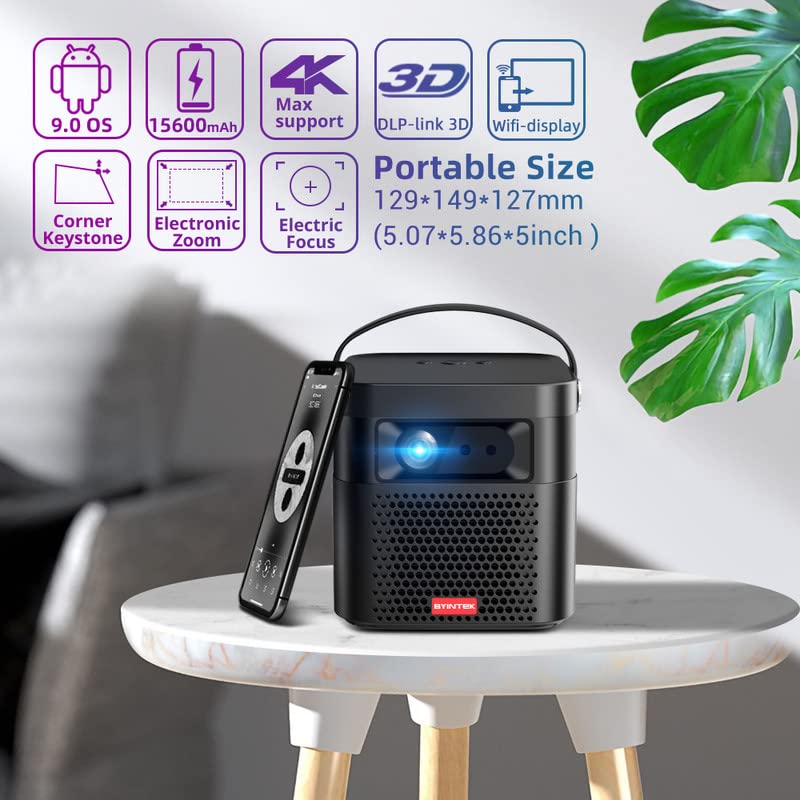
Image 5.1: The BYINTEK U70 Pro Projector highlighting its portable size and advanced features.
5.3 Төвлөрөл ба гол чулууг засах
- Проекторын онцлог Автомат фокус for quick image clarity.
- For fine-tuning, use the Цахилгаан фокус function via the remote control or on-device keypad.
- Auto Manual Vertical Keystone Correction is available to adjust image distortion when the projector is not perfectly perpendicular to the screen.
- Corner Keystone correction allows for individual corner adjustments.
5.4 Холболт
The projector offers various connection options:
- HDMI: Connect external devices like TV sticks, X-BOX, PS4, PCs, or laptops using the provided HD Cable.
- USB: Insert USB sticks or SSD hard drives for media playback. Supports USB 2.0 and USB 3.0.
- Wi-Fi: Connect to your wireless network for online content and wireless projection.
- Bluetooth: For connecting external Bluetooth speakers or headphones (if supported by the Android OS).
6. Ашиглалтын заавар
6.1 Android 9.0 Smart OS
The BYINTEK U70 Pro runs on Android 9.0, providing a smart interface with 32GB internal storage. Navigate the interface using the remote control or by connecting a USB mouse/keyboard.

Image 6.1: The Android 9.0 operating system interface, allowing access to various applications.
6.2 Утасгүй проекц
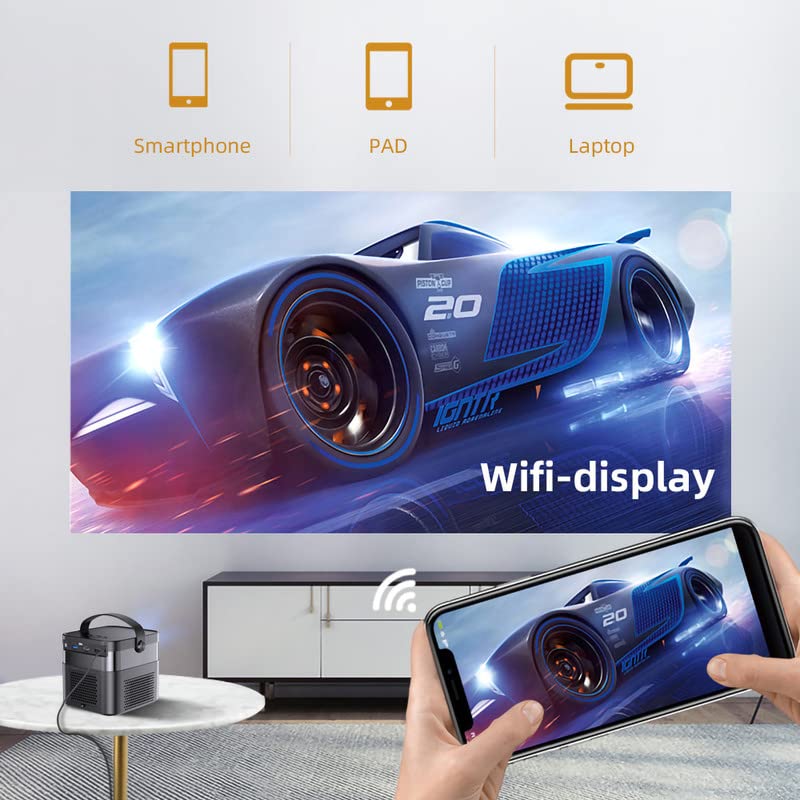
Wirelessly connect your Android or iOS devices for screen mirroring.

Image 6.2: Wireless display functionality, enabling screen mirroring from smartphones, tablets, and laptops.
- Ensure both the projector and your mobile device are connected to the same Wi-Fi network.
- Select the appropriate wireless projection app (e.g., Airplay, Miracast, DLNA, Eshare) on the projector's home screen.
- Follow the on-screen instructions to connect your smartphone, tablet, or laptop.
6.3 3D функциональ байдал
Проектор дэмждэг Real 3D content for an immersive viewтуршлага.
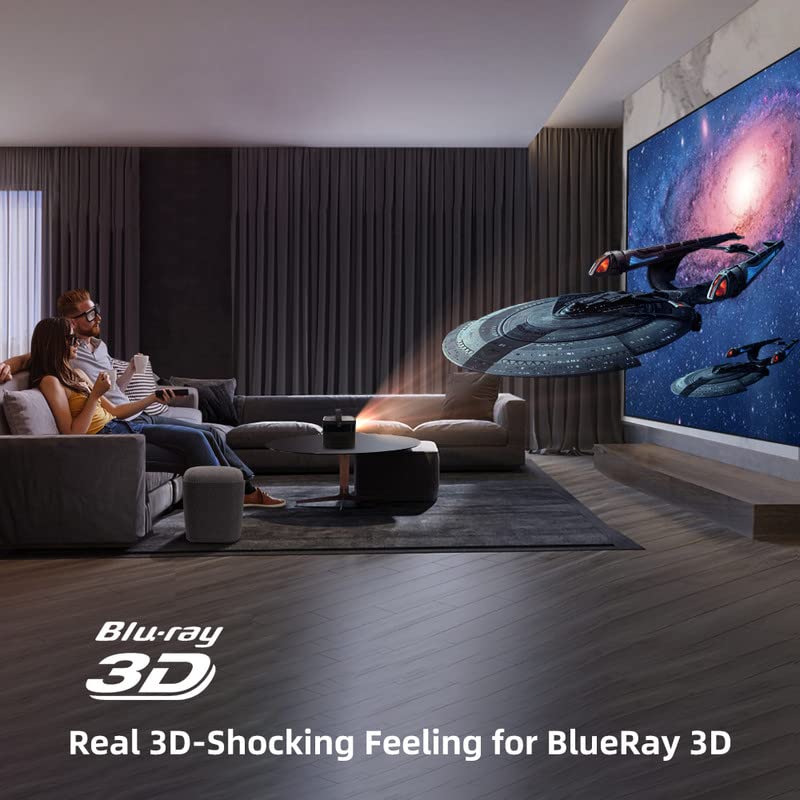
Image 6.3: The projector displaying 3D content for an immersive home theater experience.
- To enjoy 3D content, you will need compatible 3D glasses (sold separately).
- Play 3D-enabled media (e.g., Blu-ray 3D) through a connected device.
- Activate the 3D mode on the projector via the settings menu.
6.4 Аудио гаралт
The projector has built-in 2 x 5W speakers. For enhanced audio, connect external speakers or headphones via the 3.5mm Audio Jack or Bluetooth.
7. Засвар үйлчилгээ
7.1 Линзийг цэвэрлэх
Оптик линзэнд тусгайлан зориулсан зөөлөн, хөвөнгүй даавуу хэрэглээрэй. Зүлгүүрийн цэвэрлэгч эсвэл хэт их хүч хэрэглэж болохгүй.
7.2 Тоосны шүүлтүүрийг цэвэрлэх
The projector features a detachable dust filter. Regularly remove and clean it to maintain optimal performance and prevent overheating. Refer to Image 4.1 for the location of the detachable dust filter.
7.3 Батерейны арчилгаа
The projector includes a rechargeable battery. To prolong battery life:
- Байнга зайгаа бүрэн цэнэглэхээс зайлсхий.
- Store the projector in a cool, dry place if not used for extended periods.
- Charge the battery periodically if stored for a long time.
8. Алдаа засах
Хэрэв танд асуудал тулгарвал дараах нийтлэг асуудал, шийдлүүдийг үзнэ үү.
| Асуудал | Боломжит шалтгаан | Шийдэл |
|---|---|---|
| Зураг харагдахгүй байна | Power cable loose, input source incorrect, lens cap on | Check power connection, select correct input source, remove lens cap |
| Зураг бүдэг | Focus not adjusted, keystone incorrect | Adjust focus using remote/keypad, correct keystone settings |
| Дуу алга | Volume too low, external audio device not connected, source audio issue | Increase volume, check external audio connections, verify source audio output |
| Алсын удирдлага ажиллахгүй байна | Batteries dead, IR receiver blocked | Replace batteries, ensure clear line of sight to IR receiver |
| Хэт халалтын анхааруулга | Blocked ventilation, dusty filter | Ensure clear ventilation, clean dust filter |
9. Техникийн үзүүлэлтүүд
Detailed technical specifications for the BYINTEK U70 Pro Projector:
| Онцлог | Тодорхойлолт |
|---|---|
| Брэнд | BYINTEK |
| Загвар | BYINTEK-UFO-U70-PRO |
| Дэлгэцийн технологи | DLP (LED) |
| Зургийн тод байдал | 500 ANSI люмен |
| Төрөлхийн тогтоол | 1280 x 800 (supports 1080p Full HD Pixels, Max supports 4K signal input) |
| Зургийн ялгаатай харьцаа | 15000:1 |
| Харьцаа | 16:9 (also 16:10, 4:3) |
| Төслийн хэмжээ | 30-300 инч |
| Проекцийн зай | 1-8 метр |
| Үйлдлийн систем | Android 9.0 |
| Дотоод санах ой | 32 ГБ |
| Онцлог шинж чанарууд | Built-In 3D, Auto Focus, Short Throw, Built-in Speakers, Rechargeable Battery, Wireless Projection |
| Тоног төхөөрөмжийн интерфейс | HDMI, USB 2.0, USB 3.0 |
| Холболтын технологи | Wi-Fi |
| Аудио гаралт | 3.5mm Audio Jack, Built-in 2 x 5W Speakers |
| Эрчим хүчний эх үүсвэр | DC 19V 3.42A, Rechargeable Battery |
| Ватtage | 65 ватт |
| Бүтээгдэхүүний хэмжээс | 12.9 x 14.9 x 12.7 см |
| Зүйлийн жин | 1.36 кг |
| Загварын жил | 2023 |
10. Баталгаат хугацаа ба дэмжлэг
10.1 Баталгаат хугацааны мэдээлэл
The BYINTEK U70 Pro Projector comes with a 1 жилийн баталгаат хугацаа худалдан авсан өдрөөс. Баталгаат заргад зориулж худалдан авалтаа нотлох баримтаа үлдээнэ үү. Баталгаат хугацаа нь ердийн ашиглалтын нөхцөлд үйлдвэрлэлийн согогийг хамарна.
10.2 Хэрэглэгчийн дэмжлэг
For technical assistance, warranty claims, or any other inquiries, please contact BYINTEK customer support:
- Утасны дугаар: +91 8885241706
- Имэйл: care@justshop24x7.com


