1. Танилцуулга
The Dangbei Neo Smart Projector is a compact, portable device designed to deliver a high-quality home theater experience. Featuring official Netflix licensing, 1080P Full HD resolution, HDR10 support, and intelligent adjustment technologies, this projector offers versatile entertainment options with ease of use. This manual provides essential information for setting up, operating, and maintaining your projector.

Figure 1: Dangbei Neo Smart Projector.
2. Хайрцагт юу байна
Upon unboxing your Dangbei Neo Smart Projector, verify that all the following items are included:
- Dangbei Neo ухаалаг проектор
- Алсын удирдлага
- Эрчим хүчний адаптер
- Цахилгаан кабель
- Хэрэглэгчийн гарын авлага
- Цэвэрлэгээний даавуу

Figure 2: Projector and included accessories.
3. Тохиргоо
3.1 Анхдагч асаалттай
- Connect the power cable to the power adapter, then plug the adapter into the projector's DC input port.
- Цахилгааны кабелийг тохирох цахилгаан залгуурт холбоно уу.
- Проектор эсвэл алсын удирдлага дээрх цахилгаан товчийг дарж төхөөрөмжийг асаана уу.
3.2 Сүлжээний холболт
The projector supports 5GHz Wi-Fi and Bluetooth 5.0 for seamless connectivity.
- Проекторын үндсэн дэлгэц дээрх "Тохиргоо" цэс рүү очно уу.
- Select 'Network' and choose your desired Wi-Fi network. Enter the password if prompted.
- For Bluetooth devices, select 'Bluetooth' in the 'Settings' menu and pair your device.
3.3 Intelligent Adjustment Technologies
The Dangbei Neo features 4-in-1 smart adjustment for an optimal viewтуршлага:
- Автомат фокус: The projector automatically adjusts for a clear and sharp image.
- Автомат түлхүүрийн засвар: The image is automatically adjusted to a rectangular shape, correcting for angled projections.
- Ухаалаг дэлгэцийн тохируулга: The projector automatically aligns the image with the screen boundaries.
- Саад тотгороос зайлсхийх: The projection automatically adjusts to avoid obstacles in its path.
These features typically activate automatically upon startup or movement of the projector. Manual adjustments are also available in the settings menu.
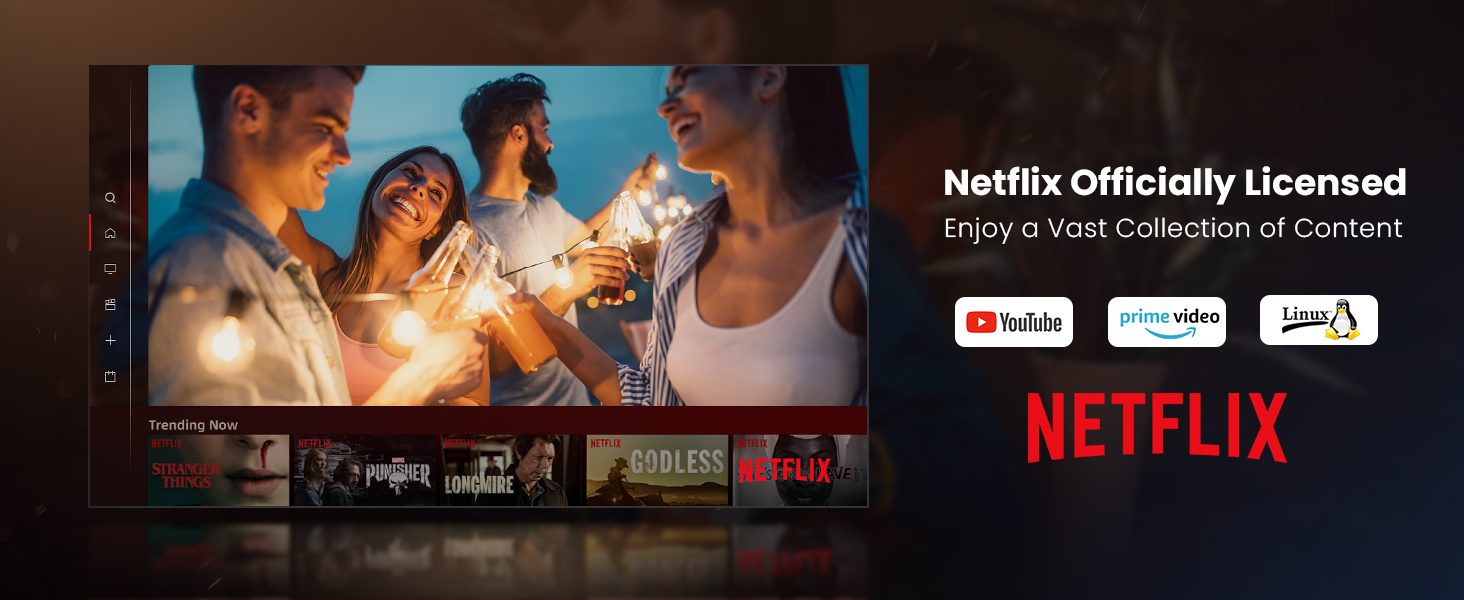
Figure 3: Visual representation of auto-focus and auto-keystone correction.
3.4 Гадаад төхөөрөмжүүдийг холбох
Проектор нь хэд хэдэн холболтын сонголтыг санал болгодог:
- HDMI: Connect gaming consoles, laptops, or other HDMI-enabled devices. One HDMI port supports ARC for enhanced audio return.
- USB: Use the USB ports for multimedia playback from external storage devices.
- SPDIF: Тохиромжтой дууны системд дижитал аудио гаралт хийх зориулалттай.
- LAN: Утастай интернет холболтын хувьд.
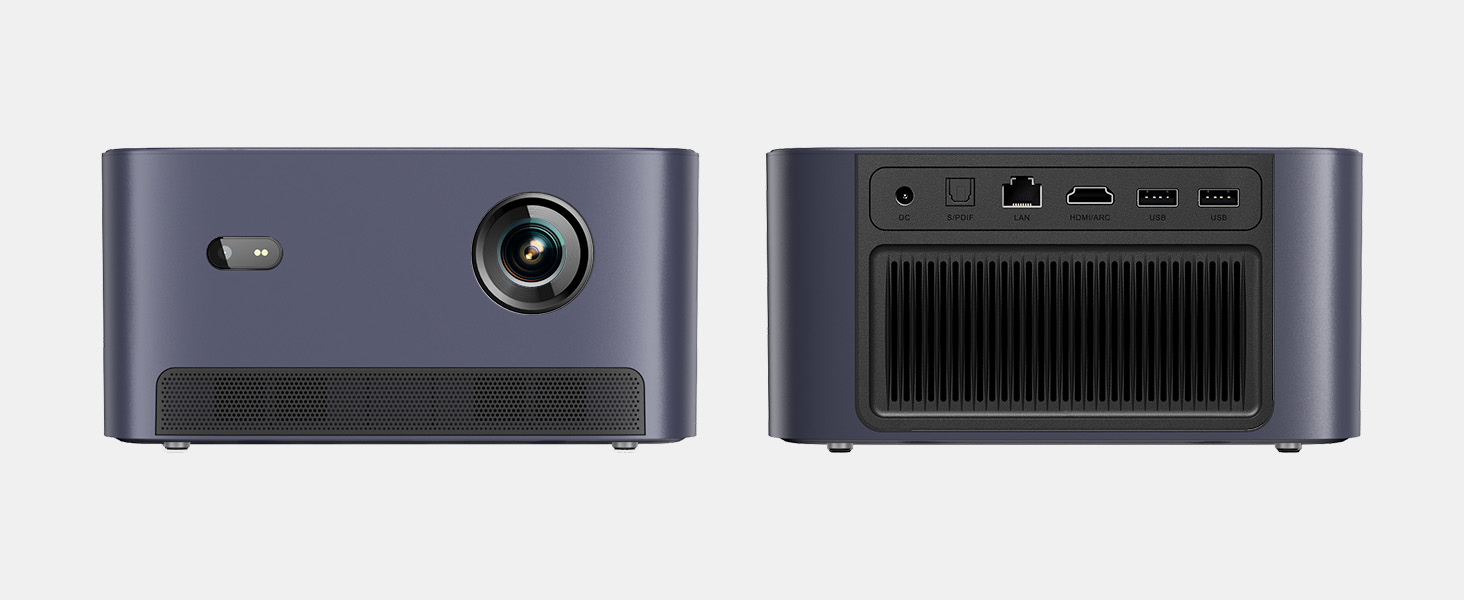
Зураг 4: Ар талд view проекторын янз бүрийн оролт/гаралтын портуудыг харуулж байна.
5. Ашиглалтын заавар
5.1 Интерфэйсийг удирдах
The projector runs on a Linux-based operating system with a user-friendly interface. Use the remote control's directional pad and 'OK' button to navigate through menus and select options.
5.2 Урьдчилан суулгасан програмууд
Enjoy a variety of streaming content with pre-installed and officially licensed applications:
- Netflix: Access your Netflix subscription directly.
- YouTube: Stream videos from YouTube.
- Ерөнхий видео: Watch content from Amazon Prime Video.
- Additional apps are available through the integrated app store.

Figure 5: Projector displaying the Netflix interface.
5.3 Зураг болон аудио тохиргоо
Өөрийгөө оновчтой болго viewдараах шинж чанаруудтай туршлага хуримтлуулах:
- Шийдвэр: Native 1080P Full HD with support for HDR10/HLG for sharp, crisp images.
- Төслийн хэмжээ: Up to 120 inches for an immersive cinematic experience.
- Аудио: Integrated 2x6W speakers with Dolby Audio support provide 360° surround sound.
- Хиймэл оюун ухааны гэрэлтүүлгийн тохируулга: Automatically optimizes brightness based on ambient light.

Figure 6: Large projected image from the Dangbei Neo.

Figure 7: Illustration of 360° surround sound from the projector.
6. Засвар үйлчилгээ
- Цэвэрлэгээ: Use the provided cleaning cloth to gently wipe the lens and exterior surfaces. Avoid abrasive materials or harsh chemicals.
- Агааржуулалт: Ensure the projector's ventilation ports are clear and unobstructed to prevent overheating.
- Lamp Амьдрал: The laser light source has a lifespan of up to 30,000 hours, providing long-term use without frequent lamp солих.
7. Алдаа засах
| Асуудал | Боломжит шалтгаан | Шийдэл |
|---|---|---|
| No image/blurry image | Power issue, focus/keystone incorrect, lens obstructed | Check power connection. Use auto-focus/keystone or adjust manually. Clean the lens. |
| Дуу алга | Volume too low, audio output settings, external device issue | Increase volume. Check audio settings. Ensure external device audio is working. |
| Wi-Fi/Bluetooth холболтын асуудлууд | Incorrect password, device out of range, interference | Verify password. Move closer to router/device. Reduce interference. |
| Проектор хэт халсан | Blocked ventilation, prolonged use | Ensure vents are clear. Allow projector to cool down. |
8. Техникийн үзүүлэлтүүд
| Онцлог | Дэлгэрэнгүй |
|---|---|
| Брэнд | Данбэй |
| Загвар | Нео |
| Дэлгэцийн нягтрал | 1920 x 1080 (1080P FHD) |
| HDR дэмжлэг | HDR10/HLG |
| Гэрлийн эх үүсвэр | Laser (ALPD) |
| Lamp Амьдрал | 30,000 цаг хүртэл |
| Гэрэлтүүлэг | 2100 ISO люмен |
| Ялгаатай харьцаа | 12,000:1 (Динамик) |
| Үйлдлийн систем | Линукс үйлдлийн систем |
| Урьдчилан суулгасан програмууд | Netflix, YouTube, Prime Video |
| Холболт | 5GHz Wi-Fi, Bluetooth 5.0, HDMI (ARC), USB, SPDIF, LAN |
| Аудио | 2x6W Dolby Audio Speakers, 360° Surround Sound |
| Ухаалаг шинж чанарууд | Auto Focus, Auto Keystone Correction, Intelligent Screen Fit, Obstacle Avoidance, AI Brightness Adjustment |
| Хэмжээ | 7.87 x 6.18 x 3.94 инч |
| Жин | 0.141 унц |
9. Баталгаат хугацаа ба дэмжлэг
The Dangbei Neo Smart Projector comes with a standard manufacturer's warranty. For detailed warranty information, product support, or service inquiries, please refer to the warranty card included in your package or visit the official Dangbei webсайт.
Онлайн дэмжлэг: www.dangbei.com
10. Бүтээгдэхүүний албан ёсны видео
Бүтээгдэхүүний албан ёсны видеог үзээрэйview of the Dangbei Neo Smart Projector's features and capabilities.
Video: Dangbei Neo Netflix Officially-Licensed Smart Projector. This video highlights key features and usage scenarios.


