Танилцуулга
The Hoover HG510D is an advanced robot vacuum cleaner designed to provide efficient and autonomous cleaning for your home. Featuring laser navigation, smart mapping capabilities, and app control, it offers a convenient solution for maintaining clean floors. This manual will guide you through the setup, operation, and maintenance of your HG510D robot vacuum cleaner.
Урд view of the Hoover HG510D Robot Vacuum Cleaner.
1. Тохиргоо
1.1 Савлах ба байрлуулах
Carefully remove all components from the packaging. Ensure all protective films and packing materials are removed from the robot and charging base. Place the charging base against a wall in an open area, ensuring there are no obstacles within 1 meter (3 feet) to the sides and 1.5 meters (5 feet) in front of the base. Connect the power adapter to the charging base and plug it into a wall outlet.

The robot vacuum cleaner positioned near its charging base.
1.2 Анхны төлбөр
Place the robot vacuum cleaner onto the charging base. Ensure the charging contacts on the robot align with those on the base. The robot will emit a sound and indicator lights will illuminate, confirming it is charging. Allow the robot to fully charge before its first use. A full charge typically takes several hours.
1.3 Програм татаж авах ба холболт
- Download the "HG5" application from your smartphone's app store (available for Android and iOS).
- Open the app and follow the on-screen instructions to create an account and add your HG510D robot.
- Ensure your smartphone is connected to a 2.4 GHz Wi-Fi network during the pairing process. The robot does not support 5 GHz Wi-Fi networks.
- Once connected, the app will guide you through the initial setup, including firmware updates if available.

Smartphone displaying the HG5 application interface for controlling the robot vacuum.
1.4 First Mapping Run
For optimal performance, allow the robot to complete a full cleaning cycle to create a map of your home. During this initial run, ensure all doors are open to areas you wish to be cleaned and mapped. The robot uses LiDAR navigation to accurately map your environment.

The robot vacuum cleaner actively mapping a room using its laser navigation system.
2. Ашиглалтын заавар
2.1 Үндсэн үйл ажиллагаа
- Цэвэрлэж эхлэх: Press the power button on the robot or use the "Start" function in the HG5 app. The robot will begin cleaning in an efficient pattern.
- Түр зогсоох/үргэлжлүүлэх: Press the power button again to pause cleaning. Press it once more to resume.
- Бааз руу буцах: Press the "Home" button on the robot or select the "Return to Base" option in the app. The robot will automatically navigate back to its charging station.

Топ view of the robot vacuum cleaner, highlighting the power and home buttons for manual control.
2.2 Advanced App Control
The HG5 app provides extensive control and customization options:
- Хуваарь: Set specific times and days for cleaning sessions.
- Custom Cleaning Plans: Name individual rooms on the generated map and define different cleaning settings (e.g., suction power, number of passes) for each room.
- Бүсийн цэвэрлэгээ: Select specific areas on the map for targeted cleaning.
- Виртуал хана ба орохыг хориглосон бүсүүд: Draw virtual boundaries or define areas where the robot should not enter or clean.
- Сорох хүч: Adjust the vacuum's suction power through multiple levels (up to 4 speeds).
- Цэвэрлэгээний түүх: Review past cleaning maps and statistics.

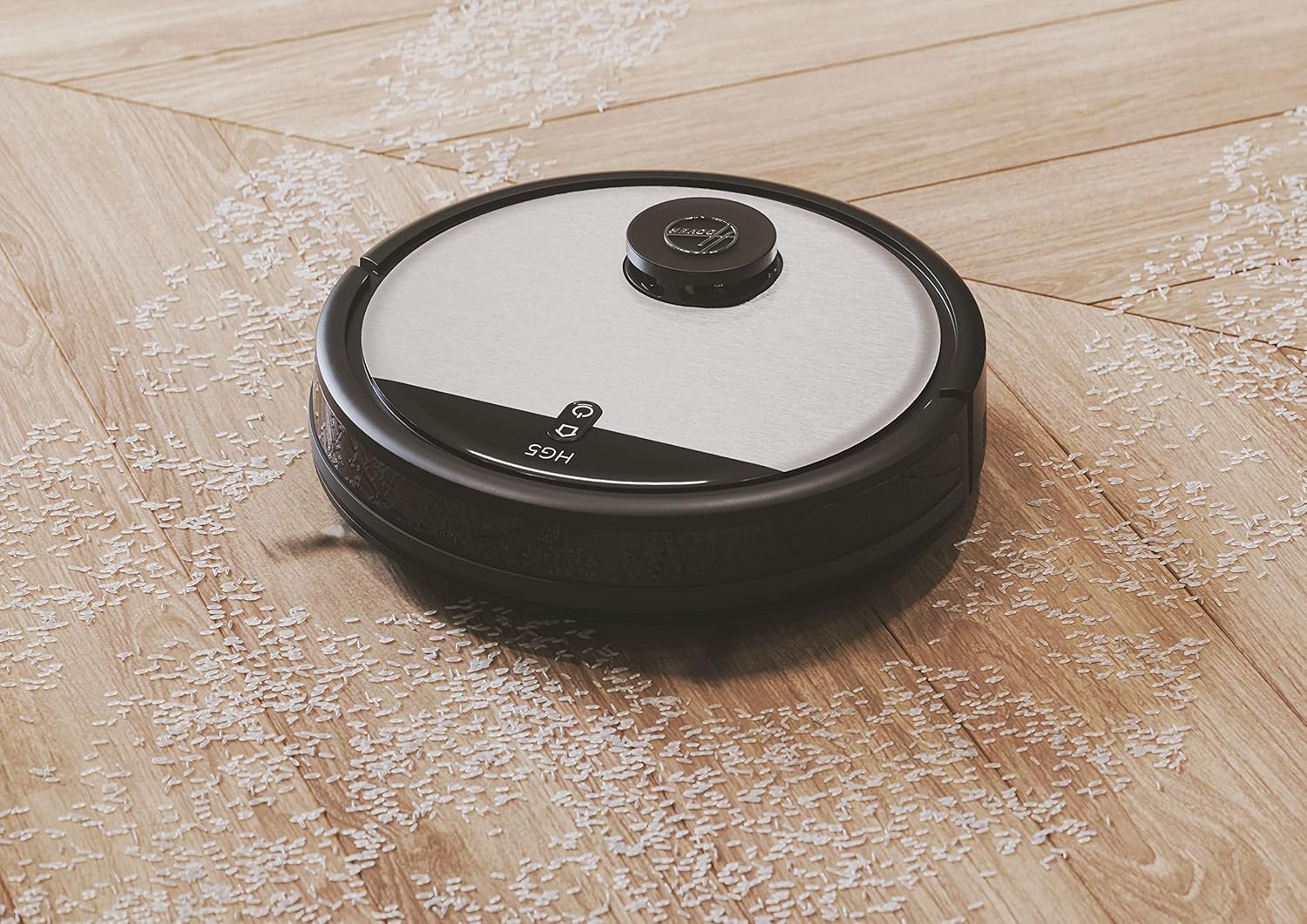
The robot vacuum cleaner actively cleaning debris from a wooden floor.
3. Засвар үйлчилгээ
Тогтмол засвар үйлчилгээ нь таны робот тоос сорогчийн ашиглалтын хугацааг уртасгаж, оновчтой гүйцэтгэлийг баталгаажуулдаг.
3.1 Хогийн савыг хоослох
The dustbin should be emptied after each cleaning cycle or when full. The HG510D has a 0.50L capacity dustbin, easily removable from the rear of the unit.
- Хогийн савыг гаргах товчийг дараад хогийн савыг гарга.
- Open the dustbin lid and discard the collected debris.
- Close the lid and reinsert the dustbin until it clicks into place.
3.2 Шүүлтүүрийг цэвэрлэх
The HEPA10 filter should be cleaned regularly (e.g., weekly) and replaced every 3-6 months, depending on usage.
- Дээр дурдсанчлан хогийн савыг зайлуул.
- Хогийн савнаас шүүлтүүрийн угсралтыг гаргаж ав.
- Tap the filter gently over a trash can to remove dust. Do not wash the HEPA filter with water unless specified in the full manual.
- Шүүлтүүр болон хогийн савыг дахин угсарна уу.
3.3 Cleaning Brushes and Sensors
Periodically inspect and clean the main brush, side brushes, and sensors.
- Үндсэн сойз: Remove the main brush cover and lift out the brush. Use the cleaning tool (if provided) to remove hair and debris.
- Хажуугийн сойз: Unscrew and remove the side brushes. Clean any tangled hair or debris. Replace if worn.
- Мэдрэгч: Wipe the cliff sensors (located on the underside), wall sensors, and charging contacts with a clean, dry cloth.

The underside of the robot vacuum cleaner, illustrating the main brush, side brushes, and sensors.
4. Алдаа засах
If you encounter issues with your Hoover HG510D, refer to the following common problems and solutions:
| Асуудал | Боломжит шалтгаан | Шийдэл |
|---|---|---|
| Робот эхлэхгүй эсвэл хариу үйлдэл үзүүлэхгүй. | Батерей бага байна; цахилгаан унтраалга унтарсан; робот гацсан. | Ensure robot is fully charged. Check if the main power switch is on. Clear any obstructions. |
| Робот Wi-Fi-д холбогдож чадахгүй байна. | Incorrect Wi-Fi password; 5 GHz network; router too far. | Verify password. Ensure you are connecting to a 2.4 GHz network. Move robot closer to router. |
| Цэвэрлэгээний гүйцэтгэл муу. | Бүрэн хогийн сав; бөглөрсөн шүүлтүүр; орооцолдсон багс. | Хогийн сав. Шүүлтүүрийг цэвэрлэх эсвэл солих. Үндсэн болон хажуугийн сойзыг цэвэрлэ. |
| Робот байнга гацдаг. | Obstacles; dark surfaces (cliff sensors). | Clear cables, rugs, and small objects. Use virtual walls in the app for problematic areas. |
| Робот цэнэглэх бааз руугаа буцаж ирдэггүй. | Charging base obstructed; robot too far from base. | Ensure charging base area is clear. Manually place robot near base to initiate return. |
For more detailed troubleshooting, consult the HG5 app for specific error messages or refer to the full product manual available on the Hoover webсайт.
5. Техникийн үзүүлэлтүүд
| Брэнд | Гувер |
| Загварын нэр | HG510D |
| Загварын дугаар | 38383005 |
| Өнгө | Хар |
| Хэмжээ (L x W x H) | 34 x 34 x 10.3 см (13.4 x 13.4 x 4.1 инч) |
| Жин | 2.6 килограмм (5.7 фунт) |
| Хогийн савны багтаамж | 0.50 литр |
| Ботьtage | 14.6 вольт |
| Зайны ашиглалт | 110 минут хүртэл |
| Хурдны тоо | 4 |
| Дуу чимээний түвшин | 68 децибел |
| Шүүлтүүрийн төрөл | EPA (HEPA10) |
| Навигацийн төрөл | LiDAR лазер навигаци |
| Онцлог шинж чанарууд | Anti-fall, Anti-collision, Smart Mapping, Programmable, Automatic Return to Charge Base |
| Хяналтын төрөл | App Control (HG5 App) |
| Гадаргуугийн зөвлөмж | Бүх давхар |
| Оруулсан бүрэлдэхүүн хэсгүүд | Robot Vacuum, Charging Base, Power Adapter, Side Brushes (2 pairs), HEPA Filter (1 spare), Cleaning Tool, Instruction Guide |
6. Баталгаат хугацааны мэдээлэл
Hoover provides a warranty for its products. The availability of spare parts for this model is stated to be 3 years. For specific warranty terms and conditions, including coverage duration and claim procedures, please refer to the warranty card included with your product packaging or visit the official Hoover webсайт. Баталгаат нэхэмжлэл гаргахын тулд худалдан авалтаа нотлох баримтаа хадгалаарай.
7. Хэрэглэгчийн дэмжлэг
If you require further assistance, have questions not covered in this manual, or need technical support, please contact Hoover customer service. Contact details can typically be found on the Hoover official webсайт эсвэл таны бүтээгдэхүүнд хавсаргасан баримт бичигт.
For app-related issues, ensure your app is updated to the latest version and your robot's firmware is current.


