Танилцуулга
This manual provides instructions for the Trust 25025 AZERTY Wireless Keyboard and Mouse Set. This comfortable wireless set features silent keys and buttons, and is constructed using 85% recycled materials. It is designed for ease of use and long-lasting performance.
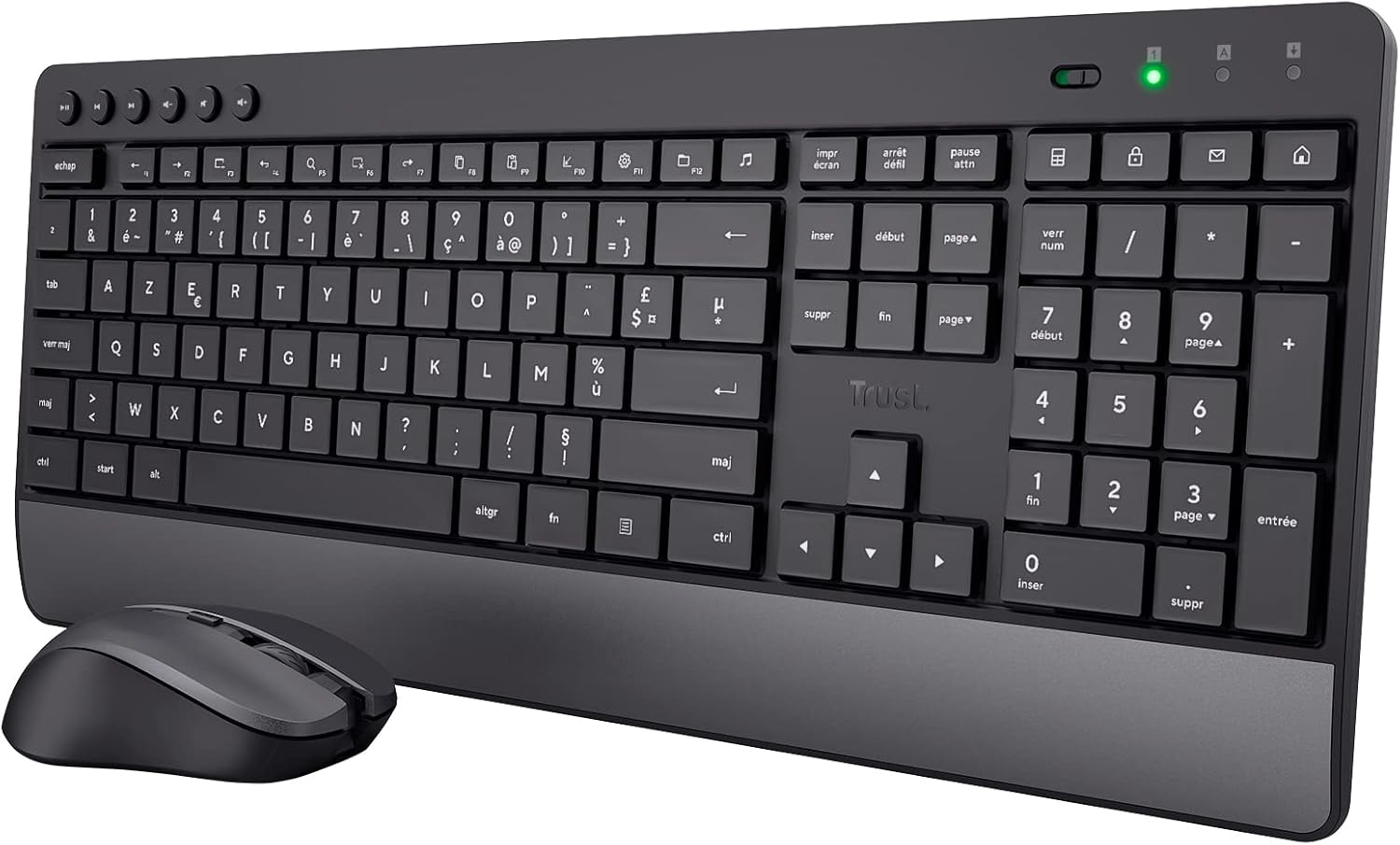
Image: The Trust 25025 AZERTY Wireless Keyboard and Mouse Set, featuring a full-size keyboard with a wrist rest and a compact mouse.
Багцын агуулга
- Trust 25025 AZERTY Wireless Keyboard
- Утасгүй хулганыг итгээрэй
- USB бичил хүлээн авагч
- 3 ширхэг АА батерей (урьдчилан суулгасан эсвэл тусад нь дагалдана)
- Хэрэглэгчийн гарын авлага (энэ баримт бичиг)
Тохиргоо
1. Зай суурилуулах
The keyboard requires 2 AA batteries and the mouse requires 1 AA battery. These are typically included. If not, or if replacing, ensure correct polarity.
- Locate the battery compartments on the underside of the keyboard and mouse.
- Батерейны тагийг нээнэ үү.
- Insert the AA batteries, matching the + and - indicators.
- Батерейны тагийг найдвартай хаа.
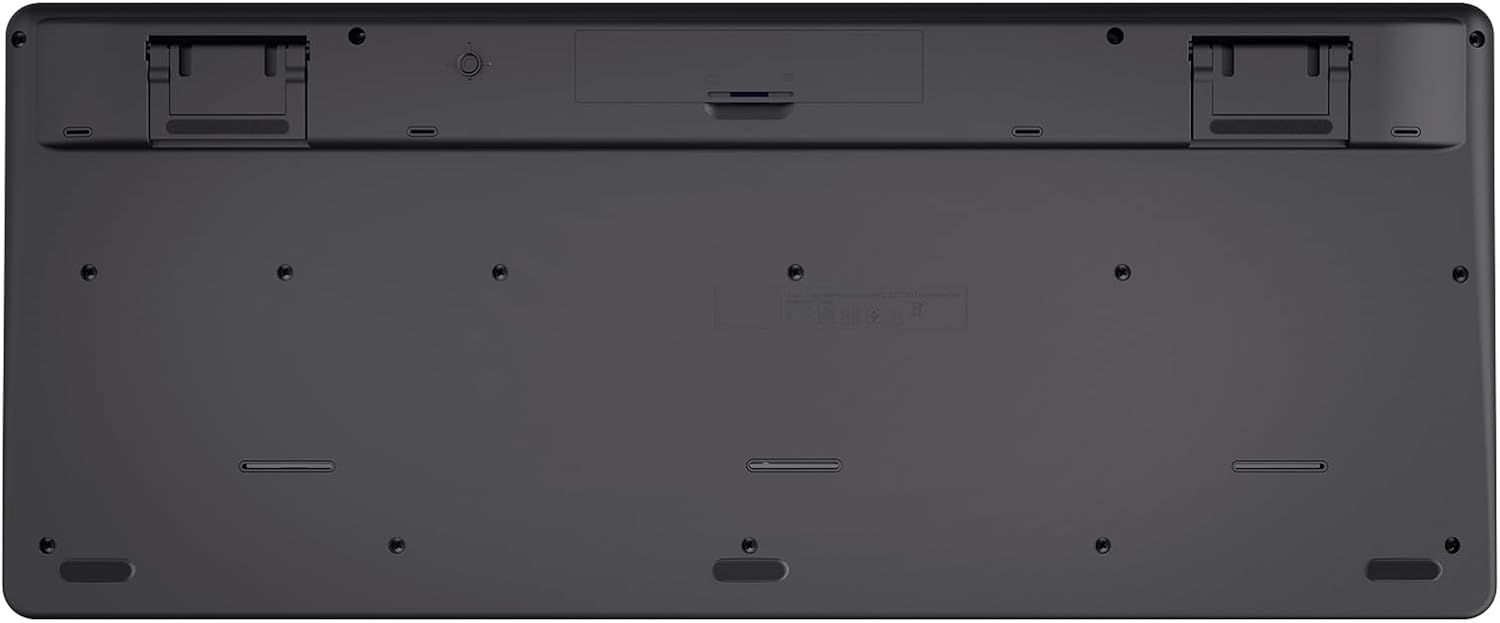
Image: The underside of the Trust 25025 keyboard, showing the battery compartment and the storage slot for the USB micro receiver.
2. Connecting the USB Micro Receiver
The keyboard and mouse connect wirelessly to your computer via a single USB micro receiver.
- Locate the USB micro receiver, usually stored in the mouse's battery compartment or a dedicated slot on the keyboard's underside.
- Plug the USB micro receiver into an available USB port on your computer (PC or Mac).
- Your computer should automatically detect and install the necessary drivers. This is a plug-and-play device, requiring no additional software installation.

Image: An icon representing 'Plug & Play' functionality, indicating easy setup without additional drivers.
3. Асаах
Ensure the keyboard and mouse are switched on. The mouse typically has an on/off switch on its underside. The keyboard may have an indicator light to show it's active.
Ашиглалтын заавар
Гарны онцлог
- AZERTY Байршил: Standard French keyboard layout for comfortable typing.
- Чимээгүй түлхүүрүүд: Designed for quiet operation, reducing typing noise.
- Нэгдсэн бугуйн түшлэг: Удаан хугацааны ашиглалтын үед эргономик дэмжлэг үзүүлдэг.
- Мультимедиа түлхүүрүүд: Dedicated keys for quick access to media controls (play, pause, volume, etc.).
- Асгарахад тэсвэртэй дизайн: Helps protect against accidental liquid spills.
- Батерейны урт наслалт: Up to 48 months of battery life under typical usage conditions.

Зураг: Дээрээс доош view of the Trust 25025 keyboard and mouse, highlighting the AZERTY layout and multimedia keys.
Хулганы онцлог шинж чанарууд
- Чимээгүй товчлуурууд: Reduces click noise for a quieter working environment.
- Тохируулах DPI: Cycle through 1000, 1400, and 1800 DPI settings for precise cursor control. Use the DPI button located near the scroll wheel to change sensitivity.
- Хоёр талт загвар: Suitable for both left-handed and right-handed users.
- Батерейны урт наслалт: Up to 12 months of battery life under typical usage conditions.

Зураг: Ойрын зураг view of the Trust wireless mouse, showing its ergonomic shape and the DPI adjustment button.
Засвар үйлчилгээ
Цэвэрлэгээ
- Гар болон хулганы гадаргууг цэвэрлэхийн тулд зөөлөн, хуурай даавуу ашиглаарай.
- Зөрүүд шороонд бага зэрэг dampдаавууг ус эсвэл зөөлөн цэвэрлэх уусмалаар хийнэ. Химийн хүчтэй бодисоос зайлсхий.
- Төхөөрөмжүүдийг усанд дүрж болохгүй.
Зай солих
When the battery indicator light (if present) illuminates or performance degrades, replace the batteries.
- Turn off the mouse using its power switch.
- Open the battery compartments on both devices.
- Remove old batteries and dispose of them according to local regulations.
- Зөв туйлшралыг баталгаажуулж шинэ АА батерейг оруулна уу.
- Close the battery covers.
Алдааг олж засварлах
No Response from Keyboard or Mouse
- Батерейг шалгах: Батерейг зөв суулгаж, дуусаагүй эсэхийг шалгаарай. Шаардлагатай бол солино.
- Эрчим хүч солих: Verify that the mouse (and keyboard, if applicable) is switched ON.
- USB хүлээн авагч: Ensure the USB micro receiver is securely plugged into a working USB port on your computer. Try a different USB port.
- Зай: Make sure the keyboard and mouse are within the operational range of the USB receiver (typically up to 10 meters).
- хөндлөнгийн оролцоо: Move the devices away from other wireless devices or large metal objects that might cause interference.
Хулганы курсор үсрэх эсвэл тогтворгүй байна
- Гадаргуу: Хулганаа цэвэрхэн, гэрэл ойлгодоггүй гадаргуу дээр ашиглаарай. Хулганы дэвсгэр ашиглахыг зөвлөж байна.
- DPI тохиргоо: Adjust the DPI setting using the button on the mouse to find a comfortable sensitivity.
- Батерей: Low battery power can affect mouse performance. Replace batteries if needed.
Үзүүлэлтүүд
| Онцлог | Дэлгэрэнгүй |
|---|---|
| Брэнд | Итгэл |
| Загварын дугаар | 25025 |
| Цуврал | Trezo |
| Өнгө | Хар |
| Холболтын технологи | Радио давтамж (утасгүй) |
| Гарны зохион байгуулалт | AZERTY |
| Хулганы DPI тохиргоо | 1000, 1400, 1800 |
| Гарны батерейны ашиглалтын хугацаа | 48 сар хүртэл |
| Хулганы батерейны ашиглалт | 12 сар хүртэл |
| Батерей шаардлагатай | 3 x AA (багтсан) |
| Бүтээгдэхүүний хэмжээс | 18.2 x 43.6 x 4.4 см |
| Зүйлийн жин | 752 гр |
| Техник хангамжийн платформ | Mac, PC |
| Үйлдлийн системийн нийцтэй байдал | Windows, Mac OS, Chrome OS |
| Онцлог шинж чанарууд | 85% recycled plastic, long battery life, silent typing and clicks, wrist rest, single USB adapter for mouse and keyboard |
| Тохиромжтой төхөөрөмжүүд | Зөөврийн компьютер, компьютер |

Image: An icon indicating compatibility with multiple devices, including laptops and PCs.
Баталгаат болон дэмжлэг
Баталгаат хугацаа болон техникийн дэмжлэг авахыг хүсвэл албан ёсны Итгэлцлийн сантай холбогдоно уу website or contact their customer service directly. Details regarding specific warranty periods and support channels are typically provided with the product packaging or on the manufacturer's webсайт.


