Танилцуулга

Зураг: The iJoy Disney Nightmare Before Christmas Sally Dress Bluetooth Headphones, showcasing тэдний өвөрмөц дизайн.
Thank you for choosing the iJoy Disney Nightmare Before Christmas Sally Dress Bluetooth Headphones. These wireless over-ear headphones are designed to provide a rich audio experience with a unique Sally Dress design. They feature a built-in microphone for hands-free calling, a foldable design for portability, and versatile connectivity options. This manual will guide you through the setup, operation, and maintenance of your new headphones.
Тохиргоо
1. Чихэвчийг цэнэглэх
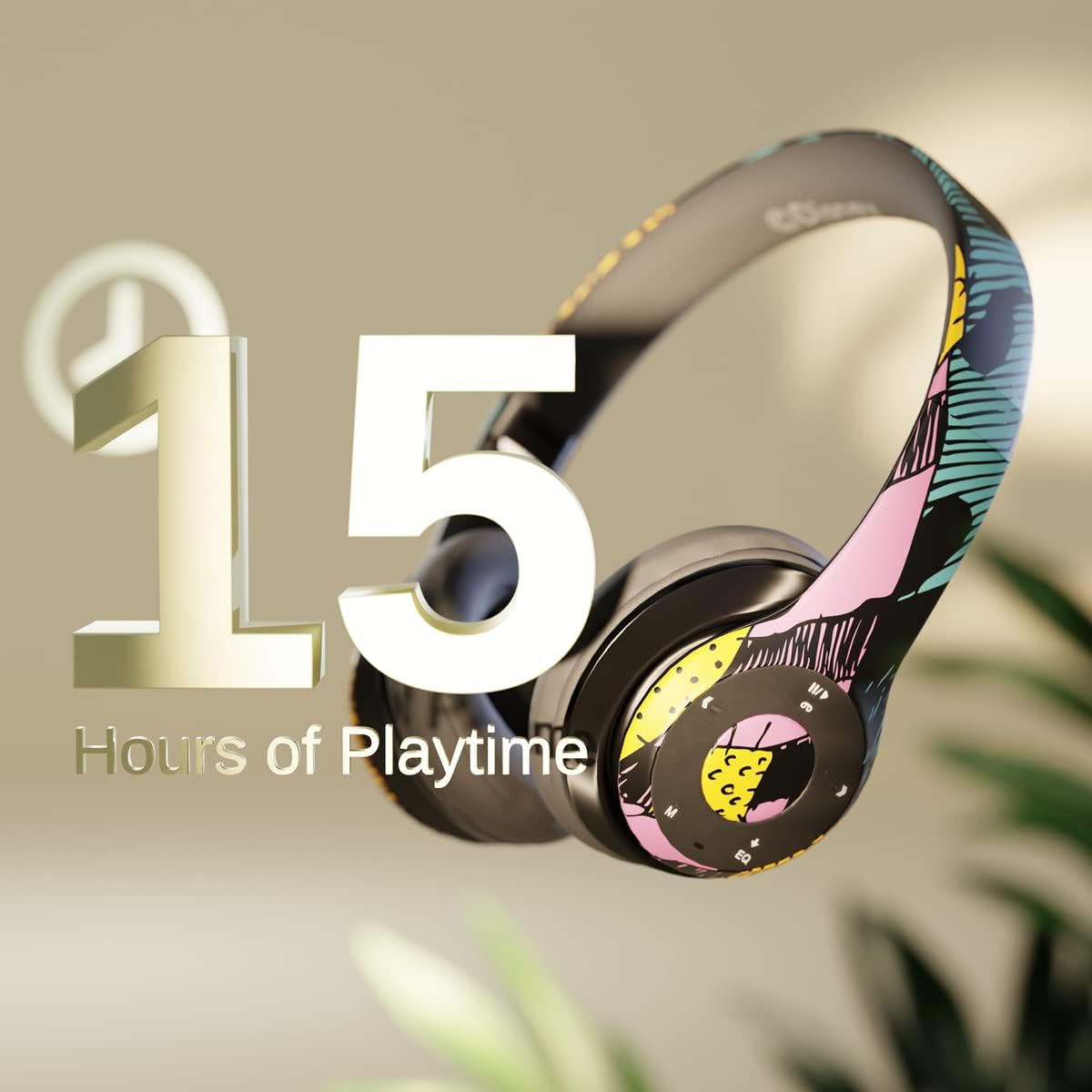
Зураг: Graphic indicating 15 hours of playtime for the headphones, highlighting battery endurance.
Before first use, fully charge your headphones. Connect the provided charging cable to the charging port on the headphones and a USB power source. The LED indicator will show charging status and turn off when fully charged. A full charge provides approximately 15 hours of battery life.
2. Bluetooth хослол

Зураг: The headphones with a graphic illustrating universal compatibility with both Apple and Android devices.
- Чихэвч унтарсан эсэхийг шалгаарай.
- LED индикатор цэнхэр, улаан анивчсан бол асаах товчийг удаан дарж, хослуулах горимыг зааж өгнө.
- On your Bluetooth-enabled device (smartphone, tablet, computer), go to Bluetooth settings and search for available devices.
- Select "iJoy DHP2431" (or similar name) from the list.
- Холбогдсоны дараа LED заагч аажмаар цэнхэр өнгөөр анивчих болно.
3. Using the Auxiliary Cable
For a wired connection, plug one end of the 3.5mm auxiliary cable into the headphone's audio jack and the other end into your audio device. This allows for continued listening even if the battery is depleted.
4. Микро SD карт тоглуулах
Insert a Micro SD card with your favorite music into the designated slot on the headphones. The headphones will automatically switch to Micro SD card playback mode. Use the control buttons to manage your music.
Ашиглалтын заавар
Асаах/унтраах
- Асаахын тулд: LED заагч асах хүртэл Power товчийг удаан дар.
- Унтраахын тулд: LED индикатор унтрах хүртэл Power товчийг дараад барина уу.
5-Button Control System
The headphones feature a convenient 5-button control system located on the ear cup for easy management of audio and calls.

Зураг: Нарийвчилсан view of the 5-button control panel on the headphone ear cup, indicating functions for volume, track navigation, equalizer, and call management.
- Play/Pause/Answer/Hang-up: Press the center button to play or pause music, or to answer/end a phone call.
- Дууны хэмжээг нэмэгдүүлэх / Дараагийн дуу: Дууны хэмжээг нэмэгдүүлэхийн тулд '+' товчийг дарна уу. Дараагийн дуу руу шилжихийн тулд '+' товчийг дарна уу.
- Дууны дууг багасгах / өмнөх дуу: Дууны хэмжээг багасгахын тулд '-' товчийг дарна уу. Өмнөх дуу руу очихын тулд '-' товчийг дарна уу.
- Тэгшитгэл: Press the 'EQ' button to cycle through different equalizer presets.
- Горим сонгогч: Press the 'M' button to switch between Bluetooth, Micro SD card, and FM Radio modes.
Гар чөлөөтэй дуудлага хийх
With the built-in microphone, you can make and receive calls directly through your headphones when connected via Bluetooth to your smartphone. Use the center button to answer or end calls.
Суурилуулсан радио хүлээн авагч
Switch to FM Radio mode using the 'M' button. The headphones will automatically scan and tune into available radio stations. Use the track navigation buttons to change stations.
Эвхэгддэг дизайн

Зураг: The headphones are shown in their folded configuration, highlighting their compact and portable design for easy storage and transport.
The headphones feature a foldable design, allowing for easy storage and portability. Simply fold the ear cups inwards towards the headband to reduce their size for travel or storage in a backpack.
Noise Canceling Design

Зураг: Дэлбэрэв view of the headphone's ear cup, illustrating the internal speaker components and the connection point for the auxiliary cable, emphasizing the noise-canceling technology.
The over-ear cup design helps to isolate audio, providing a more immersive listening experience by reducing external noise interference.
Засвар үйлчилгээ
- Цэвэрлэгээ: Чихэвчийг цэвэрлэхийн тулд зөөлөн, хуурай даавуугаар цэвэрлээрэй. Зүлгүүрийн цэвэрлэгч, уусгагчийг бүү ашигла.
- Хадгалах: Ашиглаагүй үед чихэвчийг сэрүүн, хуурай газар хадгална. Авсаархан хадгалахын тулд эвхэгддэг загварыг ашигла.
- Батерейны арчилгаа: Зайны ашиглалтын хугацааг уртасгахын тулд чихэвчийг байнга цэнэглэж болохгүй. Байнгын хэрэглээгүй байсан ч тогтмол цэнэглэ.
- Усны эсэргүүцэл: Эдгээр чихэвч нь ус нэвтэрдэггүй. Шингэн зүйлд өртөхөөс зайлсхий.
Алдааг олж засварлах
- Эрчим хүчгүй: Чихэвч бүрэн цэнэглэгдсэн эсэхийг шалгаарай. Эрчим хүчний эх үүсвэрт холбогдож, цэнэглэх заагчийг шалгана уу.
- Bluetooth-ээр холбох боломжгүй:
- Чихэвчийг хослуулах горимд байгаа эсэхийг шалгаарай (LED цэнхэр, улаан анивчдаг).
- Төхөөрөмж дээрээ Bluetooth асаалттай бөгөөд холбогдох хүрээнд (ихэвчлэн 10 метр) байгаа эсэхийг шалгаарай.
- Төхөөрөмжөө утасныхаа Bluetooth жагсаалтаас мартаад дахин холбож үзнэ үү.
- Чихэвч болон төхөөрөмжөө дахин эхлүүлнэ үү.
- Дуугүй:
- Чихэвч болон холбогдсон төхөөрөмжийнхөө дууны түвшинг шалгана уу.
- Ensure the headphones are properly connected via Bluetooth or auxiliary cable.
- If using an SD card, ensure the audio files нь тохирох форматтай байна.
- Дууны чанар муу:
- Хөндлөнгийн нөлөөллөөс зайлсхийхийн тулд Bluetooth төхөөрөмждөө ойртоорой.
- Чанарын асуудал байгаа эсэхийг аудио эх сурвалжаас шалгана уу.
- Ensure the ear cups are properly positioned over your ears for optimal sound isolation.
Үзүүлэлтүүд
| Загварын нэр | DHP2431 |
| Холболтын технологи | Утасгүй (Bluetooth) |
| Утасгүй холбооны технологи | Bluetooth |
| Оруулсан бүрэлдэхүүн хэсгүүд | Headphones, Charging Cable, Auxiliary Cable |
| Насны хүрээ (Тодорхойлолт) | Adult (suitable for kids) |
| Материал | Plastic, Metal, Fabric, Memory Foam |
| Бүтээгдэхүүний ашиглахыг зөвлөж байна | Хөгжим, Дуудлага |
| Тохиромжтой төхөөрөмжүүд | Bluetooth-тэй төхөөрөмжүүд |
| Хяналтын төрөл | Volume Control, Track Navigation, Equalizer, Mode Selector |
| Кабелийн онцлог | Retractable, Without Cable (for wireless use) |
| Зүйлийн жин | 0.26 килограмм (9.1 унц) |
| Усны эсэргүүцлийн түвшин | Усанд тэсвэртэй биш |
| Загвар | Sally Dress |
| Хяналтын арга | Товчлуур |
| Зүйлүүдийн тоо | 1 |
| Зайны ашиглалт | 15 цаг |
| Аудио драйверын төрөл | Динамик драйвер |
| Чихэвчний хэлбэр | Чихний дээгүүр |
| Тоног төхөөрөмжийн интерфейс | 3.5 мм аудио |
| UPC | 842700197150 |
| Онцлог шинж чанар | Built-in Radio Receiver, Foldable and Adjustable headband, Micro SD Card Plug-in, Microphone Included |
| Үйлдвэрлэгч | iJoy |
| Багцын хэмжээ | 6.57 x 6.1 x 3.19 инч |
| Батерей | 1 Лити Полимер батерей шаардлагатай (дагсан) |
Баталгаат хугацаа
iJoy нь дараах зүйлсийг санал болгодог: 6 сарын солилцооны баталгаа for these headphones. If your headset breaks or is damaged for any reason within this period, iJoy will provide you with a free replacement.
Дэмжлэг
For further assistance, troubleshooting, or warranty claims, please contact iJoy customer support. You can often find contact information on the product packaging or by visiting the official iJoy webсайт.
Бүтээгдэхүүний видео
iJoy Disney Nightmare Before Christmas Headphones Overview
Видео: Бүтээгдэхүүний албан ёсны видео шоуasing the iJoy Disney Nightmare Before Christmas Headphones, highlighting their design and features.


