1. Танилцуулга
Thank you for choosing the Perlegear PGTVMC15 Mobile TV Stand. This manual provides essential information for the safe and correct assembly, operation, and maintenance of your new TV stand. Please read these instructions carefully before installation and retain them for future reference.
The Perlegear PGTVMC15 is a versatile mobile TV stand designed to accommodate 37-75 inch televisions weighing up to 40kg. It features a reinforced glass base for stability and a sleek aesthetic, 360-degree rotating casters with locking mechanisms for easy movement and secure positioning, 6-level height adjustment, and a ±35-degree swivel function for optimal viewing angles. Its design is suitable for various environments, including homes, schools, hospitals, and business displays.
Аюулгүй байдлын мэдээлэл
- Бүх зааврыг уншина уу: Ensure you understand all assembly and operating instructions before use.
- Жингийн багтаамж: Do not exceed the maximum load capacity of 40kg (88 lbs). Overloading can result in serious injury or property damage.
- ТВ-ийн хэмжээ: Энэхүү суурь нь 37-75 инчийн хоорондох телевизоруудад зориулагдсан.
- VESA нийцтэй байдал: Ensure your TV's VESA mounting pattern is within the range of 200x100mm to 600x400mm.
- Ассемблей: Assemble the product exactly as instructed. Improper assembly may lead to instability.
- Кастерууд: Always lock the casters when the stand is in a stationary position to prevent accidental movement.
- Хүүхдүүд: Keep children away from the TV stand during assembly and ensure the TV is securely mounted to prevent tipping.
2. Багцын агуулга
Please verify that all components listed below are present and undamaged. If any parts are missing or damaged, please contact Perlegear customer support.
Багц нь ихэвчлэн дараахь зүйлийг агуулдаг.
- Main support column
- Reinforced glass base
- TV mounting brackets
- Adjustable media shelf
- Casters with locking mechanism
- Hardware kit (various screws, washers, spacers for TV mounting and stand assembly)
- Угсрах заавар
3. Техникийн үзүүлэлтүүд
| Онцлог | Тодорхойлолт |
|---|---|
| Загварын дугаар | PGTVMC15 |
| Тохиромжтой ТВ-ийн хэмжээ | 37-75 инч |
| Хамгийн их ачааллын багтаамж | 40 кг (88 фунт) |
| VESA-тай нийцтэй байдал (Хэвтээ) | 200мм - 600мм |
| VESA нийцтэй байдал (босоо) | 100мм - 400мм |
| Өндөр тохируулга | 6 levels (104cm - 129cm from floor to TV plate center) |
| Эргэдэг өнцөг | ±35 degrees (left/right) |
| Үндсэн материал | Reinforced Tempered Glass |
| Баганын материал | Ган |
| Бүтээгдэхүүний хэмжээс | 60 x 40 x 125 cm (approximate, varies with height setting) |
| Бүтээгдэхүүний жин | 16 кг |

Зураг 3.1: Detailed dimensions of the Perlegear PGTVMC15 TV Stand. This diagram provides precise measurements of the TV stand, including its overall height (up to 129cm), base dimensions (60cm x 40cm), and shelf size, aiding in planning your setup.
4. Тохиргоо ба угсралт
Follow these steps to assemble your Perlegear PGTVMC15 Mobile TV Stand. It is recommended to have two people for assembly, especially when mounting the TV.
4.1 Угсралтын өмнөх шалгалт
- Бүх эд ангиудыг задалж, зурааснаас урьдчилан сэргийлэхийн тулд зөөлөн, цэвэр гадаргуу дээр тавь.
- Бүх эд ангиуд багцын агуулгын жагсаалттай харьцуулж байгаа эсэхийг шалгана уу.
- Ensure your TV meets the size (37-75 inches), weight (max 40kg), and VESA compatibility (200x100mm to 600x400mm) requirements.

Зураг 4.1: TV compatibility guidelines. This image illustrates the compatibility of the TV stand, supporting televisions from 37 to 75 inches, with a maximum weight of 40kg. It is compatible with VESA mounting patterns ranging from 200x100mm to 600x400mm.
4.2 Угсралтын үе шатууд (Ерөнхийview)
- Кастеруудыг сууринд бэхлэх: Secure the casters to the reinforced glass base using the provided hardware. Ensure locking casters are positioned correctly.
- Assemble Support Column: Connect the main support column sections as per the detailed instructions in your package.
- Баганыг сууринд хавсаргах: Secure the assembled support column to the glass base.
- Install Media Shelf: Attach the adjustable media shelf to the support column at your desired height.
- ТВ-ийн хаалтуудыг ТВ-д хавсаргах: Secure the TV mounting brackets to the back of your television using the appropriate screws, washers, and spacers from the hardware kit. Ensure the brackets are level and securely fastened.
- ТВ-ийг сууринд нь суурилуулах: With assistance, carefully lift the TV and hook the TV brackets onto the mounting plate of the stand. Secure the TV in place using the safety screws or locking mechanisms.
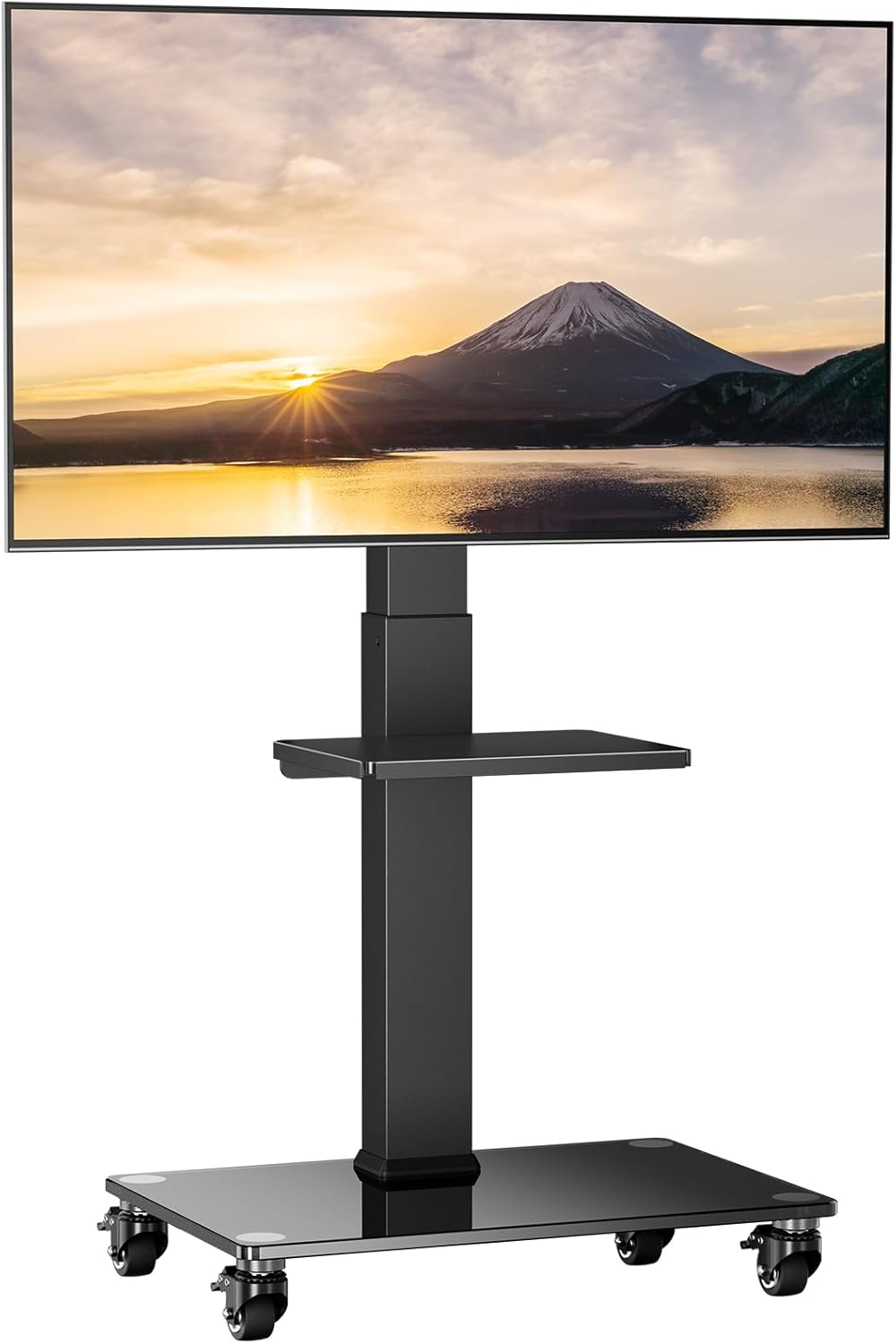
Зураг 4.2: The Perlegear PGTVMC15 Mobile TV Stand fully assembled with a television mounted.
5. Ашиглалтын заавар
5.1 Өндөр тохируулга
The TV stand allows for 6 levels of height adjustment to achieve your preferred viewing height. To adjust the height:
- ТВ-ийг найдвартай суурилуулсан эсэхийг шалгаарай.
- Locate the pull-pin mechanism on the main support column.
- Pull the pin outwards to disengage the locking mechanism.
- Carefully slide the TV mounting plate up or down to the desired height.
- Release the pin, ensuring it fully engages into one of the adjustment holes to lock the height securely.

Зураг 5.1: Height adjustment mechanism. The stand offers 6 levels of height adjustment, allowing the TV to be positioned between 104cm and 129cm (from the center of the mounting plate to the floor surface). Adjustment is made using a convenient pull-pin mechanism.
5.2 Эргэдэг функц
The TV stand allows for a ±35-degree swivel (left or right) to optimize your viewөнцөг.
- Gently grasp the sides of your TV.
- Carefully rotate the TV to the desired left or right angle within the 35-degree range.
- No locking mechanism is required for swivel; the friction holds the TV in place.
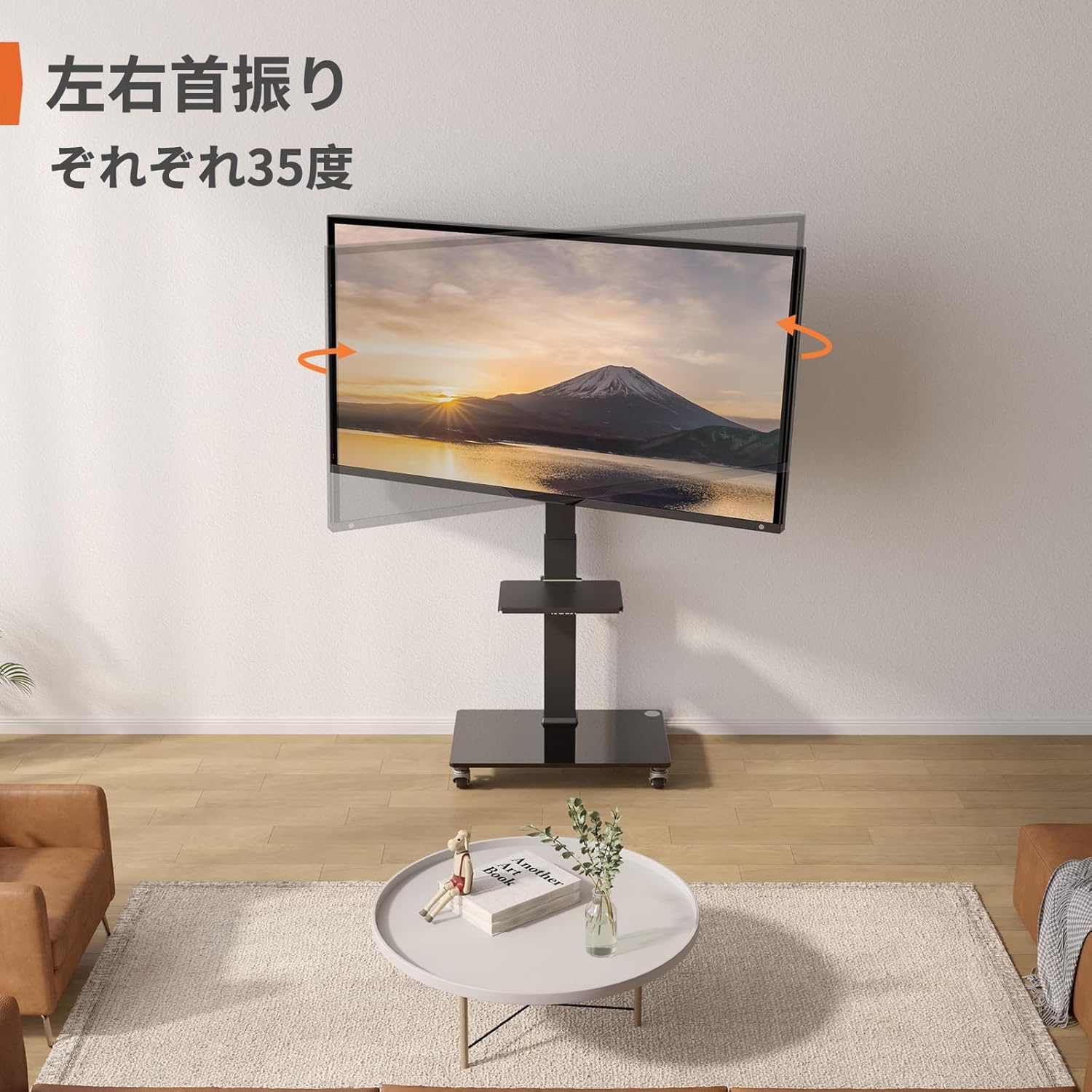
Зураг 5.2: Swivel function. The TV stand features a ±35-degree swivel function, enabling you to adjust the viewтав тухтай байлгах өнцөг viewөрөөнд байгаа янз бүрийн байрлалаас.
5.3 Mobility and Caster Usage
The integrated casters allow for easy movement of the TV stand. Each caster is equipped with a locking mechanism.
- Хөдлөх: Unlock all casters by flipping their levers upwards. Gently push the stand to its new location.
- Аюулгүй болгохын тулд: Once in the desired position, lock all casters by flipping their levers downwards to prevent accidental movement.

Зураг 5.3: Casters with locking mechanism. Equipped with smooth-rolling casters, this stand is suitable for various floor types including wood, carpet, and tile. The casters are designed for quiet operation and include locking mechanisms for stability.
6. Засвар үйлчилгээ
- Цэвэрлэгээ: Зөөлөн ашиглах, damp cloth to clean the surfaces of the stand. Avoid abrasive cleaners or solvents that could damage the finish or glass.
- Тогтмол шалгалтууд: Бүх эрэг ба холболтыг нягт, найдвартай байлгахын тулд үе үе шалгаж байгаарай. Шаардлагатай бол дахин чангална.
- Кастерийн тусламж үйлчилгээ: Keep the casters free of debris to ensure smooth movement.
7. Алдаа засах
7.1 Stand is Unstable
- Холболтуудыг шалгах: Бүх шураг, боолтыг найдвартай чангалж байгаа эсэхийг шалгаарай.
- Түвшин гадаргуу: Суурийг хавтгай, тэгш гадаргуу дээр байрлуулсан эсэхийг шалгаарай.
- Жингийн хязгаар: Confirm your TV's weight does not exceed the 40kg (88 lbs) maximum load capacity.
7.2 Difficulty Moving the Stand
- Unlock Casters: Ensure all casters are in the unlocked position.
- Хагархай байгаа эсэхийг шалгах: Clear any hair, dust, or debris from the caster wheels.
7.3 ТВ түвшингүй байна
- Re-adjust Brackets: Loosen the TV mounting screws slightly, adjust the TV to be level, and then retighten the screws.
- Check Stand Assembly: Ensure the main column and mounting plate are assembled correctly and are level.
8. Баталгаат хугацаа ба дэмжлэг
Perlegear products are manufactured with quality and durability in mind. For specific warranty information, please refer to the warranty card included in your package or visit the official Perlegear webсайт.
If you encounter any issues or have questions regarding your Perlegear PGTVMC15 Mobile TV Stand, please contact our customer support team. Our representatives are available to assist you with troubleshooting, parts replacement, or any other product-related inquiries.
Холбоо барих мэдээлэл: Please refer to the contact details provided on the Perlegear official webхамгийн сүүлийн үеийн дэмжлэгийн мэдээллийг авахын тулд сайт эсвэл бүтээгдэхүүний сав баглаа боодол руугаа орно уу.


