1. Аюулгүй байдлын чухал мэдээлэл
Please read all safety instructions carefully before using the BYINTEK P70 Smart WiFi Projector. Keep this manual for future reference.
- Эрчим хүчний эх үүсвэр: Зөвхөн өгсөн тэжээлийн адаптерийг ашиглана уу. Боть байгаа эсэхийг баталгаажуулна ууtage нь проекторын шаардлагад нийцдэг.
- Батерейны аюулгүй байдал: The projector contains a built-in lithium-ion battery. Do not expose to extreme temperatures, puncture, or disassemble.
- Агааржуулалт: Хэт халалтаас сэргийлж проекторын эргэн тойронд агааржуулалтыг зөв хийж байгаарай. Агааржуулалтын нүхийг бүү бөглөөрэй.
- Дулаан: The projector may become warm during operation. This is normal. Avoid touching the lens or vents immediately after use.
- Гэрэлд өртөх: l байх үед проекторын линз рүү шууд харж болохгүйamp тод гэрэл нь нүдийг ядраах эсвэл гэмтээж болзошгүй тул асаалттай байна.
- Ус ба чийг: Keep the projector away from water, rain, and excessive humidity. Do not operate with wet hands.
- Цэвэрлэгээ: Цэвэрлэхийн өмнө цахилгааныг салга. Зөөлөн, хуурай даавуу хэрэглээрэй. Шингэн болон аэрозол цэвэрлэгч хэрэглэж болохгүй.
- Хүүхдүүд: Keep the projector and its accessories out of reach of children.
2. Бүтээгдэхүүн дууссанview
The BYINTEK P70 is a portable smart DLP projector designed for versatile entertainment and presentation needs. It features an 8000mAh built-in battery, Android 9.0 operating system, auto-focus, and 3D support.
2.1 Багцын агуулга
- BYINTEK P70 Projector x 1
- Алсын удирдлага x 1
- Цахилгаан адаптер x 1
- Мини Tripod x 1
- Хадгалах уут x 1
- Хэрэглэгчийн гарын авлага x 1
2.2 Гол онцлогууд
- Зөөврийн дизайн: Авсаархан, хөнгөн жинтэй тул тээвэрлэхэд хялбар.
- Баригдсан батерей: 8000mAh battery provides 1.5 to 3 hours of playback.
- Ухаалаг Андройд үйлдлийн систем: Android 9.0 for app downloads, online streaming, and gaming.
- Автомат фокус: Тодорхой дүрсний хувьд автомат фокусын тохируулга.
- 6D Keystone Correction: Advanced keystone correction for flexible placement.
- 3D дэмжлэг: Enjoy immersive 3D content.
- Утасгүй холболт: Supports wireless screen mirroring from Android, iOS, and PC devices.
- Утастай холболт: USB data cable sync for iOS and select Android devices.
- Том төсөөллийн хэмжээ: Up to 200 inches.
- 4K Playback: Supports up to 4K video input.
- Long LED Lamp Амьдрал: 30,000 цаг.
- Хос стерео чанга яригч: Integrated 2x5W speakers for clear audio.

Image: Infographic detailing the BYINTEK P70's features including 4K support, DLP display, 6D keystone, 8000mAh battery, 3D, Type-C charge, 2G+32G memory, Android OS, and stereo speakers.
3. Тохиргоо
3.1 Charging the Projector
Before first use, fully charge the projector. Connect the provided power adapter to the projector's Type-C port and plug it into a power outlet. The charging indicator will show the charging status.

Image: The BYINTEK P70 projector connected to a power bank via a Type-C cable, illustrating its portable charging capability.
3.2 Анхны байршуулалт
Проекторыг тогтвортой, тэгш гадаргуу дээр байрлуул. Хамгийн оновчтой viewing, position it directly in front of your projection screen or wall. The included mini tripod can be used for angle adjustments.
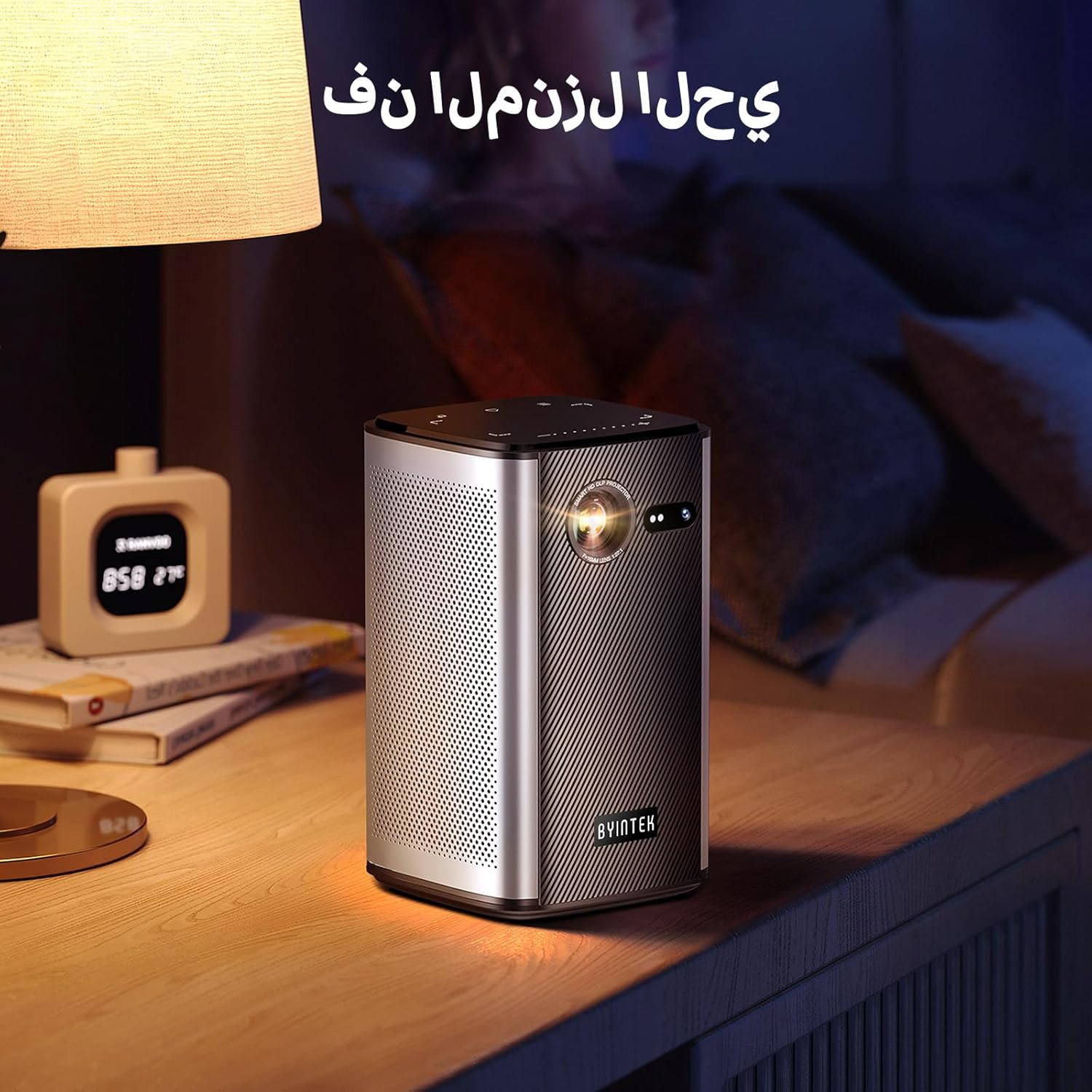
Image: The BYINTEK P70 projector placed on a bedside table, ready for indoor use.
3.3 Асаах/унтраах
Press and hold the power button on the projector or remote control to turn the device on or off.
3.4 Төвлөрөл ба гол чулууг засах
The BYINTEK P70 features automatic focus. For keystone correction, navigate to the settings menu using the remote control. The 6D keystone correction allows for precise image adjustment, even with side projection.

Image: A visual representation of the projector's auto-focus feature, showing a clear image projected onto a wall.
4. Ашиглалтын заавар
4.1 Андройд үйлдлийн систем дээр навигаци хийх
Use the remote control to navigate the Android 9.0 interface. The home screen provides access to pre-installed apps and settings. You can download additional applications from the app store.

Image: The projector displaying its Android operating system interface with various application icons like Miracast, Settings, AirPlay, Market, File Explorer, YouTube, and Netflix.
4.2 Утасгүй дэлгэцийн толин тусгал
The projector supports wireless screen mirroring for Android, iOS, and PC devices. Access the 'Miracast' or 'AirPlay' app on the projector's home screen and follow the on-screen instructions to connect your device.
4.3 Утастай дэлгэцийн толин тусгал
For iOS devices and some Android devices, you can use a USB data cable for wired screen synchronization. Connect your device to the projector's USB port using its original data cable.
4.4 3D тоглуулах
The BYINTEK P70 supports 3D content. To enjoy 3D movies, ensure your media file is in a compatible 3D format (e.g., Blu-ray 3D, SBS, TNB) and use active shutter 3D glasses (sold separately).

Image: A family wearing 3D glasses, enjoying a 3D movie projected by the BYINTEK P70, showcasing its 3D capability.
4.5 Дижитал томруулалт
Adjust the image size from 50% to 100% using the digital zoom function on the remote control. This allows you to fit the image perfectly to your screen without moving the projector.
5. Засвар үйлчилгээ
5.1 Линзийг цэвэрлэх
Проекторын линзийг зөөлөн арчихын тулд оптик линзэнд тусгайлан зориулсан зөөлөн, хөвөнгүй даавуу ашиглаарай. Зүлгүүрийн материал эсвэл хүчтэй химийн бодис хэрэглэхээс зайлсхий.
5.2 Гадна талын цэвэрлэгээ
Проекторын гадна талыг зөөлөн, хуурай даавуугаар арчина. Төхөөрөмж дээр шингэн цэвэрлэгч эсвэл шүршигч шууд хэрэглэж болохгүй.
5.3 Хадгалалт
When not in use, store the projector in a cool, dry place, away from direct sunlight and extreme temperatures. Use the provided storage bag to protect it from dust and scratches.
5.4 Батерейны арчилгаа
Зайны ашиглалтын хугацааг уртасгахын тулд зайгаа ойр ойрхон бүрэн цэнэггүй болгохоос зайлсхий. Хэрэв удаан хугацаагаар хадгалах юм бол зайгаа 50% хүртэл цэнэглэж, хэдэн сар тутамд цэнэглээрэй.
6. Алдаа засах
| Асуудал | Боломжит шалтгаан | Шийдэл |
|---|---|---|
| Зураг төсөллөөгүй | Projector not powered on; input source not selected; cable not connected. | Ensure projector is on. Select correct input source (HDMI, USB, Wireless). Check cable connections. |
| Зураг бүдэг байна | Out of focus; projector too close/far from screen; lens dirty. | Allow auto-focus to adjust. Adjust projector distance. Clean the lens. |
| Алсын удирдлага ажиллахгүй байна | Batteries low/dead; remote not paired; obstruction. | Replace remote batteries. Ensure line of sight to projector's IR receiver. Re-pair remote if necessary (refer to specific pairing instructions in the full manual). |
| Дуу алга | Volume too low; external audio device connected; audio format not supported. | Increase projector volume. Disconnect external audio devices. Check audio format compatibility. |
| Утасгүй толин тусгалтай холбоотой асуудлууд | Poor Wi-Fi signal; device compatibility; firewall settings. | Ensure strong Wi-Fi signal. Check device compatibility with Miracast/AirPlay. Disable firewalls temporarily for testing. |
| Проектор хэт халсан | Blocked ventilation; prolonged use in hot environment. | Ensure vents are clear. Operate in a well-ventilated area. Allow projector to cool down. |
7. Техникийн үзүүлэлтүүд
| Онцлог | Тодорхойлолт |
|---|---|
| Брэнд | BYINTEK |
| Загварын дугаар | P70 |
| Бүтээгдэхүүний хэмжээс | 8.2 x 8.2 x 14.2 см |
| Зүйлийн жин | 1.58 кг |
| Батерей | 1 Lithium Ion battery (included), 8000mAh, 29.6 Wh |
| Үйлдлийн систем | Android |
| Дэлгэцийн нягтрал | 960 x 540 |
| Дэлгэцийн дээд нягтрал | 4K Ultra HD Megapixel |
| Холболтын технологи | Wi-Fi |
| Онцлог шинж чанарууд | Auto-focus, 3D Ready, Built-in Wi-Fi Receiver |
| Зөвлөмж болгож буй хэрэглээ | Гэрийн кино театр |
| Дэлгэцийн төрөл | DLP |
| Form Factor | Зөөврийн |
| Суурилуулах төрөл | Tripod бэхэлгээ |
| USB 3.0 портууд | 1 |
| HDMI портууд | 1 |
| Ботьtage | 12 вольт |
| Ватtage | 25 ватт |
| Эрчим хүчний эх үүсвэр | АС ба зай |
8. Баталгаат хугацаа ба дэмжлэг
The BYINTEK P70 Smart WiFi Projector comes with a standard manufacturer's warranty. For specific warranty details, please refer to the warranty card included in your product packaging or contact BYINTEK customer support.
If you encounter any issues or have questions regarding your projector, please contact BYINTEK customer support through their official website or the contact information provided in your product documentation. Please have your model number (P70) and purchase details ready when contacting support.


