1. Оршил ба түүнээс дээшview
This manual provides detailed instructions for the installation, operation, and maintenance of your Ebitcam RBX-S60 4G LTE Cellular Security Camera. This camera is designed for locations without traditional WiFi or electrical power, utilizing 4G LTE cellular networks and solar power for continuous operation.
Гол онцлогууд нь:
- 24/7 тасралтгүй бичлэг: Powered by a 20W solar panel and a 15000mAh battery.
- 4G LTE холболт: Operates in areas with cellular signal, supporting AT&T, T-Mobile, and Verizon networks via an included ELOTCLUB SIM card.
- 2K High-Definition Video: Тунгалаг хоол хүнсийг барьж авдагtage with 2K resolution.
- 360° View: Offers 355° horizontal pan and 100° vertical tilt for comprehensive coverage.
- Өнгөт шөнийн хараа: Provides accurate color representation in low-light conditions when the spotlight is activated via the app.
- PIR хөдөлгөөн мэдрэгч: Detects motion based on heat signatures, reducing false alarms and sending instant alerts to your phone.
- Хоёр талын яриа: Камераар дамжуулан бодит цагийн харилцаа холбоог идэвхжүүлдэг.

Image 1.1: The Ebitcam RBX-S60 cellular security camera with its integrated solar panel and SIM card slot.
2. Багцын агуулга
Таны багцад бүх зүйл байгаа эсэхийг шалгана уу:
- Ebitcam RBX-S60 Cellular Security Camera
- 20W Solar Panel (pre-attached or separate)
- Суурилуулах бэхэлгээ ба шураг
- ELOTCLUB SIM Card (with 300MB data)
- SD Card (if included in your specific model variant)
- Хэрэглэгчийн гарын авлага (энэ баримт бичиг)
3. Тохируулах гарын авлага
3.1 SIM карт болон SD карт суурилуулах
- Locate the SIM card slot on the camera body. This is typically protected by a rubber cover.
- Тагийг нь болгоомжтой нээнэ үү.
- Insert the provided ELOTCLUB Nano SIM card into the SIM card slot with the gold contacts facing down and the notched corner aligned correctly. Ensure it clicks into place.
- If using an SD card for local storage, insert it into the designated SD card slot.
- Усны хамгаалалтыг хангахын тулд резинэн тагийг сайтар таглана.

Зураг 3.1: Ойролцоогоор view of the SIM card being inserted into the camera's slot.

Image 3.2: Details of the included ELOTCLUB SIM card and its compatibility with major carriers.
3.2 Камер болон нарны хавтанг суурилуулах
Хүлээн авах байршлыг сонгоно уу ample direct sunlight for the solar panel and provides the desired camera view. The camera is rated IP65 for outdoor use.
- Attach the mounting bracket to the camera and solar panel assembly.
- Mark the drilling points on the wall or mounting surface using the bracket as a template.
- Нислэгийн нүхийг өрөмдөж, шаардлагатай бол хананд бэхэлгээ хийнэ.
- Өгөгдсөн боолтыг ашиглан бэхэлгээний хаалтыг гадаргуу дээр бэхлэнэ.
- Нарны цацрагийг хамгийн их байлгахын тулд нарны хавтангийн өнцгийг тохируулна уу.
- Adjust the camera angle for optimal surveillance coverage.

Image 3.3: The camera and solar panel mounted on a wall, illustrating its pan and tilt range.
3.3 Initial Power-Up and App Connection
- Ensure the camera has sufficient charge from the solar panel or an initial USB charge if needed.
- -г татаж авах Ubox application from your smartphone's app store (available for Android and iOS).
- Open the UBox app and follow the on-screen instructions to create an account and add your camera. This typically involves scanning a QR code on the camera or manually entering its ID.
- Нэгэнт холбогдсон бол та боломжтой view live video, adjust settings, and receive alerts.
4. Ашиглалтын заавар
4.1 Continuous Recording and Power Management
The Ebitcam RBX-S60 is designed for 24/7 continuous recording, powered by its 20W solar panel and 15000mAh battery. However, to conserve power, if the battery level drops below 30%, the camera will automatically switch from continuous recording to event-based recording (triggered by motion).

Image 4.1: The camera's 24/7 continuous recording capability.
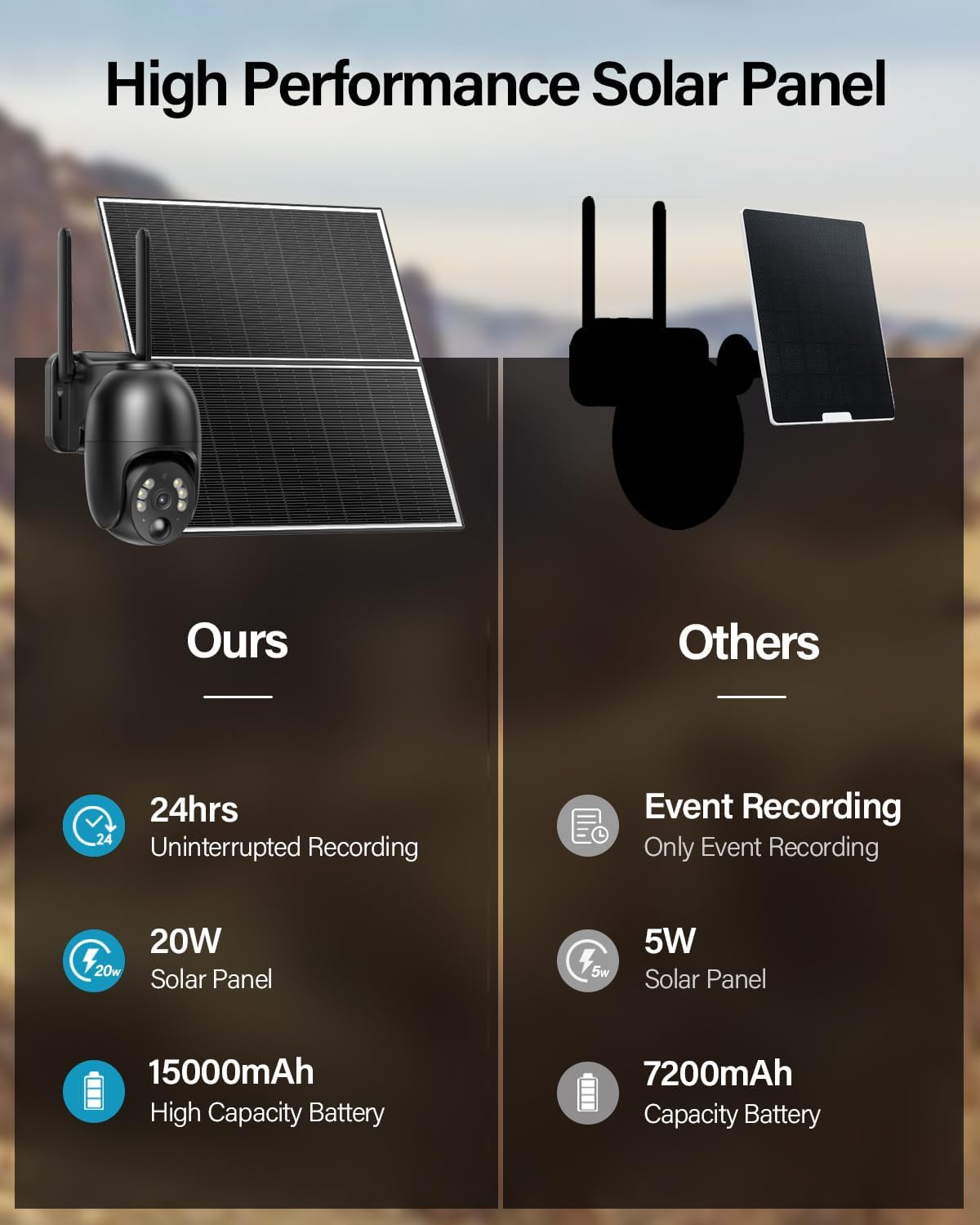
Image 4.2: Comparison highlighting the 20W solar panel and 15000mAh battery for uninterrupted recording.
4.2 Хөрвүүлэх болон хазайлтыг удирдах
Utilize the UBox app to remotely control the camera's viewing angle. The camera supports 355° horizontal rotation (pan) and 100° vertical rotation (tilt), allowing you to monitor a wide area.

Image 4.3: Visual representation of the camera's 360-degree viewоруулах хүрээ.
4.3 Өнгөт шөнийн хараа
The camera provides 2K resolution color night vision. To enable color night vision, you must manually activate the spotlight feature within the UBox application. Without the spotlight, the camera will operate in standard infrared black and white night vision.
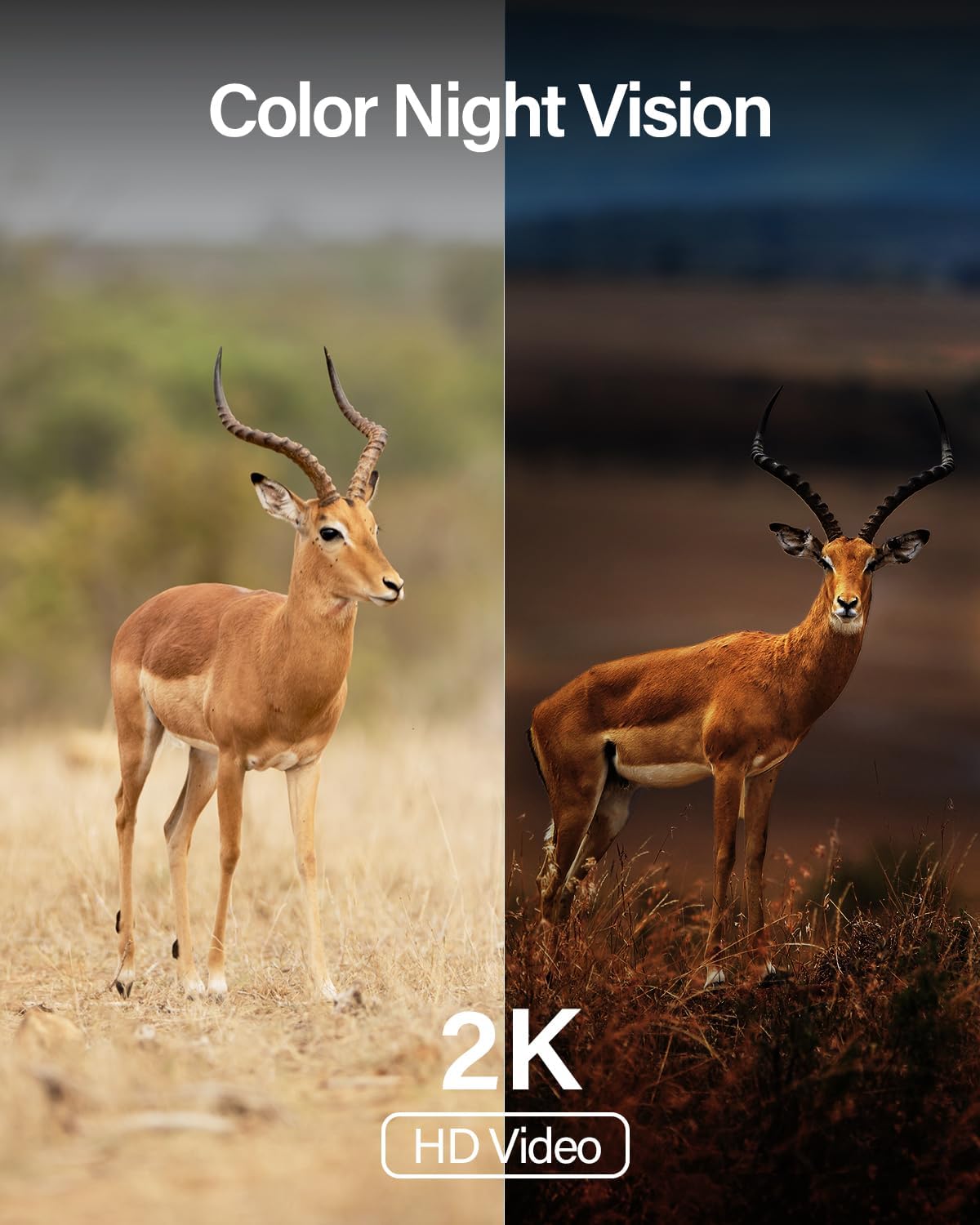
Зураг 4.4: Жишээ ньample of the camera's color night vision capability in low light.
4.4 PIR Motion Sensor and Alerts
The integrated Passive Infrared (PIR) motion sensor detects movement by sensing changes in heat signatures, minimizing false alerts from non-human objects. When motion is detected, the camera can:
- Send instant notifications to your smartphone via the UBox app.
- Activate a siren (if enabled).
- Turn on a spotlight (if enabled, for color night vision or deterrence).
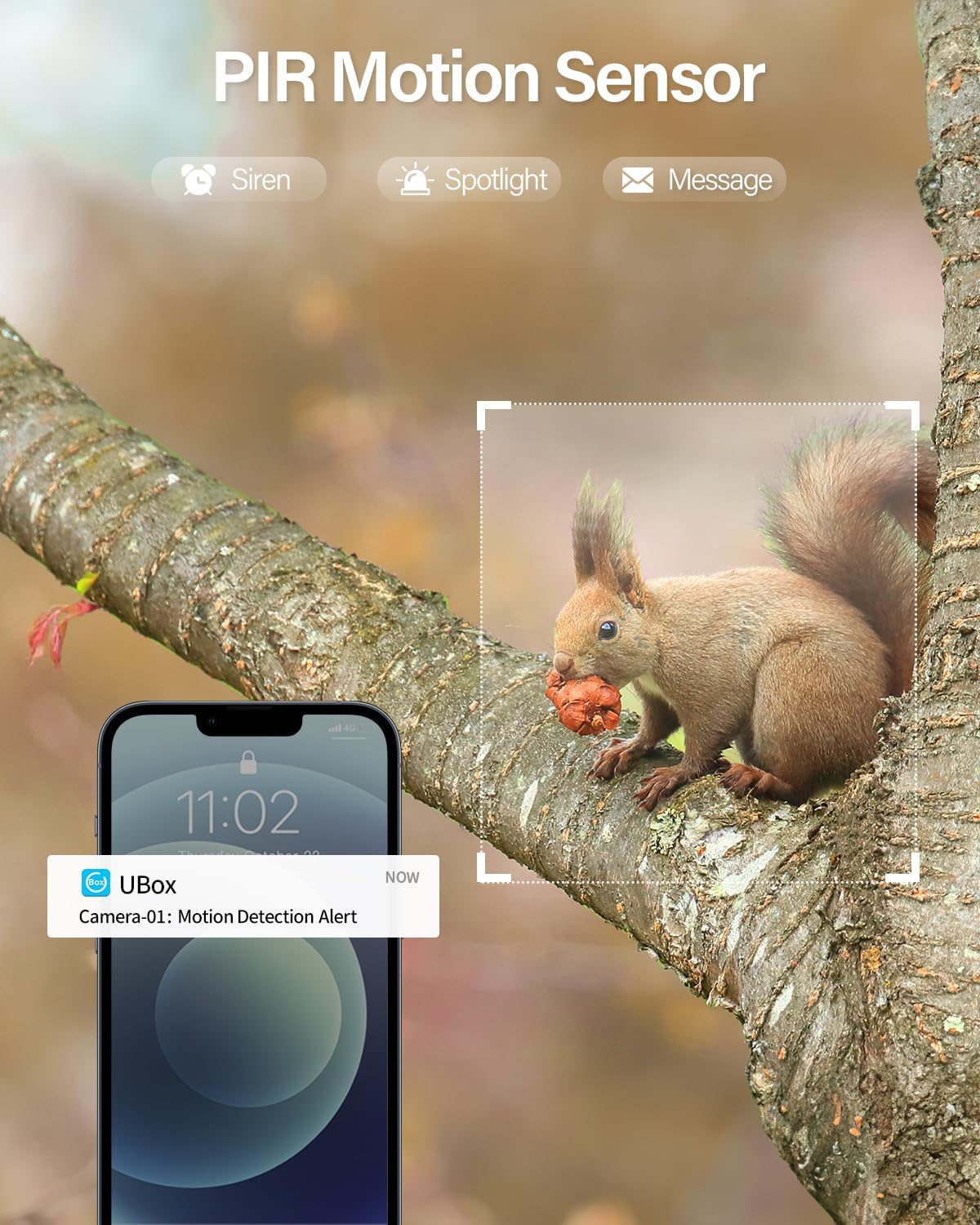
Image 4.5: A squirrel triggering a PIR motion detection alert on a smartphone.
4.5 Хоёр талын яриа
Use the two-way talk feature in the UBox app to communicate through the camera. This allows you to speak to visitors, delivery personnel, or deter unwanted individuals.
4.6 Хэрэглээний хувилбарууд
The camera's 4G LTE and solar power capabilities make it ideal for various locations without traditional infrastructure:
- Farms and Ranches
- Barns and Outbuildings
- Барилгын талбайнууд
- Vacation Homes and RVs
- Агуулахууд
- Camping Sites

Зураг 4.6: Жишээ ньamples of suitable environments for the 4G LTE cellular camera.
5. Засвар үйлчилгээ
Regular maintenance ensures optimal performance and longevity of your Ebitcam RBX-S60 camera.
- Нарны хавтанг цэвэрлэх: Нарны хавтангийн гадаргууг үе үе зөөлөн арчиж, damp cloth to remove dust, dirt, or debris that may obstruct sunlight and reduce charging efficiency.
- Камерын линз цэвэрлэх: Зургийн чанарыг тод байлгахын тулд камерын линзийг микрофибер даавуугаар зөөлөн арчина. Зүлгүүрийн материалаас зайлсхий.
- Батерейны хяналт: Monitor the battery level via the UBox app. Ensure the solar panel receives adequate sunlight to keep the battery charged, especially for continuous recording.
- Програм хангамжийн шинэчлэлтүүд: Check the UBox app regularly for any available firmware updates. Keeping the firmware updated can improve performance and add new features.
- Биеийн үзлэг: Periodically check the mounting hardware for tightness and inspect cables for any signs of wear or damage.
6. Алдаа засах
If you encounter issues with your Ebitcam RBX-S60 camera, refer to the following common problems and solutions:
6.1 Camera Not Connecting to App / Offline
- Check 4G LTE Signal: Ensure the camera is in an area with sufficient 4G LTE cellular coverage. Signal strength can vary.
- SIM картын төлөв: Verify the ELOTCLUB SIM card is correctly inserted and has active data. Check data balance via the ELOTCLUB service if possible.
- Батерейны түвшин: A low battery can affect connectivity. Ensure the solar panel is clean and receiving direct sunlight.
- Restart Camera: Power cycle the camera by turning it off and on, or by pressing the reset button if accessible.
- Аппликешны асуудлууд: Ensure your UBox app is updated to the latest version. Try restarting the app or your smartphone.
6.2 Recording Issues (No Recording or Event-Only Recording)
- Батерейны түвшин: If the battery is below 30%, the camera automatically switches to event-based recording. Ensure adequate solar charging.
- SD карт: If using an SD card, ensure it is correctly inserted, not full, and not corrupted. Format the SD card via the app if necessary (this will erase all data).
- Үүл хадгалах сан: If relying on cloud storage, verify your subscription status and internet connectivity.
6.3 False Motion Alerts or Missed Detections
- PIR-ийн мэдрэмтгий байдал: Adjust the PIR motion sensor sensitivity settings within the UBox app. High sensitivity can lead to false alerts from environmental factors.
- Камер байрлуулах: Ensure the camera is not pointed directly at moving foliage, reflective surfaces, or areas with frequent temperature changes that could trigger the PIR sensor.
- Саад бэрхшээл: Clear any physical obstructions in the camera's field of view.
6.4 Зургийн чанар муу
- Цэвэр линз: Камерын линзийг Засвар үйлчилгээний хэсэгт тайлбарласны дагуу цэвэрлэнэ үү.
- Нарийвчлалын тохиргоо: Ensure the video resolution is set to 2K in the UBox app.
- Шөнийн хараа: For color night vision, ensure the spotlight is activated in the app.
7. Техникийн үзүүлэлтүүд
| Загварын нэр | RBX-S60 |
| Брэнд | Ebitcam |
| Эрчим хүчний эх үүсвэр | Нарны эрчим хүчээр ажилладаг |
| Холболтын технологи | Үүрэн холбоо (4G LTE) |
| Видео бичлэгийн нягтрал | 2K |
| Тойрог/Найлтын муж | 355° хэвтээ, 100° босоо |
| Зайны багтаамж | 15000 mAh (10400 Milliamp Hours listed in specs) |
| Нарны хавтан Wattage | 20W (5 watts listed in specs, but feature bullet says 20W. Using 20W as it's a key selling point) |
| Олон улсын хамгаалалтын зэрэглэл | IP65 |
| Хөдөлгөөн илрүүлэх | PIR хөдөлгөөн мэдрэгч |
| Тохиромжтой төхөөрөмжүүд | Ухаалаг утас (Android, iOS) |
| Зүйлийн жин | 6.34 фунт |
8. Баталгаат хугацаа ба дэмжлэг
For warranty information, technical support, or further assistance, please contact Ebitcam customer service. You can typically find contact details on the official Ebitcam website or through the UBox application.
-д зочилно уу Ebitcam Store бүтээгдэхүүний дэлгэрэнгүй мэдээлэл авахыг хүсвэл.


