Танилцуулга
This manual provides detailed instructions for the installation, operation, and maintenance of your CPVAN Wireless Video Doorbell Camera with Chime. Please read this manual thoroughly before using the product to ensure proper function and safety. This device is designed to enhance your home security by providing real-time video monitoring, two-way audio communication, and motion detection capabilities.
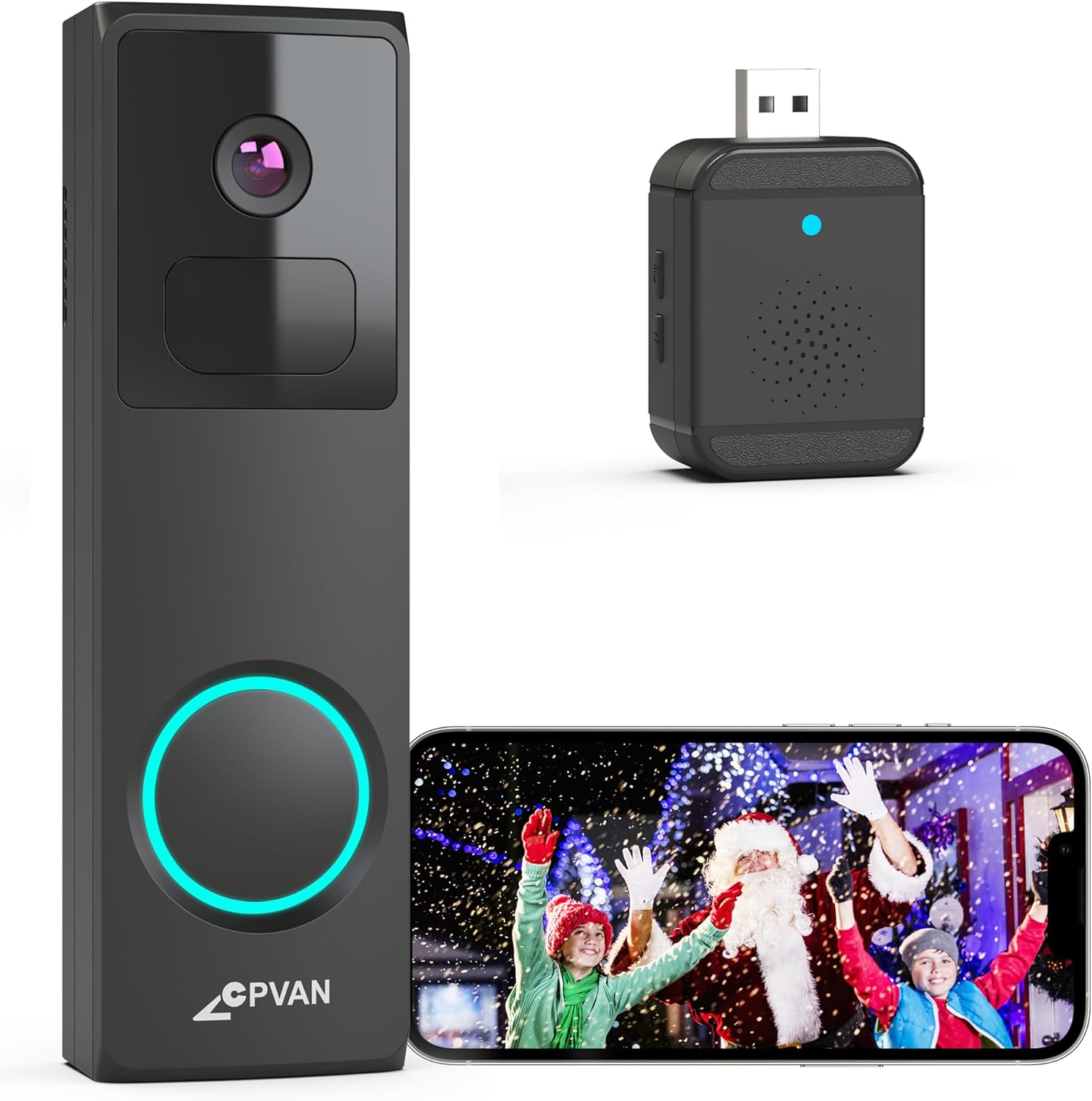
Image: The CPVAN Wireless Video Doorbell Camera, its accompanying wireless chime, and a smartphone displaying the live feed from the doorbell camera.
Багцын агуулга
Таны багцад бүх бүрэлдэхүүн хэсгүүд байгаа эсэхийг шалгана уу:
- CPVAN Wireless Video Doorbell Camera
- Wireless Chime (USB powered)
- Mounting Bracket(s) (e.g., Plain Mount, Corner Mount, Wedge Mount)
- Суурилуулах эрэг ба ханын зангуу
- USB цэнэглэгч кабель
- Хэрэглэгчийн гарын авлага (энэ баримт бичиг)
Тохируулах заавар
1. Хаалганы хонхны камерыг цэнэглэх
Before initial use, fully charge the doorbell camera using the provided USB cable. Connect the cable to the doorbell's charging port and a standard USB power adapter (not included). The charging indicator light will provide status updates.
2. Апп суулгах, бүртгэл үүсгэх
Download the 'Vicohome' app from your smartphone's app store (iOS or Android). Follow the on-screen instructions to create an account and log in.
3. Device Pairing (Doorbell and Chime)
- Хаалганы хонхыг холбох: In the Vicohome app, tap the '+' icon to add a new device. Select the doorbell camera and follow the in-app instructions to connect it to your 2.4GHz Wi-Fi network. (Note: 5GHz Wi-Fi networks are not supported).
- Pairing the Chime: Plug the wireless chime into a USB power source. Within the Vicohome app, navigate to the doorbell settings and select the option to pair the chime. Press the pairing button on the chime as instructed by the app. The chime offers 16 selectable ringtones and adjustable volume levels.

Image: The wireless chime plugged into a wall outlet, indicating its readiness for use.
4. Mounting the Doorbell Camera
Choose a suitable location for your doorbell, typically at eye level near your front door. The package includes various mounting brackets (plain, corner, wedge) to accommodate different installation needs. Use the provided screws and wall anchors to securely attach the chosen bracket, then slide the doorbell camera onto the bracket.

Image: Visual representation of the Plain Mount, Corner Mount, and Wedge Mount options for doorbell installation.

Image: A person demonstrating the installation of the doorbell camera onto a wall.
Ашиглалтын заавар
1. Амьд View
Open the Vicohome app to access the live video feed from your doorbell camera at any time. This allows you to monitor your doorstep in real-time.
2. Хоёр талын аудио
When a visitor presses the doorbell, you will receive a direct video call notification on your smartphone. Answer the call through the Vicohome app to engage in two-way audio communication with the visitor. This feature allows you to speak and listen to individuals at your door from any location.

Image: A smartphone screen showing an incoming video call notification from the doorbell, with options to accept or decline.

Image: A delivery person at a doorstep, with speech bubbles indicating two-way communication via the doorbell camera.
3. Motion Detection and AI Analysis
The doorbell features a built-in PIR motion sensor and AI analysis to detect movement and identify objects such as people, vehicles, and pets. When motion is detected, you will receive instant alerts via the Vicohome app. You can customize motion detection zones within the app to focus on specific areas and reduce false alarms.

Image: The doorbell camera's AI recognition feature identifying and outlining a delivery person, a car, and a dog in its field of view.

Image: An overhead diagram illustrating how different motion detection zones (Zone 1, Zone 2, Zone 3) can be configured around a property.
4. Шөнийн хараа
The doorbell camera is equipped with advanced IR night vision, providing clear and detailed images even in low-light conditions. It automatically switches to infrared mode based on ambient lighting changes.
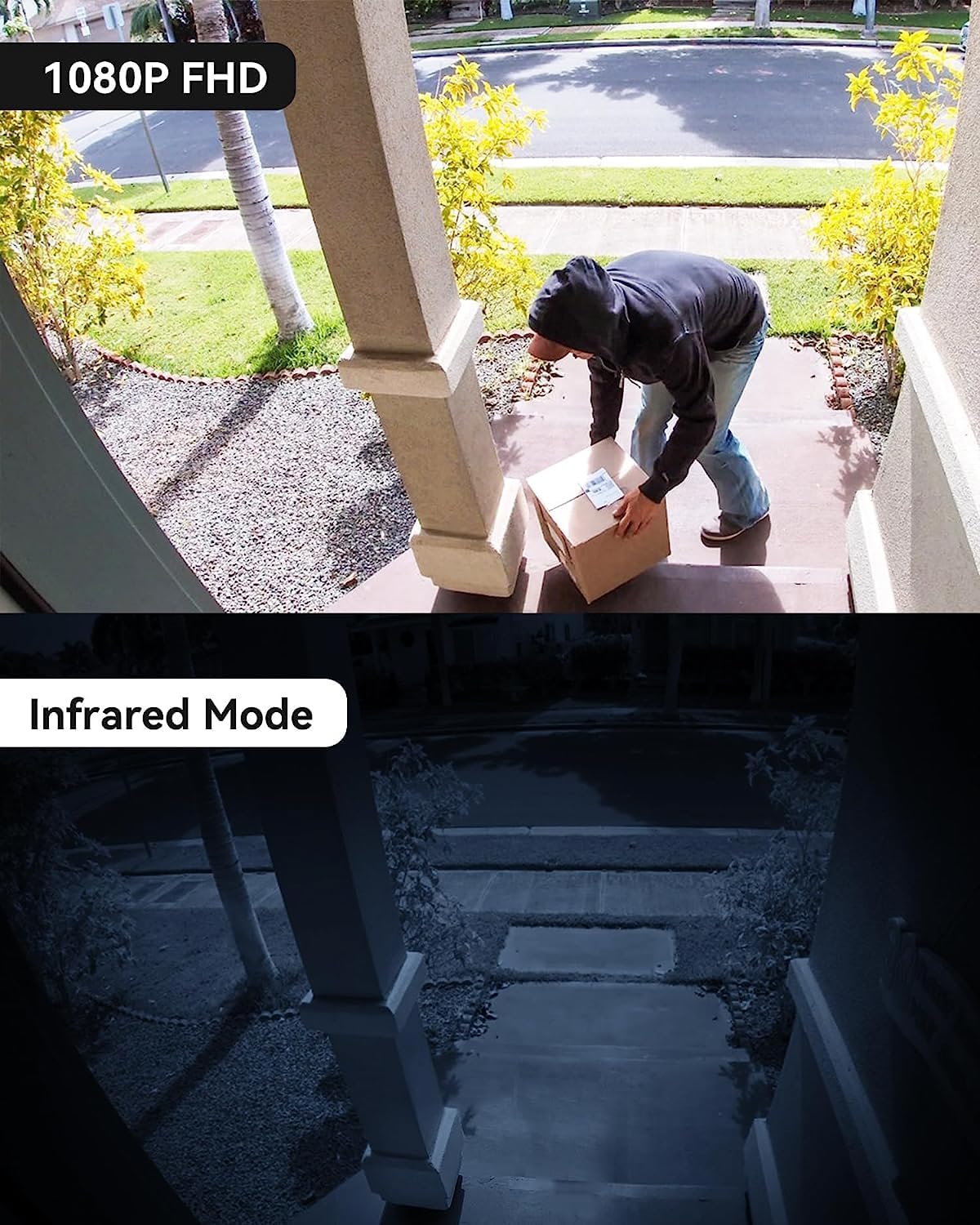
Image: A split image showing the clear 1080P FHD view during the day and the detailed infrared night vision view шөнө.
5. Видео бичлэг болон хадгалалт
Recorded videos can be stored either on a Micro SD card (up to 128GB, not included) inserted into the doorbell or via cloud storage accessible through the Vicohome app. The device offers a 3-day free trial for US-based cloud storage.

Image: A visual representation of the Micro SD card slot on the doorbell and the cloud storage interface on a smartphone, highlighting storage options.
6. Sharing Access
You can share access to your doorbell camera's live feed and recordings with family members through the Vicohome app, allowing multiple users to monitor the property simultaneously.
7. Anti-Theft Feature
The doorbell is designed with an anti-theft mechanism. If an attempt is made to forcibly remove the doorbell from its mount, an alarm will sound, and an alert will be sent to your smartphone.
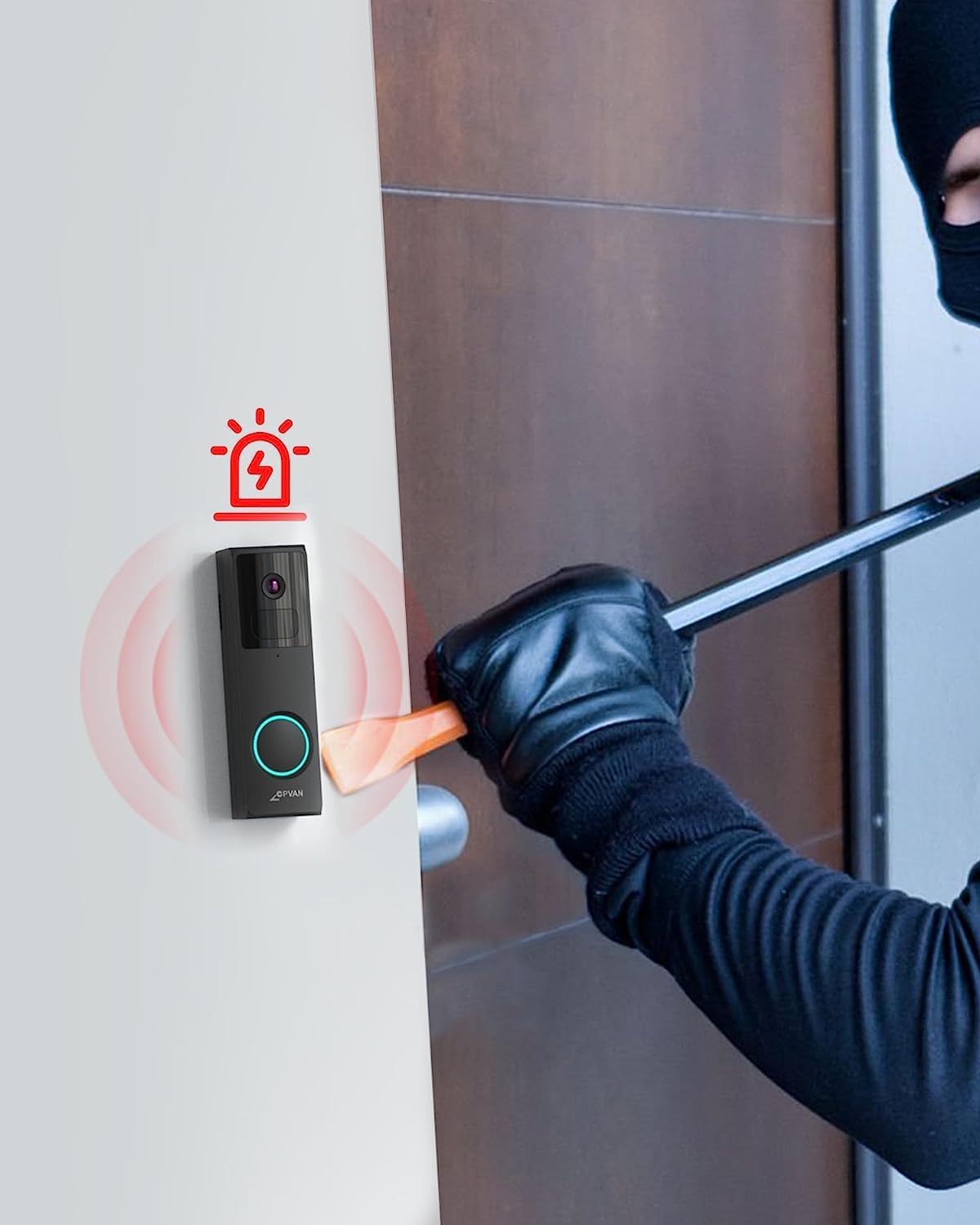
Image: An illustration depicting the doorbell's anti-theft alarm activating as a person attempts to tampтүүнтэй хамт.
Засвар үйлчилгээ
1. Батерейг цэнэглэж байна
The doorbell camera is powered by a rechargeable battery. Monitor the battery level through the Vicohome app and recharge it as needed using the provided USB cable. Battery life varies based on usage and motion detection frequency.
2. Цэвэрлэгээ
Камерын линз болон хаалганы хонхны гадна талыг зөөлөн, d аргаар үе үе цэвэрлэж байгаарай.amp Тодорхой видео чанар, мэдрэгчийн зөв ажиллагааг хангахын тулд даавуугаар хийгээрэй. Хүчтэй химийн бодис эсвэл зүлгүүрийн материал ашиглахаас зайлсхий.
3. Цаг агаарын хамгаалалт
The CPVAN doorbell is IP65 waterproof, meaning it is protected against dust and low-pressure water jets. While it can withstand various weather conditions, extreme temperatures or prolonged direct exposure to heavy rain or snow may affect performance. Ensure it is securely mounted to prevent water ingress.

Image: The doorbell camera on an exterior wall, with water droplets on its surface, illustrating its IP65 weather resistance.
Алдааг олж засварлах
| Асуудал | Боломжит шалтгаан | Шийдэл |
|---|---|---|
| Хаалганы хонх Wi-Fi-д холбогдоогүй байна | Incorrect Wi-Fi password; 5GHz network used; weak signal. | Ensure correct 2.4GHz Wi-Fi password. Move doorbell closer to router. Restart router and doorbell. |
| Хөдөлгөөн илрүүлэх дохио байхгүй | Motion detection disabled; sensitivity too low; incorrect detection zones. | Check app settings for motion detection. Adjust sensitivity and detection zones. Ensure app notifications are enabled. |
| Видео чанар муу | Бохир линз; сул Wi-Fi дохио; бага гэрэлтэй нөхцөлд. | Clean the camera lens. Improve Wi-Fi signal strength. Ensure night vision is active in low light. |
| Батерейны богино хугацаа | Frequent motion detection; high live view usage; cold weather. | Reduce motion detection sensitivity or frequency. Limit live view sessions. Ensure full charge before deployment. |
| Хонх дуугарахгүй байна | Chime not paired; not powered; volume too low. | Re-pair the chime with the doorbell via the app. Ensure chime is plugged into a working USB power source. Adjust chime volume. |
Үзүүлэлтүүд
- Загвар: B0C6DC2HZ9
- Видео бичлэгийн нарийвчлал: 1080p, 2K
- Эрчим хүчний эх үүсвэр: Батерейгаар ажилладаг (1 лити ион батерей багтсан)
- Зайны багтаамж: 6700 миллилитрamp_цаг
- Холболтын технологи: Утасгүй (Wi-Fi)
- Утасгүй холбооны технологи: Wi-Fi (зөвхөн 2.4 GHz)
- Тохиромжтой төхөөрөмжүүд: iOS & Android smartphones
- Суурилуулах төрөл: Wall Mount (Plain, Corner, Wedge options)
- Олон улсын хамгаалалтын зэрэглэл: IP65 (Ус нэвтэрдэггүй)
- Бага гэрлийн технологи: Thermal Sensing & Colored (IR Night Vision)
- Анхааруулгын төрөл: Зөвхөн хөдөлгөөн
- Хадгалах: Micro SD Card (up to 128GB, not included), Cloud Storage (3-day free trial)
- Бүтээгдэхүүний хэмжээ: 5.91 x 3.94 x 1.97 инч
- Барааны жин: 12.8 унц
- UPC: 703145053008
Баталгаат хугацааны мэдээлэл
Specific warranty details for the CPVAN Wireless Video Doorbell Camera are not provided in this manual. Please refer to the product packaging or the official CPVAN webхамгийн сүүлийн үеийн баталгаат хугацааны бодлого болон бүртгэлийн мэдээллийг авах сайт.
Хэрэглэгчийн дэмжлэг
For technical assistance, troubleshooting beyond this manual, or general inquiries, please visit the official CPVAN support webсайт руу орж үзэх эсвэл тэдний харилцагчийн үйлчилгээний хэлтэстэй холбогдоно уу. Холбоо барих мэдээллийг ихэвчлэн бүтээгдэхүүний сав баглаа боодол эсвэл брэндийн албан ёсны онлайн байршлаас олж болно.
CPVAN Official Store: Visit the CPVAN Store on Amazon