Танилцуулга
Thank you for choosing The Voice Hollywood Wireless Headphones. These headphones are designed to provide a superior audio experience with the convenience of wireless connectivity. Featuring HD Ultra Max Sound, a comfortable adjustable headband, and a tri-fold design for portability, they are optimized for seamless integration with Siri and Google Assistant. This manual provides detailed instructions for setup, operation, maintenance, and troubleshooting to ensure optimal performance and longevity of your device.
Аюулгүй байдлын мэдээлэл
- Чихэвчийг хэт өндөр температур, чийгшил, идэмхий бодист бүү тавь.
- Сонсголыг гэмтээхгүйн тулд өндөр дууны түвшинд удаан хугацаагаар сонсохоос зайлсхий.
- Do not use the headphones while driving, cycling, or in situations where inability to hear ambient sounds could be dangerous.
- Чихэвчийг хүүхэд болон гэрийн тэжээвэр амьтдаас хол байлга.
- Only use the provided charging cable and accessories.
- Чихэвчийг задлах, өөрчлөхийг бүү оролд. Энэ нь баталгааг хүчингүй болгоно.
Багцын агуулга
Таны багцад бүх зүйл байгаа эсэхийг шалгана уу:
- The Voice Hollywood Wireless Headphones
- USB Type-C цэнэглэх кабель
- 3.5 мм-ийн аудио кабель (AUX)

Figure 1: Included components and key features of the headphones.
Бүтээгдэхүүн дууссанview
The Hollywood Wireless Headphones feature an ergonomic design for extended comfort and intuitive controls for ease of use. The over-ear cups provide a comfortable fit, and the adjustable headband ensures a secure fit for various head sizes. The tri-fold design allows for compact storage and portability.

Зураг 2: Урд view чихэвчний.

Figure 3: Headphones in folded position for portability.
Удирдлага ба портууд
Refer to Figure 1 for a visual guide to the controls and ports. The main controls are located on the ear cups and include:
- Цахилгаан товч: Асаах/унтраах, Bluetooth холболтыг эхлүүлэхэд ашигладаг.
- Дууг нэмэгдүүлэх/Дараах дууны товчлуур: Дууны хэмжээг нэмэгдүүлэхийн тулд богино дарж, дараагийн дууг удаан дарна уу.
- Дууг багасгах/Өмнөх дууны товчлуур: Дууны дууг багасгахын тулд богино дарж, өмнөх дууг удаан дарна уу.
- Олон үйлдэлт товчлуур (MFB): Тоглуулах/түр зогсоох, дуудлагад хариулах/ дуусгах, дуут туслахыг идэвхжүүлэх.
- USB Type-C порт: Чихэвчийг цэнэглэхэд зориулагдсан.
- 3.5 мм аудио залгуур: For wired connection using the AUX cable.
- Суурилагдсан микрофон: Гар ашиглахгүйгээр дуудлага хийх болон дуут туслахын командуудыг ашиглахад зориулагдсан.
Тохиргоо
Чихэвчийг цэнэглэж байна
Before first use, fully charge your headphones. A full charge typically takes approximately 2-3 hours.
- Connect the small end of the USB Type-C charging cable to the charging port on the headphone ear cup.
- USB кабелийн том үзүүрийг USB тэжээлийн адаптер (дагаагүй) эсвэл компьютерийн USB порт руу холбоно уу.
- The LED indicator light will illuminate during charging and turn off or change color once fully charged.
Bluetooth хослуулах
Pair your headphones with your Bluetooth-enabled device (e.g., smartphone, tablet, computer).
- Чихэвч унтарсан эсэхийг шалгаарай.
- Press and hold the Power button for approximately 5-7 seconds until the LED indicator light flashes blue and red alternately, indicating pairing mode.
- Төхөөрөмж дээрээ Bluetooth-г идэвхжүүлээд шинэ төхөөрөмжүүдийг хайгаарай.
- Select "Hollywood" from the list of available devices.
- Once successfully paired, the LED indicator will flash blue slowly or turn solid blue.
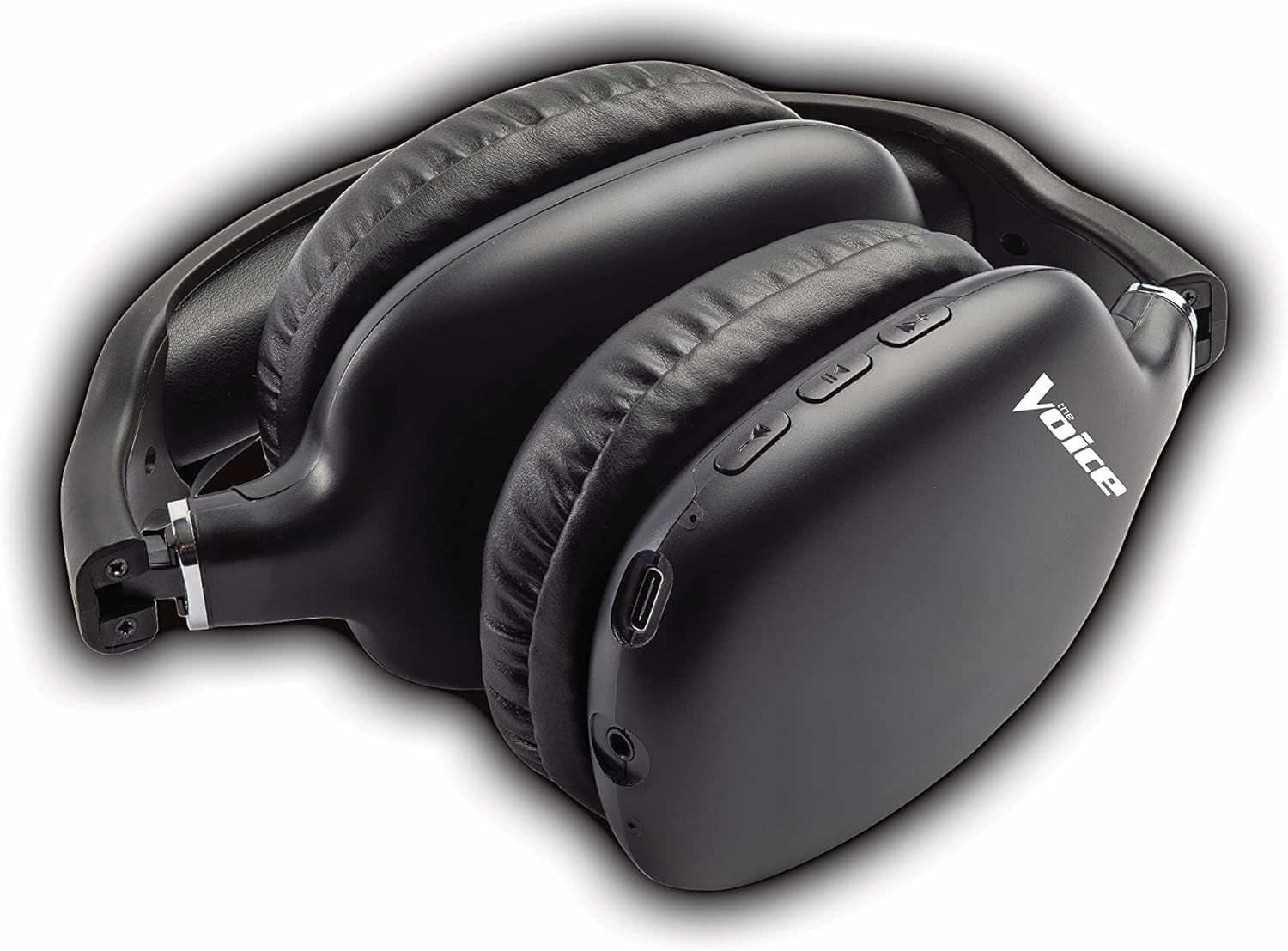
Figure 4: Headphones paired with a smartphone.
Утастай холболт (AUX горим)
You can use the headphones with non-Bluetooth devices or when the battery is depleted using the included 3.5mm audio cable.
- Plug one end of the 3.5mm audio cable into the audio jack on the headphone ear cup.
- Нөгөө үзүүрийг төхөөрөмжийнхөө 3.5 мм-ийн аудио гаралтын залгуурт залгаарай.
- Чихэвч автоматаар утастай горимд шилжинэ.
Ашиглалтын заавар
Асаах/унтраах
- Асаах: LED индикатор цэнхэр өнгөөр анивчих хүртэл Power товчийг ойролцоогоор 3 секундын турш дарна уу.
- Унтраах: LED заагч унтрах хүртэл Power товчийг ойролцоогоор 3 секундын турш барина уу.
Хөгжим тоглуулах
- Тоглуулах/түр зогсоох: Олон үйлдэлт товчлуур (MFB)-г богино дарна уу.
- Дараагийн дуу: Дууг нэмэгдүүлэх товчийг удаан дар.
- Өмнөх бичлэг: Дууг багасгах товчийг удаан дар.
- Дууг нэмэгдүүлэх: Дууг нэмэгдүүлэх товчийг богино хугацаанд дарна уу.
- Дууг багасгах: Дууг багасгах товчийг богино хугацаанд дарна уу.
Дуудлага удирдах
- Дуудлагад хариулах/дуусах: Олон үйлдэлт товчлуур (MFB)-г богино дарна уу.
- Дуудлагаас татгалзах: Олон үйлдэлт товчлуур (MFB)-г удаан дарна уу.
- Сүүлийн дугаарыг дахин залгах: Double-press the Multi-function Button (MFB).
Дуут туслахыг идэвхжүүлэх
- Activate Siri/Google Assistant: Triple-press the Multi-function Button (MFB).
Video 1: Demonstrates the adjustable and padded comfort, built-in mic, and connectivity to Google or Siri for The Voice Hollywood Wireless Headphones.

Figure 5: User enjoying audio with the headphones, highlighting comfort and usability.
Засвар үйлчилгээ
Цэвэрлэгээ
Regular cleaning helps maintain the headphones' appearance and functionality.
- Wipe the ear cups and headband with a soft, dry, lint-free cloth.
- Зөрүүд шороонд бага зэрэг dampen the cloth with water and mild soap, then wipe dry immediately.
- Зүлгүүрийн цэвэрлэгч, архи, химийн уусгагчийг бүү ашигла.
Хадгалах
When not in use, store your headphones in a cool, dry place, away from direct sunlight and extreme temperatures. Utilize the tri-fold feature for compact storage.
Алдааг олж засварлах
If you encounter issues with your headphones, refer to the table below for common problems and solutions.
| Асуудал | Боломжит шалтгаан | Шийдэл |
|---|---|---|
| Чихэвч асахгүй байна | Батерей бага | Чихэвчийг бүрэн цэнэглэ. |
| Төхөөрөмжтэй хослуулах боломжгүй | Чихэвч хослуулах горимд байхгүй байна; Төхөөрөмжийн Bluetooth унтраалттай байна; Төхөөрөмжөөс хэт хол байна | Чихэвч хослуулах горимд байгаа эсэхийг шалгана уу (улаан/цэнхэр өнгөөр анивчина). Төхөөрөмжийн Bluetooth-г асаана/унтраана уу. Чихэвчийг төхөөрөмжид ойртуулна уу (10 метрийн дотор). |
| Дуу алга | Volume too low; Not connected; Incorrect audio source | Increase volume on headphones and device. Ensure headphones are properly paired/connected. Check audio output settings on your device. |
| Дууны гажуудал | Interference; Device volume too high | Move away from other wireless devices. Lower the volume on your device. |
| Микрофон ажиллахгүй байна | Not connected; Device settings | Ensure headphones are properly paired. Check microphone input settings on your device. |
Үзүүлэлтүүд
| Онцлог | Дэлгэрэнгүй |
|---|---|
| Загварын нэр | Холливуд |
| Холболтын технологи | Wireless, Wired (Bluetooth) |
| Чихний байрлал | Чихний дээгүүр |
| Form Factor | Чихний дээгүүр |
| Хяналтын төрөл | Voice Control, Built-in buttons and microphone |
| Давтамжийн хүрээ | 20Гц - 20кГц |
| Зүйлийн жин | 13.4 унц |
| Хэмжээ (багц) | 9.65 x 8.35 x 3.58 инч |
| Загварын дугаар | VHOL-6/2069 |
| UPC | 841133120698 |
Баталгаат болон дэмжлэг
The Voice Hollywood Wireless Headphones come with a standard manufacturer's warranty. For detailed warranty information, technical support, or service inquiries, please refer to the warranty card included in your product packaging or visit the official The Voice Electronics website. Do not attempt to repair the product yourself.


