Танилцуулга
Thank you for choosing the ZEBRONICS Zeb-Rainbow 400 Multimedia Speaker. This manual provides essential information for the proper setup, operation, and maintenance of your speaker system. Please read it carefully before use and retain it for future reference.
Аюулгүй ажиллагааны зааварчилгаа
- Гал болон цахилгаан цочролоос сэргийлэхийн тулд төхөөрөмжийг бороо, чийгэнд бүү тавь.
- Do not open the speaker cabinet. Refer all servicing to qualified personnel.
- Төхөөрөмжийн эргэн тойронд зохих агааржуулалтыг хангах. Агааржуулалтын нүхийг хааж болохгүй.
- Цахилгааны утсыг алхах, хавчихаас хамгаална.
- Аянга шуургатай үед эсвэл удаан хугацаагаар ашиглаагүй үед төхөөрөмжийг цахилгаан тэжээлээс салга.
- Бүтээгдэхүүнийг нарны шууд тусгал, дулааны эх үүсвэр, хүчтэй соронзон орон зэргээс хол байлга.
Багцын агуулга
Дараах зүйлсийн нүдийг шалгана уу.
- Сабвуферын нэгж
- Хиймэл дагуулын чанга яригч (4 ширхэг)
- Алсын удирдлага
- Аудио оролтын кабель (3.5мм-ээс RCA хүртэл)
- Хэрэглэгчийн гарын авлага
Бүтээгдэхүүн дууссанview
The ZEBRONICS Zeb-Rainbow 400 is a 4.1 channel multimedia speaker system designed for versatile audio playback. It features multiple connectivity options including Bluetooth, AUX, USB, and FM radio. The system includes a powerful subwoofer and four satellite speakers for an immersive audio experience, complemented by integrated RGB lighting.
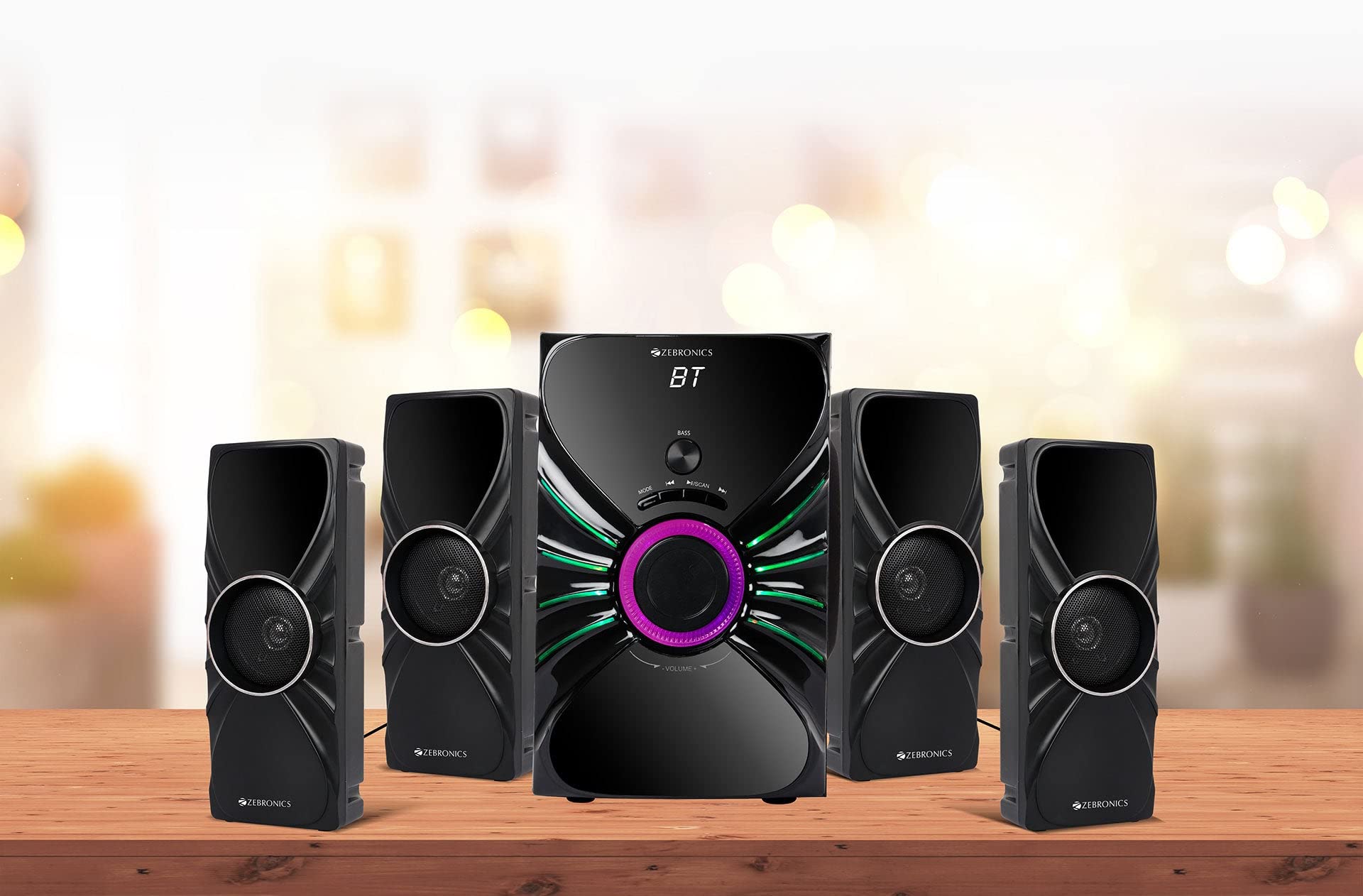
Image: The complete ZEBRONICS Zeb-Rainbow 400 multimedia speaker system, showing the subwoofer, four satellite speakers, and remote control.
Тохиргоо
1. Савыг задлах
Сав баглаа боодолоос бүх эд ангиудыг болгоомжтой авч хаяна уу. Сав баглаа боодлын материалыг ирээдүйд тээвэрлэх эсвэл хадгалах зорилгоор хадгална уу.
2. Илтгэгчийн байршил
Place the subwoofer on a stable, flat surface, preferably on the floor for optimal bass response. Position the four satellite speakers around your listening area for a balanced sound field. Ensure adequate space for ventilation.

Image: A visual representation of the 4.1 speaker setup, illustrating the subwoofer and four satellite speakers.
3. Connecting Satellite Speakers
Connect each of the four satellite speakers to the corresponding output ports on the rear panel of the subwoofer unit. Ensure the connections are secure.
4. Аудио эх сурвалжуудыг холбох
- AUX оролт: Use the provided 3.5mm to RCA cable to connect your audio device (e.g., smartphone, tablet, PC) to the AUX input ports on the subwoofer.
- USB оруулах: MP3 аудио агуулсан USB флаш дискийг оруулна уу files into the USB port on the subwoofer.
5. Эрчим хүчний холболт
Connect the power cable to the subwoofer unit and then plug it into a standard AC power outlet.
Ашиглалтын заавар
1. Асаах/унтраах
Press the Power button on the front panel of the subwoofer or on the remote control to turn the speaker system on or off.
2. Горим сонгох
Press the 'MODE' button on the front panel or remote control to cycle through the available input modes: Bluetooth (BT), AUX, USB, and FM Radio.

Image: Close-up of the subwoofer's front panel, showing the control buttons (Mode, Play/Pause, Next/Previous, Bass, Volume) and the integrated RGB lighting.
3. Дууны түвшний хяналт
Rotate the 'VOLUME' knob on the front panel of the subwoofer or use the Volume Up/Down buttons on the remote control to adjust the overall sound level. The 'BASS' knob can be used to adjust the bass intensity.
4. Bluetooth горим
- Switch the speaker to Bluetooth mode using the 'MODE' button. The display will show 'BT'.
- Зөөврийн компьютер эсвэл гар утсан дээрээ Bluetooth-г идэвхжүүлнэ үү.
- хайх available devices and select "Zeb-Rainbow 400" to pair.
- Once paired, you can play audio from your device through the speakers.
5. AUX горим
Connect your audio source using the 3.5mm to RCA cable. Switch the speaker to AUX mode. Audio from your connected device will play automatically.
6. USB горим
Insert a USB flash drive into the USB port. The speaker will automatically switch to USB mode and begin playing MP3 files from the drive. Use the Play/Pause, Next, and Previous buttons to control playback.
7. FM радио горим
- Чанга яригчийг FM горимд шилжүүлнэ үү.
- Press and hold the 'SCAN' button (often combined with Play/Pause) to automatically scan and save available FM stations.
- Use the Next/Previous buttons to navigate through the saved stations.
8. Алсын удирдлага
The included remote control provides full functionality for power, mode selection, volume, track control, and FM station tuning. Ensure the remote has working batteries and is pointed towards the subwoofer's sensor.

Image: The ZEBRONICS Zeb-Rainbow 400 subwoofer unit shown with its remote control, highlighting the main controls.
9. RGB гэрэл
The subwoofer features integrated RGB lights. These lights typically cycle through various colors and patterns automatically. Refer to the remote control for any specific buttons to change light modes, if available.
Засвар үйлчилгээ
1. Цэвэрлэгээ
Чанга яригчийн гадаргууг зөөлөн, хуурай даавуугаар арчина. Зүлгүүрийн цэвэрлэгч, лав эсвэл уусгагч хэрэглэж болохгүй, учир нь тэдгээр нь өнгөлгөөг гэмтээж болзошгүй. Шингэнийг чанга яригч руу шууд шүршихээс зайлсхий.
2. Хадгалах
If storing the speakers for an extended period, unplug them from the power outlet and store them in a cool, dry place, away from direct sunlight and extreme temperatures.
Алдааг олж засварлах
| Асуудал | Боломжит шалтгаан | Шийдэл |
|---|---|---|
| Хүч чадалгүй | Power cable not connected; Power outlet faulty; Unit switched off | Ensure power cable is securely connected. Check power outlet with another device. Press the Power button. |
| Дуу алга | Volume too low; Incorrect input mode; Audio cable loose/faulty; Device volume low | Increase volume. Select correct input mode. Check audio cable connections. Increase volume on connected device. |
| Bluetooth холбогдоогүй байна | Speaker not in BT mode; Device not in pairing mode; Interference | Switch speaker to BT mode. Ensure device Bluetooth is on and searching. Move devices closer. Restart both devices. |
| Алсын удирдлага ажиллахгүй байна | Batteries depleted; Obstruction; Remote not pointed at sensor | Replace batteries. Remove any obstructions. Point remote directly at the subwoofer's IR sensor. |
| FM хүлээн авах чадвар муу байна | Weak signal; Antenna position | Adjust the position of the FM antenna. Rescan for stations. |
Үзүүлэлтүүд
| Онцлог | Тодорхойлолт |
|---|---|
| Брэнд | ЗЕБРОНИК |
| Загварын дугаар | Zeb Rainbow 400 |
| Бүтээгдэхүүний хэмжээ (LxWxH) | 21 x 39 x 32 сантиметр |
| Зүйлийн жин | 9 кг 350 гр |
| Холболтын технологи | Auxiliary, Bluetooth, USB, Wireless |
| Эрчим хүчний эх үүсвэр | AC |
| Тохиромжтой төхөөрөмжүүд | Ухаалаг утас, таблет |
| Subwoofer Drive Size | 16.51 см |

Image: A visual highlighting the 16.51 cm subwoofer drive of the ZEBRONICS Zeb-Rainbow 400.
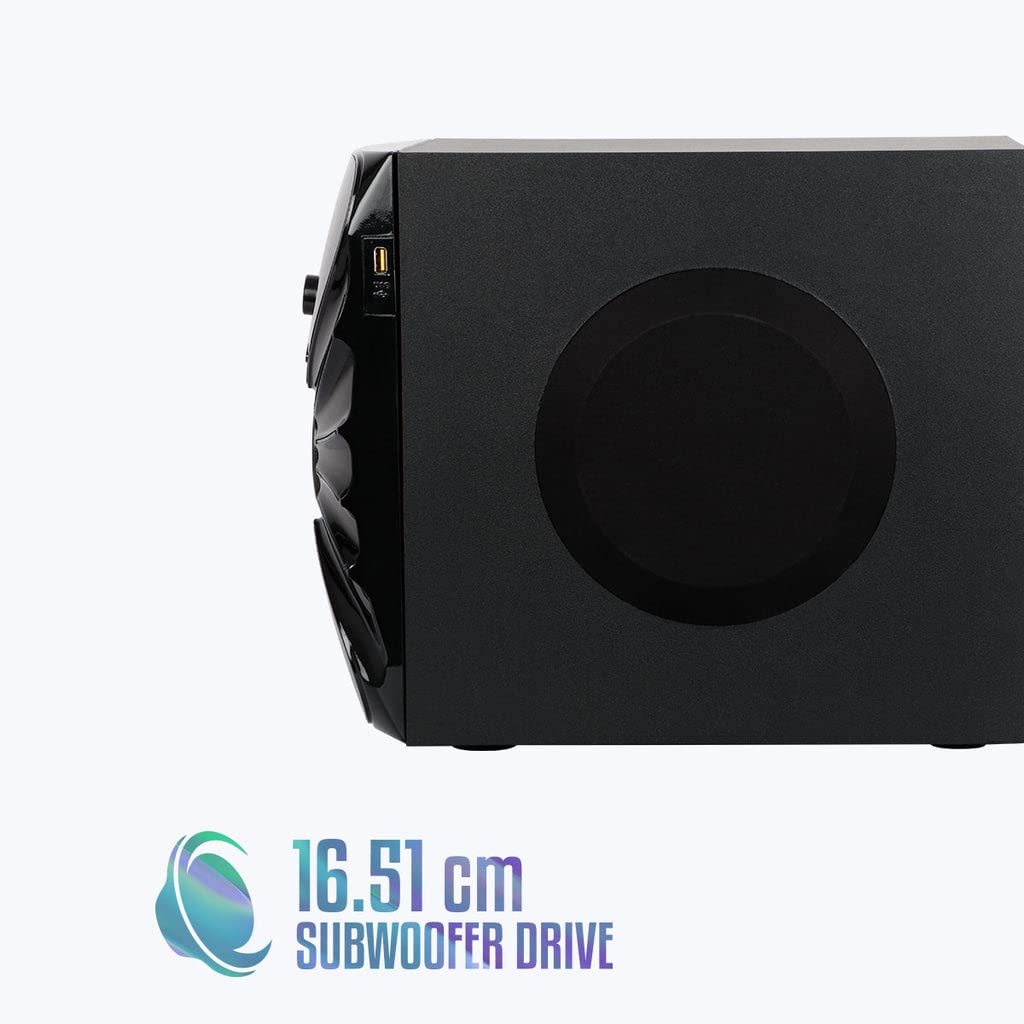
Зураг: хажуу тал view of the ZEBRONICS Zeb-Rainbow 400 subwoofer, showing the USB port and overall dimensions.
Баталгаат болон дэмжлэг
This product comes with a minimum six-month seller warranty. For any issues or support, please contact your seller or refer to the official ZEBRONICS support channels. Keep your purchase receipt for warranty claims.


