1. Оршил ба түүнээс дээшview
The Buffbee Sound Machine & Alarm Clock is a versatile 2-in-1 device designed to enhance your sleep and wake-up experience. It combines a high-quality sound machine with a precise digital alarm clock, offering a range of features to create a peaceful environment and ensure timely waking.

Image 1.1: The Buffbee device highlighting its dual functionality as a sound machine and an alarm clock.
Гол онцлогууд:
- 2-ын-1 функциональ байдал: Combines a sound machine and a digital alarm clock in one compact unit.
- 18 Тайвшруулах чимээ: Includes 5 white noises, 3 fan sounds, and 10 nature sounds (ocean, lullaby, waves, rain, thunderstorm, stream, croaks, bird chirps, summer night, campfire) to aid sleep and relaxation.
- Тохируулах боломжтой дэлгэцийн гэрэл: Clock face brightness can be dimmed from 0% to 100% to suit your preference.
- Дууны хэмжээг нарийн хянах: Offers 30 levels of volume adjustment for optimal sound output.
- Унтах цаг: Set the sound machine to automatically turn off after 15, 30, 60, 90, or 120 minutes, or allow continuous play.
- 7 өнгөт шөнийн гэрэл: Features a soothing colored light at the base with 7 color options and ON/OFF functionality.
- Өндөр чанартай чанга яригч: Equipped with a 5W speaker for rich, detailed sound.

Зураг 1.2: Урд view of the Buffbee Sound Machine & Alarm Clock, displaying the time and the top control panel.
2. Тохиргоо
2.1 Хайрцагнаас задлах ба Агуулга
Carefully remove the Buffbee Sound Machine & Alarm Clock from its packaging. Verify that all components are present:
- Buffbee Sound Machine & Alarm Clock unit
- Power Adapter (USB cable and wall adapter)
- Хэрэглэгчийн гарын авлага (энэ баримт бичиг)
2.2 Эрчим хүчний холболт
The device is powered by an electrical cable.
- Insert the small end of the USB power cable into the DC IN port on the back of the Buffbee unit.
- Plug the larger end of the USB cable into the provided wall adapter.
- Ханын адаптерийг ердийн цахилгаан залгуурт холбоно уу.
The device will power on automatically, and the digital display will illuminate.
2.3 Цагийг тохируулах
Upon initial power-on or after a power outage, та зөв цагийг тохируулах шаардлагатай байж магадгүй.
- -г удаан дар Цагийн тохиргоо button (usually indicated by a clock icon) on the top panel until the hour digits begin to flash.
- -г ашиглана уу +/- buttons (or arrow buttons) to adjust the hour.
- дээр дарна уу Цагийн тохиргоо минутын тохируулга руу шилжихийн тулд дахин товчийг дарна уу.
- -г ашиглана уу +/- минут тохируулах товчлуурууд.
- дээр дарна уу Цагийн тохиргоо button one more time to confirm and exit time setting mode.
3. Ашиглалтын заавар
3.1 Sound Machine Function
The Buffbee Sound Machine offers 18 soothing sounds to help you relax and sleep.

Зураг 3.1: Дотоод view illustrating the upward-firing speaker for enhanced sound quality.
Дуу тоглуулах:
- дээр дарна уу Дууны горим button (often a music note icon) to cycle through the available sound categories (White Noise, Fan Sounds, Nature Sounds).
- -г ашиглана уу Next/Previous Sound buttons (arrow icons) to select a specific sound within the chosen category.
- The sound will begin playing automatically.
Дууны хэмжээг тохируулах:
The device features 30 levels of precise volume control.
- дээр дарна уу Дууны хэмжээг нэмэгдүүлэх (+) or Дууг багасгах (-) дууны түвшинг нэмэгдүүлэх эсвэл бууруулах товчлуурууд.

Image 3.2: Illustration of the auto-off timer and 30-level precise volume control features.
Унтах цаг хэмжигчийг тохируулах:
The sleep timer allows the sound machine to turn off automatically after a set duration.
- дээр дарна уу Цаг хэмжигч button (often an hourglass icon) repeatedly to cycle through the available timer options: 15 minutes, 30 minutes, 60 minutes, 90 minutes, 120 minutes, or continuous play (indicated by 'ON' or no timer display).
- The selected timer duration will be displayed briefly on the screen.
3.2 Сэрүүлэгтэй цагны функц
The Buffbee device functions as a digital alarm clock with customizable wake-up sounds.
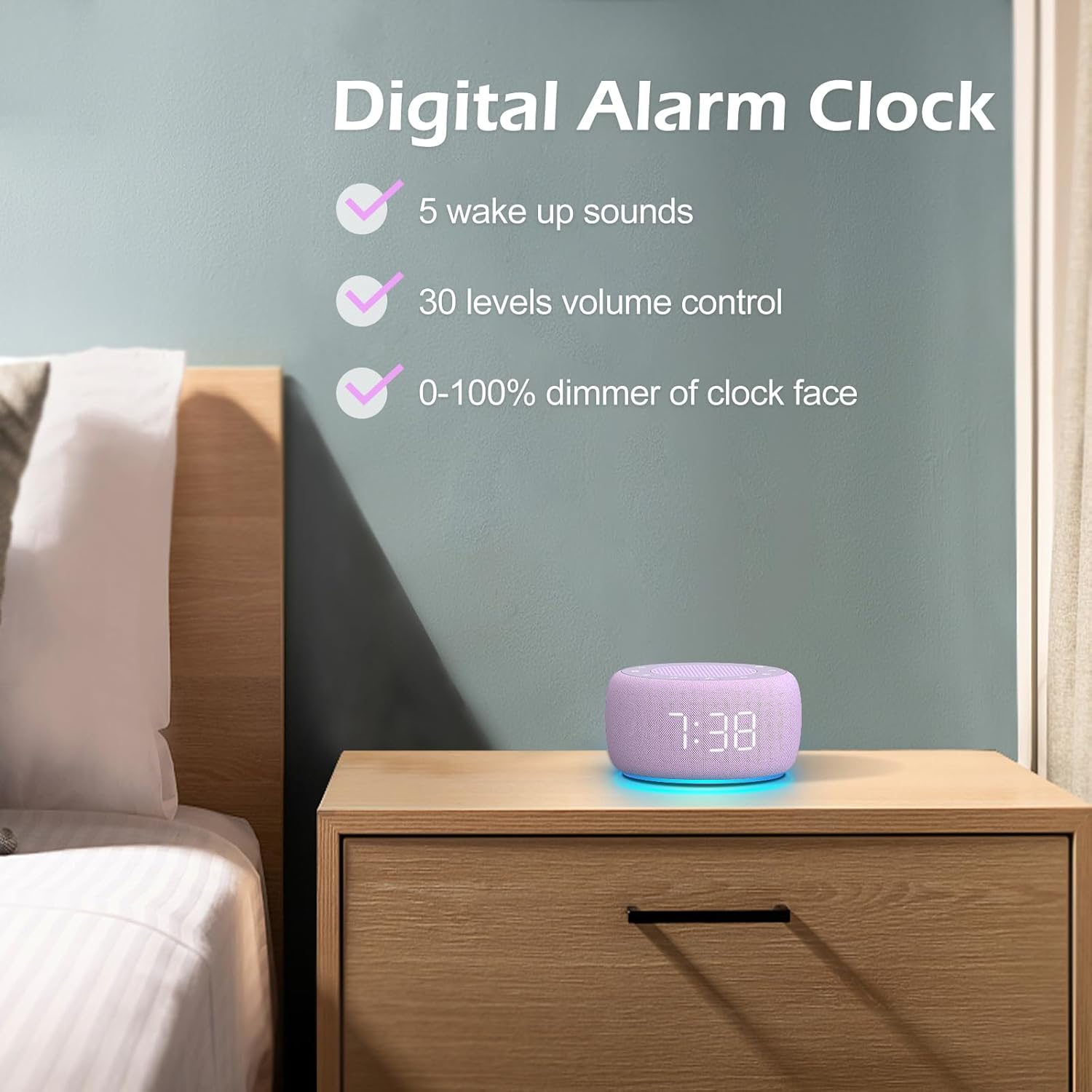
Зураг 3.3: Дууслааview of the digital alarm clock features, including wake-up sounds, volume control, and display dimmer.
Сэрүүлэг тохируулах:
- -г удаан дар Сэрүүлэг button (often an alarm clock icon) until the alarm hour digits begin to flash.
- -г ашиглана уу +/- Сэрүүлгийн цагийг тохируулах товчлуурууд.
- дээр дарна уу Сэрүүлэг минутын тохируулга руу шилжихийн тулд дахин товчийг дарна уу.
- -г ашиглана уу +/- Сэрүүлгийн минутыг тохируулах товчлуурууд.
- дээр дарна уу Сэрүүлэг button one more time to confirm the alarm time.
- After setting the time, you can select the wake-up sound by pressing the Дуу сонгох button (if available, or use +/- buttons while alarm sound is flashing). There are 5 wake-up sounds available.
- дээр дарна уу Сэрүүлэг button again to activate the alarm. An alarm icon will appear on the display.
Залгах функц:
Сэрүүлэг дуугарахад товчийг дарна уу Түр хойшлуулах button (usually a large button on top or a dedicated snooze icon) to temporarily silence the alarm for a few minutes (typically 9 minutes). The alarm will sound again after the snooze period.
Сэрүүлгийг унтраах:
Сэрүүлгийг бүрэн унтраахын тулд товчийг дарна уу Сэрүүлэг асаах/унтраах button (often the same as the Alarm Set button, or a dedicated toggle). The alarm icon will disappear from the display.
3.3 Display & Light Functions
Дэлгэцийн гэрэлтүүлгийг тохируулах:
The digital display brightness can be adjusted from 0% (completely dark) to 100% (brightest).

Image 3.4: Demonstration of the 0-100% display dimmer feature, showing various brightness levels.
- дээр дарна уу Бүдгэр button (often a sun icon) repeatedly to cycle through different brightness levels.
- -г барина уу Бүдгэр button to smoothly adjust the brightness from 0% to 100% and vice versa. Release the button at your desired brightness.
Шөнийн гэрлийг ашиглах:
The device features a colored night light at its base with 7 color options.

Image 3.5: The Buffbee device showcasing its 7-color night light feature in a bedroom setting.
- дээр дарна уу Гэрэл button (often a light bulb icon) to turn the night light ON.
- дээр дарна уу Гэрэл button repeatedly to cycle through the 7 available colors.
- дээр дарна уу Гэрэл button one more time after cycling through all colors to turn the night light OFF.
4. Засвар үйлчилгээ
4.1 Цэвэрлэгээ
To maintain the appearance and functionality of your Buffbee device:
- Цэвэрлэхийн өмнө төхөөрөмжийг цахилгааны залгуураас үргэлж салга.
- Гаднах гадаргууг арчихын тулд зөөлөн, хуурай, хөвөнгүй даавуу ашиглаарай.
- Зүлгүүрийн цэвэрлэгч, лав эсвэл уусгагч хэрэглэж болохгүй, учир нь эдгээр нь өнгөлгөөг гэмтээж болзошгүй.
- Аливаа нүхэнд чийг орохоос зайлсхий.
4.2 Хадгалалт
Удаан хугацаагаар ашиглаагүй тохиолдолд төхөөрөмжийг нарны шууд тусгал, хэт температураас хол, сэрүүн, хуурай газар хадгална.
4.3 Аюулгүй байдлын анхааруулга
Дараах аюулгүй байдлын урьдчилан сэргийлэх арга хэмжээг дагаж мөрдөнө үү.
- Энэ бүтээгдэхүүн нь тоглоом биш юм. Хүүхдийн гар хүрэхгүй газар хадгална.
- Handle with care to avoid electric shock. Do not expose the device to water or excessive moisture.
- Use within recommended noise exposure limits to prevent hearing damage.
- Төхөөрөмжийг өөрөө задлах, засах гэж бүү оролдоорой. Бүх үйлчилгээг мэргэшсэн боловсон хүчинд шилжүүлээрэй.
5. Алдаа засах
If you encounter issues with your Buffbee Sound Machine & Alarm Clock, please refer to the following common problems and solutions:
| Асуудал | Боломжит шалтгаан | Шийдэл |
|---|---|---|
| Төхөөрөмж асахгүй байна. | Цахилгаан холболт байхгүй эсвэл адаптер буруу байна. | Ensure the power cable is securely plugged into the device and the wall outlet. Try a different outlet. |
| Чанга яригчаас ямар ч чимээ алга. | Volume is too low or muted. Incorrect sound selected. | -г ашиглан дууны хэмжээг нэмэгдүүлнэ Дууны хэмжээг нэмэгдүүлэх (+) button. Ensure a sound is selected and not paused. |
| Сэрүүлэг дуугарахгүй байна. | Alarm is not set or not activated. Alarm volume is too low. | Verify that the alarm time is set correctly and the alarm icon is displayed. Increase the alarm volume (if separate from main volume). |
| Дэлгэц хэт бүдэг эсвэл хэт тод байна. | Display dimmer setting is incorrect. | дээр дарж эсвэл удаан дарна уу Бүдгэр button to adjust the brightness to your preference. |
| Шөнийн гэрэл ажиллахгүй байна. | Night light is turned off. | дээр дарна уу Гэрэл button to turn on and cycle through colors. |
6. Техникийн үзүүлэлтүүд
Detailed technical specifications for the Buffbee Sound Machine & Alarm Clock (Model BK11):
| Онцлог | Тодорхойлолт |
|---|---|
| Брэнд | BUFFBEE |
| Загварын дугаар | BK11 |
| Өнгө | Нил ягаан |
| Материал | Хуванцар |
| Эрчим хүчний эх үүсвэр | Утастай цахилгаан |
| Бүтээгдэхүүний хэмжээс | 14.3 x 11.2 x 7.7 см (5.6 x 4.4 x 3.0 инч) |
| Зүйлийн жин | 322 грамм (0.71 фунт) |
| Чанга яригчийн гаралт | 5W |
| Дууны сонголтууд | 18 Soothing Sounds (5 White Noise, 3 Fan, 10 Nature) |
| Дууны түвшин | 30 Precise Levels |
| Диммерийг харуулах | 0-100% Adjustable Brightness |
| Шөнийн гэрлийн өнгө | 7 өнгө |
| Унтах таймерын сонголтууд | 15, 30, 60, 90, 120 minutes, or Continuous Play |
| Wake-up Sounds | 5 Alarm Sounds |
7. Баталгаат хугацаа ба дэмжлэг
7.1 Баталгаат хугацааны мэдээлэл
This product comes with a standard manufacturer's warranty. Please refer to the product packaging or the seller's webхугацаа болон хамрах хүрээний дэлгэрэнгүй мэдээллийг багтаасан баталгаат хугацааны тодорхой нөхцөл, болзлын талаарх мэдээллийг сайтаас авна уу.
7.2 Хэрэглэгчийн дэмжлэг
For any questions, technical assistance, or warranty claims, please contact Buffbee customer support through the retailer's platform or the official Buffbee website. Have your product model number (BK11) and purchase details ready when contacting support.


