1. Танилцуулга
Thank you for choosing the SILENTWARE Air 1000 Black ATX Midi Tower PC Case. This manual provides essential information for the proper installation, operation, and maintenance of your new PC case. Please read this manual thoroughly before beginning the assembly process to ensure a smooth and successful build.
2. Аюулгүй байдлын мэдээлэл
- Always disconnect the power supply from the wall outlet before installing or removing any components inside the PC case.
- Цахилгаан цэнэг алдалтаас (ESD) болж гэмтэхээс сэргийлж эд ангиудыг болгоомжтой харьцана уу. Статик бус бугуйн оосор ашиглах талаар бодож үзээрэй.
- Be cautious of sharp edges inside the case.
- Do not attempt to modify the case or its components, as this may void your warranty and pose safety risks.
- Хайрцгийг ус, чийг болон хэт өндөр температураас хол байлга.
3. Багцын агуулга
Таны багцад бүх зүйл байгаа эсэхийг шалгана уу:
- SILENTWARE Air 1000 Black ATX Midi Tower PC Case
- Pre-installed 4x 120mm ARGB Fans
- Accessory box (screws, cable ties, standoffs, etc.)
- Хэрэглэгчийн гарын авлага (энэ баримт бичиг)
4. Бүтээгдэхүүн дууссанview
The SILENTWARE Air 1000 is an ATX Midi Tower PC case designed for optimal airflow and component compatibility. It features a mesh front panel for maximum ventilation and a tempered glass side panel to showcase your build.


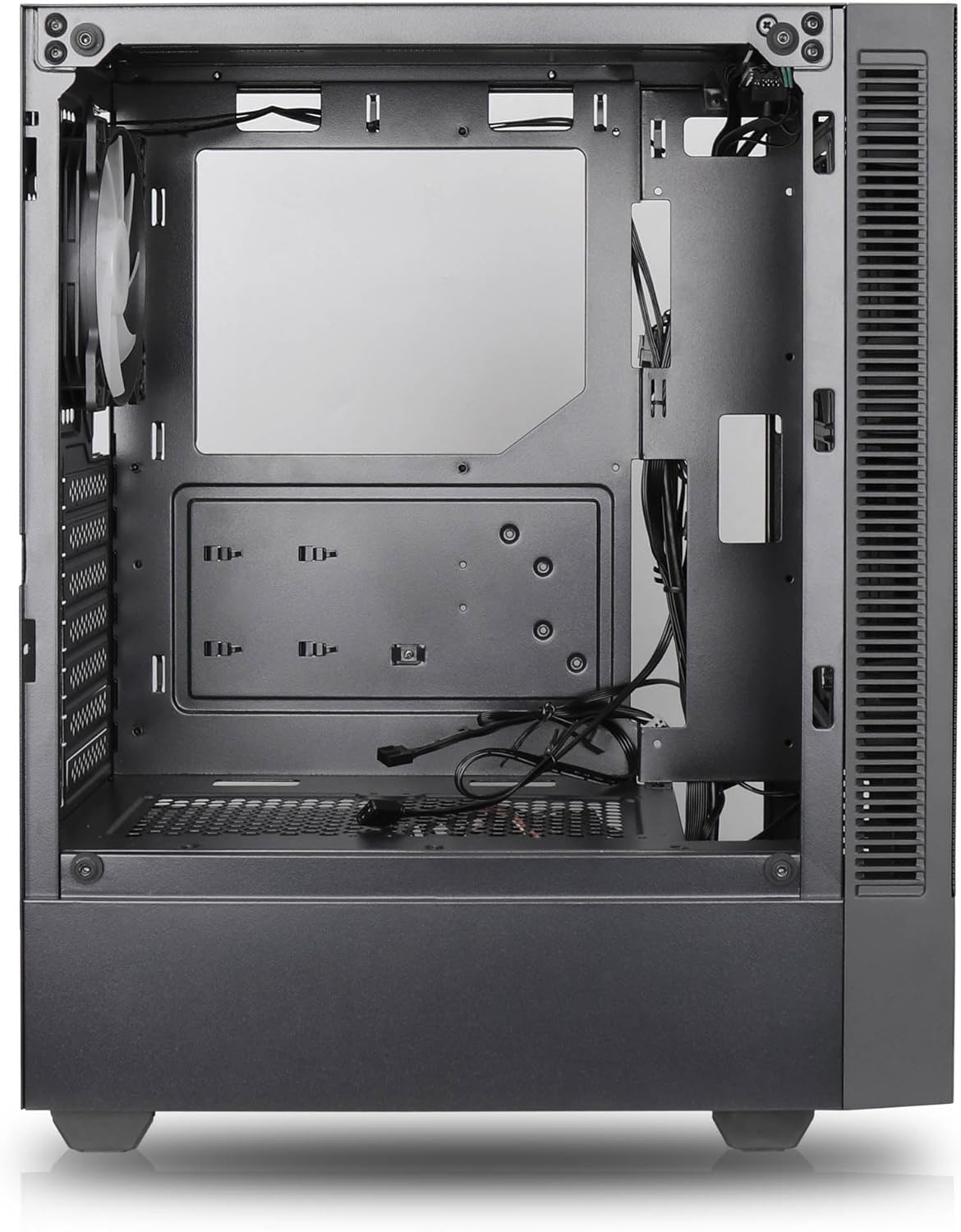

Гол онцлогууд:
- Хамгийн их агаарын урсгал: Large mesh front panel and four pre-installed 140mm A-RGB fans with hydraulic bearings ensure excellent ventilation.
- Easy PC Building: Thoughtful design with daisy-chain connections simplifies installation, eliminating the need for additional adapters or controllers.
- Өндөр чанартай дизайн: Genuine tempered glass side panel showcases installed components and provides a minimalist, premium aesthetic.
- Flexible Lighting and Control: 3-pin A-RGB fans and 4-pin fan control allow for impressive lighting effects and easy adjustment of fan speed and curves directly from the motherboard.
- Powerful Component Compatibility: Supports GPUs up to 400mm long, radiators up to 360mm (front and top) and 140mm (rear), and space for up to 4 fans.
- Compact Case with Ample Space: Midi tower format accommodates E-ATX, ATX, mATX, and ITX motherboards, up to two 2.5" SSDs, two 3.5" HDDs, and ATX power supplies.
5. Суулгах заавар
Follow these steps for component installation. Refer to your individual component manuals for specific instructions.
5.1. Кейс бэлтгэх
- Хайрцгийг хавтгай, тогтвортой гадаргуу дээр байрлуул.
- Carefully remove the tempered glass side panel by unscrewing the thumb screws and gently pulling it away. Set it aside on a soft, non-abrasive surface.
- Remove the solid right side panel by unscrewing the thumb screws and sliding it backward.
5.2. Эх хавтанг суурилуулах
- Оролт/гаралтын бамбайг хайрцагны арын нүхэнд суулгана.
- Ensure the correct standoffs are installed for your motherboard form factor (E-ATX, ATX, mATX, ITX). Adjust or add standoffs as needed.
- Эх хавтангаа тулгуур дээр болгоомжтой байрлуулж, шурагны нүхнүүдийг тэгшлээрэй.
- Secure the motherboard with the provided screws. Do not overtighten.
5.3. Цахилгаан хангамжийн нэгж (PSU) суурилуулах
- Position the PSU in the dedicated compartment at the bottom rear of the case.
- Ensure the PSU fan faces downwards (if the case has a bottom vent) or upwards, depending on your cooling preference.
- Цахилгаан тэжээлийн блокийг ар талаас нь өгсөн боолтоор хайрцагт бэхлэнэ үү.
5.4. Хадгалах диск суурилуулах
2.5" SSD:
- Locate the 2.5" drive mounts (typically behind the motherboard tray).
- Secure the SSDs using the provided screws.
3.5" HDD:
- Locate the 3.5" drive cages (usually near the PSU shroud).
- Slide the HDDs into the drive trays and secure them with screws or tool-less mechanisms if available.
5.5. График карт (GPU) суурилуулах
- Шаардлагатай PCIe үүрний тагийг хайрцагны ар талаас салга.
- Align your GPU with the PCIe slot on the motherboard and press firmly until it clicks into place.
- Secure the GPU to the case with screws.
5.6. Кабелийн менежмент
Utilize the cable routing cutouts and tie-down points behind the motherboard tray to manage cables. This improves airflow and aesthetics.
6. Үйл ажиллагаа
6.1. Асаах
After all components are installed and cables are connected, reattach the side panels. Connect the power cable to the PSU and a wall outlet, then press the power button on the top I/O panel of the case.
6.2. ARGB сэнсний удирдлага
The pre-installed ARGB fans feature 3-pin ARGB connectors for lighting control and 4-pin connectors for fan speed control. These can be connected directly to compatible headers on your motherboard. Use your motherboard's software or BIOS settings to customize lighting effects and fan curves.
7. Засвар үйлчилгээ
7.1. Цэвэрлэгээ
- Агаарын урсгалыг оновчтой байлгахын тулд тоосны шүүлтүүрийг (байгаа бол) тогтмол цэвэрлэж байгаарай.
- Use a can of compressed air to remove dust from inside the case and components.
- Гадна гадаргууг зөөлөн арчиж, damp даавуу. Химийн хүчтэй бодисоос зайлсхий.
- For the tempered glass panel, use a glass cleaner and a microfiber cloth.
8. Алдаа засах
- PC not powering on: Check all power connections, including the 24-pin motherboard power, 8-pin CPU power, and GPU power cables. Ensure the PSU switch is in the 'ON' position.
- Fans not spinning/RGB not working: Verify that fan and ARGB headers are correctly connected to the motherboard. Check motherboard software for fan speed and lighting control settings.
- Хэт халалт: Ensure proper airflow by checking fan orientation and cleaning dust filters. Verify CPU cooler and GPU cooler are properly seated.
- Дэлгэц байхгүй: Confirm the monitor cable is connected to the graphics card (not the motherboard integrated graphics, unless you are using integrated graphics). Reseat the graphics card and RAM modules.
9. Техникийн үзүүлэлтүүд
| Онцлог | Тодорхойлолт |
|---|---|
| Брэнд | SILENTWARE |
| Загварын нэр | Silentware Flow 100 ARGB |
| Загварын дугаар | FLOW100 |
| ASIN | B0CB8CZ5GF |
| Өнгө | Хар |
| Кейсийн төрөл | Дунд цамхаг |
| Материал | Чанартай шил |
| Эх хавтангийн нийцтэй байдал | ATX, Микро ATX, Мини ITX |
| Тохиромжтой төхөөрөмжүүд | ATX, mATX, ITX motherboards, GPUs up to 325mm, radiators up to 360mm, 2.5" and 3.5" storage drives |
| Зөвлөмж болгож буй хэрэглээ | Тоглоом |
| Хөргөх арга | Агаар |
| Урьдчилан суулгасан фенүүд | 4x 120 мм ARGB сэнс |
| Сэнсний хэмжээ | 140 Millimeters (Note: Product description mentions 140mm fans, while pre-installed are 120mm. Please verify with product packaging.) |
| Цахилгаан хангамжийн угсралтын төрөл | Доод бэхэлгээ |
| GPU-ийн хамгийн их урт | 400 мм |
| Radiator Support (Front/Top) | 360 мм хүртэл |
| Радиаторын тулгуур (Арын) | 140 мм хүртэл |
| 2.5 инчийн жолооны булан | 2 хүртэл |
| 3.5 инчийн жолооны булан | 2 хүртэл |
10. Баталгаат хугацаа ба дэмжлэг
For warranty information and technical support, please refer to the official SILENTWARE website or contact your retailer. Specific details regarding spare parts availability and software updates are not available in the provided product information.


