1. Танилцуулга
This manual provides essential information for the installation, operation, and maintenance of your Phillips MX7053 Digital Deadbolt PCD-360. Please read these instructions carefully before installation and use to ensure proper function and longevity of the product.
The Phillips MX7053 Digital Deadbolt is designed for interior wood or metal doors, offering secure keyless entry via a numeric keypad or traditional key access. It features a light indicator for status updates and supports up to 50 unique user codes.
2. Бүтээгдэхүүний онцлог
- Хялбар суурилуулалт: Designed for straightforward installation using basic tools.
- Олон талын суурилуулалт: Features an interior mounting plate that can be screwed or welded.
- Тоон товчлуур: Exterior keypad supports 4 to 10-digit codes for up to 50 users.
- Статусын үзүүлэлт: Integrated light indicator shows lock/unlock status and alerts for incorrect code entries.
- Dual Access: Keyless entry via keypad or traditional high-security key access.
- Батерейгаар ажилладаг: Requires 4 AA batteries (not included), eliminating the need for electrical wiring.
3. Багцын агуулга
Суулгацыг эхлүүлэхийн өмнө бүх бүрэлдэхүүн хэсгүүд байгаа эсэхийг шалгана уу.
- Phillips MX7053 Digital Deadbolt (Exterior Keypad Unit)
- Interior Thumb Turn Unit
- Суурилуулах хавтан
- High-Security Keys (Quantity may vary)
- Суурилуулалтын эрэг ба тоног төхөөрөмж
- Зааварчилгаа (энэ баримт бичиг)

Зураг 3.1: Packaging of the Phillips MX7053 Digital Deadbolt, illustrating the included components and highlighting the 1-year warranty.
4. Техникийн үзүүлэлтүүд
| Үйлдвэрлэгч | Филлипс |
| Загварын дугаар | MX7053 |
| Өнгө | Хар |
| Дуусга | Сойзтой |
| Материал | Металл, хуванцар |
| Түгжээний төрөл | Хаалттай боолт |
| Онцлог шинж чанарууд | Touch keypad, Keyless entry |
| Эрчим хүчний эх үүсвэр | 4 АА батерей (оруулаагүй) |
| Жин | 1.12 кг |
| Хэмжээ (L x W x H) | 21.01 x 11 x 23.01 см |
5. Аюулгүй байдлын мэдээлэл
- Do not expose the lock to extreme temperatures or direct moisture.
- Use only specified AA alkaline batteries. Do not mix old and new batteries or different types of batteries.
- Түлхүүрүүдийг цоожноос хол, найдвартай газар хадгална уу.
- Regularly check battery levels and replace batteries when indicated to prevent lock-out.
- Түгжээний гадаргуу дээр зүлгүүрийн цэвэрлэгч эсвэл уусгагч хэрэглэхээс зайлсхий.
6. Суурилуулалт
The Phillips MX7053 Digital Deadbolt is designed for surface-mount installation on interior wood or metal doors. It is compatible with both left and right-opening doors.
6.1 Шаардлагатай хэрэгслүүд
- Халив (Филипсийн толгойг санал болгож байна)
- Өрөмдөх (шинэ нүх шаардлагатай бол)
- Хэмжих соронзон хальс эсвэл захирагч
- Харандаа
6.2 Суурилуулалтын үе шатууд
- Хаалгыг бэлтгэх: Ensure the door is clean and free of obstructions. If replacing an existing lock, remove it.
- Deadbolt түгжээг суулгана уу: Insert the deadbolt latch into the door edge. Ensure the latch is oriented correctly for your door's handing (left or right).
- Mount the Exterior Keypad: Position the exterior keypad unit on the outside of the door, aligning it with the deadbolt latch.
- Дотоод бэхэлгээний хавтанг суурилуулах: On the inside of the door, attach the interior mounting plate. Secure it with the provided screws. This plate can be screwed directly or welded for added security.
- Connect the Interior Unit: Connect the cable from the exterior keypad to the interior thumb turn unit. Carefully tuck any excess cable into the door cavity.
- Secure the Interior Unit: Attach the interior thumb turn unit to the mounting plate using the remaining screws. Ensure it is flush against the door.
- Туршилтын ажиллагаа: Before closing the door, test the deadbolt's operation using both the thumb turn and the key. Ensure the deadbolt extends and retracts smoothly.
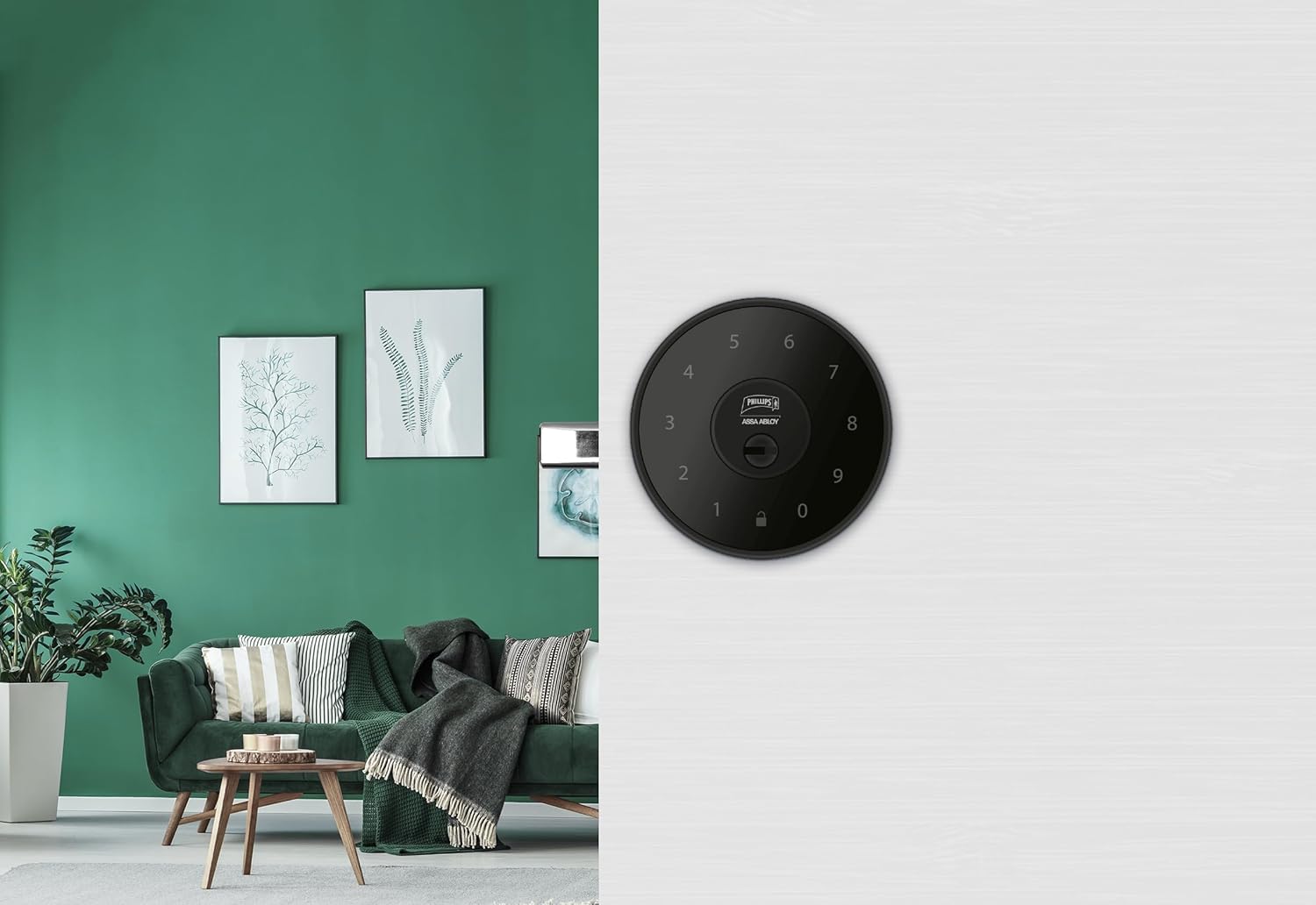
Зураг 6.1: An installed Phillips MX7053 Digital Deadbolt, showcasing its exterior keypad on a door.

Зураг 6.2: Ойролцоогоор урд view of the exterior keypad, highlighting the numeric interface and keyhole.
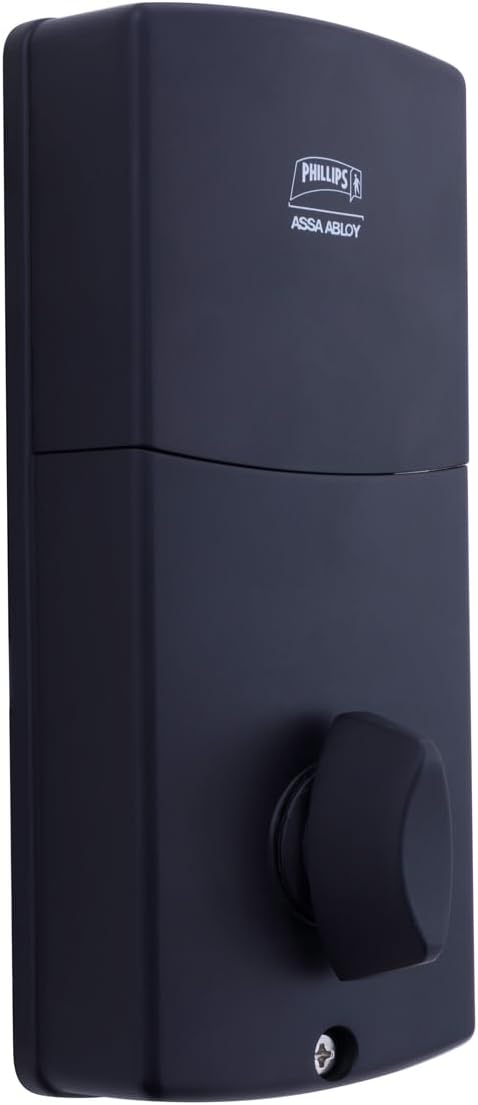
Зураг 6.3: Арын view of the interior unit, which houses the battery compartment and the thumb turn for manual locking/unlocking.
7. Зайг суурилуулах, солих
The Phillips MX7053 Digital Deadbolt requires 4 AA alkaline batteries for operation. Batteries are not included.
- Батерейны тасалгаанд нэвтрэх: Locate the battery cover on the interior thumb turn unit. Slide or unclip the cover to open the compartment.
- Батерейг оруулах: Тасалгааны дотор заасан зөв туйлшралыг (+/-) баталгаажуулж, 4 шинэ АА шүлтлэг батерейг оруулна уу.
- Хаах тасалгаа: Replace the battery cover, ensuring it is securely closed.
- Туршилт: After installing batteries, the lock should emit a beep and the keypad lights may illuminate briefly, indicating power.
Жич: Replace all four batteries simultaneously. Do not mix old and new batteries or different battery types. Low battery indication will typically be a series of beeps or a specific light pattern when operating the lock.
8. Үйл ажиллагаа
8.1 Хаалганы түгжээг тайлах
- Код ашиглах нь: Enter your 4 to 10-digit user code on the exterior keypad. The light indicator will confirm successful entry, and the deadbolt will retract.
- Түлхүүрийг ашиглах: Insert the high-security key into the keyhole on the exterior keypad and turn it to unlock the deadbolt.
- Дотор талаас: Turn the thumb turn on the interior unit to retract the deadbolt.
8.2 Хаалгыг түгжих
- Гаднаас нь: Press any key on the keypad or simply wait for the auto-lock feature (if enabled) to engage the deadbolt.
- Түлхүүрийг ашиглах: Insert the high-security key into the keyhole on the exterior keypad and turn it to extend the deadbolt.
- Дотор талаас: Turn the thumb turn on the interior unit to extend the deadbolt.
9. Хэрэглэгчийн кодуудыг програмчлах
The lock supports up to 50 unique user codes, each 4 to 10 digits long. Refer to the specific programming instructions included with your lock for detailed steps on adding, deleting, or modifying user codes. Generally, this involves entering a master code followed by a sequence of commands and the desired user code.
Чухал: Keep your master code confidential and do not share it. It is essential for managing all other user codes.
10. Засвар үйлчилгээ
- Цэвэрлэгээ: Цоожны гадаргууг зөөлөн, d-ээр арчинаamp даавуу. Хүчтэй химийн бодис, зүлгүүрийн цэвэрлэгч хэрэглэж болохгүй.
- Зай шалгах: Батерей бага байгаагийн дохио гарч ирэхэд батерейг нэн даруй солино уу.
- Механик шалгалт: Periodically check that all screws are tight and the lock operates smoothly. Lubricate the deadbolt mechanism with a silicone-based lubricant if necessary.
11. Алдаа засах
- Түгжээ хариу өгөхгүй байна: Батерейны суурилуулалтыг шалгаж, шаардлагатай бол батерейг солино уу. Товчлуур нь цэвэрхэн, хог хаягдалгүй эсэхийг шалгаарай.
- Deadbolt Not Extending/Retracting: Verify that the door frame strike plate is properly aligned with the deadbolt. Check for any obstructions in the door jamb.
- Incorrect Code Entry: If the light indicator flashes or beeps after entering a code, re-enter the code carefully. Ensure you are using a valid, programmed user code.
- Товчлуур асахгүй байна: This may indicate very low batteries or a power issue. Replace batteries.
12. Баталгаат хугацаа ба дэмжлэг
The Phillips MX7053 Digital Deadbolt PCD-360 comes with a 1 жилийн баталгаат хугацаа худалдан авсан өдрөөс эхлэн үйлдвэрлэлийн согогийг хамарна. Баталгаат заргад зориулж худалдан авалтаа нотлох баримтаа үлдээнэ үү.
For technical assistance, troubleshooting beyond this manual, or warranty inquiries, please contact Phillips customer support. Refer to the contact information provided on the product packaging or Phillips' official webсайт.
Additional protection plans may be available from third-party providers for extended coverage.