1. Танилцуулга
Thank you for choosing the Mebus Electronic Alarm Clock, Model 785836 (also known as Mebus 25738 Quartz Alarm Clock). This manual provides detailed instructions for the setup, operation, and maintenance of your new alarm clock. Please read this manual thoroughly before use to ensure proper functionality and to maximize your product experience. Keep this manual for future reference.
2. Бүтээгдэхүүн дууссанview
The Mebus Electronic Alarm Clock is a versatile timepiece designed for reliability and ease of use. It features a clear digital display showing time, month, date, day, and temperature. Its compact design makes it suitable for various environments, including home offices and bedrooms.
2.1 Гол онцлогууд
- Дижитал цагийн дэлгэц
- Сэрүүлгийн функц
- Date and day display
- Температурын дэлгэц
- Durable plastic and metal construction
2.2 Бүрэлдэхүүн хэсэг
Сэрүүлгийн цагныхаа үндсэн бүрэлдэхүүн хэсгүүдтэй танилц:
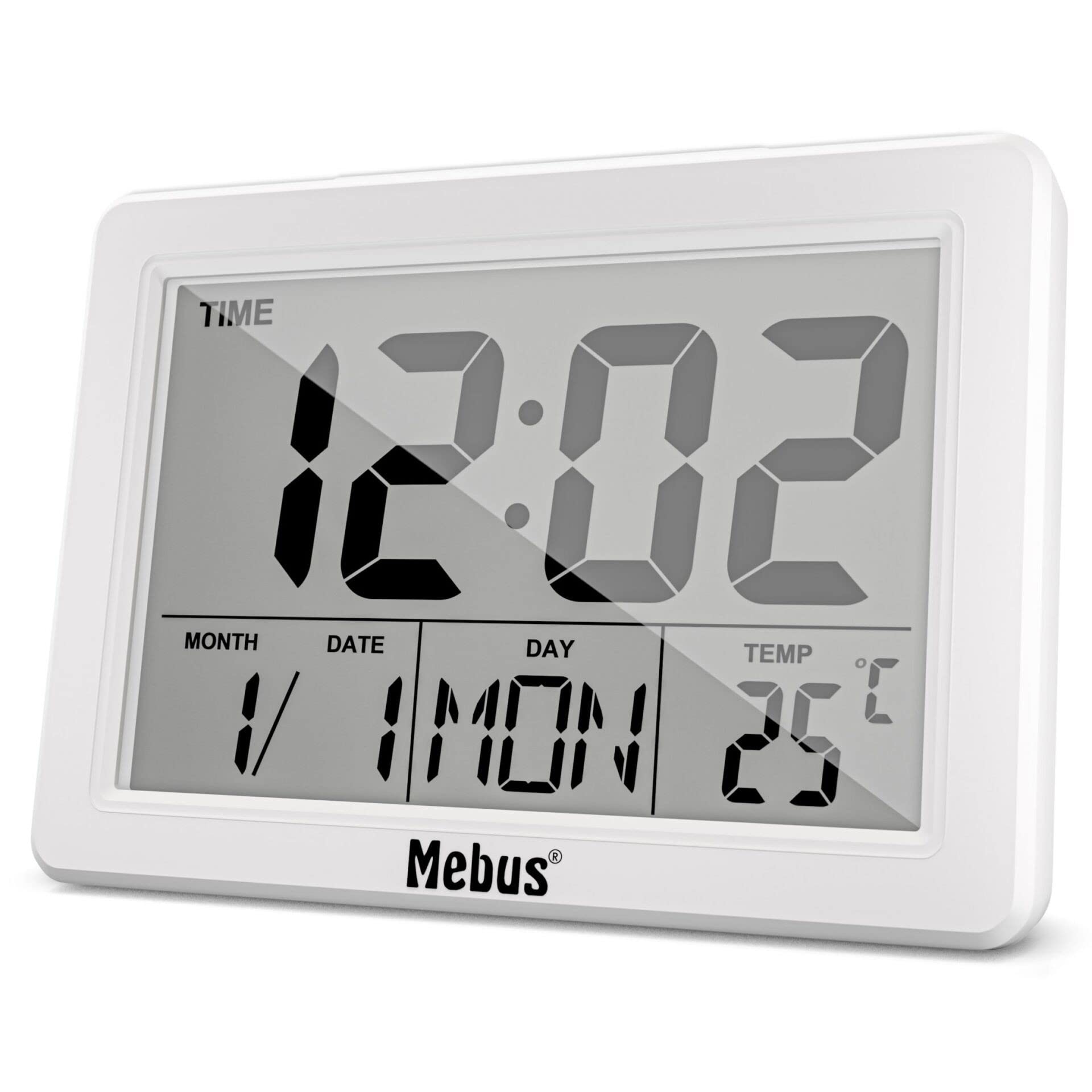
Зураг 1: Урд View of the Mebus Electronic Alarm Clock. This image displays the clock's face, clearly showing the digital time (12:02), month, date, day (MON), and temperature (25°C). The Mebus logo is visible at the bottom right.
- Дижитал дэлгэц: Shows time, date, day, and temperature.
- Хяналтын товчлуурууд: (Located on the back or sides, specific functions detailed in Section 4) Used for setting time, alarm, and other functions.
- Зайны тасалгаа: (Located on the back) For battery installation.
3. Тохиргоо
3.1 Батерей суурилуулах
The Mebus Electronic Alarm Clock requires batteries for operation. Batteries are not included with the product.
- Сэрүүлгийн цагны арын хэсэгт зайны тасалгааны тагийг олоорой.
- Remove the cover by sliding or lifting it.
- Insert the required batteries (e.g., AA or AAA, refer to the compartment markings) ensuring correct polarity (+ and -).
- Зайны тасалгааны тагийг найдвартай солино.
The clock should now power on and display default settings or a flashing time.
4. Ашиглалтын заавар
This section guides you through setting the time, alarm, and other display functions.

Figure 2: Detailed Display of the Mebus Electronic Alarm Clock. This image provides a closer look at the digital segments, clearly showing the time, date, day, and temperature readings.
4.1 Цагийг тохируулах
- дээр дарна уу MODE button (usually located on the back) repeatedly until the time display starts flashing or you enter time setting mode.
- -г ашиглана уу UP or ДООШ buttons (or similar labeled buttons) to adjust the hours.
- дарна уу MODE дахин минут руу шилжиж, дараа нь ашиглана уу UP/ДООШ тохируулах.
- Үргэлжлүүлэн дарна уу MODE to cycle through year, month, and date settings, adjusting each with the UP/ДООШ товчлуурууд.
- Бүх тохиргоо зөв болсны дараа товчийг дарна уу MODE сүүлийн удаа эсвэл тохиргоо автоматаар хадгалагдах хүртэл хэдэн секунд хүлээнэ үү.
4.2 Сэрүүлгийг тохируулах
- дээр дарна уу СЭРҮҮЛЭГ товчлуур (эсвэл MODE until 'AL' or an alarm icon appears). The alarm time should start flashing.
- -г ашиглана уу UP or ДООШ хүссэн сэрүүлгийн цагийг тохируулах товчлуурууд.
- дарна уу СЭРҮҮЛЭГ дахин минут руу шилжиж, дараа нь ашиглана уу UP/ДООШ тохируулах.
- дарна уу СЭРҮҮЛЭГ one last time to confirm. An alarm icon should appear on the display, indicating the alarm is active.
4.3 Түр хойшлуулах функц
Сэрүүлэг дуугарахад товчийг дарна уу УНТАХ button (often a large button on top) to temporarily silence the alarm. The alarm will sound again after a few minutes (typically 5-10 minutes).
4.4 Disabling the Alarm
To turn off the alarm completely, press any button other than УНТАХ when the alarm is sounding, or press the СЭРҮҮЛЭГ button repeatedly until the alarm icon disappears from the display.
5. Засвар үйлчилгээ
5.1 Цэвэрлэгээ
To clean your alarm clock, use a soft, dry cloth. For stubborn marks, a slightly damp cloth can be used, followed by a dry cloth. Do not use abrasive cleaners, solvents, or chemical sprays, as these can damage the display or casing.
5.2 Батерейг солих
When the display dims or the clock functions become erratic, it is time to replace the batteries. Follow the battery installation steps in Section 3.1. Always dispose of old batteries responsibly according to local regulations.
6. Алдаа засах
| Асуудал | Боломжит шалтгаан | Шийдэл |
|---|---|---|
| Дэлгэц хоосон эсвэл бүдэг байна. | Батерей бага эсвэл үхсэн; зайны буруу суурилуулалт. | Батерейг шинээр сольж, зөв туйлшралыг баталгаажуулна уу. |
| Сэрүүлэг дуугарахгүй байна. | Alarm not set or disabled; alarm volume too low (if adjustable). | Verify alarm time is set and activated (check for alarm icon). Ensure volume is audible. |
| Цаг буруу байна. | Time not set correctly; power interruption (if applicable). | Reset the time following instructions in Section 4.1. |
| Товчнууд хариу өгөхгүй байна. | Батерей бага; дотоод эвдрэл. | Зайгаа солих. Хэрэв асуудал хэвээр байвал хэрэглэгчийн тусламжтай холбогдоно уу. |
7. Техникийн үзүүлэлтүүд
- Загварын дугаар: 785836
- Бүтээгдэхүүний төрөл: Electronic Alarm Clock (Mebus 25738 Quartz Alarm Clock)
- Брэнд: Мебус
- Өнгө: Multicolored (as per product description, actual display is monochrome)
- Хэмжээ: Approximately 14.4 x 13.8 x 5.2 cm (Package dimensions)
- Жин: Ойролцоогоор 200 грамм
- Материал: Хуванцар ба металл
- Дэлгэцийн төрөл: Analog (refers to the movement type, visual display is digital)
- Онцлог шинж чанар: Сэрүүлэг
- Эрчим хүчний эх үүсвэр: Батерей (оруулаагүй)
- Суурилуулах төрөл: Ширээний бэхэлгээ
8. Баталгаат хугацаа ба дэмжлэг
Mebus products are manufactured with high-quality materials. For any questions, technical assistance, or warranty claims, please refer to the retailer where you purchased the product or visit the official Mebus website for contact information. Please retain your proof of purchase for warranty purposes.