Танилцуулга
The Gtech Multi Platinum Cordless Handheld Vacuum Cleaner is designed for powerful and convenient cleaning in your car, home, and various other spaces. Its lightweight aluminum-reinforced construction ensures durability, while the rechargeable battery provides up to 30 minutes of runtime for fuss-free cleaning. This manual provides essential information for setup, operation, maintenance, and troubleshooting to help you get the most out of your vacuum cleaner.

Image: The Gtech Multi Platinum Cordless Handheld Vacuum Cleaner with its main components and included attachments.
Багцын агуулга
Your Gtech Multi Platinum package should include the following items:
- Gtech Multi Platinum Handheld Vacuum Unit
- Power Head (Motorized Brush Head)
- Хагарлын хэрэгсэл
- Өргөтгөх хоолой
- Тоос цэвэрлэх сойз
- Цэнэглэдэг лити-ион батерей (урьдчилан суулгасан эсвэл тусдаа)
- Зай цэнэглэгч
- Scented Cartridges (replaceable)
- Нөөц шүүлтүүр
- Хэрэглэгчийн гарын авлага (энэ баримт бичиг)

Зураг: Ойролцоогоор view of the Gtech Multi Platinum handheld vacuum and its versatile attachments, including the crevice tool, extension tube, and dusting brush.
Тохиргоо
1. Батерейг цэнэглэж байна
Before first use, fully charge the battery. The battery provides up to 30 minutes of runtime and takes approximately 3 hours to fully charge.
- Locate the battery charger.
- Connect the charger to the battery. The battery can be charged while installed in the unit or removed.
- Цэнэглэгчийг ердийн ханын залгуурт холбоно уу.
- The indicator lights on the battery will show the charging status. All lights will be solid when fully charged.
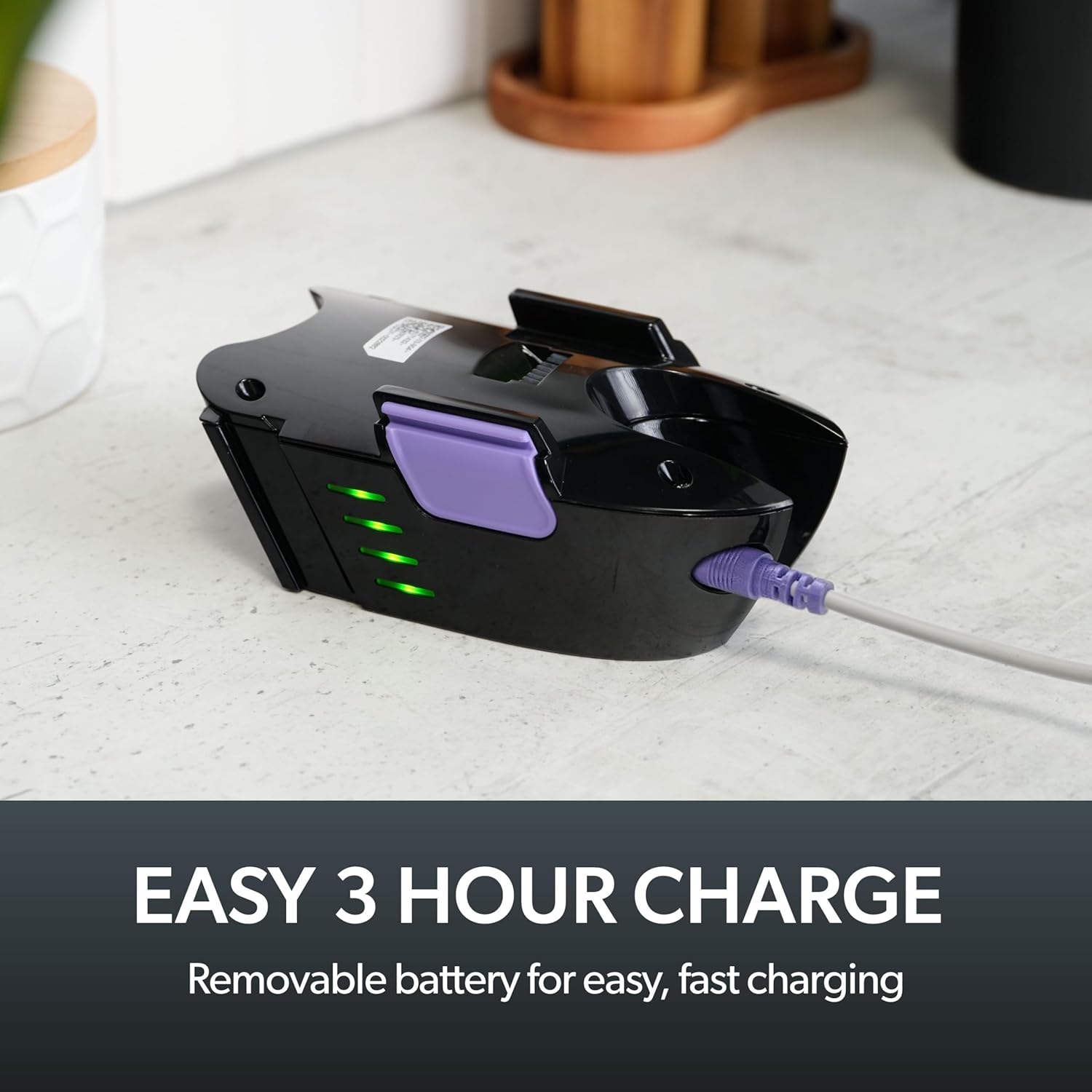
Image: The removable battery of the Gtech Multi Platinum connected to its charger, showing the indicator lights.
2. Дагалдах хэрэгслийг хавсаргах
The Gtech Multi Platinum comes with several handy attachments for various cleaning tasks:
- Эрчим хүчний толгой: Ideal for carpets, upholstery, and stairs. Simply push it onto the main vacuum nozzle until it clicks into place.
- Хагарлын хэрэгсэл: Perfect for tight spaces, corners, and edges. Attach directly to the main nozzle.
- Өргөтгөх хоолой: Use with other attachments to reach high or low areas without bending or stretching. Connect it between the main nozzle and your chosen attachment.
- Тоос багс: For delicate surfaces like keyboards, shelves, or blinds. Attach to the main nozzle or the extension tube.
Ашиглалтын заавар
Асаах/унтраах
To turn the vacuum on, press the power button located on the handle. Press it again to turn the vacuum off.
Ерөнхий цэвэрлэгээ
For general floor cleaning, attach the Power Head. Its motorized brush effectively lifts dirt, debris, and pet hair from various surfaces, including carpets and hard floors.

Image: The Gtech Multi Platinum in use, demonstrating its maneuverability on stairs, effectively cleaning both carpeted and hard surfaces.
Хавсралтуудыг ашиглах
Цэвэрлэх ажилд тохирох хавсралтыг сонгоно уу:
- -г ашиглана уу Хагарлын хэрэгсэл for narrow gaps, car interiors, and along skirting boards.
- The Өргөтгөх хоолой combined with the Crevice Tool or Dusting Brush is ideal for reaching cobwebs on ceilings or cleaning high shelves.
- The Тоос цэвэрлэх сойз is gentle enough for delicate items like computer keyboards or intricate furniture.

Image: The Gtech Multi Platinum with a dusting brush attachment, cleaning a laptop keyboard, highlighting its precision for delicate surfaces.

Image: The Gtech Multi Platinum with its extension tube and LED headlights, illuminating hidden dust and dirt in hard-to-reach areas.
Scented Cartridges
The vacuum includes lightly scented cartridges to help neutralize odors and leave your home smelling fresh. Replace them as needed.
Засвар үйлчилгээ
Бохир савыг хоослох
The large, easy-empty dirt bin should be emptied regularly to maintain optimal suction performance. Simply slide the ejector arm to release collected dirt and dust.

Image: A user emptying the easy-empty dirt bin of the Gtech Multi Platinum, demonstrating the quick and mess-free disposal of debris.
Шүүлтүүрийг цэвэрлэх
The vacuum features a washable filter system. For best performance, clean the filter regularly:
- Remove the dirt bin and then the filter.
- Tap the filter to remove loose debris.
- Rinse the filter under cold water until the water runs clear.
- Шүүлтүүрийг вакуумд дахин оруулахын өмнө дор хаяж 24 цагийн турш бүрэн хатаана. Нойтон шүүлтүүртэй вакуумыг бүү ашигла.
A spare filter is included to allow for continuous use while one filter is drying.
Cleaning the Power Head Brush Bar
Periodically check the Power Head brush bar for tangled hair or debris. Use scissors or the included hair/string cutter to carefully remove any obstructions. Ensure the vacuum is turned off before performing this maintenance.
Алдааг олж засварлах
| Асуудал | Боломжит шалтгаан | Шийдэл |
|---|---|---|
| Вакуум асахгүй байна | Батерей цэнэглэгдээгүй байна; Батерейг зөв оруулаагүй байна | Charge the battery fully; Ensure battery is securely clicked into place |
| Сорох хүч буурсан | Dirt bin full; Filter clogged; Obstruction in nozzle/attachments/brush bar | Empty dirt bin; Clean/replace filter; Remove any obstructions |
| Power Head brush bar not spinning | Obstruction in brush bar; Power Head not properly attached | Clear any tangled hair/debris; Reattach Power Head securely |
Үзүүлэлтүүд
- Загварын нэр: Multi Platinum
- Загварын дугаар: ATF061
- Брэнд: Gtech
- Онцлог шинж чанар: Lightweight, Handheld
- Шүүлтүүрийн төрөл: Картридж (Угааж болдог)
- Утасгүй юу?: Тиймээ
- Хүчин чадал: 0.4 кг
- Ватtage: 140 ватт
- Ажиллах цаг: 30 минут хүртэл
- Цэнэглэх хугацаа: Ойролцоогоор 3 цаг
- Зөвлөмж болгож буй хэрэглээ: Indoor (Car, Home, Upholstery, Stairs)
- Формат хүчин зүйл: Гарын төхөөрөмж
- Өнгө: Цагаан / Нил ягаан
- Бүтээгдэхүүний хэмжээ: 15.2"L x 5.4"W x 9.8"H
- Дуу чимээний түвшин: 70 дБ
- Барааны жин: 3.3 фунт
- Зай: 1 лити ион батерей (дагсан)
Бүтээгдэхүүний албан ёсны видео
Video: An official product video from Gtech Home USA showcasing the features and benefits of the Gtech Multi Platinum vacuum cleaner.
Баталгаат болон дэмжлэг
Gtech products are designed for durability and performance. For specific warranty details, please refer to the warranty card included with your purchase or visit the official Gtech webсайт.
For customer support, technical assistance, or to purchase replacement parts and accessories, please contact Gtech Home USA directly:
- Webсайт: www.gtech.co.uk
- Amazon дэлгүүр: Visit the Gtech Store on Amazon
Please have your model number (ATF061) and purchase date ready when contacting support.


