Танилцуулга
This manual provides detailed instructions for the EKSA H1 Plus Bluetooth Trucker Headset. Please read thoroughly to ensure proper setup, operation, and maintenance of your device. This headset is designed for clear communication in various environments, featuring advanced noise-cancelling technology and versatile connectivity options.
Багцын агуулга
- H1 Plus Headset
- Хамгаалалтын хайрцаг
- Replacement Ear Pad (Mesh breathable)
- C төрлийн цэнэглэгч кабель
- USB Dongle (PC Adapter)
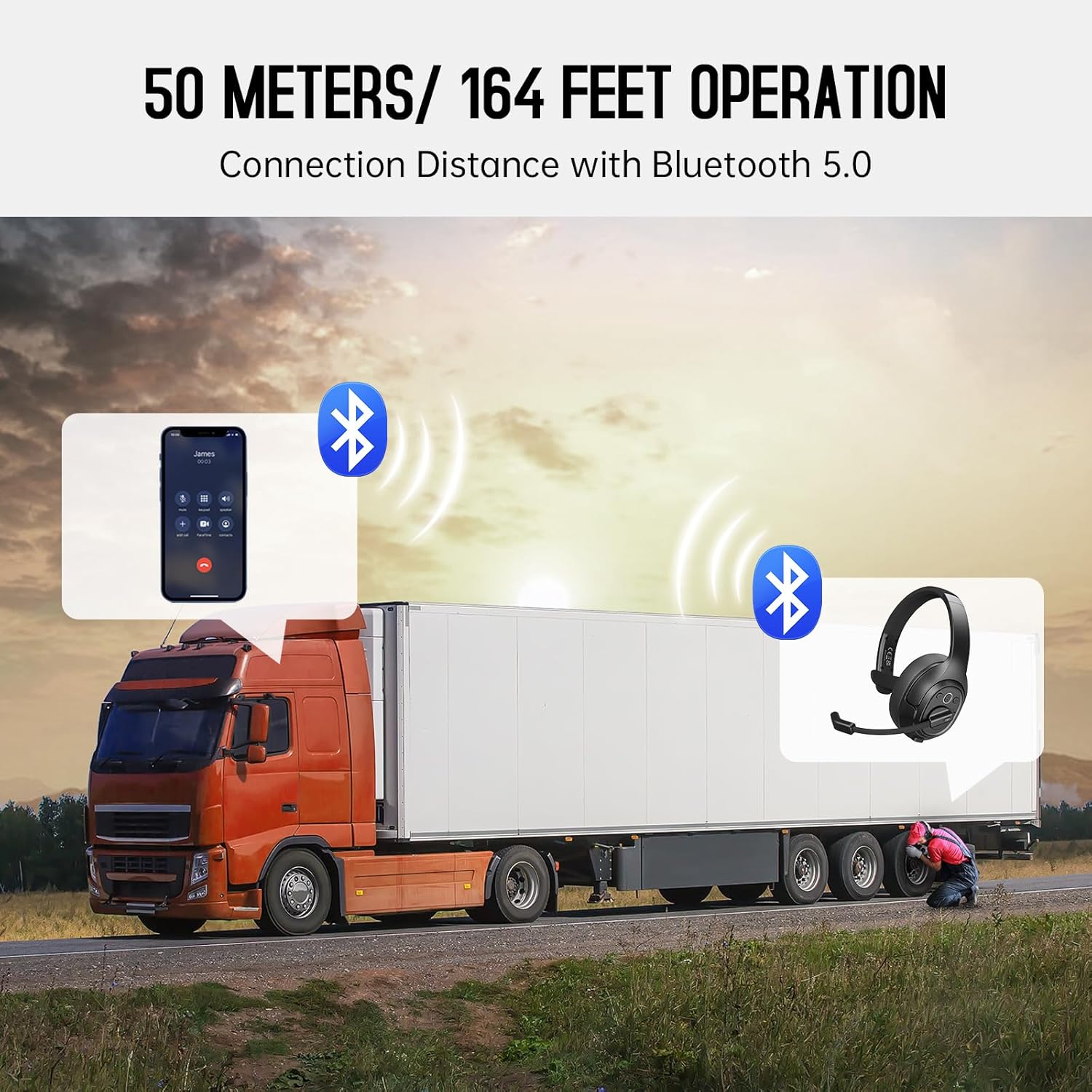
Image: The EKSA H1 Plus headset, USB dongle, and charging cable as typically found in the product packaging.
Тохиргоо
1. Чихэвчийг цэнэглэж байна
Before first use, fully charge the headset. Connect the provided Type-C charging cable to the headset's charging port and the other end to a USB power source. The charging indicator will show the charging status. A full charge takes approximately 1.5 hours.

Image: Visual representation of the headset's battery life and charging duration.
2. Асаах/унтраах
Press and hold the Multi-Function Button (MFB) for 3 seconds to power on or off the headset. A voice prompt will indicate the status.
3. Bluetooth холболт (гар утасны төхөөрөмжүүдэд)
- Чихэвчийг унтраасан эсэхийг шалгаарай.
- Press and hold the MFB for 5-7 seconds until the LED indicator flashes blue and red alternately, indicating pairing mode.
- On your mobile device, enable Bluetooth and search for "EKSA-H1PLUS".
- Select "EKSA-H1PLUS" to connect. The LED will turn solid blue once connected.
4. Connecting with USB Dongle (for PC/Mac without Bluetooth)
- USB тохируулагчийг компьютер дээрээ байгаа USB порт руу холбоно уу.
- Чихэвчийг асаана уу. Энэ нь автоматаар тохируулагчтай холбогдохыг оролдох болно.
- The LED on the dongle and headset will turn solid blue when connected.
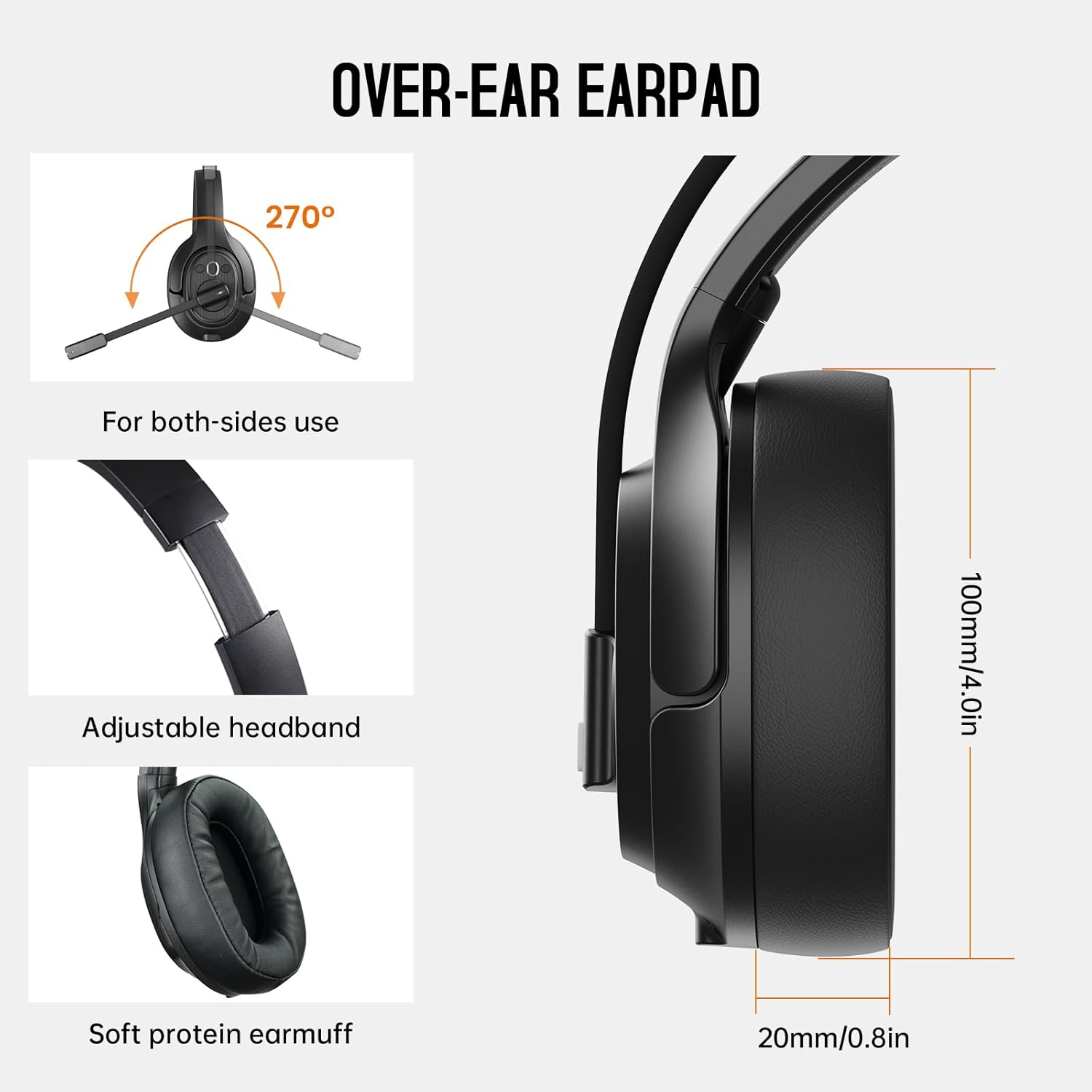
Image: The headset demonstrating simultaneous connection to a phone via Bluetooth and a laptop via USB dongle.
Ашиглалтын заавар
1. Хяналтуудview
The headset features intuitive controls located on the earcup:
- Олон үйлдэлт товчлуур (MFB): Power on/off, play/pause music, answer/end calls.
- Дууны хэмжээг нэмэгдүүлэх (+): Дууны хэмжээг нэмэгдүүлэх.
- Дууг багасгах (-): Дууны хэмжээг багасгах.
- Дууг хаах товч: Дуудлагын үеэр микрофоны дууг хаах/асах.
- AI Assistant Button: Төхөөрөмжийнхөө дуут туслахыг идэвхжүүлнэ үү.

Зураг: Ойролцоогоор view of the headset's control buttons and ports.
2. Дуудлага хийх, хүлээн авах
- Дуудлагад хариулах/дуусах: MFB дээр богино дар.
- Дуудлагаас татгалзах: MFB-г 2 секундын турш дар.
- Сүүлийн дугаарыг дахин залгах: MFB дээр хоёр удаа дарна уу.
- Микрофоны дууг хаах/асах: Short press the dedicated mute button on the microphone arm.
3. Microphone and Wearing Adjustments
The headset is designed for comfort and versatility:
- Тохируулах боломжтой толгойн тууз: Extend or retract the headband to fit your head comfortably.
- Rotatable Microphone: The microphone arm can rotate 270 degrees, allowing it to be worn on either the left or right ear. Position the microphone close to your mouth for optimal voice pickup.
- Comfortable Earcups: The over-ear design with soft ear pads ensures comfort during extended use.

Image: Features illustrating the ergonomic design of the headset, including adjustable headband and rotatable microphone.
4. Environmental Noise Cancelling (ENC) Microphone
The AI-Powered ENC microphone filters out up to 99.8% of ambient noise, ensuring your voice is transmitted clearly even in noisy environments like call centers, construction sites, or trucks.

Image: A visual explanation of the ENC microphone's function, demonstrating noise reduction.
5. Олон төхөөрөмжийн холболт
The headset supports simultaneous connection to two different devices, such as a smartphone and a computer, allowing seamless switching between calls and other audio sources.

Image: Illustration of the headset's ability to connect to two devices concurrently.
6. Extended Wireless Range
Utilizing Bluetooth 5.0 technology, the headset offers a stable wireless connection up to 30 meters (99 feet). In unobstructed environments, the range can extend up to 50 meters (164 feet).

Image: Visualizing the headset's long-range wireless capabilities in an outdoor setting.
Засвар үйлчилгээ
- Цэвэрлэгээ: Чихэвчийг цэвэрлэхдээ зөөлөн, хуурай даавуу ашиглаарай. Хүчтэй химийн бодис эсвэл зүлгүүрийн материал хэрэглэхээс зайлсхий.
- Чихний дэвсгэр солих: The headset comes with a replacement mesh breathable ear pad. To replace, gently twist and pull off the existing ear pad, then align and press the new ear pad into place.
- Хадгалах: Store the headset in its protective case when not in use to prevent damage.

Image: Demonstrating the detachable ear pads and the two types included for different comfort levels.
Алдааг олж засварлах
| Асуудал | Шийдэл |
|---|---|
| Чихэвч асахгүй байна. | Ensure the headset is fully charged. Press and hold the MFB for 3 seconds. |
| Bluetooth-ээр холбох боломжгүй. | Ensure the headset is in pairing mode (flashing blue/red LED). Turn off and on Bluetooth on your device. Move closer to the device. |
| Дуу чимээгүй эсвэл дууны чанар муу байна. | Check volume levels on both the headset and connected device. Ensure the headset is selected as the audio output device. Re-pair the headset. |
| Микрофон ажиллахгүй байна. | Ensure the microphone is not muted. Check microphone settings on your connected device. Adjust microphone position. |
| USB донгл холбогдохгүй байна. | Ensure the dongle is fully inserted. Try a different USB port. Restart your computer. |
Үзүүлэлтүүд
| Онцлог | Дэлгэрэнгүй |
|---|---|
| Загварын нэр | EKSA-H1PLUS |
| Холболтын технологи | Утасгүй (Bluetooth 5.0) |
| Bluetooth хувилбар | 5.0 |
| Bluetooth хүрээ | 30 Meters (99 feet), up to 50 Meters (164 feet) unobstructed |
| Микрофон | AI-Powered Environmental Noise Cancelling (ENC) |
| Батерейны хугацаа (Ярилцах хугацаа) | 30 цаг хүртэл |
| Батерейны ашиглалтын хугацаа (Хөгжмийн цаг) | 57 цаг хүртэл |
| Цэнэглэх хугацаа | Ойролцоогоор 1.5 цаг |
| Чихэвчний хэлбэр | Чихний дээгүүр |
| Хяналтын төрөл | Volume Control, Mute, AI Assistant |
| Жин | 1.01 фунт (ойролцоогоор 458 гр) |
Бүтээгдэхүүний албан ёсны видеонууд
EKSA H1 Plus Wireless Bluetooth Headset Overview
Видео: Албан тушаалтан ирсэнview of the EKSA H1 Plus Wireless Bluetooth Headset, highlighting its key features and design.
EKSA H1Plus Bluetooth Trucker Headset Features
Video: A detailed look at the features and benefits of the EKSA H1Plus Bluetooth Trucker Headset.
Баталгаат болон дэмжлэг
EKSA products are designed for durability and performance. For warranty information and customer support, please refer to the official EKSA website or contact their customer service directly. Optional protection plans are available for extended coverage.
Нэмэлт тусламж авахыг хүсвэл зочилно уу: www.eksa.net


