Танилцуулга
This manual provides detailed instructions for the Qulose Wireless Bluetooth Keyboard. Designed for versatility and comfort, this ultra-thin, ergonomic keyboard offers a quiet and responsive typing experience across multiple operating systems. Please read this manual thoroughly before using the product to ensure proper operation and longevity.
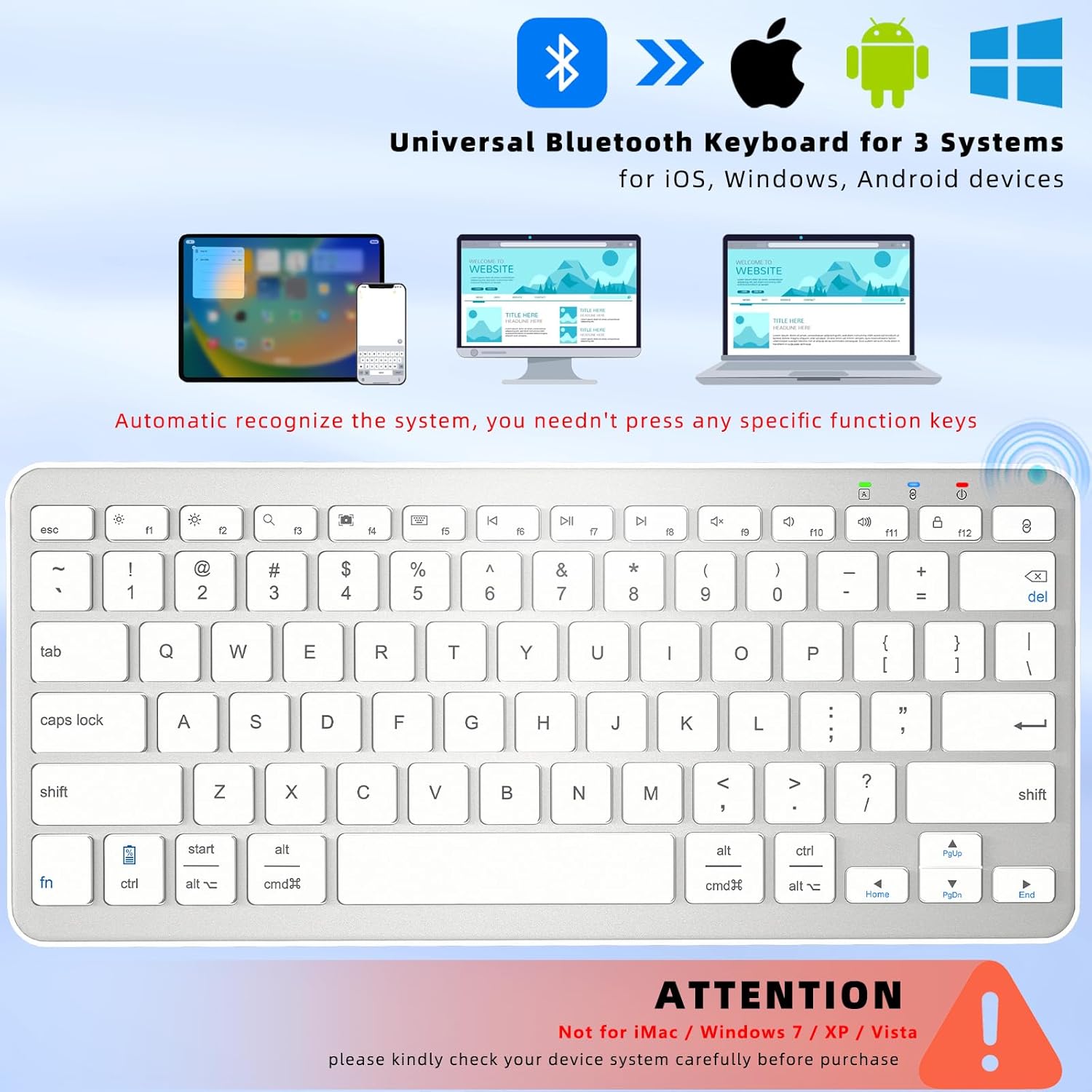
Image: The Qulose Wireless Bluetooth Keyboard demonstrating compatibility with iOS, Android, and Windows devices. The keyboard automatically recognizes the system, eliminating the need for manual selection.
Багцын агуулга
Дараах зүйлсийн багцад байгаа эсэхийг шалгана уу.
- 1 x Qulose Wireless Bluetooth Keyboard
- 1 x USB Type-C Charging Cable (charger not included)
- 1 х хэрэглэгчийн гарын авлага
Тохируулах заавар
1. Гарыг цэнэглэж байна
Before initial use, fully charge the keyboard. Connect the provided USB Type-C charging cable to the keyboard's charging port and the other end to a USB power source (e.g., computer, USB wall adapter). The charging indicator light will illuminate during charging and turn off when fully charged. A full charge typically takes 3-4 hours and provides over 100 hours of usage.
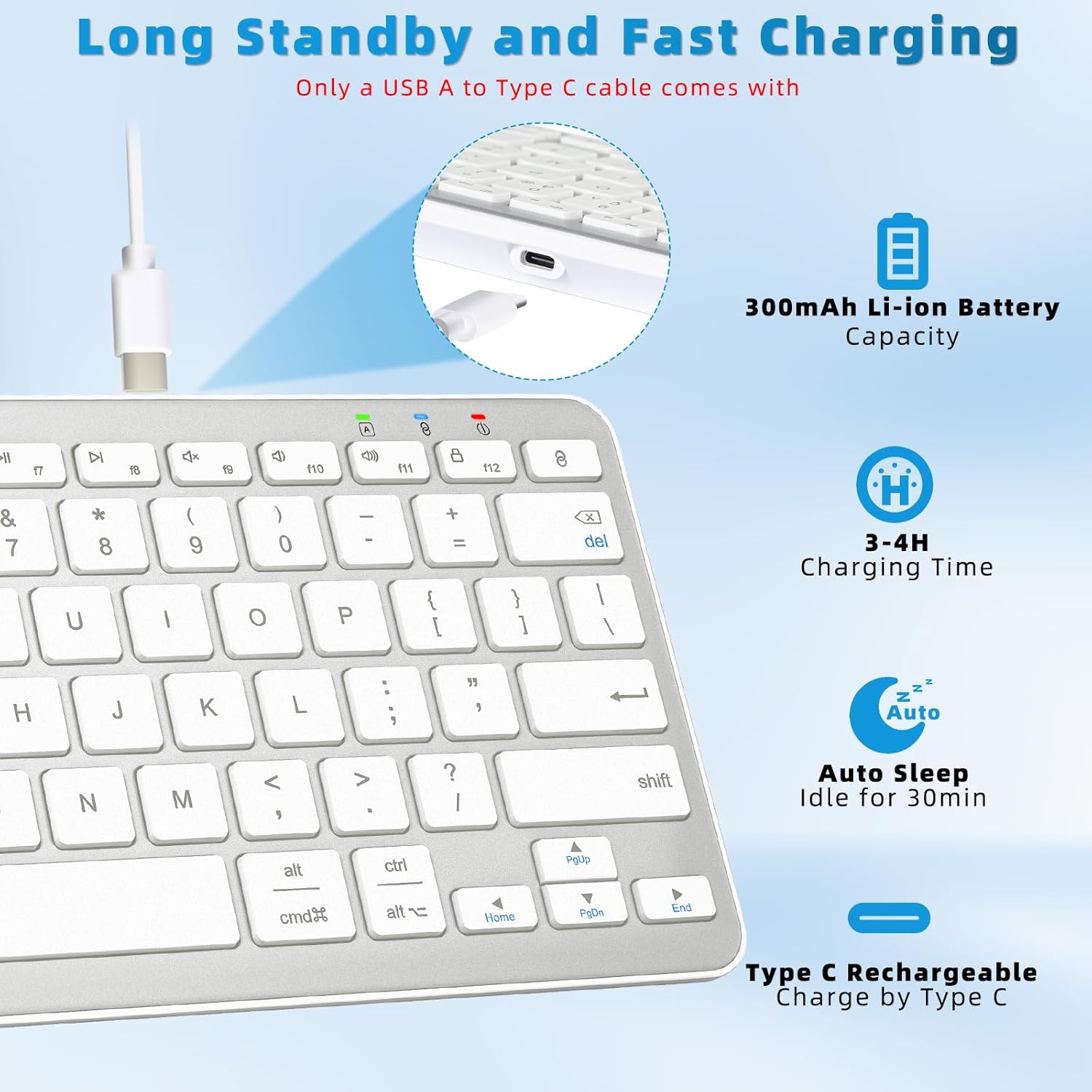
Image: The Qulose Wireless Bluetooth Keyboard connected to a USB-C charging cable, highlighting the charging port and battery capacity of 300mAh.
2. Асаах/унтраах
Locate the ON/OFF switch on the keyboard. Slide the switch to the "ON" position to power on the keyboard. Slide it to "OFF" when not in use to conserve battery.
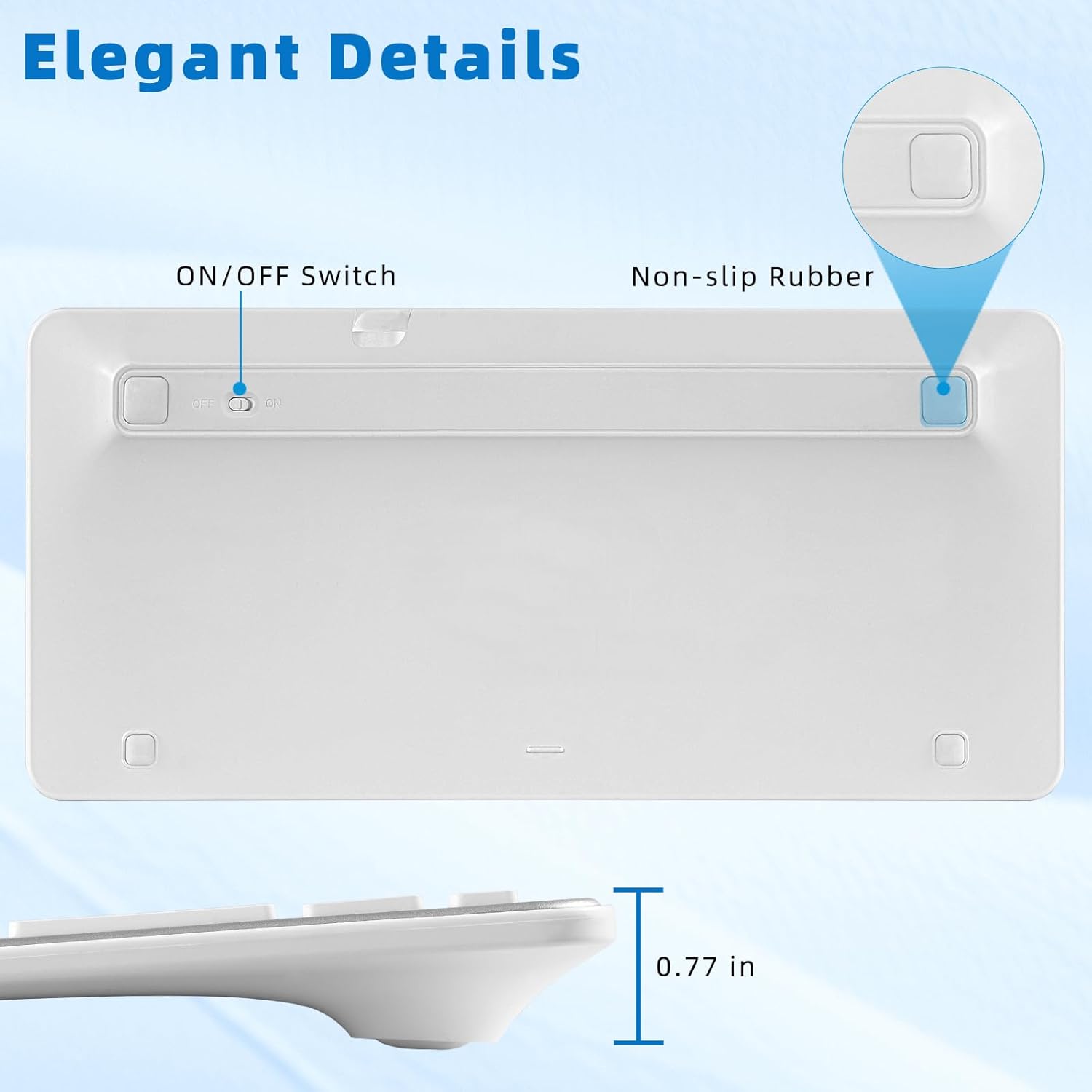
Image: The underside of the Qulose Wireless Bluetooth Keyboard, showing the ON/OFF switch and non-slip rubber pads for stability.
3. Bluetooth хослол
- Гар цэнэглэгдэж, асаалттай байгаа эсэхийг шалгаарай.
- дээр дарна уу "Pair" button on the keyboard. This will activate Bluetooth pairing mode, and an indicator light may flash.
- On your device (tablet, smartphone, PC, laptop), go to the Bluetooth settings.
- хайх available Bluetooth devices. The keyboard should appear as "Qulose Keyboard" or a similar name.
- Select the keyboard from the list to initiate the connection. Your device may display a pairing code; enter this code on the Qulose keyboard and press Оруулна уу.
- Once successfully paired, the indicator light on the keyboard will stop flashing, and your device will confirm the connection.
Жич: The keyboard supports connection to one device at a time. When connecting to a new device, you must restart the pairing process. The keyboard will automatically remember and reconnect to the last used device when powered on.
Important Compatibility Note: This keyboard is not compatible with iMac, Windows 7, Windows XP, or Windows Vista.
Ашиглалтын заавар
Системийн танилт
The Qulose Wireless Bluetooth Keyboard automatically recognizes the operating system of the connected device (iOS, Android, Windows). You do not need to manually select compatibility modes.
Мультимедиа болон функцийн товчлуурууд
The keyboard features optimized multimedia keys for quick access to various functions. These keys are typically accessed by pressing the Fn харгалзах функцийн товчлууртай (F1-F12) хамт товчлуурыг дарна уу.
- F1: Зугтах
- F2: Brightness Control (Decrease)
- F3: Brightness Control (Increase)
- F4: Хайлт
- F5: Screenshot
- F6: Virtual Keyboard
- F7: Өмнөх дуу
- F8: Тоглуулах/түр зогсоох
- F9: Дараагийн дуу
- F10: Дуугүй
- F11: Дууг бууруулах
- F12: Дууны түвшинг нэмэгдүүлэх
- Түлхүүрийг хослуулах: Initiates Bluetooth pairing.
- Lock Screen Key: Locks the device screen.
Жич: For Android and iOS users, the F1-F12 keys may not be fully functional as standard function keys and are primarily designed for multimedia shortcuts.
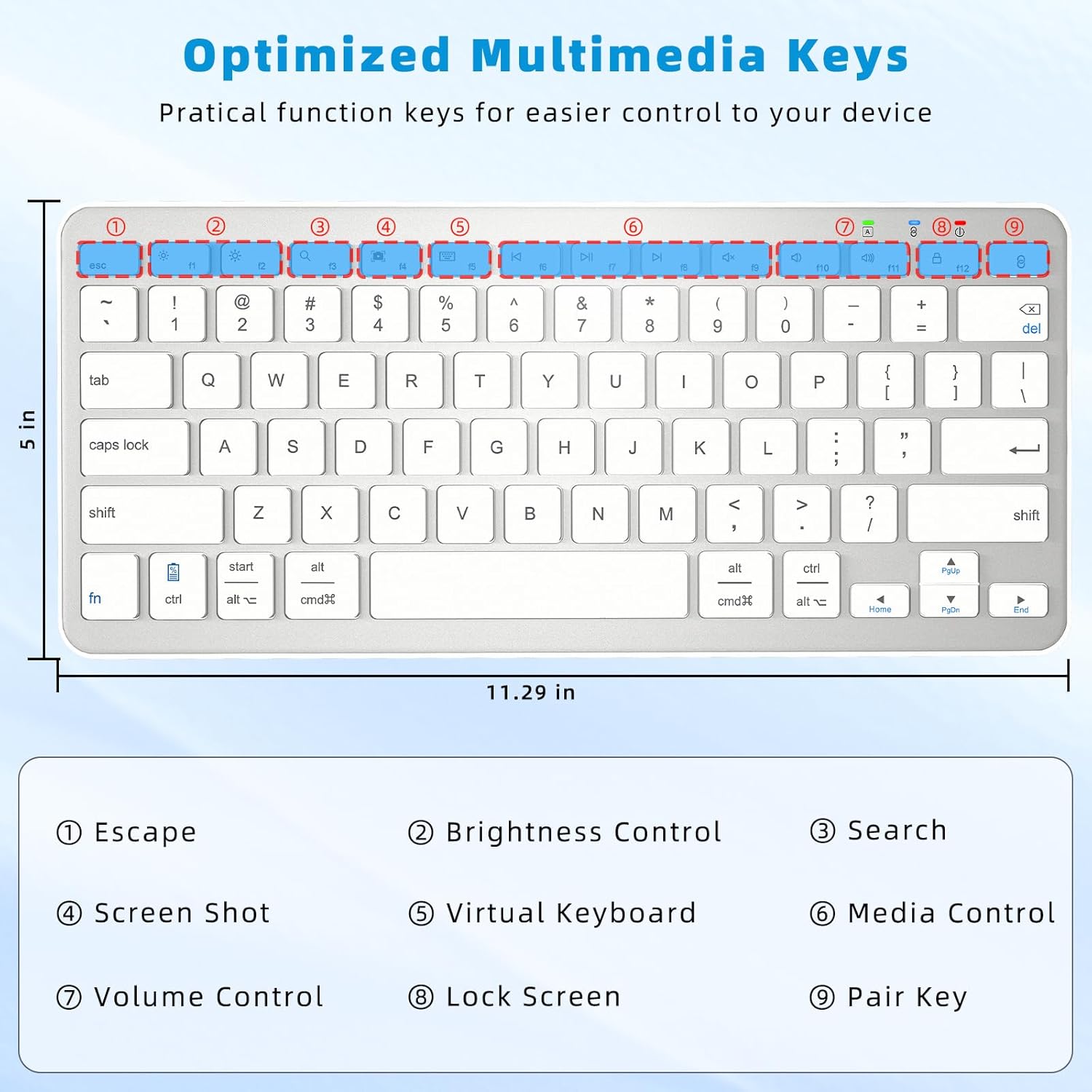
Image: Close-up of the Qulose Wireless Bluetooth Keyboard highlighting the optimized multimedia keys and their corresponding functions, such as Escape, Brightness Control, Search, Screenshot, Virtual Keyboard, Media Control, Volume Control, Lock Screen, and Pair Key.
Автомат унтах функц
To conserve battery, the keyboard will automatically enter sleep mode after 30 minutes of inactivity. To wake it up, simply press any key and wait for 2-3 seconds for it to reconnect and become active.
Ergonomic Design and Typing Experience
The keyboard features a scissor-switch key structure, providing a smooth, quiet, and responsive typing experience. Its ergonomic design helps maintain a comfortable wrist posture during extended use. The effective working distance for Bluetooth connectivity is up to 10 meters (33 feet).
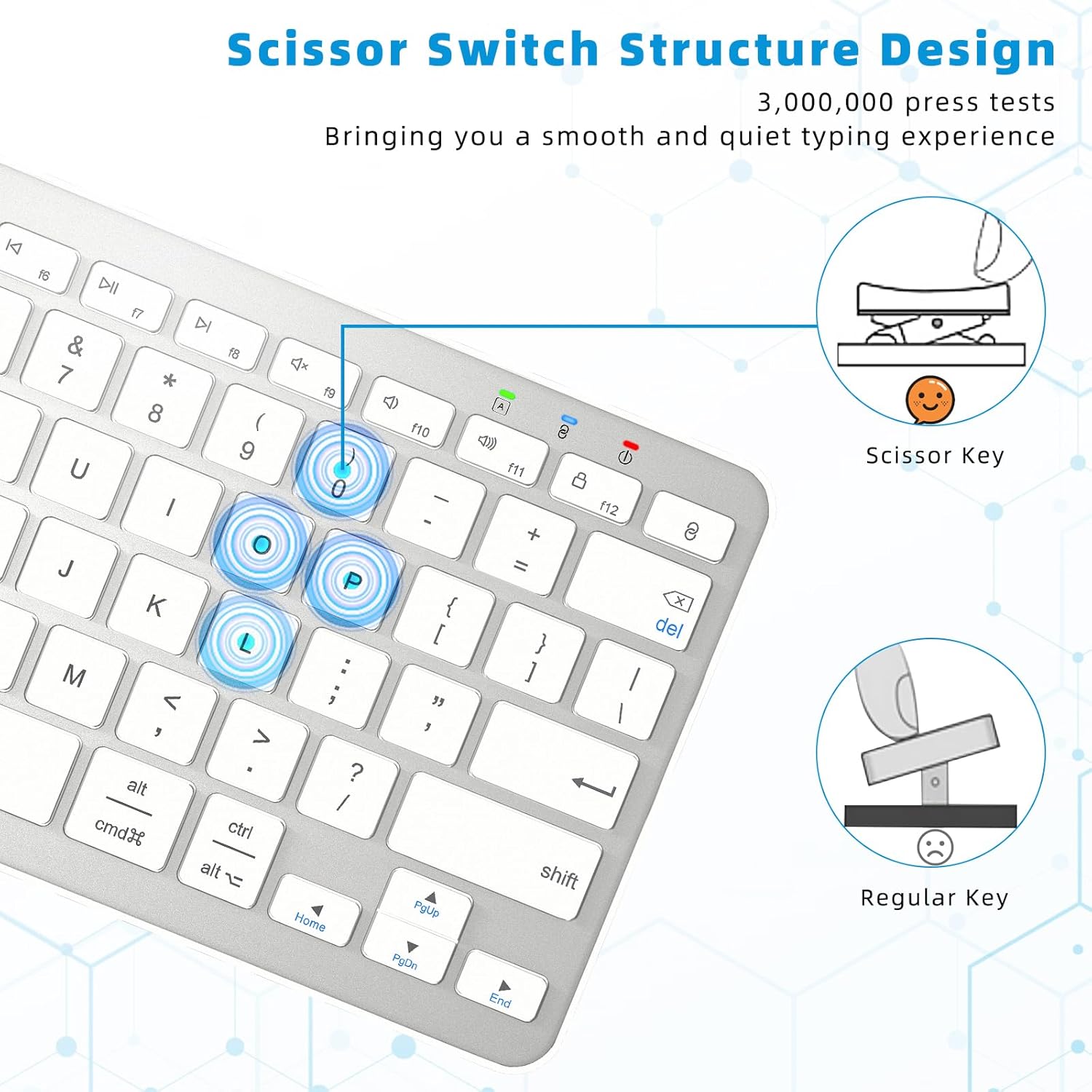
Image: Diagram illustrating the scissor-switch key structure of the Qulose Wireless Bluetooth Keyboard, emphasizing its smooth and quiet typing benefits compared to regular keys.
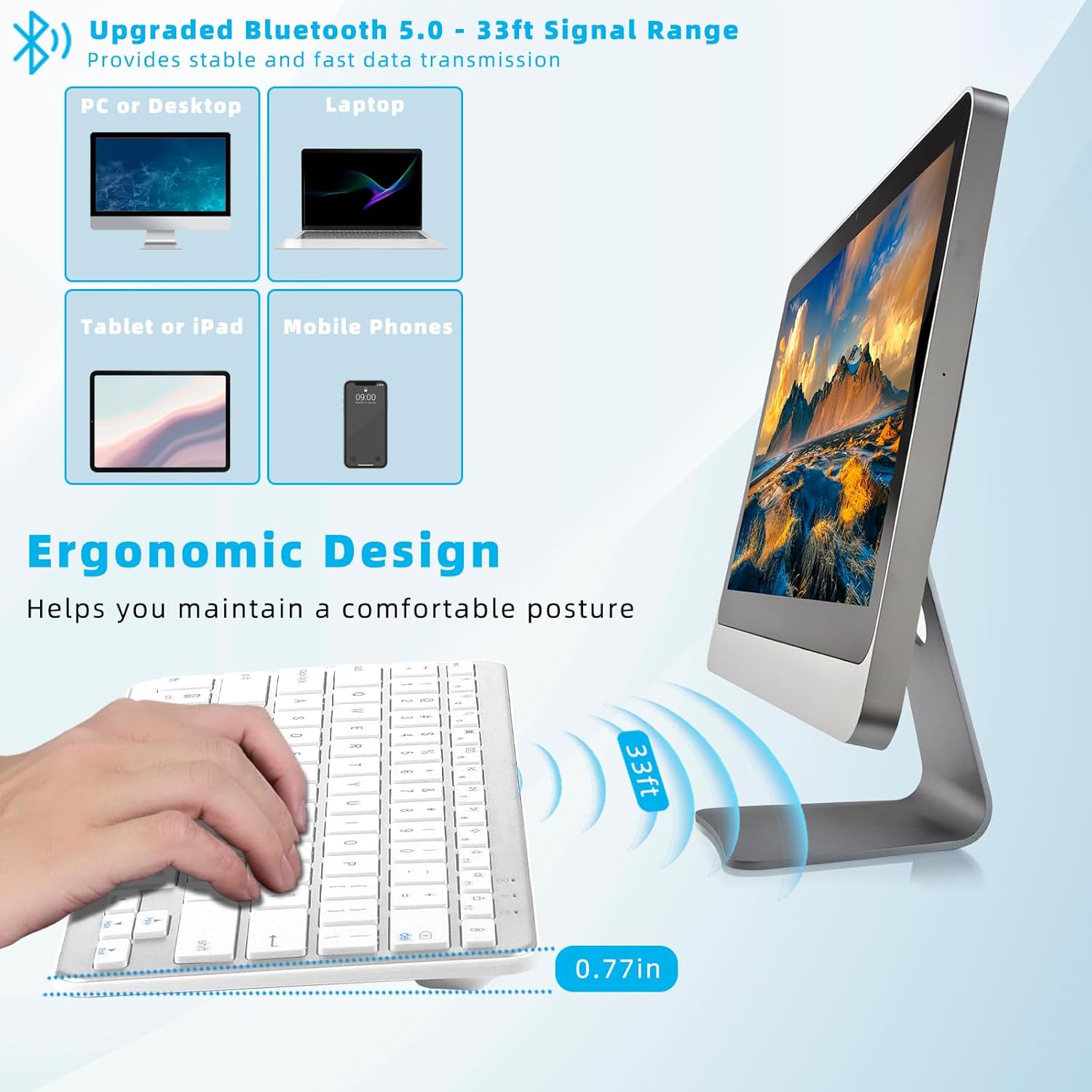
Image: A user typing on the Qulose Wireless Bluetooth Keyboard, showcasing its ergonomic design and the 33ft Bluetooth 5.0 signal range for stable and fast data transmission across various devices like PCs, laptops, tablets, and mobile phones.
Засвар үйлчилгээ
Цэвэрлэгээ
Гарыг цэвэрлэхийн тулд гадаргууг зөөлөн, d-ээр зөөлөн арчина.amp cloth. Avoid using harsh chemicals or abrasive cleaners, as these can damage the finish. Ensure the keyboard is powered off before cleaning.
Батерейны арчилгаа
To prolong battery life, avoid completely draining the battery frequently. Recharge the keyboard when the low battery indicator appears. Store the keyboard in a cool, dry place when not in use for extended periods.
Алдааг олж засварлах
Гар холбогдож/хариу өгөхгүй байна
- Эрчим хүчийг шалгах: Гар асаалттай, хангалттай цэнэгтэй байгаа эсэхийг шалгаарай. Шаардлагатай бол дахин цэнэглэнэ үү.
- Сэрэх: If the keyboard is in auto-sleep mode, press any key and wait 2-3 seconds for it to wake up.
- Дахин холбох: If the connection is lost, go to your device's Bluetooth settings, forget the keyboard, and then re-initiate the pairing process as described in the "Bluetooth Pairing" section.
- Төхөөрөмжийн Bluetooth: Ensure Bluetooth is enabled on your device and it is discoverable.
- Зай: Make sure the keyboard is within the 10-meter (33-foot) effective range of your device.
Түлхүүрүүд зөв ажиллахгүй байна
- F1-F12 товчлуурууд: Note that for Android and iOS devices, the F1-F12 keys are primarily designed for multimedia shortcuts and may not function as standard F-keys.
- Системийн нийцтэй байдал: Confirm your device's operating system is compatible (Windows 10 or later, Android 8.0 or later, iOS 16.0 or later). The keyboard is not compatible with older Windows versions (7, XP, Vista) or iMac.
Цэнэглэх асуудал
- Кабель шалгах: Ensure the USB Type-C charging cable is securely connected to both the keyboard and the power source.
- Эрчим хүчний эх үүсвэр: Try a different USB power source or adapter to rule out issues with the current one.
Бүтээгдэхүүний техникийн үзүүлэлтүүд
| Брэнд | Кулосэ |
| Загвар | Утасгүй Bluetooth гар |
| Өнгө | Мөнгөн цагаан |
| Холболтын технологи | Bluetooth 5.0 |
| Үйлдлийн системийн нийцтэй байдал | Windows 10 or later, Android 8.0 or later, iOS 16.0 or later |
| Үл нийцэх системүүд | iMac, Windows 7, Windows XP, Windows Vista |
| Тохиромжтой төхөөрөмжүүд | Зөөврийн компьютер, компьютер, ухаалаг утас, таблет |
| Гарын тайлбар | Ergonomic, Scissor-switch keys |
| Зайны төрөл | Лити-ион (300mAh) |
| Цэнэглэх хугацаа | 3-4 цаг |
| Хэрэглэх хугацаа | 100+ цаг |
| Автомат унтах функц | 30 минут идэвхгүй болсны дараа |
| Хэмжээ (L x W x H) | 28.7 x 12.7 x 2 см (11.29 x 5 x 0.77 инч) |
| Жин | 420.1 гр |
| Материал | Акрилонитрил бутадиен стирол (ABS) |
Баталгаат болон дэмжлэг
Qulose is committed to providing quality products and customer satisfaction. While specific warranty details are not provided in this manual, if you encounter any questions or concerns regarding your Qulose Wireless Bluetooth Keyboard, please contact our customer support. We will endeavor to respond and resolve your issues promptly.
Худалдан авалтын баримт бичиг эсвэл жижиглэнгийн дэлгүүрээс харна уу webхолбогдох баталгааны мэдээллийг авахын тулд сайтад зочилно уу.