Танилцуулга
Thank you for choosing the HiFuture EVENT Bluetooth Speaker. This powerful and portable speaker is designed to deliver exceptional audio quality with vibrant RGB lighting, making it perfect for any event or gathering. This manual provides detailed instructions to help you set up, operate, and maintain your speaker for optimal performance.
Бүтээгдэхүүн дууссанview

Зураг 1: Урд view of the HiFuture EVENT Bluetooth Speaker, showcasing its sleek black design and dynamic RGB light ring.

Figure 2: An illustrative diagram highlighting the main features of the HiFuture EVENT speaker, including dual DSP, multiple audio inputs, dual-directional sound system, 50W woofer + 30W tweeter, RGB lights, TWS connection option, bass boost function, and power bank functionality.

Зураг 3: Ойрын зураг view of the speaker's internal components, specifically pointing out the 50W Woofer and 30W Tweeter, which contribute to its powerful 80W sound output.

Figure 4: An internal diagram demonstrating the speaker's optimized acoustic design for deep and impactful bass, including the bass port and vibration suppression features.
Гол онцлогууд
- Хүчирхэг аудио гаралт: Equipped with a 50W woofer and 30W tweeter for a total of 80W RMS output, with a maximum peak power of 180 Watts, delivering rich and clear stereo sound.
- Bluetooth холболт: Seamless wireless connection to your devices.
- Динамик RGB гэрэлтүүлэг: Enhance your listening experience with vibrant, rhythm-synced RGB lights.
- Dual DSP & Multiple Audio Inputs: Advanced Digital Signal Processing for optimized sound and versatile connectivity options.
- True Wireless Stereo (TWS) Support: Connect two EVENT speakers for an immersive stereo sound experience.
- Басс нэмэгдүүлэх функц: Dedicated feature to amplify low frequencies for deeper bass.
- Power Bank функцууд: Use the speaker to charge your other devices on the go.
- Зөөврийн дизайн: Durable acrylic material and table-mount type for easy placement and transport, designed for parties and various events.
Тохируулах гарын авлага
1. Хайрцагнаас задлах ба анхны төлбөр
- Чанга яригч болон бүх дагалдах хэрэгслийг савлагаанаас болгоомжтой салга.
- Inspect the speaker for any signs of damage.
- Before first use, fully charge the speaker using the provided charging cable. The battery life is approximately 4 hours on a full charge.
2. Асаах/унтраах
- To power on, press and hold the Power button (location typically on the back or top panel) for a few seconds until you hear an audible prompt or see the indicator lights illuminate.
- Унтраахын тулд чанга яригч унтрах хүртэл асаах товчийг дахин дарна уу.
Ашиглалтын заавар
1. Bluetooth хослол
- Ensure the speaker is powered on and in Bluetooth pairing mode (usually indicated by a blinking LED light). If not, press the Bluetooth button to activate pairing mode.
- Төхөөрөмж дээрээ (ухаалаг утас, таблет, компьютер) Bluetooth тохиргоо руу очоод Bluetooth-г идэвхжүүлнэ үү.
- хайх available devices. You should see "HiFuture EVENT" in the list.
- Select "HiFuture EVENT" to connect. Once connected, the speaker will provide an audible confirmation, and the LED light will become solid.
- Та одоо чанга яригчаар дамжуулан төхөөрөмжөөсөө аудио тоглуулах боломжтой.
2. Жинхэнэ утасгүй стерео (TWS) хослуулах
To pair two HiFuture EVENT speakers for a stereo experience:
- Чанга яригч хоёулаа асаалттай, бусад Bluetooth төхөөрөмжид холбогдоогүй байгаа эсэхийг шалгаарай.
- On one speaker (this will be the primary speaker), press and hold the TWS button (refer to your speaker's button layout if unsure).
- Үндсэн чанга яригч нь хоёрдогч чанга яригчийг хайх болно. Холбогдсоны дараа хоёр чанга яригч хоёулаа дуут баталгаажуулалт өгөх болно.
- Now, connect your device to the primary speaker via Bluetooth as described in the "Bluetooth Pairing" section. Audio will play in stereo through both speakers.
3. Хяналт ба функцууд
- Дууны хяналт: Use the volume buttons (+/-) on the speaker or your connected device.
- Тоглуулах/түр зогсоох: Аудиог тоглуулах эсвэл түр зогсоохын тулд Тоглуулах/Түр зогсоох товчийг нэг удаа дарна уу.
- Дууг алгасах: Double-press the Next Track button to skip forward, or the Previous Track button to skip backward.
- RGB гэрэлтүүлгийн удирдлага: Press the Light button to cycle through different lighting modes or turn the lights off.
- Басс өсгөх: Press the Bass Boost button to activate or deactivate the enhanced bass mode.
- Power Bank функц: Connect your device to the speaker's USB output port to charge it.

Figure 5: The HiFuture EVENT speaker displaying its vibrant RGB lighting, which can be controlled to match your mood or music.
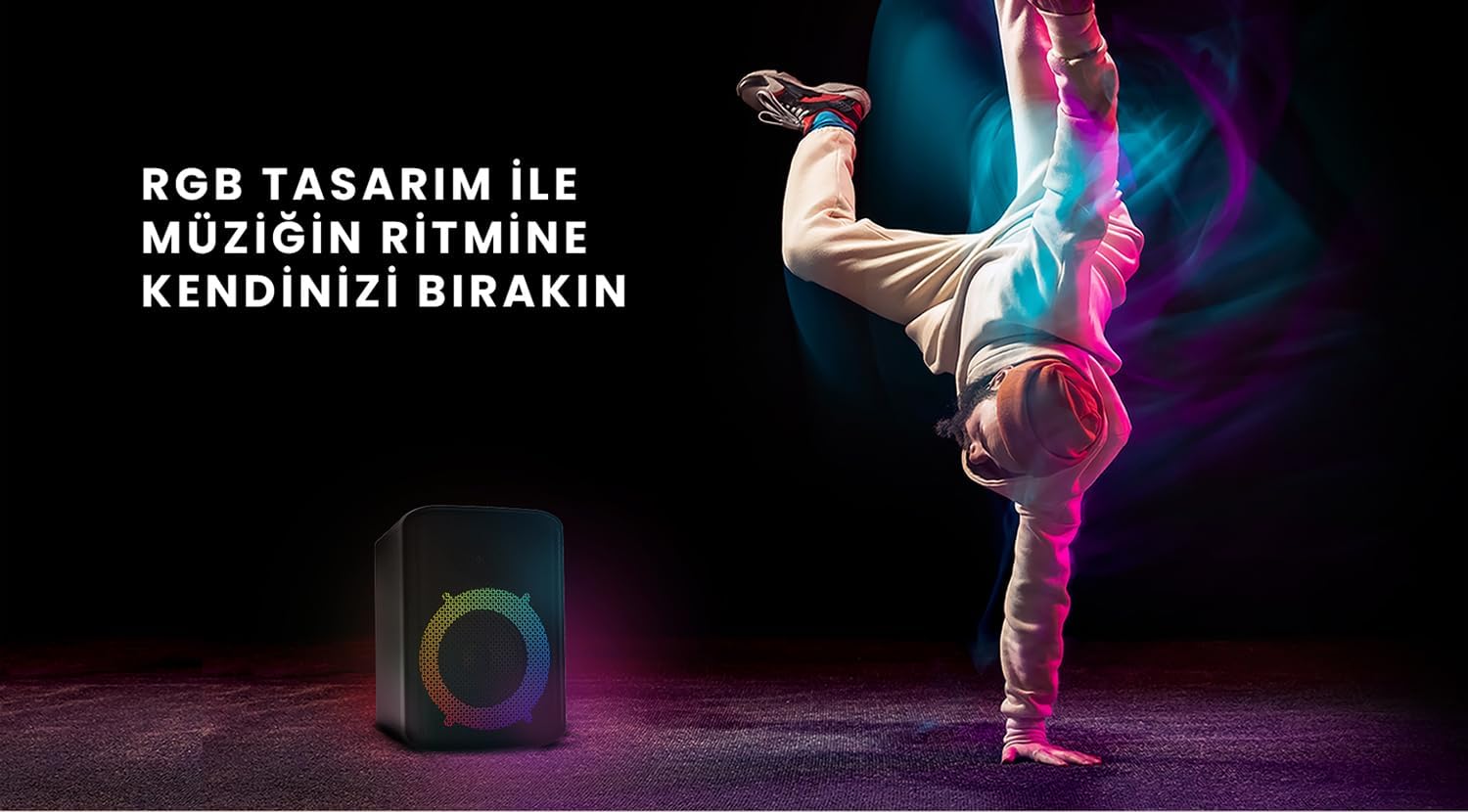
Figure 6: The HiFuture EVENT speaker in a dynamic setting, emphasizing how its RGB lighting enhances the atmosphere for parties and events.
Засвар үйлчилгээ
- Цэвэрлэгээ: Use a soft, dry cloth to wipe the speaker's surface. Do not use abrasive cleaners or solvents.
- Хадгалах: Чанга яригчийг нарны шууд тусгал, хэт температураас хол, сэрүүн, хуурай газар хадгална уу.
- Батерейны арчилгаа: Зайны ашиглалтын хугацааг уртасгахын тулд зайгаа ойр ойрхон бүрэн цэнэггүй болгохоос зайлсхий. Удаан хугацаагаар ашиглаагүй байсан ч тогтмол цэнэглээрэй.
- Усны эсэргүүцэл: While designed for portability, avoid exposing the speaker to excessive moisture or submerging it in water unless explicitly stated as waterproof.
Алдааг олж засварлах
| Асуудал | Боломжит шийдэл |
|---|---|
| Чанга яригч асахгүй байна. | Чанга яригч бүрэн цэнэглэгдсэн эсэхийг шалгаарай. Үүнийг тэжээлийн эх үүсвэрт холбоод дахин оролдоно уу. |
| Bluetooth-ээр холбох боломжгүй. |
|
| Дуу байхгүй эсвэл дуу багатай. |
|
| RGB гэрэл ажиллахгүй байна. | Press the Light button to cycle through modes or turn them on. Ensure the speaker is powered on. |
Үзүүлэлтүүд
| Онцлог | Дэлгэрэнгүй |
|---|---|
| Брэнд | HiFuture |
| Загвар | ҮЙЛ ЯВДАЛ |
| Чанга яригчийн хамгийн их гаралтын чадал | 180 Watts (Peak), 80W RMS (50W Woofer + 30W Tweeter) |
| Холболтын технологи | Bluetooth |
| Аудио гаралтын горим | Стерео |
| Суурилуулах төрөл | Ширээний бэхэлгээ |
| Материал | Акрил |
| Чанга яригчийн төрөл | Мультимедиа |
| Тохиромжтой төхөөрөмжүүд | Bluetooth-enabled devices (e.g., smartphones, tablets) |
| Өнгө | Хар |
| Зайны ашиглалт | 4 цаг хүртэл |
Баталгаат болон дэмжлэг
The HiFuture EVENT Bluetooth Speaker comes with a standard manufacturer's warranty. Please refer to the warranty card included in your product packaging for specific terms and conditions. For technical support, troubleshooting assistance, or warranty claims, please contact HiFuture customer service through their official webтухайн бүтээгдэхүүнийг худалдаж авсан сайт эсвэл жижиглэн худалдаалагч.


