Танилцуулга
This manual provides detailed instructions for the setup, operation, maintenance, and troubleshooting of your AGPTEK W1S 16GB MP3 Player. Please read this manual thoroughly before using the device to ensure proper functionality and to maximize your user experience.
Аюулгүй байдлын мэдээлэл
- Төхөөрөмжийг хэт өндөр температур, нарны шууд тусгал, өндөр чийгшилд бүү тавь.
- Төхөөрөмжийг унагах эсвэл хүчтэй нөлөөнд оруулахаас зайлсхий.
- Төхөөрөмжийг өөрөө задлах, засах гэж бүү оролдоорой. Тусламж авахын тулд хэрэглэгчийн дэмжлэгтэй холбоо барина уу.
- Зөвхөн өгсөн цэнэглэгч кабель болон тохирох тэжээлийн адаптерийг ашиглана уу.
- Төхөөрөмжийг ус болон бусад шингэнээс хол байлга.
Төхөөрөмж дууссанview
The AGPTEK W1S features a 3.5-inch high-resolution touchscreen and an intuitive interface for easy navigation.

Зураг: Урд ба хойд view of the AGPTEK W1S MP3 Player, showcasing its sleek design and physical buttons.
Гол онцлогууд:
- 3.5-inch HD Touchscreen: Provides a clear display and responsive touch control.
- Android 8.1 үйлдлийн систем: Ensures faster and smoother operation.
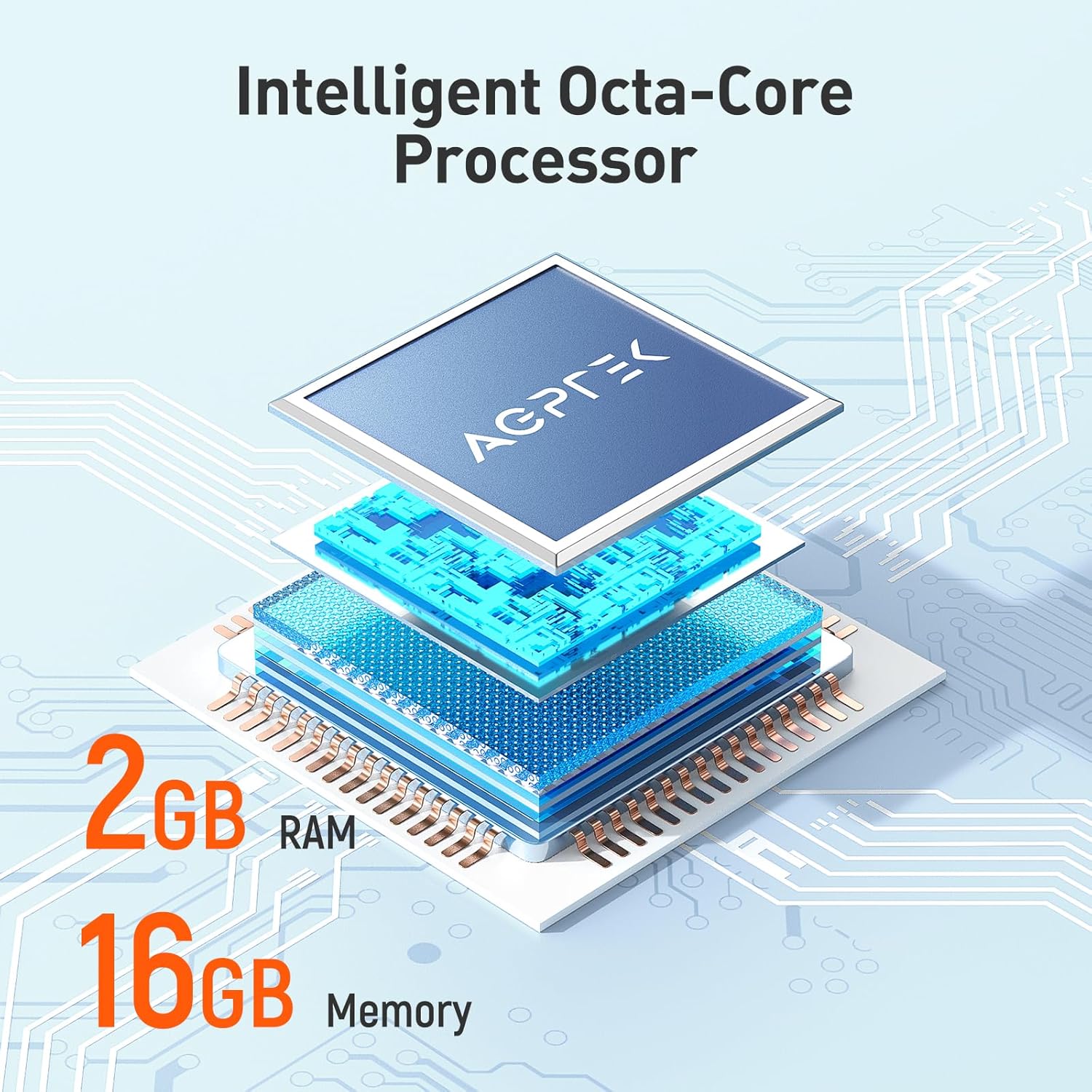
- 2GB RAM, 16GB ROM: Ample memory for system performance and internal storage.
- Өргөтгөх боломжтой хадгалах сан: 128 ГБ хүртэлх microSD картуудыг дэмждэг.
- Bluetooth 4.0: For wireless audio connections.
- Wi-Fi холболт: For online music streaming and browsing.
- Урьдчилан суулгасан програмууд: Includes Spotify, Deezer, Amazon Music, Audible, YouTube, Pandora, TikTok, Google Chrome, and more.
- Аудио форматууд: Supports MP3, WAV, WMA, OGG, APE, FLAC, ACC-LC, etc.
Тохиргоо
1. Төхөөрөмжийг цэнэглэж байна
Before first use, fully charge your AGPTEK W1S MP3 player. Connect the device to a power source using the provided USB cable. A full charge typically takes 2 to 2.5 hours.

Зураг: The AGPTEK W1S MP3 Player connected to a laptop via USB-C for charging, displaying a 90% battery level and indicating a 2-2.5 hour charging time.
2. Асаах/унтраах
- Асаахын тулд: Дэлгэц асах хүртэл асаах товчийг удаан дар.
- Унтраахын тулд: Press and hold the power button, then select "Power Off" from the options on the screen.
3. Анхны тохиргоо
Upon first power-on, follow the on-screen prompts to select your language, connect to a Wi-Fi network, and set up basic preferences.
4. MicroSD карт суулгах (заавал биш)
The device supports microSD cards up to 128GB for expanded storage. Locate the microSD card slot on the side of the player. Gently insert the card until it clicks into place. To remove, push the card in slightly until it springs out.
5. Хөгжим дамжуулах болон Files
- Connect the MP3 player to your computer using the USB cable.
- Төхөөрөмж нь зөөврийн хадгалах төхөөрөмж хэлбэрээр гарч ирнэ.
- Drag and drop your music, video, or e-book files into the appropriate folders on the device or inserted microSD card.
- Кабелийг салгахаасаа өмнө төхөөрөмжийг компьютерээсээ аюулгүй салга.
Ашиглалтын заавар
1. Үндсэн навигаци
The AGPTEK W1S features a responsive touchscreen. Swipe left/right to navigate between screens, tap icons to open applications, and use the physical buttons for volume control and power.
2. Хөгжим тоглуулах
Access your music library through the pre-installed music player app. The device supports various audio formats including MP3, WAV, WMA, OGG, APE, FLAC, and ACC-LC.

Зураг: The AGPTEK W1S MP3 Player displaying a music playback screen with album art and controls, held by a person dancing in a group, illustrating high-fidelity lossless sound quality.
3. Bluetooth холболт
Bluetooth чихэвч эсвэл чанга яригчтай холбогдохын тулд:
- руу оч Тохиргоо > Bluetooth.
- Bluetooth-г асаана уу On.
- Таны Bluetooth төхөөрөмж хослох горимд байгаа эсэхийг шалгаарай.
- Хослуулах боломжтой төхөөрөмжүүдийн жагсаалтаас төхөөрөмжөө сонгоно уу.
Зураг: The AGPTEK W1S MP3 Player shown alongside a white Bluetooth speaker, black over-ear headphones, and white wireless earbuds, demonstrating its Bluetooth 4.0 connectivity for wireless audio enjoyment.
4. Wi-Fi and Pre-installed Applications
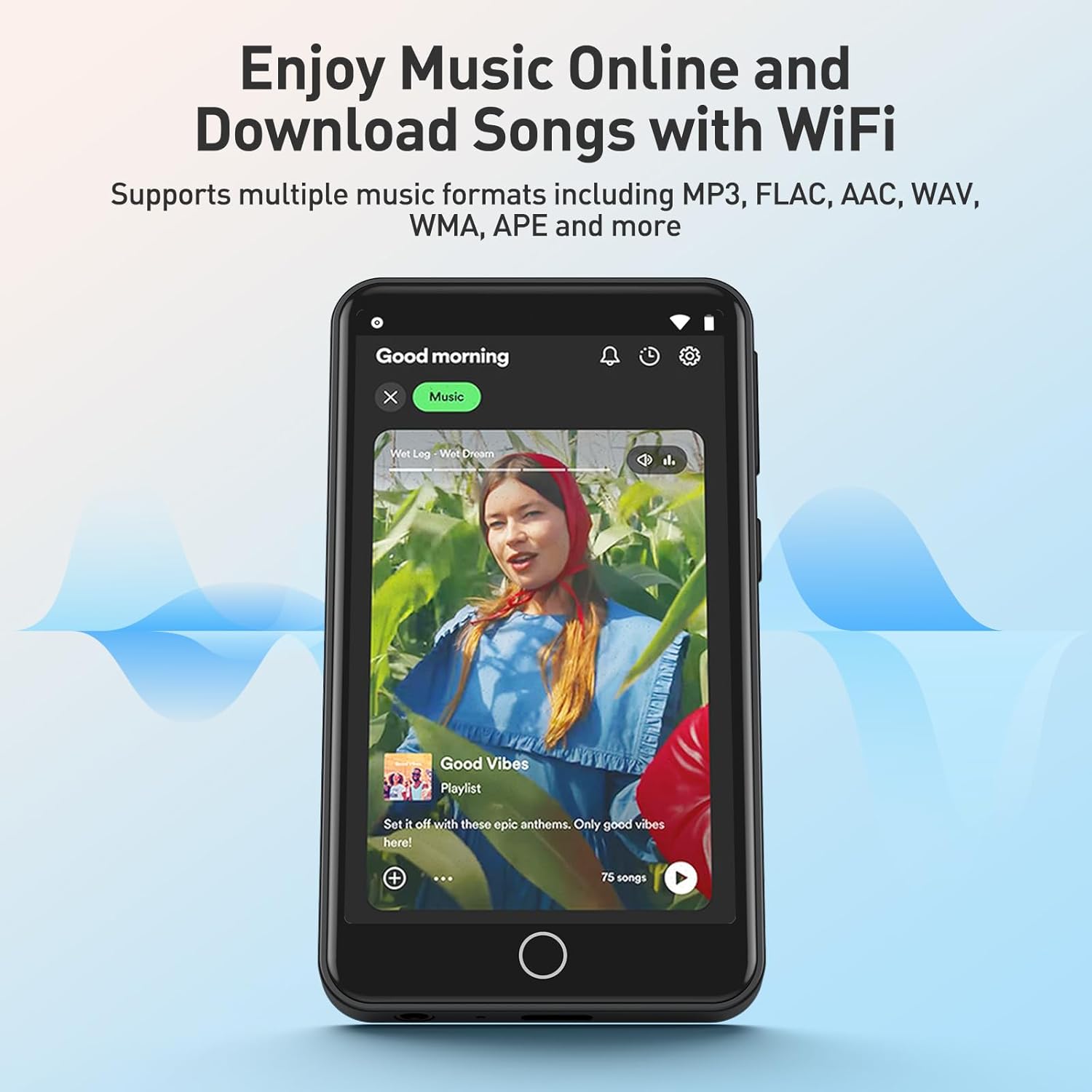
Connect to a Wi-Fi network via Тохиргоо > Wi-Fi to access online streaming services and browse the internet. The device comes with pre-installed apps like Spotify, Deezer, Amazon Music, Audible, YouTube, Pandora, TikTok, and Google Chrome.

Зураг: The AGPTEK W1S MP3 Player screen displaying icons for various pre-installed mainstream music and media applications such as Spotify, Pandora, Amazon Music, Deezer, Audible, YouTube, FM Radio, Sound Recorder, Gallery, and Google Chrome.
Жич: Wi-Fi is primarily for browsing websites, listening to music, and watching videos online. It is not suitable for downloading and installing other applications beyond those pre-installed.
Зураг: The AGPTEK W1S MP3 Player screen showing a music streaming interface with album art and playback controls, demonstrating the ability to enjoy music online and download songs using Wi-Fi.
5. Audible and E-books
The pre-installed Audible app allows you to enjoy audiobooks. You can also transfer and read e-books on the device's 3.5-inch HD screen.
Зураг: The AGPTEK W1S MP3 Player's 3.5-inch HD screen displaying a high-definition video scene, emphasizing its capability to play video without lag.
Засвар үйлчилгээ
- Цэвэрлэгээ: Төхөөрөмжийг цэвэрлэхдээ зөөлөн, хуурай даавуу ашиглаарай. Шингэн цэвэрлэгчээс зайлсхий.
- Програм хангамжийн шинэчлэлтүүд: Хамгийн сайн гүйцэтгэл болон шинэ функцуудад хандах эрхийг хангахын тулд төхөөрөмжийн тохиргоонд програм хангамжийн шинэчлэлтүүдийг үе үе шалгаж байгаарай.
- Хадгалах менежмент: Тогтмол удирдах files to free up storage space. Delete unnecessary files эсвэл тэдгээрийг компьютерт шилжүүлэх.
Алдааг олж засварлах
| Асуудал | Шийдэл |
|---|---|
| Төхөөрөмж асахгүй байна. | Ensure the device is fully charged. If the battery is depleted, connect it to a charger for at least 15 minutes before attempting to power on again. |
| Wi-Fi-д холбогдох боломжгүй байна. | Check if Wi-Fi is enabled in settings. Ensure you are within range of a known Wi-Fi network and have entered the correct password. Try restarting the device and your Wi-Fi router. |
| Bluetooth төхөөрөмж хослохгүй байна. | Ensure Bluetooth is enabled on both the player and the accessory. Place devices close to each other and ensure the accessory is in pairing mode. Try restarting both devices. |
| MicroSD карт танигдаагүй байна. | Ensure the card is inserted correctly. Try reinserting it. Format the card on a computer if it's new or if issues persist (this will erase all data on the card). Ensure the card is not larger than 128GB. |
| Төхөөрөмж удаан эсвэл хариу өгөхгүй байна. | Close unused applications. Clear cache if possible. Restart the device. If issues persist, consider a factory reset (backup your data first). |
Үзүүлэлтүүд
| Онцлог | Дэлгэрэнгүй |
|---|---|
| Брэнд | AGPTEK |
| Загварын нэр | W1S |
| Загварын дугаар | APMPW1SB-CA |
| Өнгө | Хар |
| Дэлгэцийн хэмжээ | 3.5 инч |
| Үйлдлийн систем | Android 8.1 |
| RAM | 2 ГБ |
| Дотоод санах ой (ROM) | 16 ГБ |
| Өргөтгөх боломжтой хадгалах сан | Supports MicroSD up to 128GB |
| Холболт | Bluetooth 4.0, Wi-Fi |
| Зайны төрөл | Лити-полимер |
| Тохиромжтой аудио форматууд | MP3, WAV, WMA, OGG, APE, FLAC, ACC-LC |
| Тохиромжтой төхөөрөмжүүд | Чихэвч |

Зураг: An exploded diagram illustrating the internal components of the AGPTEK W1S, highlighting the intelligent octa-core processor, 2GB RAM, and 16GB internal memory for fast and smooth performance.
Баталгаат болон дэмжлэг
AGPTEK is committed to providing reliable products and excellent customer service.
- Баталгаат хугацаа: 2 жилийн баталгаат хугацаа
- Техникийн тусламж: Насан туршийн техникийн дэмжлэг
- Онлайн үйлчилгээ: 24/7 онлайн дэмжлэг
For further assistance, please refer to the official AGPTEK webсайт эсвэл тэдний хэрэглэгчийн дэмжлэгтэй шууд холбогдоно уу.

Зураг: An infographic detailing AGPTEK's customer service offerings, including a 2-year warranty, lifetime technical assistance, and 24/7 online service.


