1. Танилцуулга
Thank you for choosing the Diffuserlove Cloud Humidifier Rain Water Drip Diffuser. This device combines the functions of a humidifier, a rain sound generator, and a multi-color mood lamp to create a relaxing and comfortable environment. Please read this manual thoroughly before use to ensure proper operation and maintenance.
Аюулгүй байдлын чухал мэдээлэл
- Do not use with essential oils. This device is designed for water-based humidification and rain effects only.
- Хүүхэд, тэжээвэр амьтдын гар хүрэхгүй газар хадгална уу.
- Place the humidifier on a stable, flat surface away from direct sunlight or heat sources.
- Цахилгааны утас гэмтээгүй, зөв холбогдсон эсэхийг шалгаарай.
- Суурь төхөөрөмжийг усанд эсвэл бусад шингэн зүйлд дүрж болохгүй.
- Цэвэрлэх эсвэл дүүргэхийн өмнө төхөөрөмжийг салга.
2. Багцын агуулга
Бүх зүйл багцад байгаа эсэхийг шалгана уу:
- Diffuserlove Cloud Rain Humidifier Unit
- Remote Control (requires two AAA batteries, not included)
- Type-C Power Cord (plug not included)

Image: The Diffuserlove Cloud Humidifier unit with its remote control.
3. Бүтээгдэхүүн дууссанview
The Diffuserlove Cloud Humidifier features a unique mushroom-shaped design with integrated rain and mist functions, along with customizable lighting.

Image: The humidifier showing its approximate dimensions: 16cm (6.3 inches) wide and 25cm (9.95 inches) tall.
Бүрэлдэхүүн хэсгүүд:
- Mushroom Top: Houses the light and rain drip mechanism.
- Усны сав: Transparent section for water, capacity 300ml.
- Үндсэн нэгж: Contains controls, power input, and ultrasonic mist generator.
- Хяналтын товчлуурууд: Located on the front of the base unit for light, power, and mist/rain functions.
- Алсын удирдлага: For convenient adjustment of settings.
4. Тохиргоо
- Байршил: Place the humidifier on a flat, stable surface. Ensure it is not near electronic devices sensitive to moisture.
- Дээд талыг нь арилгах: Gently lift the transparent water tank section from the base.
- Усны савыг дүүргэх: Fill the water tank with clean tap water up to the MAX line. Do not overfill. Do not add essential oils.

Image: A hand pouring water into the humidifier's base reservoir.
- Дахин угсрах: Carefully place the transparent water tank back onto the base unit, ensuring it is securely seated.
- Эрчим хүчийг холбох: Insert the Type-C power cord into the port on the back of the base unit, then connect the other end to a suitable USB power adapter (not included).

Image: A hand connecting the Type-C power cable to the humidifier's power port.
5. Үйл ажиллагаа
The humidifier can be operated using the touch buttons on the base unit or the included remote control.
5.1 Асаах/унтраах
- Төхөөрөмжийн товчлуур: Асаах товчийг дарна уу (U) on the base unit to turn the device on or off.
- Алсын удирдлага: Алсын удирдлага дээрх 'ON' эсвэл 'OFF' товчийг дарна уу.
5.2 Rain & Mist Modes
The humidifier offers three combined rain and mist modes:
- Heavy Rain & Mist: Provides a strong rain sound and mist output.
- Light Rain & Mist: Offers a softer rain sound and mist output.
- Mist Only (No Rain): Produces mist without the rain sound effect.
Use the 'Rain' and 'Mist' buttons on the remote control to adjust these settings. The touch button on the device cycles through mist modes.

Image: Visual representation of the three rain and mist modes: Heavy, Light, and No Rain.
5.3 Гэрэлтүүлгийн функцууд
The mushroom top features a 7-color LED mood light with various display options:
- Тогтмол өнгөний горим: Select a specific color from the remote control (R, G, B, or other color buttons).
- Cycling Color Mode: The light transitions through all 7 colors automatically.
- Амьсгалах гэрлийн горим: The selected or cycling color gently fades in and out.
- Гэрэлтүүлгийн тохируулга: Use the sun icon buttons on the remote to increase or decrease light brightness.
The light button on the device cycles through light modes. The remote offers more precise control.
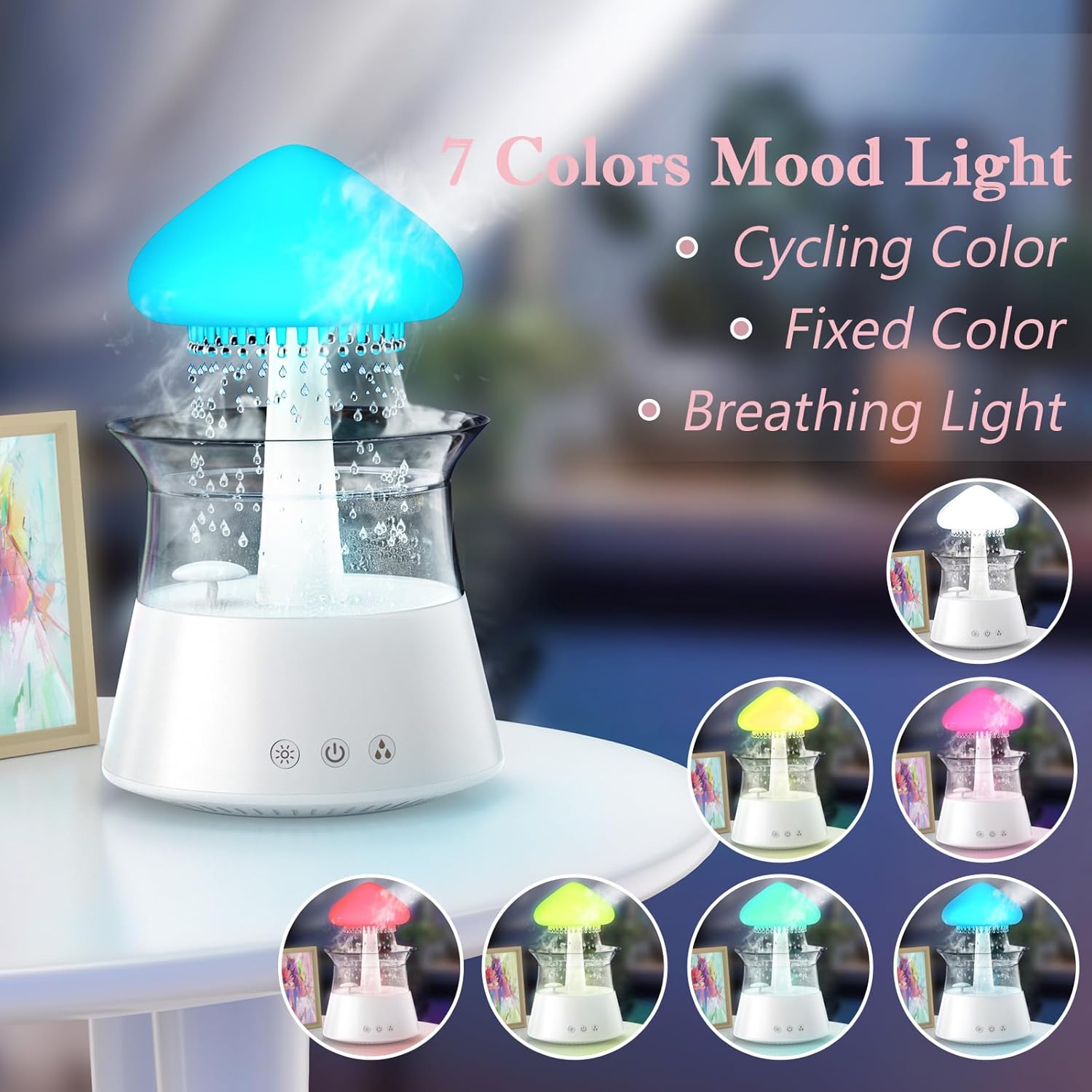
Image: The humidifier showcasing its 7-color mood light feature, including cycling, fixed, and breathing light modes.
5.4 Таймерын тохиргоо
Set an automatic shut-off timer using the remote control:
- Press the '4H', '6H', or '8H' buttons on the remote to set the timer for 4, 6, or 8 hours respectively.
- The device will automatically turn off after the selected duration.

Image: A diagram illustrating the remote control with buttons for timer settings (4H, 6H, 8H), light colors, breathing light, rain volume, mist volume, and light brightness.
6. Засвар үйлчилгээ
Тогтмол цэвэрлэгээ нь таны чийгшүүлэгчийн ашиглалтын хугацааг уртасгаж, оновчтой гүйцэтгэлийг баталгаажуулдаг.
6.1 Өдөр тутмын засвар үйлчилгээ
- Усны өөрчлөлт: Change the water in the tank daily to prevent bacterial growth.
- Арчих: Wipe the inside of the water tank and the mushroom top with a clean, damp даавуу.
6.2 Долоо хоног бүр цэвэрлэгээ хийх
- Салгах: Цэвэрлэхийн өмнө чийгшүүлэгчийг үргэлж салга.
- Дизассембл хийх: Carefully remove the mushroom top and the transparent water tank.
- Цэвэр усны сав: Wash the water tank with mild soap and water. Rinse thoroughly to remove all soap residue.
- Цэвэр суурь нэгж: Use a soft brush or cotton swab to gently clean the ultrasonic mist generator and any small openings in the base unit. Do not use abrasive cleaners.
- Хатаах: If mineral deposits accumulate, fill the tank with a mixture of equal parts white vinegar and water. Let it sit for 30 minutes, then rinse thoroughly.
- Хуурай: Дахин угсрахаасаа өмнө бүх хэсгүүдийг агаарт бүрэн хатаана.

Image: Hands gently lifting the transparent water tank from the humidifier's base, indicating how to access for cleaning or refilling.
7. Алдаа засах
If you encounter issues with your Diffuserlove Cloud Humidifier, refer to the following common problems and solutions:
| Асуудал | Боломжит шалтгаан | Шийдэл |
|---|---|---|
| Манан байхгүй эсвэл манан гарах нь сул | Усны түвшин бага Mineral buildup on mist generator Агааржуулалтын нүх хаагдсан | Усны савыг дахин дүүргэх Clean the mist generator as per maintenance instructions Агааржуулалтын нүхнүүд цэвэр байгаа эсэхийг шалгаарай |
| No rain sound or weak rain sound | Усны түвшин бага Rain drip holes blocked Rain function not activated | Усны савыг дахин дүүргэх Clean rain drip holes (a small wire may be needed, not included) Activate rain function via remote or device button |
| Гэрэл ажиллахгүй байна | Гэрлийн функц унтарсан Төхөөрөмж асаагүй байна | Turn on light function via remote or device button Ensure device is plugged in and powered on |
| Алсын удирдлага хариу өгөхгүй байна | Дууссан батерейнууд Алсын удирдлага болон төхөөрөмжийн хоорондох саад | Алсын зайнаас AAA батерейг солих Ensure clear line of sight to the device's sensor |
| Ус гоожих | Усны савыг зөв суулгаагүй Хэт дүүрсэн усны сав Damage to unit | Re-seat the water tank correctly MAX шугамаас хэтэрч болохгүй Contact customer support if unit is damaged |
8. Техникийн үзүүлэлтүүд
Technical details for the Diffuserlove Cloud Humidifier (Model CH06):
- Загварын нэр: CH06
- Брэнд: Diffuserlove
- Бүтээгдэхүүний хэмжээ: 6.3" D x 6.3" W x 9.95" H (160 x 160 x 251 мм)
- Усны багтаамж: 300 мл
- Эрчим хүчний хангамж: Type-C electric, 5V 2A
- Ватtage: 10 ватт
- Ботьtage: 2.3E+2 Volts (Note: This value seems unusually high for a 5V USB device. Please refer to the product label for accurate voltage requirements.)
- Үйлдлийн горим: Manual (via device buttons) / Remote Control
- Онцлог шинж чанарууд: Auto Shut Off, Night Light, Rain Sounds, Remote Control
- Гэрэл: 7 colors LED night light
- Хэт авианы давтамж: 2.4 МГц
- Rain Sounds: White noise 30-50dB
- Материал: ABS+PP хуванцар
- Барааны жин: 1.87 фунт
- UPC: 663992505702

Image: The back of the product packaging displaying detailed product parameters and specifications.
9. Баталгаат хугацаа ба дэмжлэг
The Diffuserlove Cloud Humidifier (Model CH06) comes with a 12 сарын баталгаат хугацаа худалдан авсан өдрөөс. Энэхүү баталгаа нь ердийн ашиглалтын үеийн үйлдвэрлэлийн согогийг хамарна.
For warranty claims, technical support, or any questions regarding your product, please contact Diffuserlove customer service through the retailer where the product was purchased or refer to the contact information provided on the product packaging.


