Танилцуулга
The Amazon Kindle Paperwhite (12th Generation) is an advanced e-reader designed for an immersive reading experience. It features a 7-inch glare-free display, adjustable warm light, and extended battery life, making it suitable for reading in various environments. This manual provides essential information for setting up, operating, maintaining, and troubleshooting your device.

Image: The Kindle Paperwhite device, showcasing нь дэлгэц болон авсаархан дизайнтай.
Тохиргоо
1. Хайрцагнаас задлах ба анхны төлбөр
Upon unboxing your Kindle Paperwhite, ensure all included items are present: the Kindle Paperwhite device, a USB-C charging cable, and the Quick Start Guide. Before first use, fully charge your device. Connect the USB-C cable to the Kindle's charging port and the other end to a compatible USB power adapter (9W recommended, sold separately) or a computer's USB port. A full charge takes approximately 2.5 hours with a 9W adapter.
2. Асаах/унтраах
To power on your Kindle, press and hold the power button located on the bottom edge of the device for a few seconds until the screen illuminates. To turn off the screen (sleep mode), briefly press the power button. To fully power off the device, press and hold the power button for approximately 7 seconds until a power dialog appears, then select 'Power Off'.
3. Wi-Fi-д холбогдож байна
After powering on, follow the on-screen prompts to connect to a Wi-Fi network. Your Kindle supports 2.4 GHz and 5.0 GHz networks with WEP, WPA, WPA2, WPA3, and OWE security. Select your network from the list and enter the password if required. A stable Wi-Fi connection is necessary for downloading content and receiving software updates.
4. Төхөөрөмжөө бүртгүүлж байна
Once connected to Wi-Fi, you will be prompted to register your Kindle to an Amazon account. You can either sign in with an existing Amazon account or create a new one. Registration links your device to your Kindle library and enables access to the Kindle Store.
Kindle Paperwhite-г ажиллуулах
1. Үндсэн навигаци
- Хуудасны эргэлтүүд: Tap the right side of the screen to go to the next page, or the left side to go to the previous page. You can also swipe left or right.
- Үндсэн дэлгэц: Tap the top of the screen to bring up the toolbar, then tap the 'Home' icon to return to your library.
- Хайх: Use the search bar on the home screen to find books, authors, or content within your device or the Kindle Store.
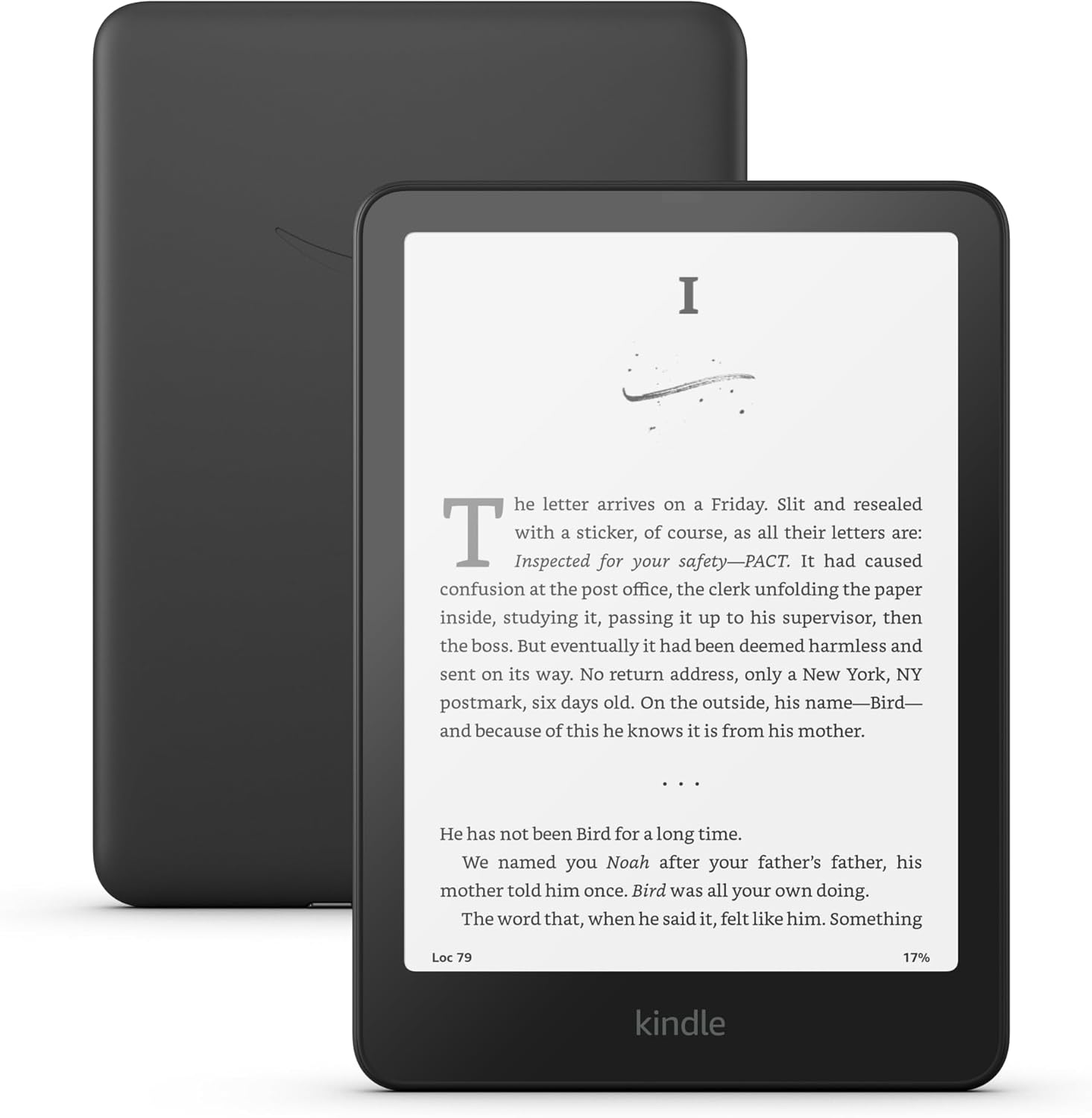
Image: A user interacting with the Kindle Paperwhite, demonstrating its ergonomic design for reading.
2. Reading Experience Customization
- Фонтын тохиргоо: While reading, tap the top of the screen, then select the 'Aa' icon to adjust font size, font face, line spacing, and margins.
- Adjustable Warm Light: The Kindle Paperwhite features an adjustable warm light. Tap the top of the screen, then use the brightness and warmth sliders to customize the display's illumination from white to amber. This feature is beneficial for comfortable reading in various lighting conditions, including low light.
- Харанхуй горим: For reading in very dark environments, Dark Mode inverts the screen colors (white text on a black background). Access this setting from the quick actions menu by tapping the top of the screen.
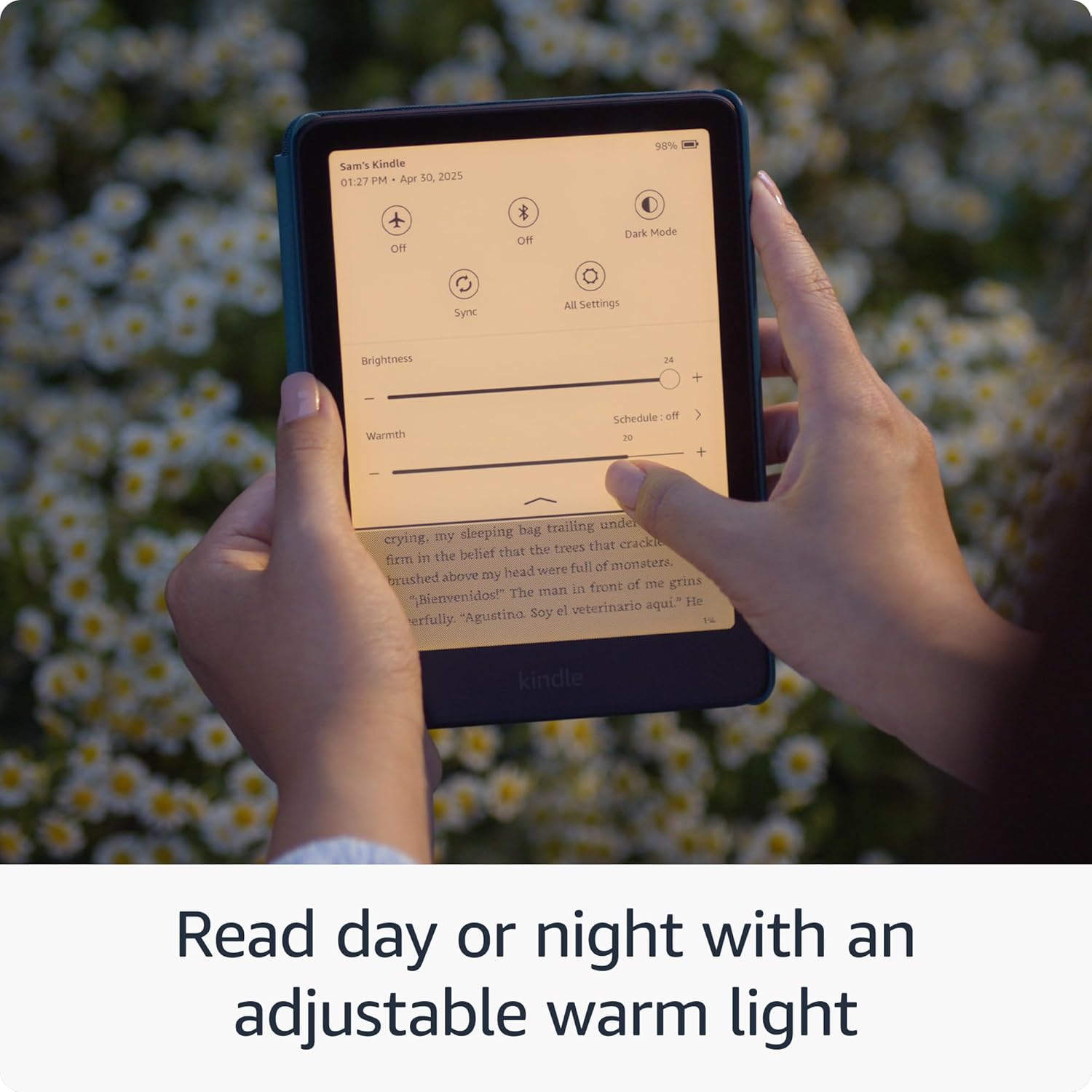
Image: The Kindle Paperwhite display demonstrating the adjustable warm light feature for comfortable reading day or night.
3. Агуулгын менежмент
- Kindle дэлгүүр: Access millions of titles directly from your device via the Kindle Store. Browse by genre, author, or bestseller lists.
- Kindle Unlimited: If subscribed, Kindle Unlimited provides access to a vast catalog of e-books, audiobooks, and magazines.
- Personal Documents: You can send personal documents (PDF, DOCX, HTML, EPUB, etc.) to your Kindle via email or the Send to Kindle application. These documents will appear in your library.
- Audible Audiobooks: The Kindle Paperwhite supports Audible audiobooks. Connect Bluetooth headphones or speakers to listen.

Image: A visual representation of the extensive library of books accessible through the Kindle Store.
4. Хүртээмжтэй байдлын онцлогууд
The Kindle Paperwhite includes several accessibility features:
- Дуу хоолойView Дэлгэц уншигч: Bluetooth аудио, дуу хоолойгоор ашиглах боломжтойView provides spoken feedback to help navigate the device and read books using text-to-speech (English only). To enable, connect Bluetooth headphones/speaker, then go to Settings > Accessibility > VoiceView Screen Reader.
- Font Adjustments: Customize font size, font face, line spacing, and margins for improved readability.
Засвар үйлчилгээ
1. Цэнэглэх ба зайны ашиглалтын хугацаа
To maintain optimal battery performance, charge your Kindle Paperwhite regularly. A single charge can last up to twelve weeks, based on 30 minutes of reading per day with wireless off and the light setting at 13. Battery life will vary with usage, especially with Wi-Fi on or Audible audiobook streaming.

Image: The Kindle Paperwhite in use, highlighting its extended battery life for prolonged reading sessions.
2. Төхөөрөмжөө цэвэрлэж байна
Gently wipe the screen and body of your Kindle with a soft, lint-free cloth. Avoid using abrasive cleaners, solvents, or aerosol sprays directly on the device.
3. Ус үл нэвтрэх (IPX8)
The Kindle Paperwhite is waterproof with an IPX8 rating, meaning it is tested to withstand immersion in 2 meters of fresh water for 60 minutes. While designed for durability, avoid prolonged submersion in water, especially saltwater or other liquids. If the device gets wet, dry it thoroughly before charging.
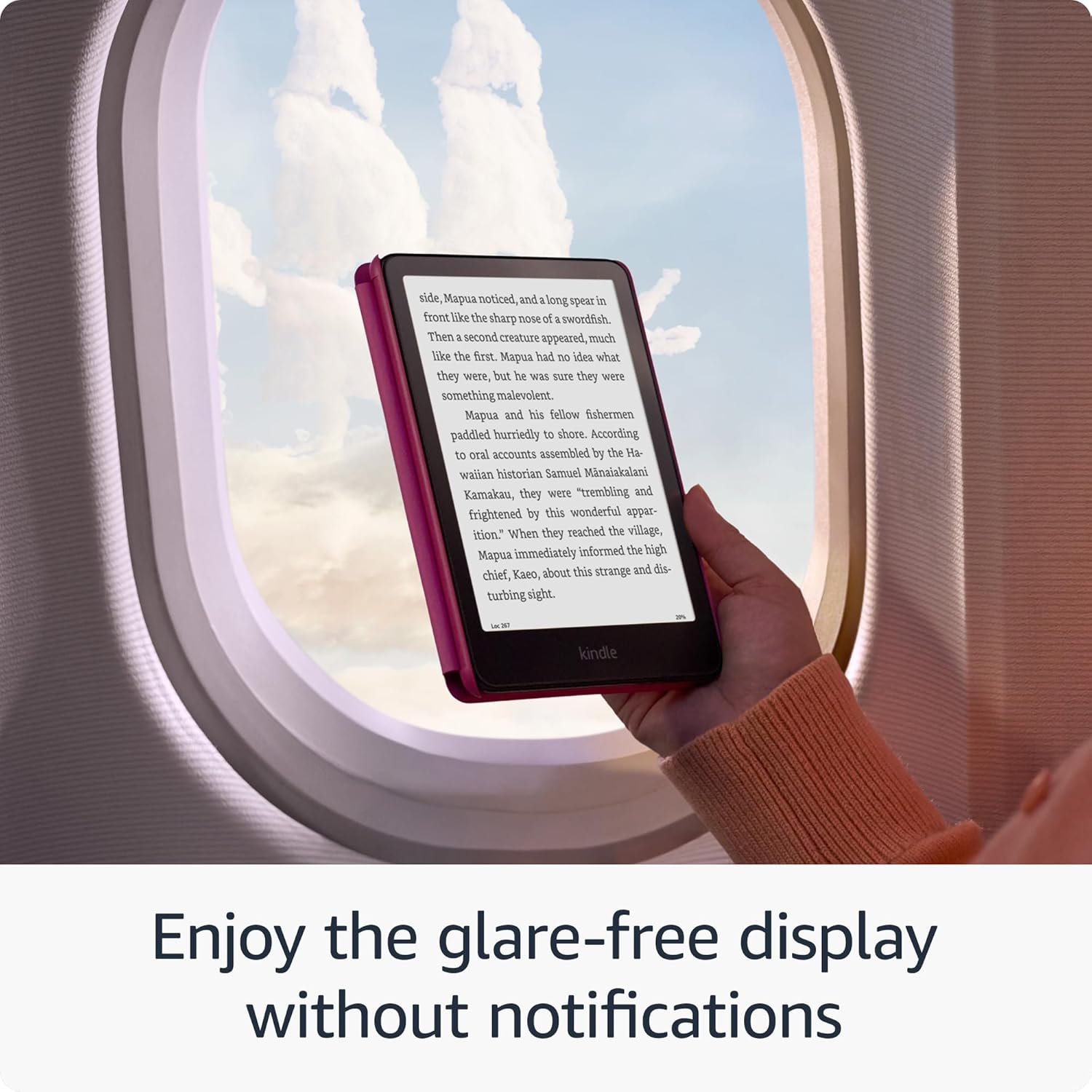
Image: The Kindle Paperwhite's glare-free display, suitable for reading in various environments without distractions.
4. Програм хангамжийн аюулгүй байдлын шинэчлэлтүүд
Your Kindle Paperwhite receives guaranteed software security updates for at least four years from its last availability as a new unit. These updates are typically delivered automatically when connected to Wi-Fi. Ensure your device is connected to a network periodically to receive these updates, which improve performance and security.
Алдааг олж засварлах
- Төхөөрөмж хариу өгөхгүй байна: If your Kindle is unresponsive, press and hold the power button for 40 seconds until the device restarts.
- Wi-Fi-д холбогдох боломжгүй: Ensure your Wi-Fi password is correct. Try restarting your Wi-Fi router and then your Kindle. If issues persist, try connecting to a different network to rule out network-specific problems.
- Батерейг хурдан шавхах: Reduce screen brightness, turn off Wi-Fi when not needed, and ensure no large downloads are pending. If the issue persists, a full restart may help.
- Books Not Appearing: Ensure your device is connected to Wi-Fi and registered to the correct Amazon account. Sync your Kindle from the quick actions menu (three dots icon) to refresh your library.
Үзүүлэлтүүд
| Дэлгэц | Амазоны 7” Paperwhite дэлгэцийн технологи нь суурилуулсан гэрэл, 300 ppi, оновчтой үсгийн технологи, 16 түвшний саарал масштабтай. |
| Хэмжээ | 5” x 7” x 0.3” (127.6 x 176.7 x 7.8 мм) |
| Жин | 7.4 унц (211 гр). Бодит хэмжээ, жин нь тохиргоо болон үйлдвэрлэлийн процессоос хамаарч өөр өөр байж болно. |
| Системийн шаардлага | None; fully wireless and doesn't require a computer to download content. |
| Төхөөрөмж дээрх хадгалах сан | 16 ГБ; олон мянган ном хадгалдаг. |
| Үүл хадгалах сан | Амазоны бүх контентод зориулсан үнэгүй үүл хадгалах газар. |
| Зайны ашиглалт | Утасгүй унтраалттай, гэрлийн тохиргоо 12-тай байхад өдөрт хагас цаг уншихад үндэслэн нэг удаагийн цэнэглэлт нь арван хоёр (13) долоо хоног үргэлжилнэ. Батерейны ашиглалтын хугацаа ашиглалтаас хамаарч өөр өөр байж болно. Блютүүтээр сонсогдохуйц аудио ном дамжуулах нь батарейн ажиллах хугацааг багасгана. |
| Цэнэглэх хугацаа | 2.5W USB тэжээлийн адаптераар 9 цаг хүрэхгүй хугацаанд бүрэн цэнэглэнэ. |
| Wi-Fi холболт | Нууц үгийн баталгаажуулалт эсвэл Wi-Fi хамгаалагдсан тохиргоо (WPS) ашиглан WEP, WPA, WPA2.4, WPA5.0, OWE аюулгүй байдлын дэмжлэгтэйгээр 2 GHz болон 3 GHz сүлжээг дэмждэг. Түр зуурын (эсвэл үе тэнгийн) wifi сүлжээнд холбогдохыг дэмждэггүй. |
| Хүртээмжтэй байдлын онцлогууд | Дуу хоолойView screen reader, available over Bluetooth audio, provides spoken feedback allowing you to navigate your device and read books with text-to-speech (available in English only). Kindle Paperwhite also includes Dark Mode and the ability to adjust font size, font face, line spacing and margins. |
| Агуулгын форматыг дэмждэг | Kindle Format 8 (AZW3), Kindle (AZW), TXT, PDF, хамгаалалтгүй MOBI, БНХАУ; PDF, DOCX, DOC, HTML, EPUB, TXT, RTF, JPEG, GIF, PNG, BMP хөрвүүлэх замаар; Дуут аудио формат (AAX). |
| Хайрцагт багтсан | Kindle Paperwhite, USB-C цэнэглэгч кабель болон хурдан эхлүүлэх гарын авлага. |
| Ус үл нэвтрэх | Усны хамгаалалттай (IPX8), 2 метрийн цэвэр усанд 60 минутын турш дүрэхийг тэсвэрлэх чадвартай. |
| Боломжтой өнгө | Хар, бөөрөлзгөнө, хаш |
| Үе үе | Kindle Paperwhite (12th Generation) - 2024 release. |
Баталгаат болон дэмжлэг
Your Kindle Paperwhite comes with a 1-year limited warranty and service. Optional extended warranties (1-year, 2-year, or 3-year) may be available for purchase separately for U.S. customers. Use of the Kindle is subject to the terms found on the Amazon webсайт.
For additional support, detailed documentation, and frequently asked questions, please visit the official Amazon Kindle support pages or refer to the Kindle User Guide available on your device or online.
You can also manage your content and devices by visiting Агуулга болон төхөөрөмжүүдээ удирдах.


