1. Бүтээгдэхүүн дууссанview
The VTech CS1500 DECT cordless phone is designed for home use, offering essential communication features with enhanced convenience. This manual provides instructions for setting up, operating, and maintaining your phone.
Гол онцлогууд:
- Dual-Charging Design: Innovative design allows the handset to be charged face up for easy screen viewing or face down for a compact profile.
- Дуудлага хаах: Block up to 60 unwanted numbers to prevent nuisance calls.
- ECO DECT Mode: Automatically adjusts radio frequency power based on distance from the base station, ensuring reduced energy consumption.
- Батерейны урт наслалт: Provides up to 13 hours of talk time and 200 hours of standby time.
- Арын арын дэлгэц Clear, easy-to-read display for optimal visibility.
- Утасны дэвтэр: Store up to 60 names and numbers for quick dialing.
- Дуудлага хийгчийн ID/Дуудлага хүлээж байна: Stores up to 20 incoming call entries with name, number, time, and date.
- Сүүлийн дугаарыг дахин залгах: Easily redial the last 10 numbers called.
- Гар чөлөөтэй чанга яригч: For convenient conversations.
- Нэмэлт функцууд: Adjustable ringtone volume and melodies, alarm function, mute function, 3-way conference, call transfer, and intercom.

Figure 1: VTech CS1500 DECT Cordless Phone Handset in Charging Base.
2. Багцын агуулга
Таны багц дараах зүйлсийг агуулж байгаа эсэхийг шалгаарай.
- VTech CS1500 Handset
- Цахилгаан адаптертай суурь станц
- Утасны шугамын утас
- Rechargeable Batteries (1 product specific - included)
- Хэрэглэгчийн гарын авлага (энэ баримт бичиг)
3. Тохируулах гарын авлага
3.1 Батерей суурилуулах
- Гар утасны арын хэсэгт байрлах зайны тасалгааны тагийг нээнэ үү.
- Зөв туйлшралыг (+ ба -) ажиглан, дагалдах цэнэглэдэг батерейг оруулна уу.
- Зайны тасалгааны тагийг сайтар хаа.
3.2 Base Station Placement and Connection
- Place the base station on a flat, stable surface, away from heat sources and direct sunlight.
- Connect the small end of the power adapter to the power jack on the base station.
- Цахилгаан адаптерийн том үзүүрийг ханын залгуурт залгаарай.
- Connect one end of the telephone line cord to the telephone line jack on the base station.
- Утасны утасны нөгөө үзүүрийг утасны ханын залгуурт холбоно уу.
3.3 Initial Charging and Handset Registration
- Place the handset in the base station to charge. The handset can be placed face up or face down.
- Allow the handset to charge for at least 16 hours before initial use to ensure full battery capacity.
- The handset is typically pre-registered to the base station. If not, follow the on-screen prompts or refer to the full manual for manual registration steps.

Figure 2: Handset dual-charging design, allowing face-up or face-down placement in the base.

Figure 3: Illustration of the phone's reliable long-range signal within a home environment.
4. Ашиглалтын заавар
4.1 Дуудлага хийх, хүлээн авах
- Дуудлага хийхийн тулд: дээр дарна уу Ярилц button (green phone icon), then dial the number. Alternatively, dial the number first and then press Ярилц.
- Дуудлага хүлээн авахын тулд: Утас дуугарах үед товчийг дарна уу Ярилц товч.
- Дуудлага дуусгахын тулд: дээр дарна уу Төгсгөл button (red phone icon) or place the handset back in the base station.
4.2 Чанга яригч ашиглах
Дуудлагын үеэр Чанга яригч button (speaker icon) to activate hands-free mode. Press it again to return to handset mode.
4.3 Утасны дэвтэр
The phonebook stores up to 60 names and numbers.
- Бичлэг нэмэхийн тулд: Navigate to the Phonebook menu, select 'Add New', enter the name and number, then save.
- Утасны дэвтэрээс залгахын тулд: дээр дарна уу Утасны дэвтэр button, scroll to the desired entry, and press Ярилц.
4.4 Дуудлага хаах
Block unwanted calls by adding numbers to the call block list (up to 60 entries).
- Дугаарыг хаахын тулд: During an incoming call or from the Caller ID log, press the Дуудлага хаах button (shield icon) and confirm.

Figure 4: Close-up of the handset highlighting the call block button, used to prevent unwanted calls.
4.5 Caller ID and Call Log
The phone displays the caller's information (if available) and stores the last 20 incoming calls.
- руу View Дуудлагын бүртгэл: дээр дарна уу CID button or navigate to the Call Log menu. Use the navigation keys to scroll through entries.
- To Dial from Call Log: Select an entry from the Call Log and press Ярилц.

Figure 5: Handset display showing caller ID information and a list of stored incoming calls.
4.6 Last Number Redial
The phone stores the last 10 numbers dialed.
- To Redial: дээр дарна уу Дахин залгах button, scroll to the desired number, and press Ярилц.

Figure 6: Handset display showing a number being redialed, illustrating the last 10 number redial function.
4.7 Бусад функцууд
- Дууг хаах: Дуудлагын үеэр Дууг хаах button to temporarily disable your microphone.
- Сэрүүлэг: Set an alarm through the handset menu.
- Домофон холбоо: If you have multiple handsets, you can make internal calls between them.
- 3 талын бага хурал: Allows three parties to participate in a single call.

Figure 7: A user on a call, with an indicator showing the phone's 13-hour talk time capability.
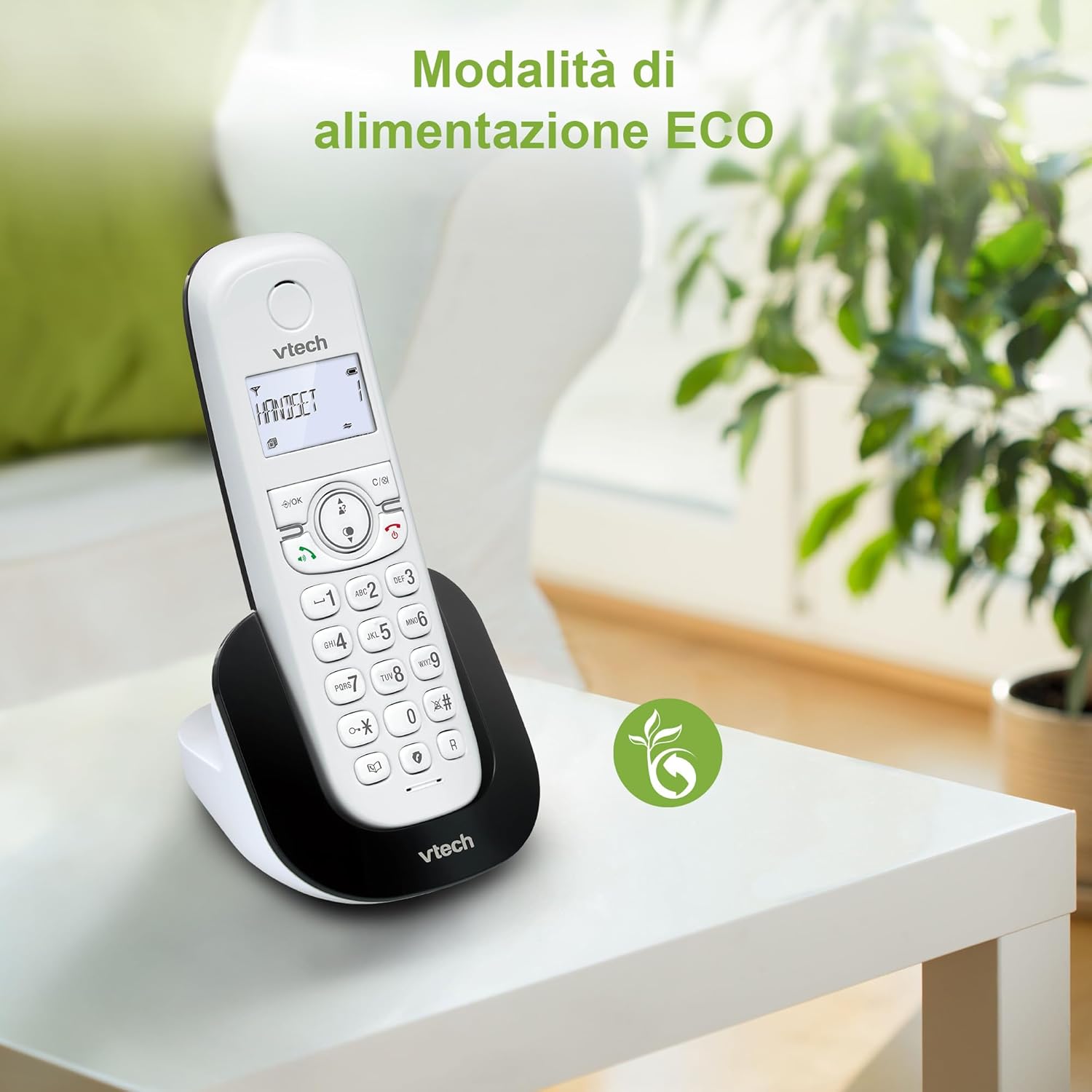
Figure 8: The phone in a home setting, indicating the energy-saving ECO power mode.
5. Засвар үйлчилгээ
5.1 Цэвэрлэгээ
- Wipe the phone and base station with a soft, damp даавуу.
- Do not use cleaning sprays or harsh chemicals, as these can damage the surface or internal components.
5.2 Батерейны арчилгаа
- To maintain optimal battery performance, always return the handset to the base station when not in use.
- Хэрэв утсыг удаан хугацаагаар ашиглахгүй бол гоожихоос сэргийлж батерейг нь салга.
- Replace batteries when their performance significantly degrades. Use only VTech-approved replacement batteries.
6. Алдаа засах
If you experience issues with your VTech CS1500, try the following solutions:
| Асуудал | Шийдэл |
|---|---|
| Залгах ая байхгүй | Ensure the base station power adapter and telephone line cord are securely connected. Check if other phones on the same line are working. |
| Дуудлага хийх/хүлээн авах боломжгүй | Check the telephone line connection. Ensure the handset batteries are charged. If multiple handsets, ensure they are registered. |
| Дууны чанар муу | Move closer to the base station. Ensure there are no large metal objects or other electronic devices interfering with the signal. |
| Гар утасны дэлгэц хоосон байна | Place the handset in the base station to charge. The battery may be depleted. |
| Гар утас цэнэглэхгүй байна | Ensure the power adapter is connected to the base station and a working wall outlet. Clean the charging contacts on both the handset and base station. |
7. Техникийн үзүүлэлтүүд
| Онцлог | Дэлгэрэнгүй |
|---|---|
| Брэнд | VTech |
| Загварын дугаар | CS1500 |
| Өнгө | Цагаан |
| Утасны төрөл | Утасгүй |
| Онцлог шинж чанарууд | Утасгүй |
| Тохиромжтой төхөөрөмжүүд | PSTN |
| Батерейны тоо | 1 (Бүтээгдэхүүний онцлог - Багцад багтсан) |
| Материал | Хуванцар |
| Эрчим хүчний эх үүсвэр | Батерейгаар ажилладаг |
| Залгагчийн төрөл | Ганц товчлуур |
| Хариулах системийн төрөл | Digital (Note: Product description does not explicitly mention an answering machine feature.) |
| Зүйлийн жин | 350 грамм |
| Үйлдвэрлэгч | VTECH TELECOMMUNICATIONS LTD |
| Гарал үүслийн улс | Хятад |
8. Баталгаат хугацаа ба дэмжлэг
Баталгаат хугацааны мэдээлэл болон техникийн дэмжлэг авахыг хүсвэл бүтээгдэхүүнтэй хамт ирсэн баталгаат картыг үзэх эсвэл албан ёсны VTech-д зочилно уу webсайт. Та ихэвчлэн тэндээс дэмжлэг үзүүлэх холбоо барих мэдээлэл, байнга асуудаг асуултууд болон нэмэлт эх сурвалжуудыг олж болно.
VTech албан ёсны Webсайт: www.vtechphones.com


