Танилцуулга
This manual provides comprehensive instructions for the setup, operation, and maintenance of your Surfans F22 Portable HiFi MP3 Player. Please read this manual thoroughly before using the device to ensure proper functionality and to maximize your listening experience.
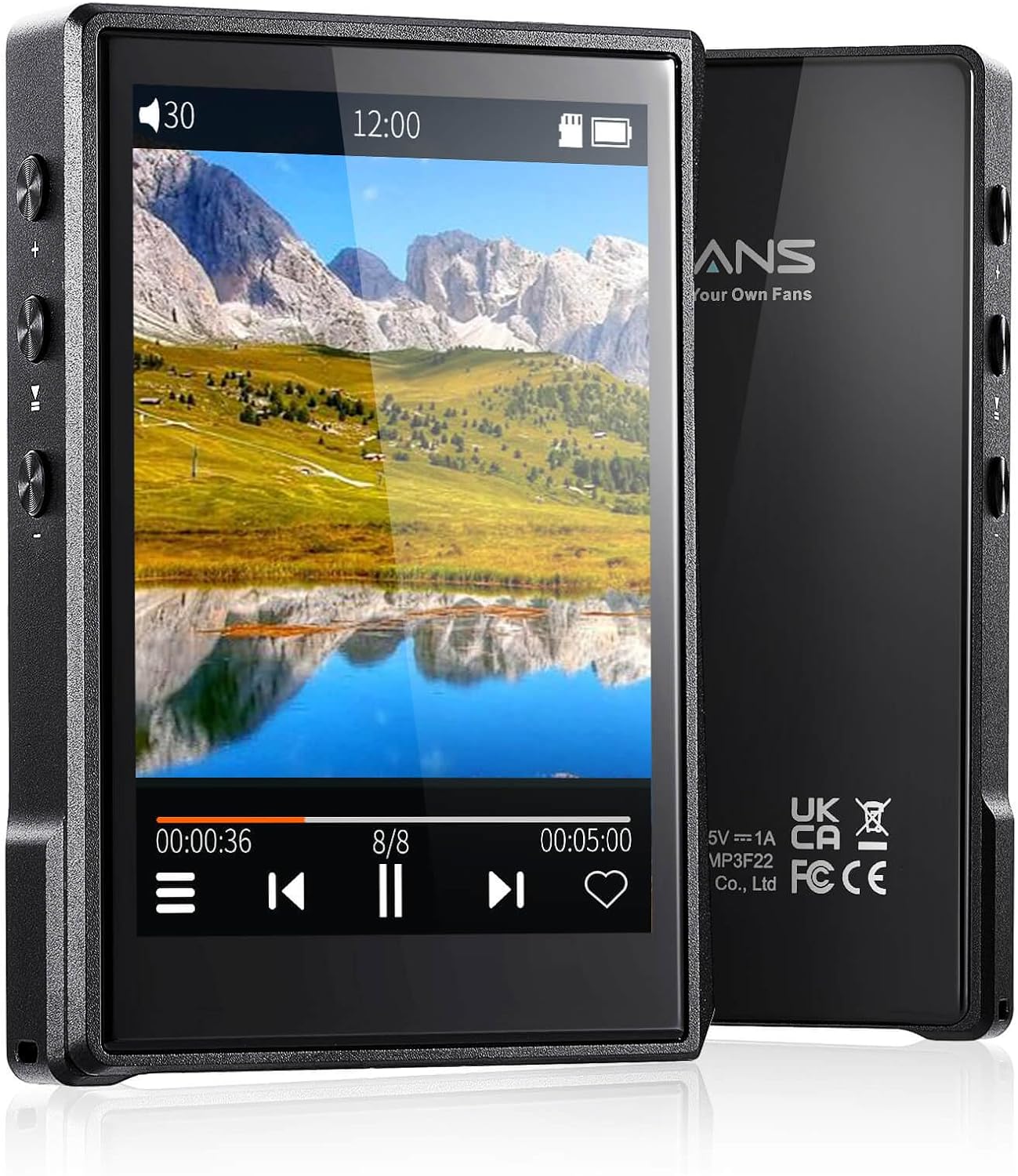
Зураг: Урд ба хойд view of the Surfans F22 Portable HiFi MP3 Player, showcasing its 2.8-inch touchscreen and sleek design.
Багцын агуулга
Бүх зүйл багцад байгаа эсэхийг шалгана уу:
- Surfans F22 HiFi Music Player
- Хэрэглэгчийн гарын авлага (энэ баримт бичиг)
- USB-C кабель
- 32 ГБ санах ойн карт (урьдчилан суулгасан эсвэл тусад нь оруулсан)
Төхөөрөмж дууссанview
Familiarize yourself with the physical components of your F22 player.

Image: Diagram illustrating the various ports and buttons on the Surfans F22 MP3 Player, including the power button, volume controls, headphone jack, and USB-C port.
- 2.8-inch IPS TFT Full Touchscreen: Main interface for navigation and control.
- Цахилгаан товч: Төхөөрөмжийг асаах/унтраах, дэлгэцийг түгжих/түгжээг тайлах.
- Дууны товчлуурууд: Аудио гаралтын түвшинг тохируулна.
- Чихэвчний залгуур (3.5 мм): Утастай чихэвчийг холбоно уу.
- USB-C порт: Цэнэглэх, өгөгдөл дамжуулах зориулалттай.
- Бичил SD картны үүр: 1TB хүртэл өргөтгөх боломжтой хадгалах сан.
Тохиргоо
1. Төхөөрөмжийг цэнэглэж байна
Before first use, fully charge the F22 player. Connect the provided USB-C cable to the device's USB-C port and the other end to a USB power adapter (not included) or a computer's USB port. The charging indicator will show progress. A full charge typically takes approximately 2 hours and provides up to 10 hours of playback.
2. Микро SD картыг оруулж байна
The F22 comes with a 32GB memory card. For additional storage, you can insert a Micro SD card (up to 1TB) into the designated slot. Ensure the card is inserted correctly until it clicks into place.

Image: A Surfans F22 MP3 Player shown with a Micro SD card being inserted into its slot, illustrating the expandable storage capability.
3. Хөгжим дамжуулах Files
Connect the F22 player to your computer using the USB-C cable. The device will appear as a removable storage drive. Drag and drop your music files (FLAC, WMA, WAV, DSF, DSD, MP3, etc.) into the appropriate folders on the player's internal storage or the Micro SD card.

Image: A Surfans F22 MP3 Player displaying music playback, with a person wearing headphones in the background, symbolizing the high-fidelity audio experience.
Ашиглалтын заавар
1. Power On/Off and Screen Lock
- Асаахын тулд асаах товчийг дэлгэцэн дээр асах хүртэл удаан дарна уу.
- To power off, press and hold the Power button, then select "Power Off" on the screen.
- To lock/unlock the screen, briefly press the Power button.
2. Интерфэйсийг удирдах
The F22 features a 2.8-inch touchscreen for navigation. Swipe left/right or up/down to browse menus and lists. Tap icons to select options or open applications.
3. Хөгжим тоглуулах
- From the main menu, select "Music" to access your library.
- Browse by Artist, Album, Song, Genre, or Folder.
- Тоглуулж эхлэхийн тулд дууг товшино уу.
- During playback, use the on-screen controls for play/pause, skip track, and volume adjustment. Physical volume buttons also control volume.

Image: The Surfans F22 MP3 Player screen showing options for music playback modes: List play, Single play, List loop, and Random, indicating flexible listening options.
4. Bluetooth холболт
The F22 supports Bluetooth 4.2 for wireless audio output.
- Go to "Settings" and select "Bluetooth".
- Turn Bluetooth on. The player will scan for available devices.
- Хослуулахын тулд жагсаалтаас хүссэн Bluetooth чихэвч эсвэл чанга яригчаа сонгоно уу.
- Once paired, audio will stream wirelessly to the connected device.

Image: A visual representation of the Surfans F22 MP3 Player's Bluetooth 4.2 capabilities, showing connections to Bluetooth headphones, a Bluetooth speaker, and a car stereo system.
5. E-Book Functionality
The F22 also supports E-book reading.
- Transfer compatible E-book fileтөхөөрөмж рүү s.
- From the main menu, select "E-book".
- Browse and select a book to open and read.
Засвар үйлчилгээ
- Цэвэрлэгээ: Төхөөрөмжийг цэвэрлэхдээ зөөлөн, хуурай даавуу ашиглаарай. Шингэн цэвэрлэгч эсвэл зүлгүүрийн материалаас зайлсхий.
- Хадгалах: Тоглогчийг нарны шууд тусгал, хэт температураас хол, сэрүүн, хуурай газар хадгална.
- Батерейны арчилгаа: Зайны ашиглалтын хугацааг уртасгахын тулд зайгаа ойр ойрхон бүрэн цэнэггүй болгохоос зайлсхий. Төхөөрөмжийг удаан хугацаагаар ашиглаагүй байсан ч тогтмол цэнэглэ.
- Програм хангамжийн шинэчлэлтүүд: Үйлдвэрлэгчийг шалгана уу webоновчтой гүйцэтгэл болон шинэ функцуудыг хангахын тулд үе үе програм хангамжийн шинэчлэлтүүдийг авахын тулд сайтыг тогтмол ажиллуулдаг.
Алдааг олж засварлах
| Асуудал | Боломжит шалтгаан | Шийдэл |
|---|---|---|
| Төхөөрөмж асахгүй байна. | Батерей бага. | Төхөөрөмжийг дор хаяж 30 минутын турш цэнэглэ. |
| Дуу алга. | Volume too low; headphones not connected properly; incorrect audio output. | Increase volume; ensure headphones are fully plugged in; check Bluetooth connection if using wireless. |
| Шилжүүлэх боломжгүй files. | USB cable issue; device not recognized by computer. | Try a different USB port or cable; ensure the device is in data transfer mode if prompted. |
| Bluetooth холболт тогтворгүй байна. | Interference; device too far from player. | Reduce distance between devices; avoid obstacles; try re-pairing. |
| Дэлгэц хариу өгөхгүй байна. | Програм хангамжийн түр зуурын алдаа. | Perform a soft reset by holding the Power button until the device restarts. |
Үзүүлэлтүүд
| Онцлог | Дэлгэрэнгүй |
|---|---|
| Загвар | Surfans F22 Hi Res Music Player |
| Процессор | RK3308G 64-bit Quad-core ARM Cortex-A35 |
| Дэлгэц | 2.8-inch IPS TFT Full Touchscreen (240*320 resolution) |
| Аудио форматыг дэмждэг | FLAC, WMA, WAV, DSF, DSD (Native DSD 128/256), PCM (up to 384kHz/32bit), DFF, DTS, APE, OGG, M4A, AIFF, AAC, MP3, Apple Lossless |
| Bluetooth | 4.2 хувилбар |
| Дотоод санах ой | 32GB (багтсан) |
| Өргөтгөх боломжтой хадгалах сан | Micro SD card up to 1TB |
| Батерей | 1500 мАч лити полимер |
| Зайны ашиглалт | 10 цаг хүртэл тоглуулах боломжтой |
| Цэнэглэх хугацаа | Approximately 2 hours (fast charge) |
| Хэмжээ | 4.72 x 3.15 x 1.77 инч |
| Жин | 7.4 унц |
| Холболт | USB-C |
| Онцлог шинж чанарууд | Equalizer, Hi-Res Audio, E-book function |
Баталгаат болон дэмжлэг
The Surfans F22 Portable HiFi MP3 Player comes with a one-year return and exchange guarantee from the date of purchase. This warranty covers manufacturing defects under normal use.
For technical support, warranty claims, or further assistance, please contact Surfans customer service through their official website or the retailer where the product was purchased. Please have your purchase receipt and product model number (F22) available when contacting support.
Үйлдвэрлэгч: Surfans
Webсайт: Surfans Official Store


