1. Танилцуулга
Thank you for choosing the LDNIO SC3416 Universal Power Strip. This device is designed to provide convenient and safe power distribution for your electronic devices. It features 3 universal AC outlets and 4 USB charging ports, including high-power fast charging capabilities. Please read this manual carefully before use to ensure proper operation and safety.
2. Аюулгүй ажиллагааны заавар
WARNING: Failure to follow these safety instructions may result in fire, electric shock, or other injuries.
- Зөвхөн дотор ашиглах: This power strip is designed for indoor use in dry locations. Do not use outdoors or in wet environments.
- Хэт ачааллаас зайлсхийх: Do not exceed the maximum power output of 2500W. Overloading can cause overheating and potential fire hazards.
- Зөв газардуулга: Ensure the power strip is plugged into a properly grounded wall outlet.
- Хүүхдийн аюулгүй байдал: The power strip features child safety gates on the AC outlets. However, always supervise children around electrical devices.
- Бүү задалж болохгүй: Do not attempt to open, modify, or repair the power strip. Contact qualified personnel for service.
- Халуунаас хол байлга: Do not place the power strip near heat sources or in direct sunlight.
- Ашиглаагүй үед салгах: Disconnect the power strip from the wall outlet when not in use for extended periods.
3. Бүтээгдэхүүний онцлог
The LDNIO SC3416 power strip offers a range of features for efficient and safe power management:
- 3 Universal AC Outlets: Accommodates various plug types and large adapters without blocking adjacent outlets.
- 4 USB цэнэглэгч порт: Includes ports with high-power 65W fast charging capabilities, suitable for tablets and smartphones.
- Өндөр чадлын гаралт: Supports a total power output of up to 2500W, suitable for a wide range of home and portable appliances.
- Бат бөх цахилгаан утас: Equipped with a 2-meter heavy-duty power cord for optimal power flow and flexible placement.
- Олон хамгаалалтын дизайн: Constructed from high-quality, fire-resistant polycarbonate material for enhanced safety.
- Child Safety Gates: Integrated safety gates in AC outlets help prevent accidental electric shocks.
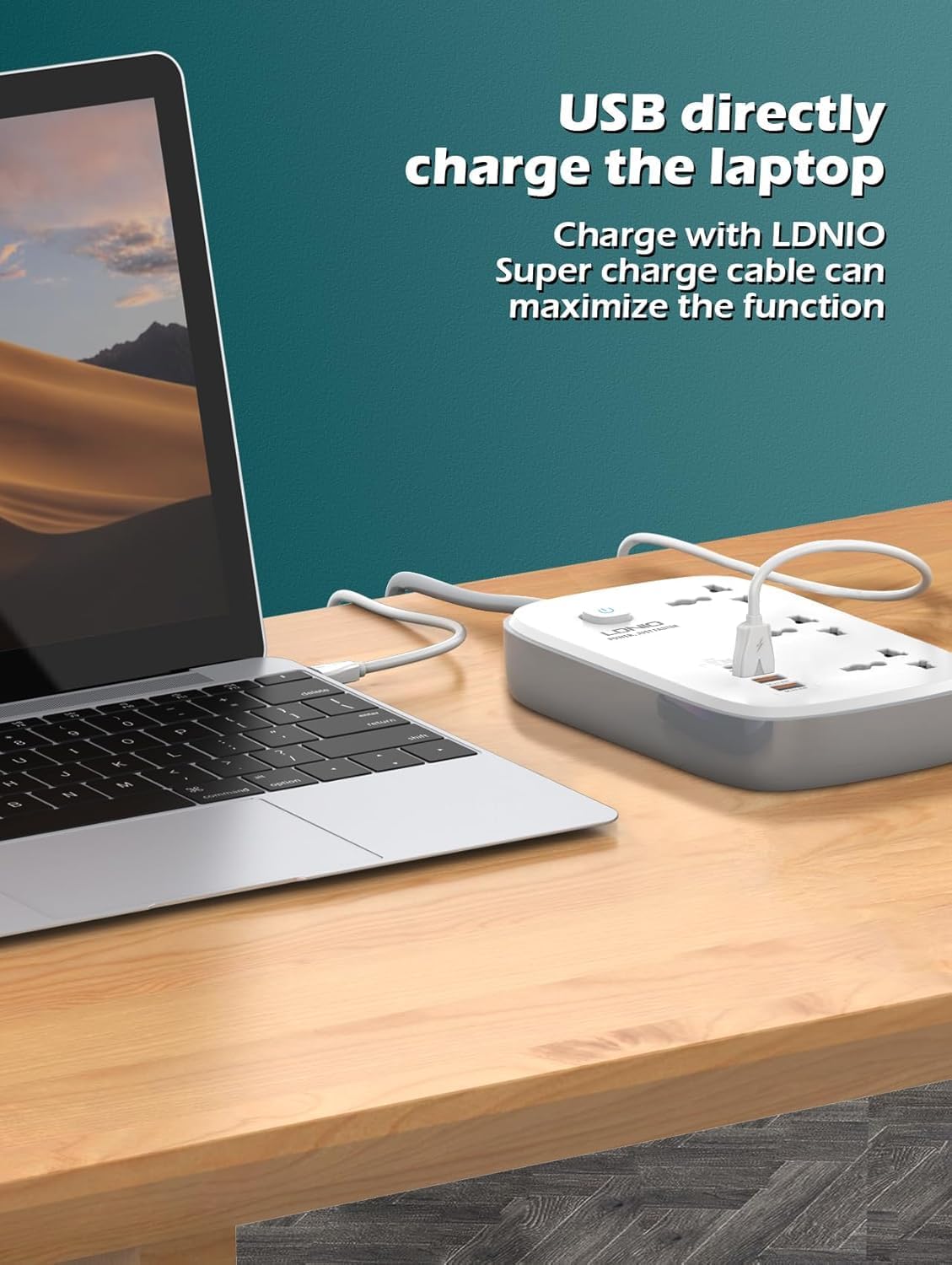
Image: The LDNIO SC3416 power strip showcasing its 3 universal AC outlets and USB ports, with devices connected.

Image: Detail of the USB ports, highlighting Apple-specific Power Delivery (PD) charging capability for various Apple devices.
4. Тохиргоо
- Баглаа задлах: Цахилгааны туузыг савлагаанаас нь болгоомжтой салга.
- Байршил: Place the power strip on a stable, dry, and flat surface, away from any liquids or heat sources.
- Цахилгаанд холбогдох: Plug the power strip's main plug into a standard, grounded wall electrical outlet.
- Асаах: Press the main power switch on the power strip to turn it on. The indicator light should illuminate.
5. Ашиглалтын заавар
5.1 Connecting AC Devices
- Insert the power plug of your appliance into any of the 3 universal AC outlets on the power strip.
- Залгуурыг бүрэн залгасан эсэхийг шалгаарай.
- Verify that the total power consumption of all connected AC devices does not exceed 2500W.
5.2 USB төхөөрөмжүүдийг холбох
- Use a compatible USB charging cable for your device.
- Plug one end of the USB cable into one of the 4 USB ports on the power strip.
- Connect the other end of the USB cable to your smartphone, tablet, or other USB-powered device.
- The power strip will automatically detect the device and deliver optimal charging current, including fast charging for compatible devices.

Image: The LDNIO SC3416 power strip providing direct USB charging to a laptop, demonstrating its high-power output.
6. Засвар үйлчилгээ
- Цэвэрлэгээ: Before cleaning, ensure the power strip is unplugged from the wall outlet and all devices are disconnected. Wipe the exterior with a dry, soft cloth. Do not use liquid cleaners, aerosols, or abrasive materials.
- Хадгалах: When not in use for extended periods, unplug the power strip and store it in a cool, dry place, away from direct sunlight and moisture.
- Шалгалт: Цахилгааны утас болон цахилгааны залгуурыг үе үе шалгаж, утаснууд урагдсан эсвэл хагарсан гэх мэт гэмтлийн шинж тэмдэг байгаа эсэхийг шалгаарай.asing. If damage is found, discontinue use immediately and contact support.
7. Алдаа засах
- Төхөөрөмжид цахилгаан байхгүй:
- Check if the power strip's main plug is securely inserted into the wall outlet.
- Ensure the power strip's main switch is in the 'ON' position and its indicator light is illuminated.
- Verify that the connected device is properly plugged into the power strip and is functioning correctly.
- Өөр төхөөрөмжийг залгаж, ханын залгуур өөрөө ажиллаж байгаа эсэхийг шалгана уу.
- Slow USB Charging:
- Ensure you are using a high-quality, compatible USB cable that supports fast charging.
- Confirm that your device supports fast charging.
- Avoid charging too many high-power devices simultaneously, which might reduce individual charging speeds.
- Power Strip Overheating:
- Immediately disconnect all devices and unplug the power strip from the wall outlet.
- This usually indicates an overload. Reduce the total power consumption of connected devices.
- If overheating persists with normal load, discontinue use and contact customer support.
8. Техникийн үзүүлэлтүүд
| Онцлог | Тодорхойлолт |
|---|---|
| Брэнд | LDNIO |
| Загварын дугаар | SC3416EUplug |
| Бүтээгдэхүүний хэмжээс | 10 x 5 x 1.27 см |
| Зүйлийн жин | 150 грамм |
| Нийт АС залгуур | 3 Universal Outlets |
| Нийт USB портууд | 4 |
| Ботьtage | 240 В |
| Хамгийн их цахилгаан гаралт | 2500 Вт |
| USB хурдан цэнэглэгч | 65 Вт |
| Онцлог шинж чанарууд | USB порт |
| Зөвлөмж болгож буй хэрэглээ | Дотор |
| Материал | Поликарбонат |
| Өнгө | Цагаан |
9. Баталгаат хугацаа ба дэмжлэг
This LDNIO SC3416 Universal Power Strip comes with a standard manufacturer's warranty. Please refer to your purchase documentation or the retailer's webтусгай баталгаат нөхцөл, болзлын сайт.
For technical support, troubleshooting assistance, or any product-related inquiries, please contact LDNIO customer service through their official webсайт эсвэл таны худалдан авалтад өгсөн холбоо барих мэдээлэл.


