Introduction to Your Pixel 8 Pro
The Google Pixel 8 Pro is an advanced Android smartphone designed by Google, featuring a powerful Google Tensor G3 chip, a sophisticated triple camera system, and intelligent AI capabilities. This manual provides essential information for setting up, operating, maintaining, and troubleshooting your device.
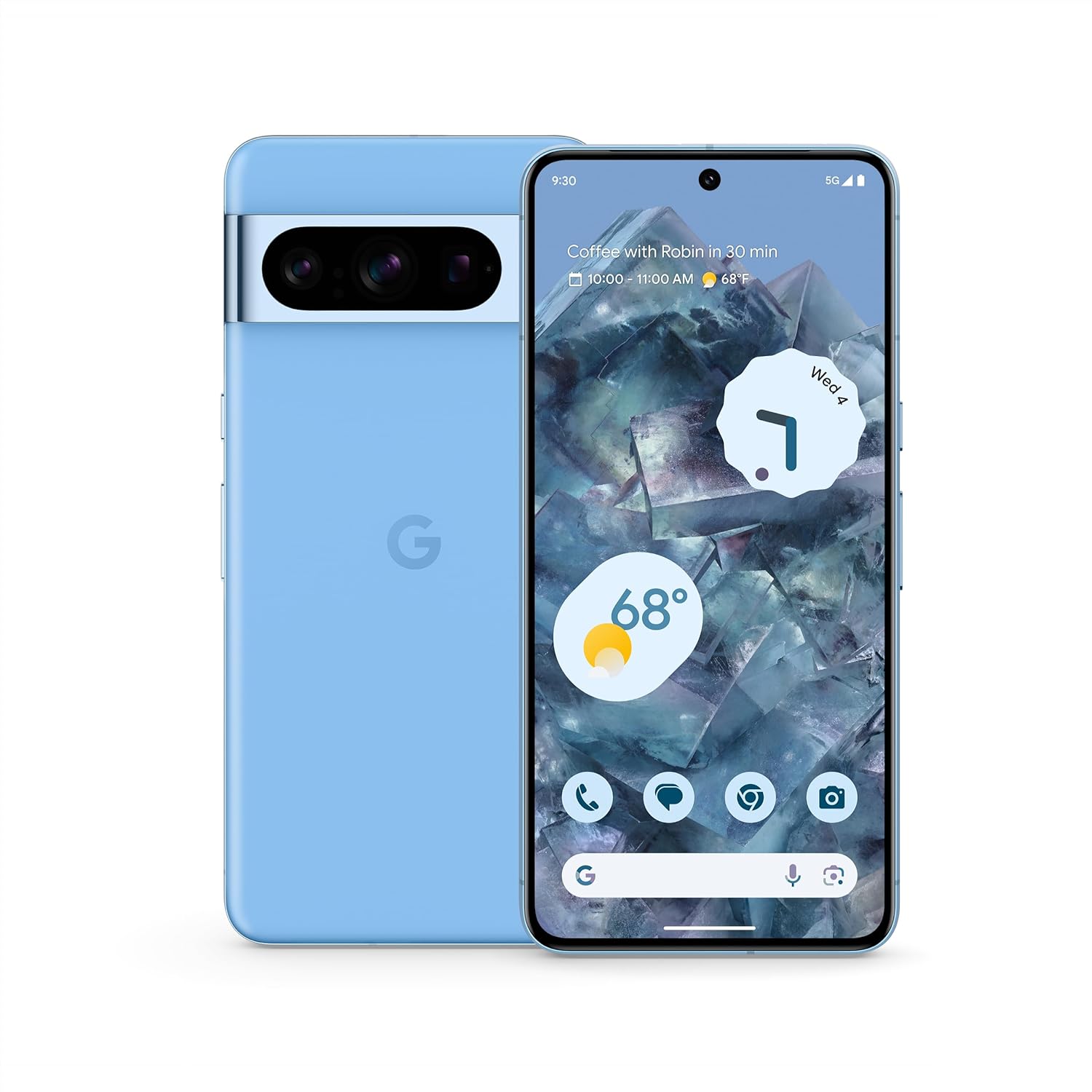
Зураг: Урд ба хойд view of the Google Pixel 8 Pro in Bay color, showcasing its sleek design and camera bar.
Видео: хурдан дуусгахview of the Google Pixel 8 Pro, highlighting its key features and design elements.
Хайрцагт юу байна
Your Google Pixel 8 Pro package includes the following items:
- Google Pixel 8 Pro ухаалаг гар утас
- SIM тавиурыг гаргагч
- USB кабель (USB-C-аас USB-C)
- Quick Switch Adapter (USB-A to USB-C)
Тохиргоо
Анхны тохиргоо
- SIM карт оруулах: Use the provided SIM tray ejector tool to open the SIM tray. Place your nano-SIM card into the tray and reinsert it into the phone.
- Асаах: Google лого гарч иртэл төхөөрөмжийн хажуу талд байрлах Асаах товчийг дараад барина уу.
- Дэлгэц дээрх зааврыг дагана уу: The phone will guide you through selecting your language, connecting to a Wi-Fi network, and signing in with your Google Account.
- Хурууны хээ тайлах: Set up your fingerprint for secure and convenient unlocking.
- Өгөгдөл дамжуулах: If you're switching from another device, use the Quick Switch Adapter and follow the prompts to transfer your data, contacts, and apps.
Operating Your Pixel 8 Pro
Үндсэн навигаци
Your Pixel 8 Pro uses intuitive gesture navigation. Swipe up from the bottom to go home, swipe up and hold to view recent apps, and swipe from the left or right edge to go back.
Камерын онцлог
The Pixel 8 Pro features a triple camera system with a dedicated 5x telephoto lens, improved autofocus, and advanced photography controls.

Image: Detailed breakdown of the Pixel 8 Pro's camera system, including megapixel counts for main, ultrawide, telephoto, and front cameras.
- Pro Controls: Access advanced settings for full-resolution photos, including shutter speed, ISO, and focus.
- Аудио Шидэт Баллуур: Utilize Google AI to reduce distracting noises in your videos, such as wind or traffic.
Video: Demonstrates how to edit videos on your Pixel phone, including trimming, adjusting, and applying effects like Audio Magic Eraser.
AI онцлог
Google AI enhances your Pixel 8 Pro experience with smart features designed for convenience and efficiency.
- Call Assist: Get help making and screening calls.
- Шууд орчуулга: Хэлнүүдийг бодит цаг хугацаанд орчуулна уу.
- Хайх тойрог: Instantly search what you see on your phone by circling, highlighting, or scribbling on images, text, or videos.

Зураг: Visual examples of the Pixel 8 Pro's AI capabilities, including call screening, Google Assistant integration, and real-time language translation.
Температур мэдрэгч
The Pixel 8 Pro includes a dedicated temperature sensor for measuring the surface temperature of everyday objects.
Video: Instructions on how to use the Pixel 8 Pro's temperature sensor to measure the temperature of objects around you.
Засвар үйлчилгээ
Програм хангамжийн шинэчлэлтүүд
Google provides 7 years of security updates and OS upgrades for your Pixel 8 Pro to ensure your device remains secure and up-to-date with the latest features.
- Ensure your device is connected to Wi-Fi and has sufficient battery life before initiating updates.
- руу шилжих Тохиргоо > Систем > Системийн шинэчлэл боломжтой шинэчлэлтүүдийг шалгаж суулгах.
Батерейны арчилгаа
The Pixel 8 Pro features an all-day battery (5050 mAh) with fast charging and wireless charging capabilities.
- Use certified chargers and cables for optimal charging performance and safety.
- Avoid extreme temperatures, as they can affect battery life and performance.
- Enable Adaptive Battery in settings to optimize battery usage based on your habits.
Цэвэрлэгээ
To keep your Pixel 8 Pro clean and in good condition:
- Дэлгэц болон биеийг зөөлөн, хөвөнгүй даавуугаар арчина.
- Химийн хатуу бодис, зүлгүүрийн материал ашиглахаас зайлсхий.
Алдааг олж засварлах
If you encounter issues with your Pixel 8 Pro, refer to the common solutions below:
| Асуудал | Боломжит шийдэл |
|---|---|
| Утас асахгүй байна | Батерей цэнэглэгдсэн эсэхийг шалгаарай. Дахин асаахын тулд Асаах товчийг 10-15 секундын турш дарна уу. |
| Аппликешнууд гацаж эсвэл хөлддөг | Clear app cache/data (Settings > Apps > [App Name] > Storage). Update the app or uninstall/reinstall. |
| Зайны хугацаа муу | Check battery usage in settings to identify draining apps. Reduce screen brightness, disable unnecessary features (GPS, Bluetooth, Wi-Fi when not in use). |
| Connectivity issues (Wi-Fi/Bluetooth) | Toggle Wi-Fi/Bluetooth off and on. Restart the phone. Forget and reconnect to the network/device. |
| Хурууны хээ сканнер ажиллахгүй байна | Ensure your finger is clean and dry. Re-register your fingerprints in settings. |
Үзүүлэлтүүд
| Онцлог | Дэлгэрэнгүй |
|---|---|
| Загварын нэр | Pixel 8 Pro |
| Хэмжээ | 6.4 x 3.01 x 0.35 инч |
| Зүйлийн жин | 7.5 унц |
| Дэлгэцийн хэмжээ | 6.7 Inches Super Actua Display |
| Шийдвэр | 1344 x 2992 |
| Сэргээх хурд | 1-120 Hz adaptive |
| Үйлдлийн систем | Android 13.0 (ships with) |
| Процессор | Google Tensor G3 |
| RAM | 12 ГБ |
| Хадгалах багтаамж | 128 GB (as per current product) |
| Зайны багтаамж | 5050 мАч |
| Камерууд | Triple Camera System (50MP Main, 48MP Ultrawide, 48MP Telephoto), 10.5MP Front |
| Холболт | 5G, Wi-Fi, Bluetooth, NFC |
Аюулгүй байдал ба зохицуулалтын мэдээлэл
For detailed safety, regulatory, and warranty information, please refer to the official Google Pixel support webсайт эсвэл таны төхөөрөмжтэй хамт ирсэн баримт бичиг.
Баталгаат болон дэмжлэг
Your Google Pixel 8 Pro comes with a manufacturer's warranty. For warranty details, technical support, or service inquiries, please visit the official Google Support webсайт:


