1. Танилцуулга
Худалдан авалт хийсэнд баярлалааasing the ULTIMEA Nova S50 Dolby Atmos Soundbar. This 2.1 channel sound system, featuring a powerful 190W output and a dedicated subwoofer, is designed to deliver an immersive audio experience for your home theater, PC, or TV. This manual provides detailed instructions for setting up, operating, maintaining, and troubleshooting your device to ensure optimal performance.

Figure 1.1: ULTIMEA Nova S50 Soundbar delivering immersive Dolby Atmos sound.
2. Тохиргоо
2.1 Багцын агуулга
Эхлэхээсээ өмнө багцад байгаа бүх зүйлс байгаа эсэхийг шалгана уу:
- Дууны самбар (x1)
- Wired Subwoofer (x1)
- Эрчим хүчний адаптер (x1)
- HDMI кабель (x1)
- HDMI Adapter (x1)
- Алсын удирдлага (x1, батерей ороогүй)
- Optical Cable (x1)
- 3.5 мм аудио кабель (x1)
- Wall Mounting Kit (x1)
- Хэрэглэгчийн гарын авлага (x1)

Figure 2.1: Included accessories and components.
2.2 Физик байрлал
The Nova S50 soundbar features a compact and slim design, allowing for flexible placement options. It can be placed on a TV stand, a tabletop, or wall-mounted. Ensure the soundbar is positioned centrally in front of your TV for the best audio experience. The subwoofer can be placed on the floor near the soundbar.

Figure 2.2: Compact design allows for placement under a TV without obstructing the view.
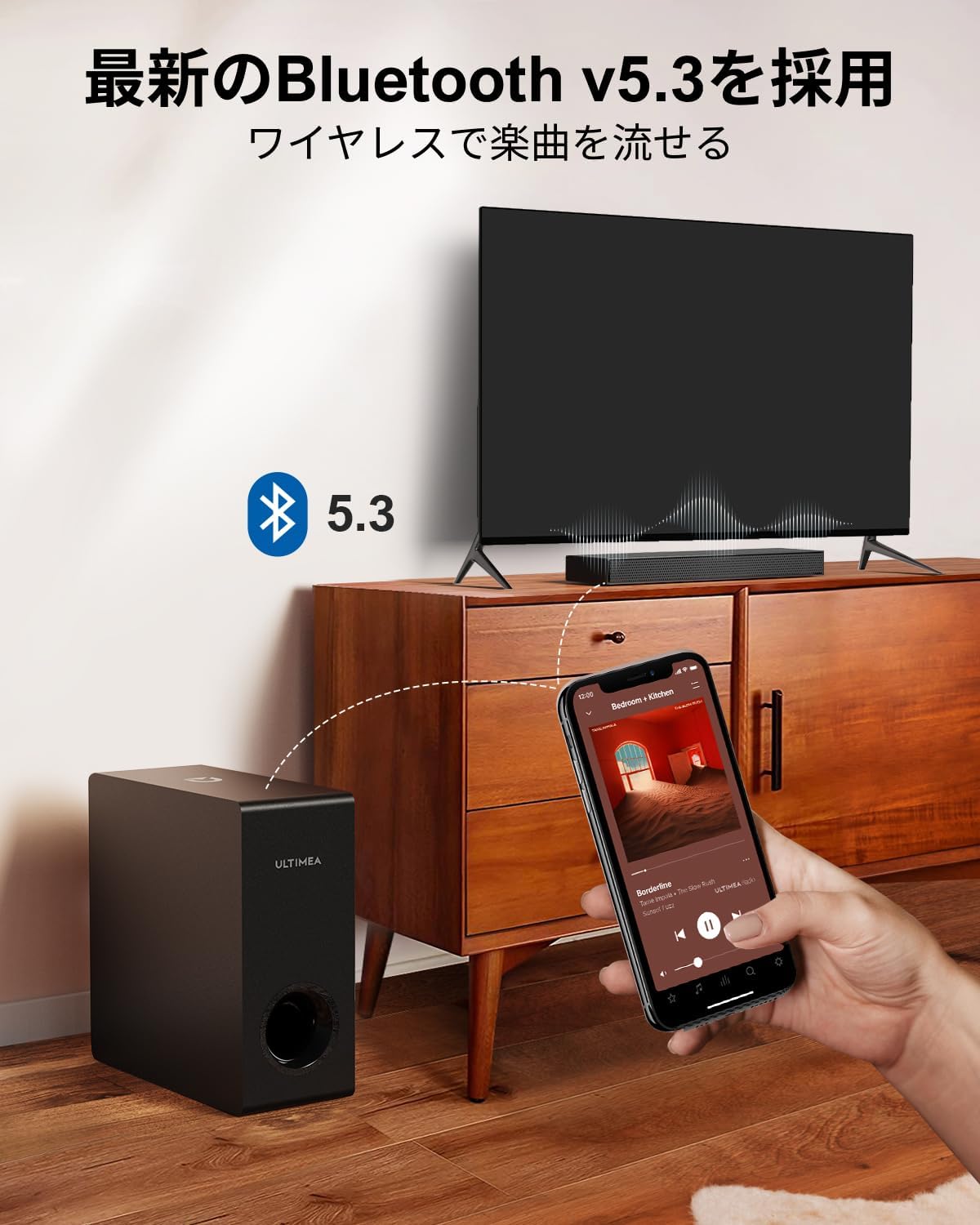
Figure 2.3: Dimensions of the soundbar and subwoofer.
2.3 холболт
The Nova S50 offers multiple connectivity options. Choose the method that best suits your device.

Зураг 2.4: Арын самбарын холболтууд.
2.3.1 HDMI eARC Connection
For the highest quality audio transmission, connect your TV to the soundbar using the HDMI eARC port.
- Connect one end of the provided HDMI cable to the HDMI eARC port on your TV.
- Connect the other end of the HDMI cable to the HDMI eARC port on the soundbar.
- On the soundbar's remote control, press the 'eARC' button to select the HDMI eARC input mode.
- Ensure your TV's audio output settings are configured for HDMI eARC (usually found under TV Settings > Sound > Digital Audio Output > Auto).

Figure 2.5: HDMI eARC connection steps.
2.3.2 Оптик холболт
Use the optical cable for digital audio connection if your TV does not support HDMI eARC.
- Connect one end of the optical cable to the optical output port on your TV.
- Connect the other end of the optical cable to the optical input port on the soundbar.
- Select the 'OPT' input mode on the soundbar using the remote control.
2.3.3 AUX холболт
For analog audio devices, use the 3.5mm AUX cable.
- Connect one end of the 3.5mm audio cable to the audio output of your device (e.g., PC, smartphone).
- Connect the other end to the AUX input port on the soundbar.
- Select the 'AUX' input mode on the soundbar using the remote control.
2.3.4 Bluetooth холболт
Connect your mobile devices wirelessly via Bluetooth 5.3.
- Turn on the soundbar and select 'BT' input mode using the remote control. The soundbar will enter pairing mode.
- On your mobile device, enable Bluetooth and search for 'Nova S50'.
- Select 'Nova S50' from the list of available devices to pair. Once connected, you will hear an audible confirmation.

Figure 2.6: Wireless audio streaming via Bluetooth 5.3.
3. Ашиглалтын заавар
3.1 Асаах/унтраах
Төхөөрөмжийг асаах, унтраахын тулд дууны самбар эсвэл алсын удирдлага дээрх цахилгаан товчийг дарна уу.
3.2 Оролтын сонголт
Use the dedicated input buttons (HDMI eARC, OPT, AUX, BT, USB) on the remote control to switch between audio sources.
3.3 Дууны хяналт
Adjust the volume using the Volume Up (+) and Volume Down (-) buttons on the remote control or the soundbar. The soundbar also supports HDMI-CEC, allowing you to control its volume with your TV remote if your TV supports this feature.

Figure 3.1: Remote control with HDMI-CEC support.
3.4 Дууны горимууд
The Nova S50 features audio algorithms and machine learning technology to optimize sound based on content. Use the remote control to select from the following sound modes:
- КИНО: Enhances cinematic sound for movies and TV shows, emphasizing vocals and dynamic scenes.
- ТОГЛООМ: Optimized for gaming, providing clear sound effects and immersive spatial audio.
3.5 BassMX Adjustment
The dedicated subwoofer and ULTIMEA's proprietary BassMX technology provide powerful and adjustable bass. Use the BassMX button on the remote to cycle through different bass levels (Weak, Medium, Strong) to suit your preference.

Figure 3.2: BassMX technology for enhanced bass.
4. Засвар үйлчилгээ
4.1 Цэвэрлэгээ
To maintain the appearance and performance of your soundbar, regularly clean it with a soft, dry cloth. Do not use liquid cleaners or abrasive materials, as these can damage the finish or internal components.
4.2 Хадгалалт
If storing the soundbar for an extended period, disconnect it from the power source and store it in a cool, dry place, away from direct sunlight and extreme temperatures.
5. Алдаа засах
If you encounter issues with your ULTIMEA Nova S50 soundbar, refer to the following common problems and solutions:
- Дуугүй:
- Дууны самбар асаалттай, зөв оролтын эх үүсвэр сонгогдсон эсэхийг шалгаарай.
- Check all cable connections (HDMI, Optical, AUX) are secure.
- Verify the TV's audio output settings are correctly configured for the chosen connection type (e.g., HDMI eARC, PCM for Optical).
- Дууны самбар болон холбогдсон төхөөрөмжийнхөө дууг нэмэгдүүлнэ үү.
- If using HDMI eARC, ensure HDMI-CEC is enabled on your TV.
- Bluetooth холболтын асуудал:
- Дууны самбарыг Bluetooth хослуулах горимд байгаа эсэхийг шалгаарай.
- Гар утасны төхөөрөмж дээрх Bluetooth-г идэвхгүй болгож, дахин идэвхжүүлнэ үү.
- Move your device closer to the soundbar to ensure it is within the 10-meter range.
- Төхөөрөмж дээрх өмнөх Bluetooth холболтыг устгаад дахин холбож үзнэ үү.
- Гажуудсан дуу:
- Reduce the volume on both the soundbar and the connected device.
- Check for any physical obstructions or interference near the soundbar or subwoofer.
- Кабель нь гэмтээгүй эсвэл сул холбогдсон эсэхийг шалгаарай.
- Алсын удирдлага ажиллахгүй байна:
- Алсын удирдлага дахь батерейг солино уу.
- Алсын удирдлага болон дууны самбарын мэдрэгчийн хооронд ямар ч саад бэрхшээл байхгүй эсэхийг шалгаарай.
- Алсын удирдлагыг дууны самбар руу шууд чиглүүл.
6. Техникийн үзүүлэлтүүд
| Онцлог | Дэлгэрэнгүй |
|---|---|
| Загварын нэр | Нова S50 |
| Чанга яригчийн төрөл | Dolby Atmos Soundbar 2.1ch (with Subwoofer) |
| Холболтын технологи | AUX, Bluetooth, HDMI-eARC, Optical |
| Утасгүй холбооны технологи | Bluetooth 5.3 |
| Хамгийн их гаралтын чадал | 190 Вт |
| Давтамжийн хариу үйлдэл | 45 Гц - 18 кГц |
| Саундбарын хэмжээс (Урт x Өргөн x Өндөр) | 40 см х 7.9 см х 3.8 см |
| Сабвуферын хэмжээс (Урт x Өргөн x Өндөр) | 27 см х 11.4 см х 27 см |
| Бүтээгдэхүүний жин | 4.52 кг |
| Хяналтын арга | Алсын удирдлага |
| Санал болгож буй өрөөний талбай | ≤ 25 м² |

Figure 6.1: Ultra-thin driver technology for high-fidelity sound.
7. Баталгаат хугацаа ба дэмжлэг
7.1 Хязгаарлагдмал баталгаат хугацаа
ULTIMEA products come with a limited warranty. Please refer to the warranty card included in your package or visit the official ULTIMEA webнарийвчилсан баталгаат нөхцөлийг сайтаас авна уу.
7.2 Хэрэглэгчийн дэмжлэг
For any questions, technical assistance, or support needs, please contact ULTIMEA customer service. We offer 365-day support and a 30-day free return policy. You can find contact information on our official webсайт эсвэл таны худалдан авах платформоор дамжуулан.


